RaidLead Notes
RaidLead Notes is a lightweight raid-leading addon designed to make boss instructions, assignments, and raid communication faster and easier.
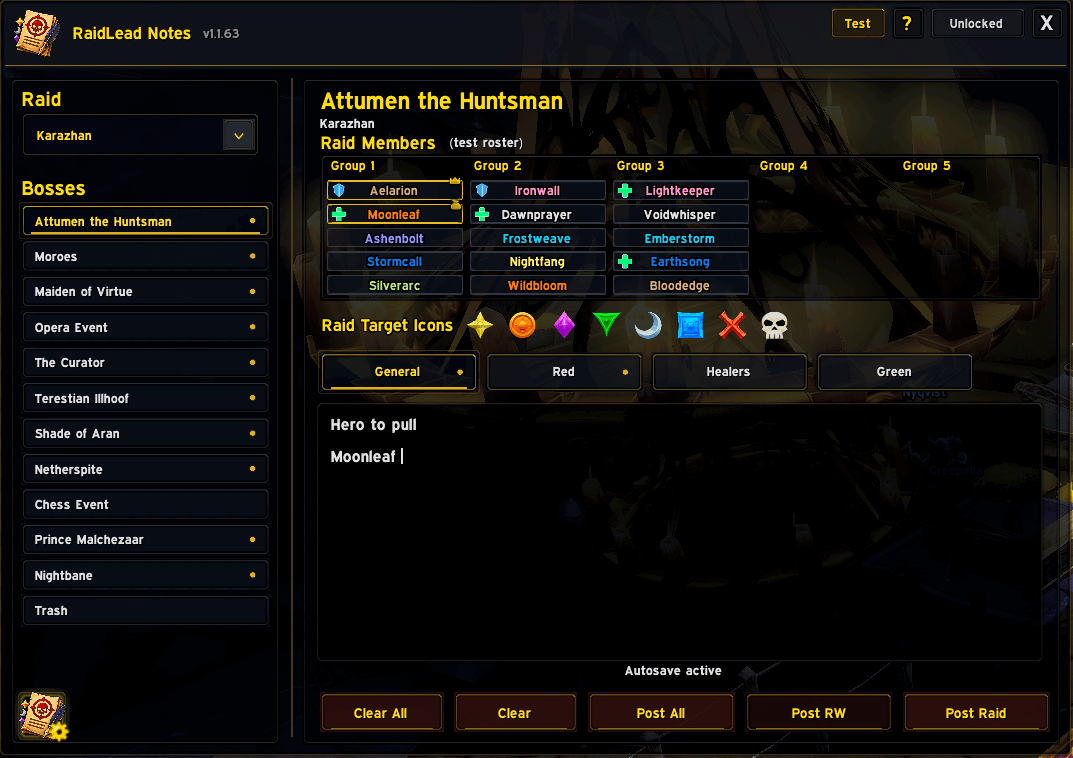
Main Frame
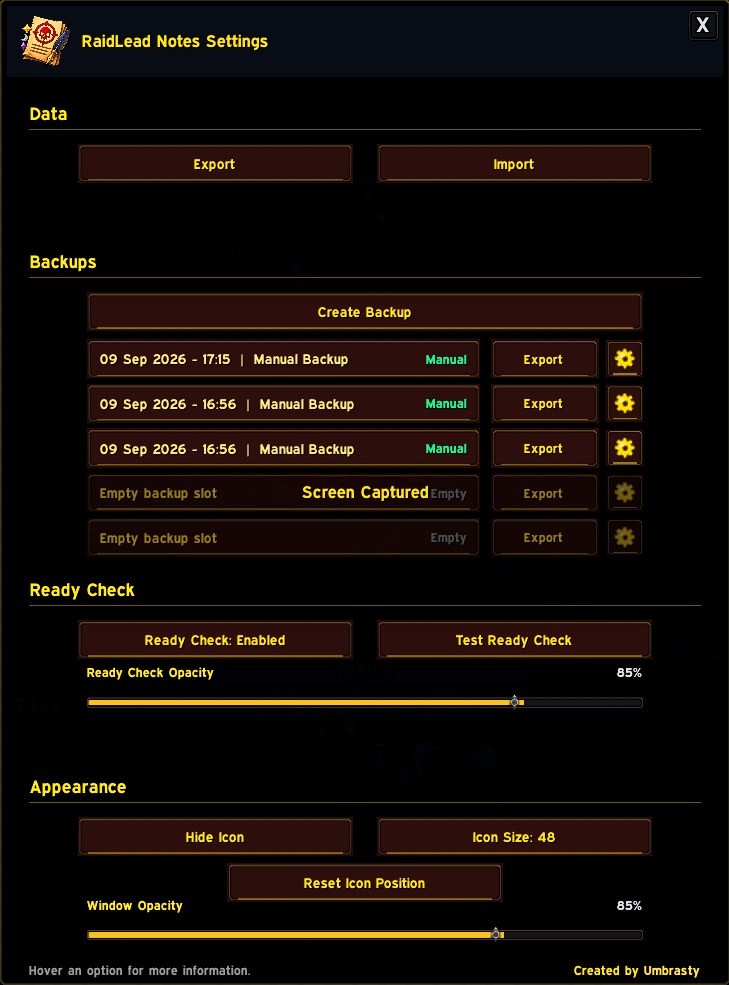
Addon Settings
Description
RaidLead Notes
RaidLead Notes is a lightweight raid leader notepad for World of Warcraft: The Burning Crusade Classic.
Organize raid notes by raid, boss and role, keep important information ready during the raid, and quickly post instructions to Raid or Raid Warning.
Main Features
- Separate notes for:
- General
- Tanks
- Healers
- DPS
- Custom tab names per boss
- Boss-specific note storage
- Trash section for every raid
- Visual note indicators for:
- Bosses
- Individual tabs
- Clickable Raid Target Icons
- Clickable Raid Member names
- Class-colored player names
- Raid Members displayed by Group 1–5
- Tank and Healer role icons
- Post current note or all filled tabs
- Raid / Raid Warning support
- Automatic message splitting for long notes
- Mouse-wheel scrolling in the note editor
Import / Export
RaidLead Notes includes a built-in transfer system for sharing or moving your setup.
- RLN5 Import / Export
- Exports notes and custom boss-specific tab names
- Explicitly blank tab names are preserved
- Backward-compatible with older RLN formats
- Automatic safety backup before imports
- Optional custom name for the safety backup
Backup System
Keep your raid notes protected with up to 5 backup slots.
- Manual backups
- Automatic backup before imports
- Restore
- Rename
- Delete
- Export individual backups
- Backup data includes notes and custom tab names
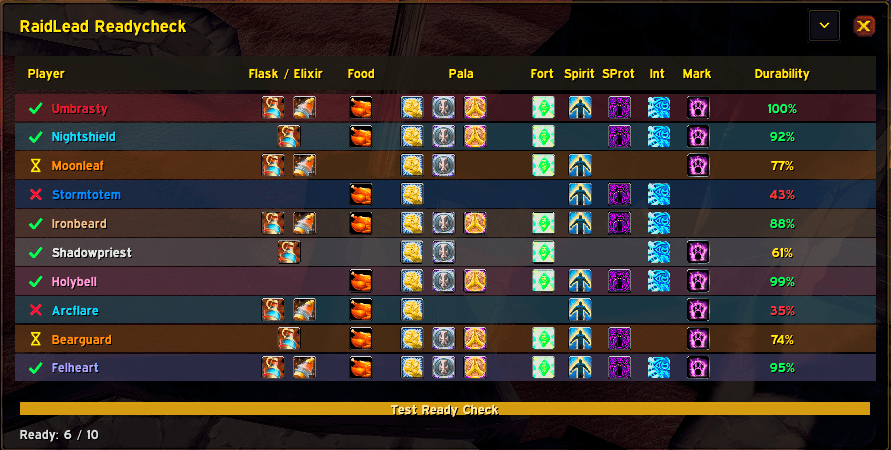
Ready Check Monitor
Optional custom Ready Check monitor designed for raid leaders.
Tracks:
- Ready / Not Ready / Waiting status
- Flask / Elixir
- Food
- Paladin Blessings
- Fortitude
- Spirit
- Shadow Protection
- Arcane Intellect / Brilliance
- Mark / Gift of the Wild
- Durability between RaidLead Notes users
Additional Ready Check features:
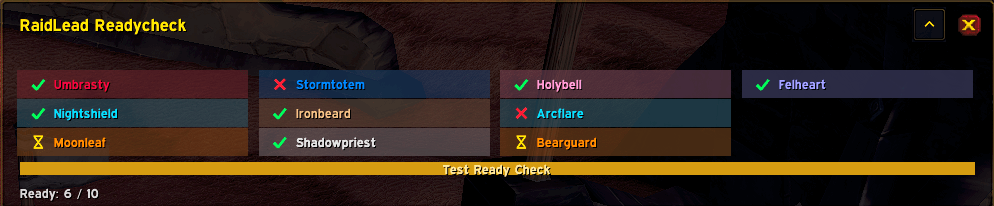
- Expanded and compact views
- Ready count
- Countdown timer
- Adjustable opacity
- Phase 3 Shattrath Flask support
- TBC Flask and Elixir detection
Supported Raids
- Karazhan
- Gruul's Lair
- Magtheridon's Lair
- Serpentshrine Cavern
- Tempest Keep
- Hyjal Summit
- Black Temple
- Sunwell Plateau
UI & Quality of Life
- Movable launcher button
- Lockable main window
- Adjustable window opacity
- Clean dark/gold raid-oriented design
- In-game help
- Tutorial
- Settings menu
Slash Commands
/rln
/raidleadnotes
Notes
RaidLead Notes is designed to stay lightweight and focused on the tasks a raid leader actually needs during a raid: notes, assignments, communication and preparation checks.
Plan it. Save it. Post it. Raid.
RaidLead Notes Team