Raidframe Punch-Through
- By
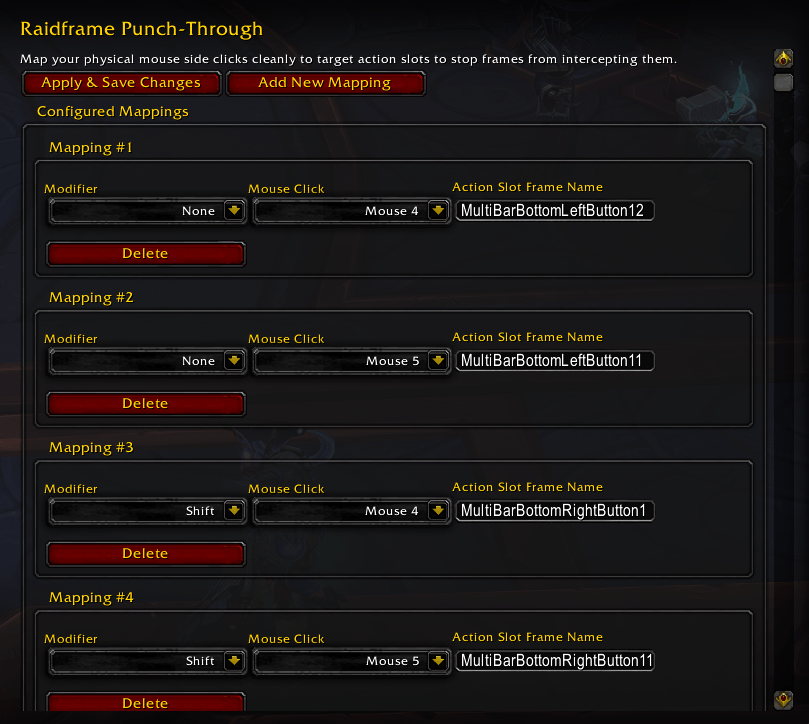
punchthrough_settings.png
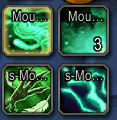
actionbar_keybinds.png
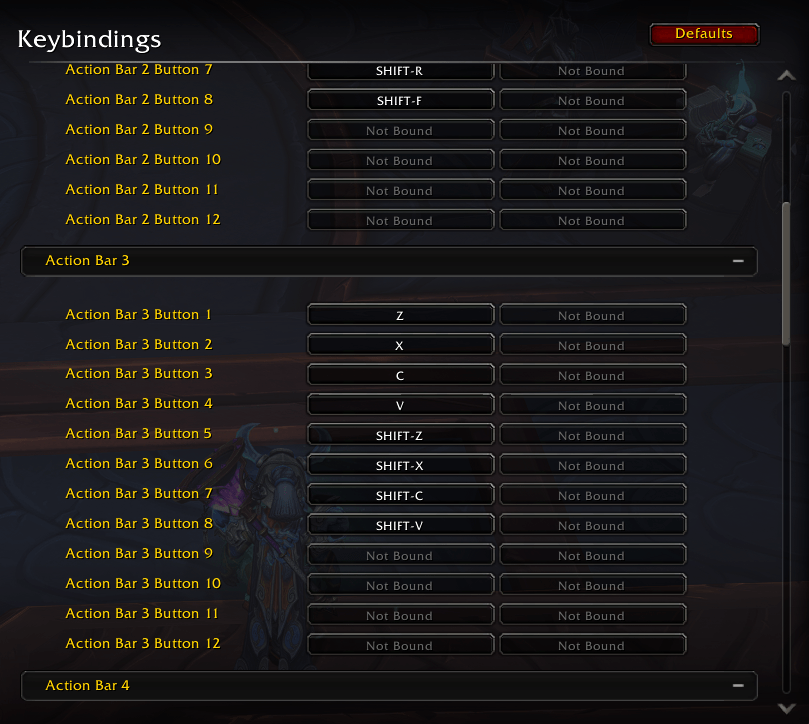
blizzard_keybinds.png
Description
Raidframe Punch-Through
Raidframe Punch-Through is a lightweight World of Warcraft retail addon that prevents unit frames (like Blizzard's default raid frames) from intercepting and "eating" physical side mouse clicks (Mouse 4 and Mouse 5) without needing to write custom macros for every spell.
Currently this only supports 2 extra mouse buttons, ie Mouse 4 ande Mouse 5. If people would like me to update this to support more extra mouse buttons like those on MMO focused mice please let me know via the comments.
Why did I make this?
In Patch 12.0.7, Blizzard changed how unit frames handle mouse inputs. Now, whenever your cursor hovers over a raid, party, or player frame, the UI completely swallows raw Mouse4 and Mouse5 clicks. Your action bar never receives the keypress, completely breaking your ability to use side-button binds over frames.
Normally, the only fixes are writing tedious mouseover macros for every single spell, or using third-party software to remap your mouse to keyboard keys.
This addon punches a hole straight through that restriction. It forces the game engine to pass your side mouse clicks directly down to your action bars. Your mouse buttons will behave exactly like regular keyboard keys over raid frames, meaning whatever spell you drag onto that bar slot will work dynamically—no macros, no third-party mouse software, and no profile management required.
The Problem
By default, World of Warcraft raid frames and unit frames intercept clicks from Mouse 4 (BUTTON4) and Mouse 5 (BUTTON5). If you bind these buttons directly to abilities in your keybindings, clicking them while your cursor is hovering over a raid frame does nothing.
To work around this, players traditionally had to write hover-over macros or use third-party binding software.
The Solution
Raidframe Punch-Through programmatically binds these physical mouse clicks (along with modifiers like Shift, Ctrl, and Alt) to trigger specific Action Bar slots (e.g. MultiBarBottomLeftButton12). This forces the clicks to "punch through" the secure frame barrier and trigger whatever ability is placed on that slot.
Features
- Blizzard Options Integration: Fully integrated options panel located under Options -> AddOns -> Raidframe Punch-Through.
- Dynamic Mappings List: Add, configure, and delete as many custom mouse mappings as you need.
- Modifier Support: Supports
None,Shift,Ctrl, andAltmodifiers. - Combat Safety: Keybindings in WoW are restricted during combat. PunchThrough detects when you are in combat, warns you, and safely defers applying your settings until you exit combat (listening to
PLAYER_REGEN_ENABLED). - Session Cleanup: Clears old bindings set by the addon during the current session when you modify or delete them, keeping your bindings clean.
- CurseForge Packaging Ready: Includes
.pkgmetafor automatic dependency resolution on CurseForge releases.
Usage
- Open the configuration panel by typing
/ptor/punchthroughin chat. - In-game, type
/fstackand hover your mouse cursor over the action slot you want to bind to check its internal frame name (e.g.,MultiBarBottomLeftButton12orMultiBarLeftButton10). Type/fstackagain to turn it off. - In the PunchThrough settings, click Add New Mapping.
- Set the modifier, the mouse button (Mouse 4 or 5), and paste the action slot frame name.
- Click Apply & Save Changes (outside of combat).
Raidframe Punch-Through Team