RaidController
- By
Organize raid groups (Cores) within your guild: create or join, pick your role, and see each member's class, spec, level and role — synced across the guild.
05_features_ES.png
04_create_EN.png
03_crear_ES.png
02_hero_EN.png
01_hero_ES.png
Description
🛡️ RaidController
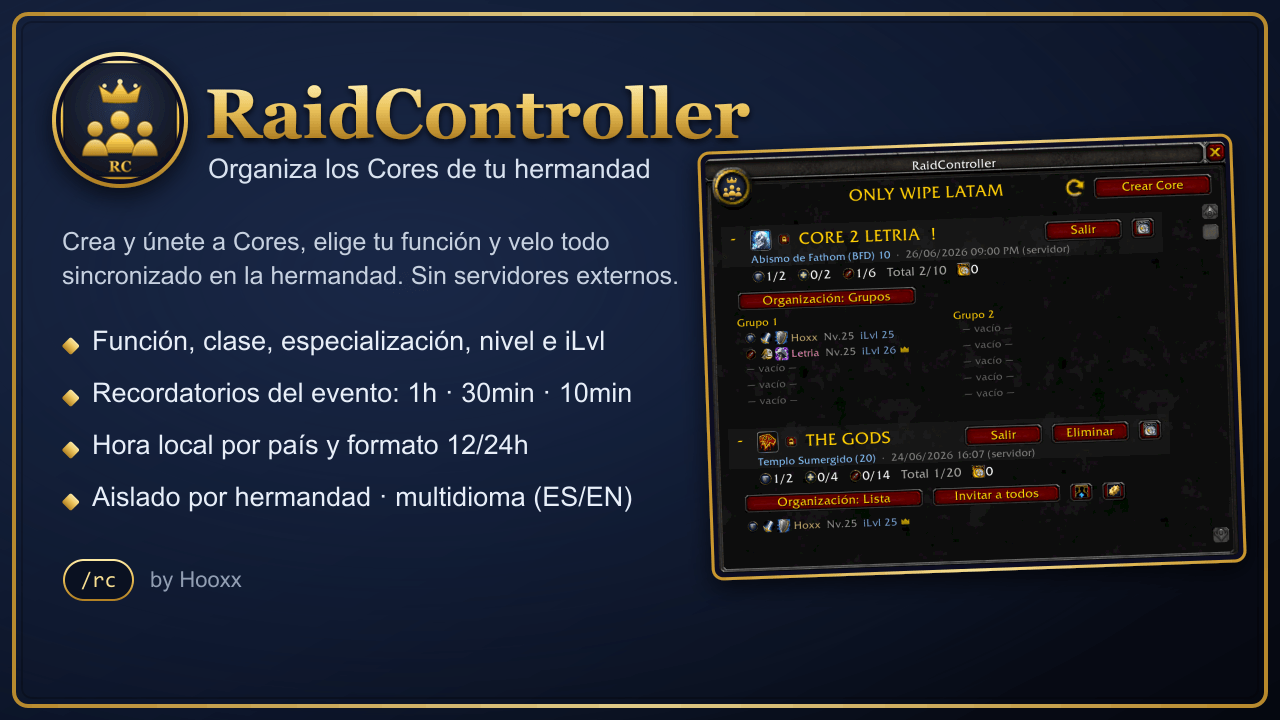
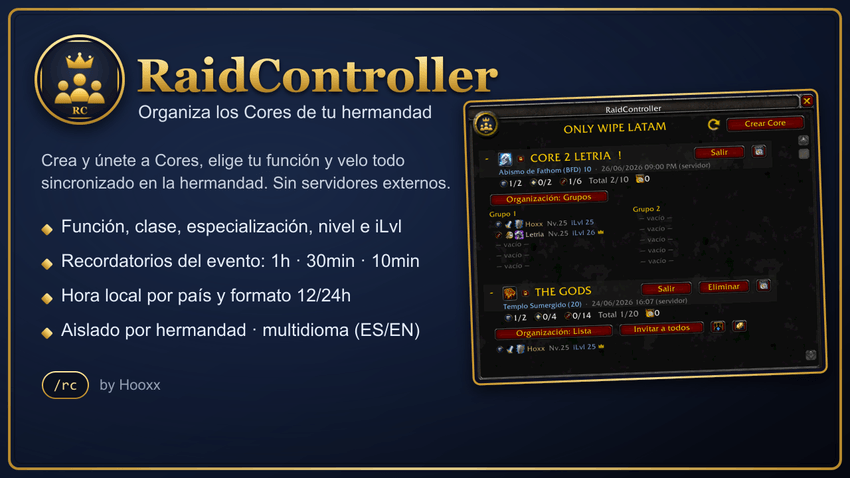
Organiza grupos de Core dentro de tu hermandad. Los miembros crean o se unen a grupos, eligen su función, y todos ven quién está en cada Core con su clase, especialización, nivel y función — sincronizado entre la hermandad, sin servidores externos. 🔄
✨ Características
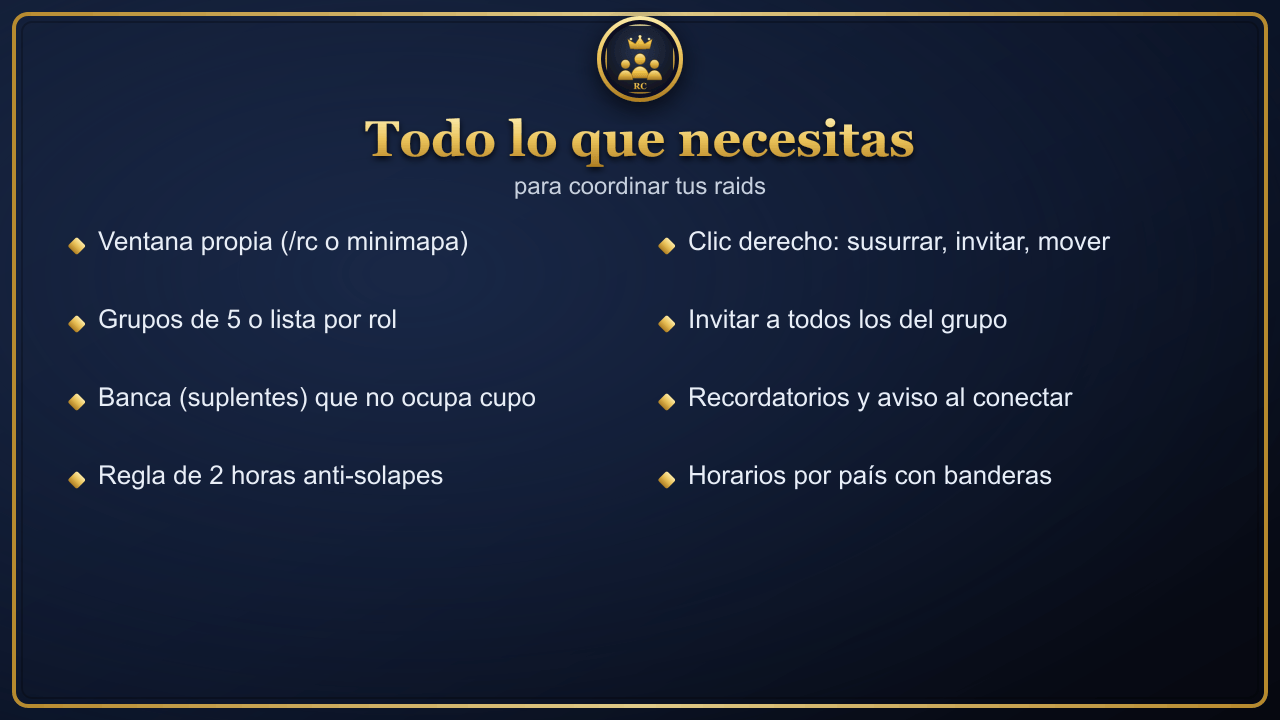
- 🪟 Ventana propia, abrible desde el botón del minimapa o con
/rc. - 🏰 Solo dentro de tu hermandad: la info se comparte entre miembros con el addon, y está aislada por guild (no ves Cores de otras hermandades).
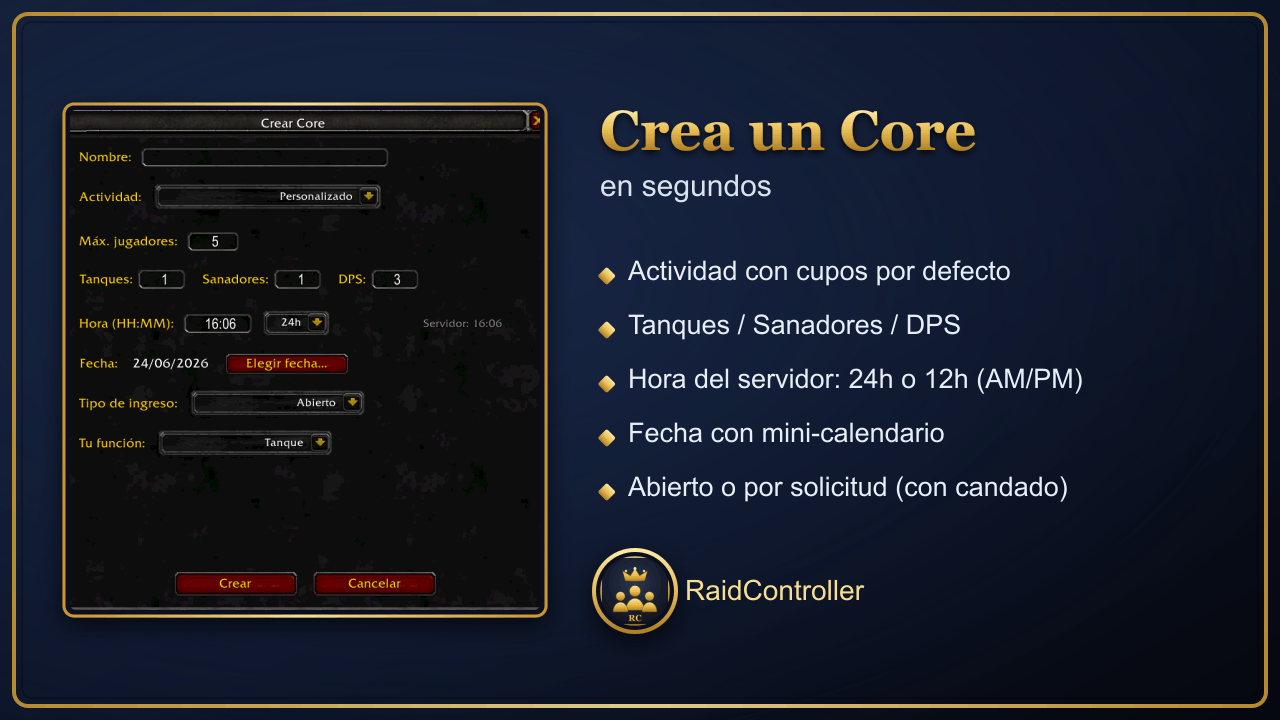
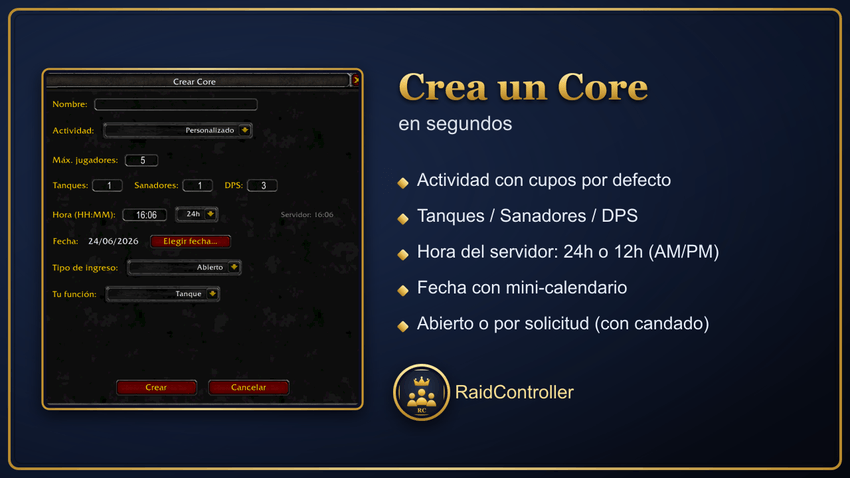
- ➕ Crea un Core con: nombre, actividad (raid/mazmorra con cupos por defecto e icono), máx. jugadores, nº de tanques/sanadores/DPS, hora del servidor y fecha (mini-calendario).
- 🕐 Formato de hora 12h o 24h al crear (si eliges 12h, escoges AM/PM).
- 🔓 Tipo de ingreso: Abierto (entras directo) o Por solicitud (el líder acepta/rechaza), con candado 🔒 en cada Core.
- 👥 Vista de integrantes en grupos de 5 (estilo raid) o en lista (tanque → sanador → DPS).
- 🧬 Cada integrante muestra función, clase, especialización, nombre, nivel y nivel de equipo; los desconectados salen en gris, y un ✓ marca a quien está en tu grupo/banda.
- 🪑 Función de Banca (suplentes) que no cuenta en el cupo.
- ⏳ Regla de 2 horas: no puedes apuntarte a dos Cores el mismo día con menos de 2 h de diferencia (la Banca lo ignora).
- 👑 Corona para el líder. Clic derecho sobre un integrante: Susurrar / Invitar; y si eres líder: Mover a Banca / Volver al grupo / Eliminar.
- 📨 Invitar a todos (solo a los del grupo; la Banca no recibe invitación).
- ⏰ Recordatorios del evento a 1 h, 30 min y 10 min antes (solo si estás inscrito; la Banca no recibe).
- 📅 Aviso al conectar: te dice en cuánto empieza cada evento al que estás inscrito.
- 🕒 Conversión de horarios por país: botón de reloj que abre una ventana con la hora local del evento en 14 países, con sus banderas 🚩.
- 🌎 Multidioma: se adapta al idioma del cliente (español de España/Latinoamérica e inglés).
- 💾 Persistencia local: los Cores se guardan en tu equipo y se re-sincronizan al conectarte.
📋 Cómo usarlo (paso a paso)
- 🟢 Abre la ventana: clic en el icono del minimapa o escribe
/rc. - ➕ Crea un Core (cualquiera puede): pulsa Crear Core → escribe nombre, elige actividad, ajusta cupos, pon la hora (24h o 12h con AM/PM) y la fecha → Crear. (El creador queda inscrito automáticamente.)
- 🙋 Únete a un Core: clic derecho sobre el Core (o botón Unirse) y elige tu función: Tanque, Sanador, DPS o Banca.
- 🔽 Mira los integrantes: clic en la fila del Core para desplegar; cambia entre Grupos y Lista con el botón de organización.
- 🕒 Consulta horarios por país: pulsa el botón de reloj (a la derecha) → se abre la ventana con las banderas y la hora local de cada país (ciérrala con la X).
- 🛠️ Si eres el líder: clic derecho en un integrante para Mover a Banca / Volver al grupo / Eliminar; usa Invitar a todos, el ➕ Añadir integrante, o el ⚙️ engranaje para editar el Core.
- 🔔 Recibe avisos automáticos antes del evento y al conectarte. (En Banca no llegan los recordatorios.)
💬 Comandos
/rc— abrir/cerrar la ventana.
🛡️ RaidController
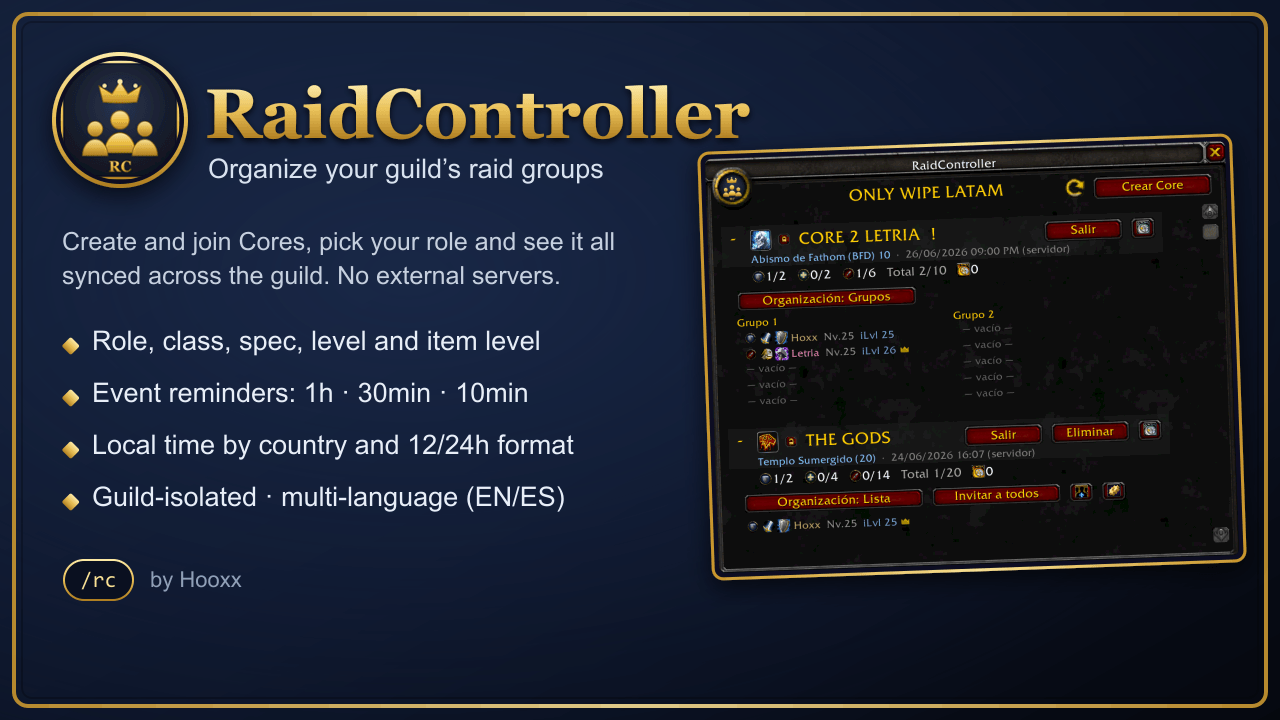
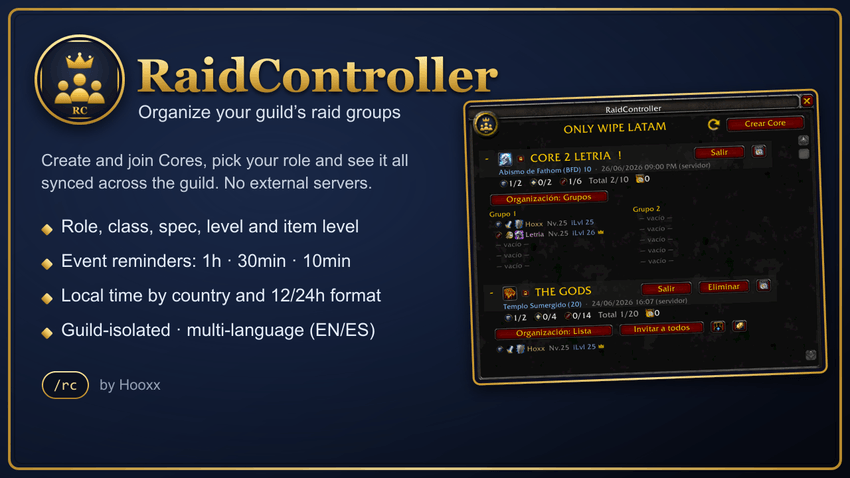
Organize raid Core groups inside your guild. Members create or join groups, pick their role, and everyone sees who's in each Core with class, spec, level and role — synced across the guild, with no external servers. 🔄
✨ Features
- 🪟 Its own window, opened from the minimap button or with
/rc. - 🏰 Guild only: data is shared between members who have the addon, and it's guild-isolated (you never see other guilds' Cores).
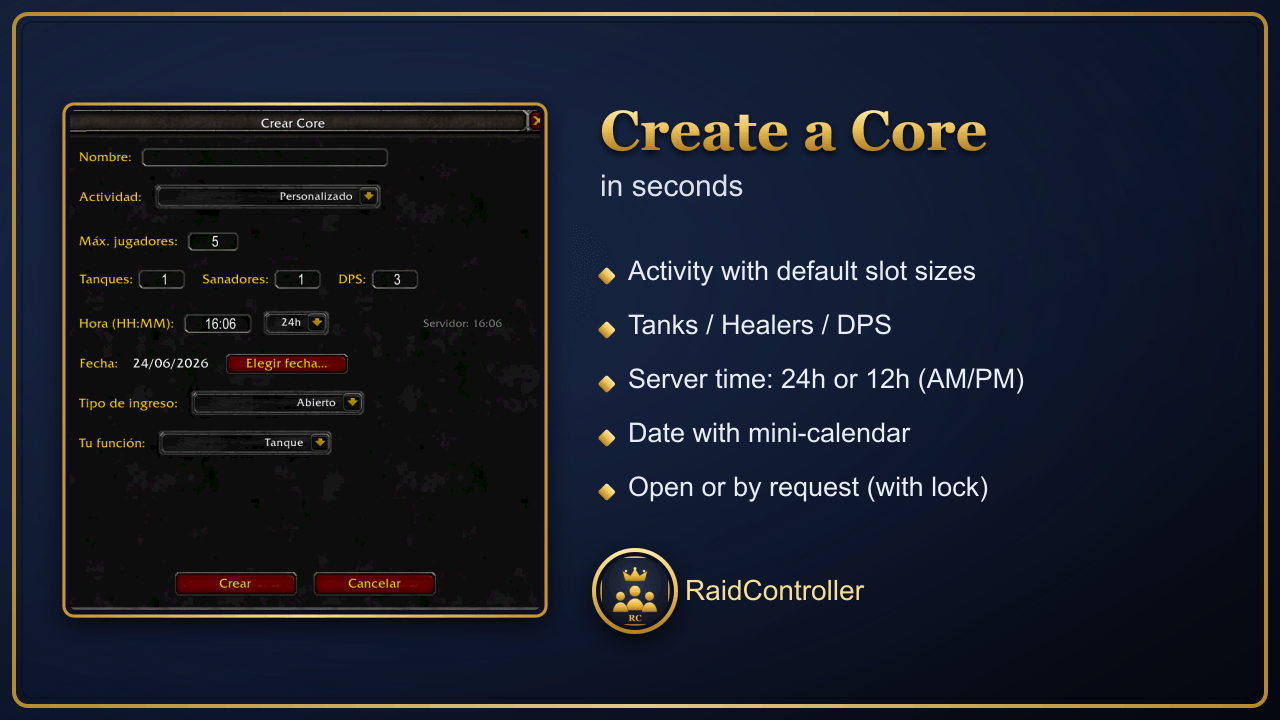
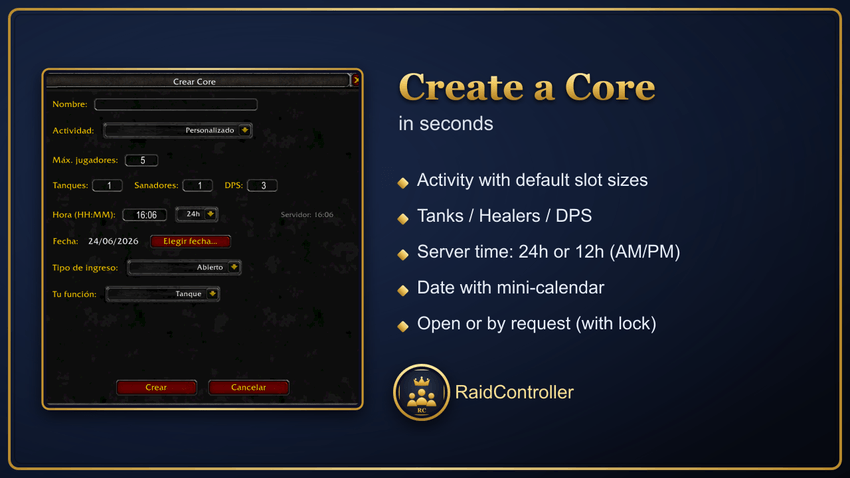
- ➕ Create a Core with: name, activity (raid/dungeon with default sizes & icon), max players, number of tanks/healers/DPS, server time and date (mini-calendar).
- 🕐 12h or 24h time format when creating (pick AM/PM if 12h).
- 🔓 Entry type: Open (join directly) or By request (leader accepts/rejects), with a 🔒 lock on each Core.
- 👥 Member view in groups of 5 (raid style) or as a list (tank → healer → DPS).
- 🧬 Each member shows role, class, spec, name, level and item level; offline players are greyed out, and a ✓ marks anyone in your party/raid.
- 🪑 Bench role for substitutes (doesn't count toward the cap).
- ⏳ 2-hour rule: you can't sign up for two Cores on the same day less than 2 hours apart (Bench is exempt).
- 👑 Crown for the leader. Right-click a member: Whisper / Invite; as leader: Move to Bench / Move to group / Remove.
- 📨 Invite all (group members only; Bench is not invited).
- ⏰ Event reminders at 1 h, 30 min and 10 min before (only if you're signed up; Bench excluded).
- 📅 Login reminder: tells you how long until each event you're signed up for.
- 🕒 Local time by country: a clock button opens a window with the event's local time in 14 countries, with their flags 🚩.
- 🌎 Multi-language: adapts to the client language (Spanish ES/LATAM and English).
- 💾 Local persistence: Cores are saved on your machine and re-synced when you log in.
📋 How to use it (step by step)
- 🟢 Open the window: click the minimap icon or type
/rc. - ➕ Create a Core (anyone can): press Create Core → name, activity, slots, time (24h or 12h with AM/PM), date → Create. (The creator is signed up automatically.)
- 🙋 Join a Core: right-click the Core (or the Join button) and pick your role: Tank, Healer, DPS or Bench.
- 🔽 See members: click the Core's row to expand; toggle between Groups and List.
- 🕒 Check times by country: press the clock button (on the right) → a window opens with flags and each country's local time (close it with the X).
- 🛠️ As leader: right-click a member for Move to Bench / Move to group / Remove; use Invite all, ➕ Add member, or the ⚙️ gear to edit the Core.
- 🔔 Get automatic alerts before the event and on login. (Bench members don't get reminders.)
💬 Commands
/rc— toggle the window.
RaidController Team