Raid Whiteboard
- By
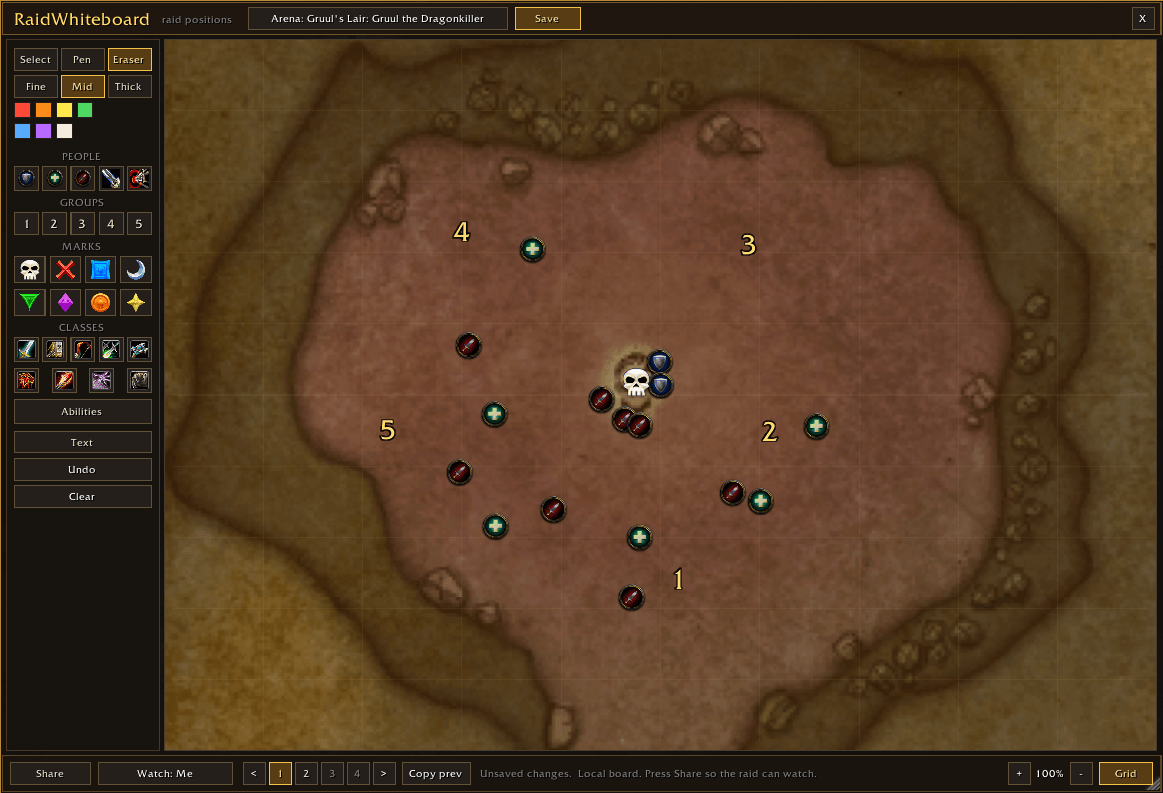
Gruul1.png
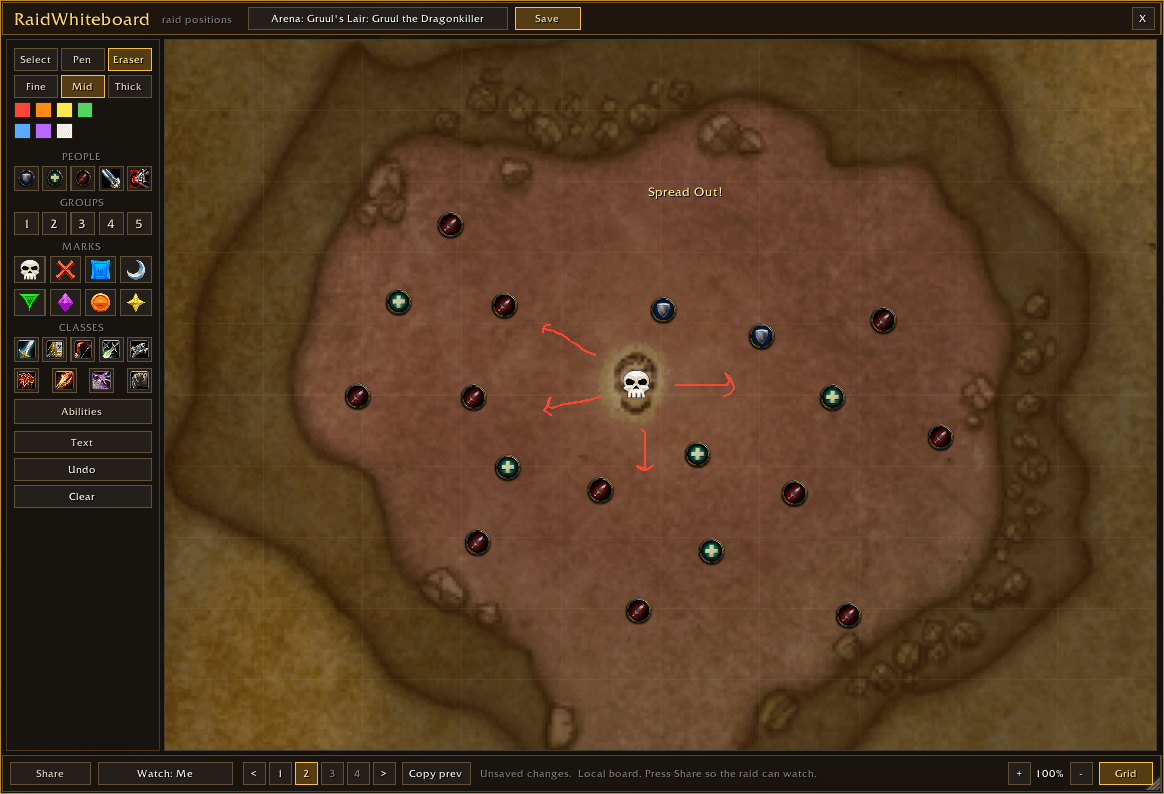
Gruul2.png
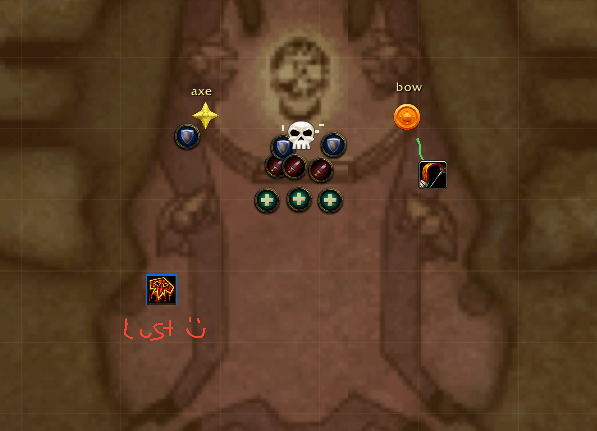
KT1.png
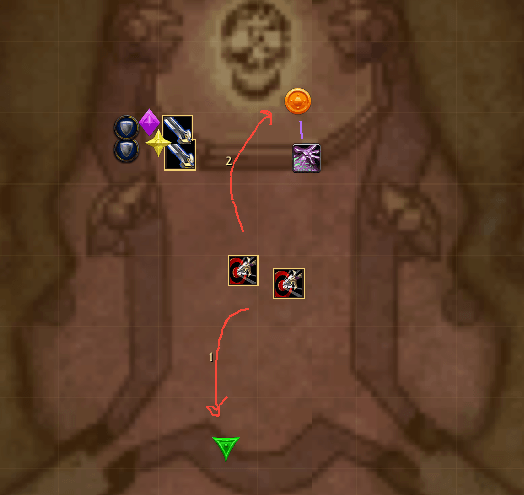
KT2.png
Description
RaidWhiteboard
Draw the plan. Your raid watches it live.
RaidWhiteboard is a shared whiteboard for raid leaders. You draw positions, arrows and assignments on a map of the boss room, and everyone in your raid sees it on their screen as you draw. No more "stack on the left side, no, MY left."
Beta 0.1. This is the first public test version, so expect rough edges. Please report bugs or ideas on Discord or in the comments.
What you can do
- Boss room maps for every TBC raid boss. That covers all 50 bosses from Karazhan to Sunwell, plus Doom Lord Kazzak and Doomwalker. Each map opens framed on the boss's room, and you can scroll to zoom and drag to pan.
- Plain arenas too, if you'd rather sketch: blank board, circle, square or long hall.
- Pen and eraser in seven chalk colors and three sizes.
- Markers you can drag around:
- Tank, healer, damage, melee and ranged
- Group numbers 1 to 5
- All 8 raid marks (skull, cross and the rest)
- All 9 classes
- About 50 class abilities with their in-game icons: crowd control, interrupts, raid cooldowns and utility (Misdirection, Bloodlust, Innervate, Fear Ward and more)
- Free text labels
- 4 steps per fight. Each step is its own board, so you can lay out phase 1, phase 2 and so on, then click through them during the explanation. Your raid follows along.
- One save per boss. Plan Gruul once and it's ready next week.
- See who's watching. The leader sees "Watching 18/25" and can check who doesn't have the board open, or doesn't have the addon at all.
How to use it
Raid leader or assist
- Type
/wbor click the minimap button. - Pick the boss from the Arena menu at the top.
- Draw and place markers. Use steps 1 to 4 for phases.
- Press Share. Your raid can now watch your board live.
Everyone else
- Type
/wb. - Click Watch at the bottom and choose your leader.
That's it. While you're watching, the board updates as the leader draws or changes steps.
Commands
| Command | What it does |
|---|---|
/wb |
Open or close the board |
/wb share |
Start or stop sharing (leader or assist only) |
/wb watch Name |
Watch someone's board |
/wb viewers |
List who is watching your board |
/wb save |
Save this boss with all 4 steps |
/wb clear |
Erase the current step |
/wb version |
Show your version, and who in the group has a different one |
/wb scale 1.0 |
Resize the window |
/raidwhiteboard and /whiteboard also work.
Good to know
- Everyone who wants to watch needs the addon. Only the leader and assists can share. Everyone else watches.
- Everyone should be on the same version. If someone in your group has a newer copy, the addon tells you to update. Leaders see "(old)" next to anyone running an older copy.
- Made for TBC Anniversary.
- Boards only travel through addon messages to your own party or raid. Nothing is sent anywhere else.
Feedback
This is a beta, and feedback shapes what comes next. Tell us about bugs, missing abilities, or boss rooms that look framed wrong.
Join the Discord: discord.gg/AU6j4rN4g. It's for bug reports, feature ideas, sharing your raid plans, and hearing about updates first. You can also leave a comment here.
Boss room maps are World of Warcraft dungeon map art, © Blizzard Entertainment. RaidWhiteboard is a fan-made addon and is not affiliated with or endorsed by Blizzard.
Raid Whiteboard Team