Raid Style Unit Frames
- By
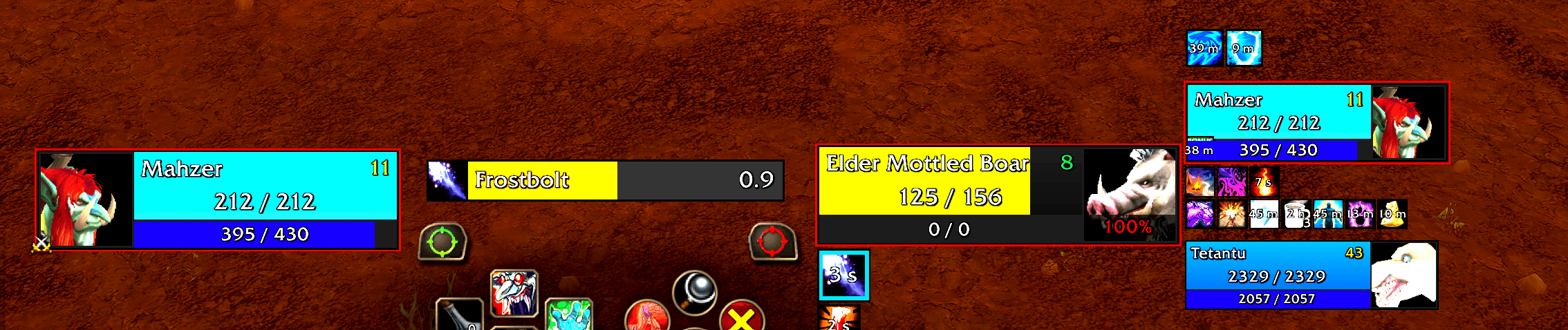
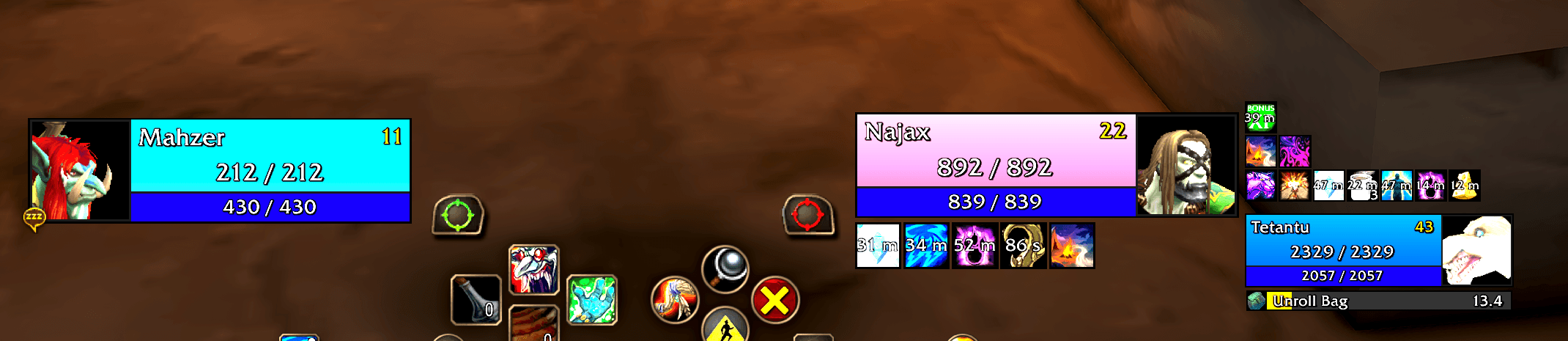
Raid styled unit frames for Player, Target, ToT, Focus and Pet with an in-game editor.
Screenshot 2026-11-13 070428.png
Screenshot 2026-11-13 070310.png
Screenshot 2026-11-13 070454.png

Screenshot 2026-11-13 070511.png
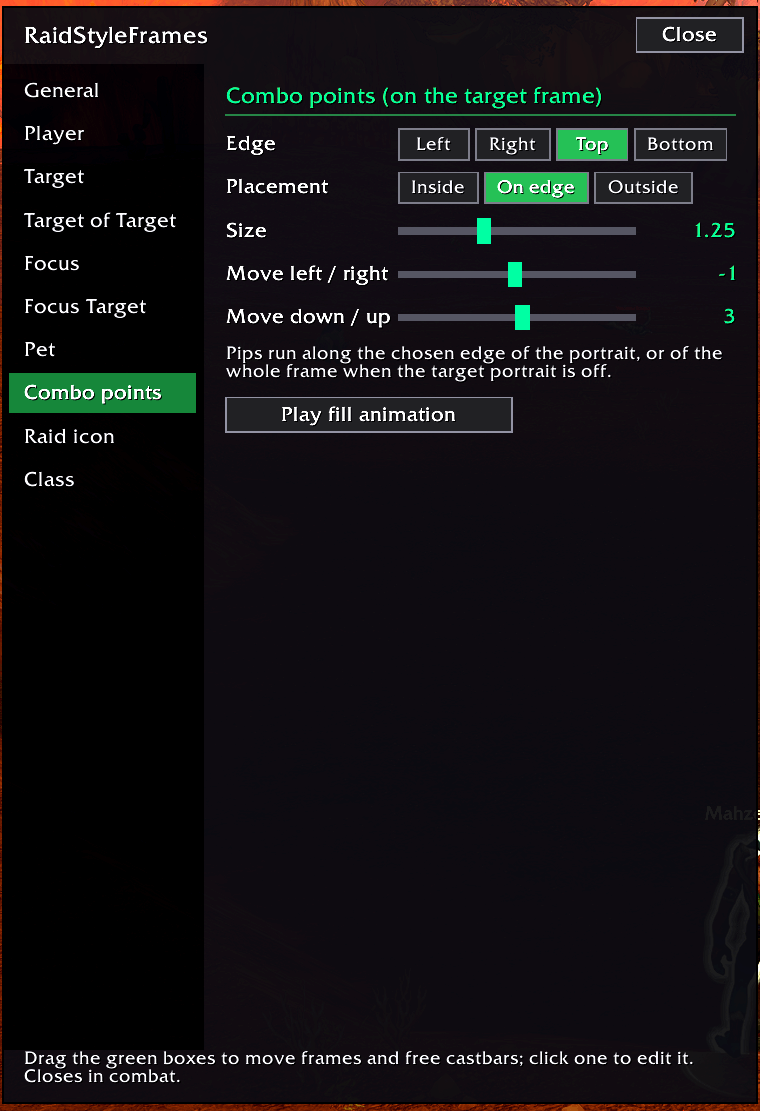
Screenshot 2026-11-13 070525.png
Description
Raid Style Unit Frames
Clean, flat unit frames in the style of Blizzard's compact raid frames, for your Player, Target, Target of Target, Focus, Focus Target, Cast Bar, and Pet.
Square edges, thin black outlines, class-coloured health and an in-game editor with a live preview. No fiddly config files.
Built for Forever, but listed for Retail as well.
Features
Frames
- Six unit frames, each with its own width, height, scale and power bar height
- Portraits on the left or right, or turned off
- Smooth health and power bars
- Incoming heals
- Gold or silver outline for elite, rare and boss targets
- Threat % on target and focus
- Faded frames for group members who are out of range
Buffs and debuffs
- Shown above or below each frame, or turned off
- Adjustable icon size
- Option to show only your own debuffs
Castbars
- Castbars for Player, Target and Focus
- Attached above or below the frame, or detached to drag anywhere on screen
- Adjustable width and height
- Option to hide Blizzard's player castbar while yours is showing
Combo points
- Red pips with Blizzard-style fill animations
- Placed on any edge of the target frame: inside, on the edge or outside
- Adjustable size and position
Raid markers
- Separate settings for every frame
- Attach to the frame or the portrait, in any of nine positions
- Drag to move and use the mouse wheel to resize, right in the preview
Class extras
- Druid: mana bar in bear and cat form
- Shaman: totem timers
- Warlock: soul shard count
- Hunter: pet happiness
- Energy and mana tick spark
Usage
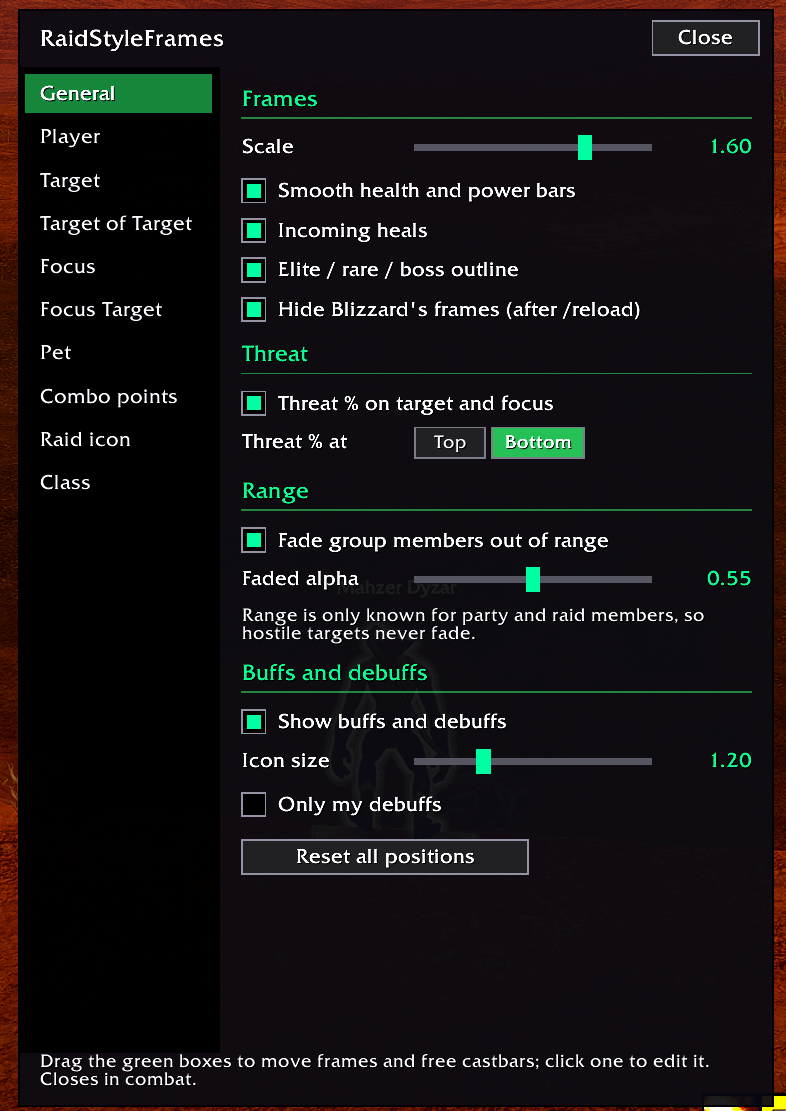
Type /rsuf to open the editor. Every frame shows example data while the editor is open, so you can drag and size them without needing a target. Settings are saved per character.
Blizzard's default frames are hidden by default. You can turn that off in the editor; the change applies after a /reload.
Raid Style Unit Frames Team