01-affiche-promotionnelle-concept (1).png
Description
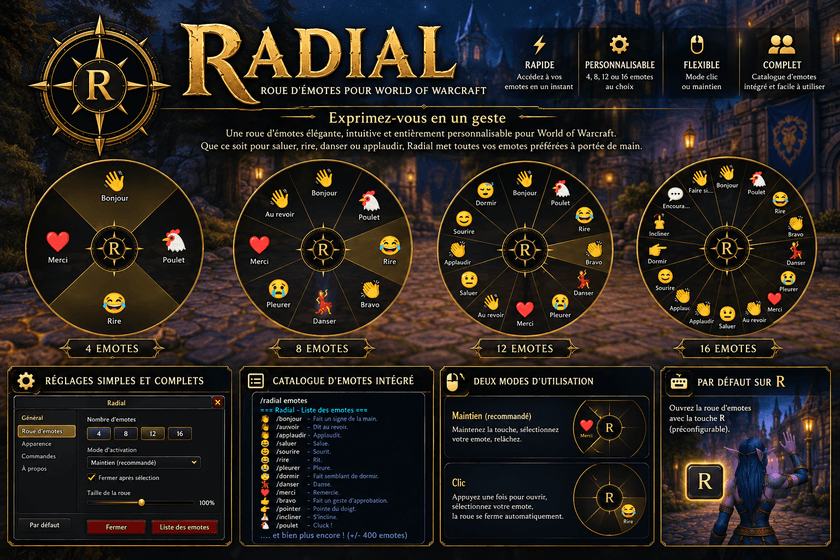
English — description
Features :
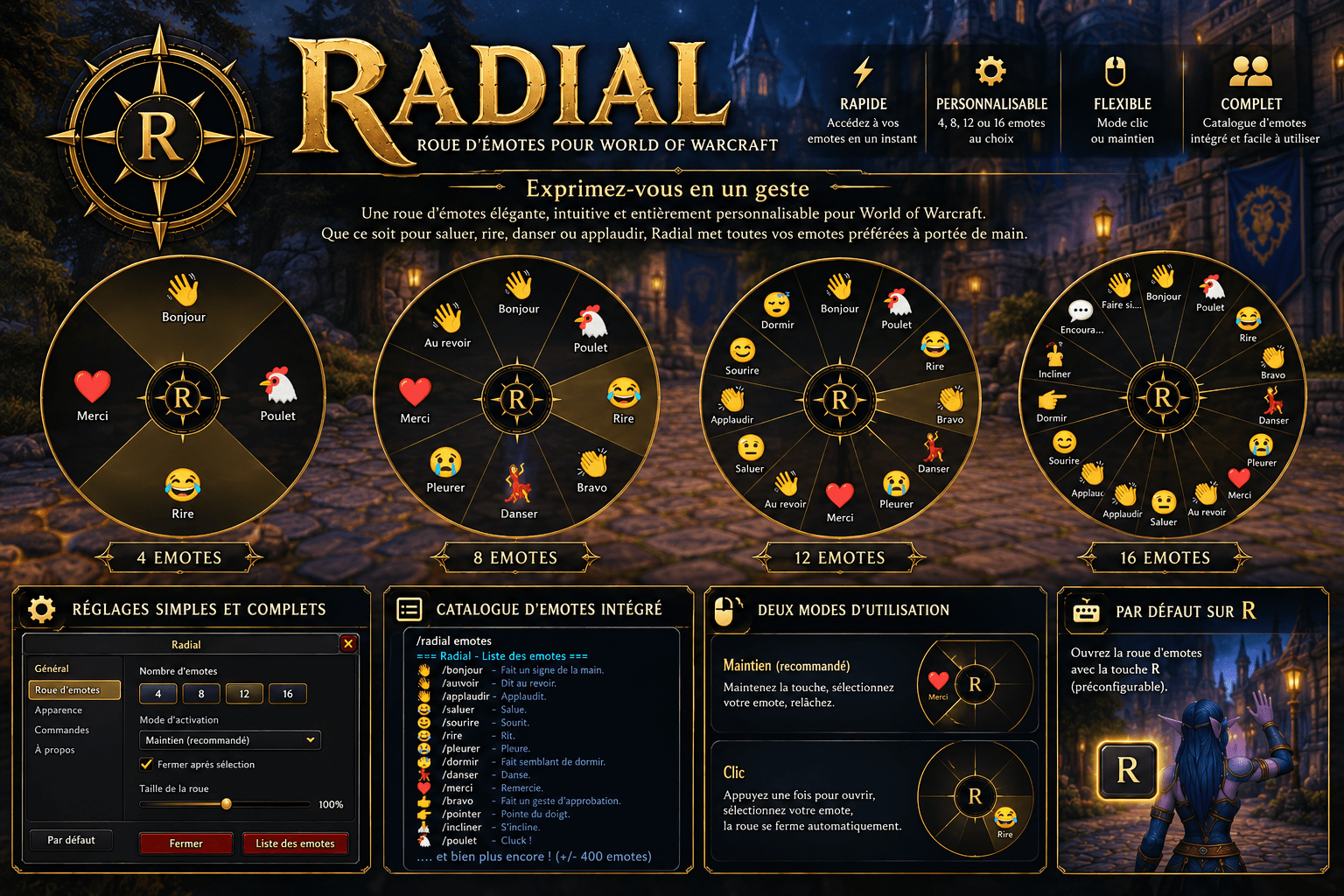
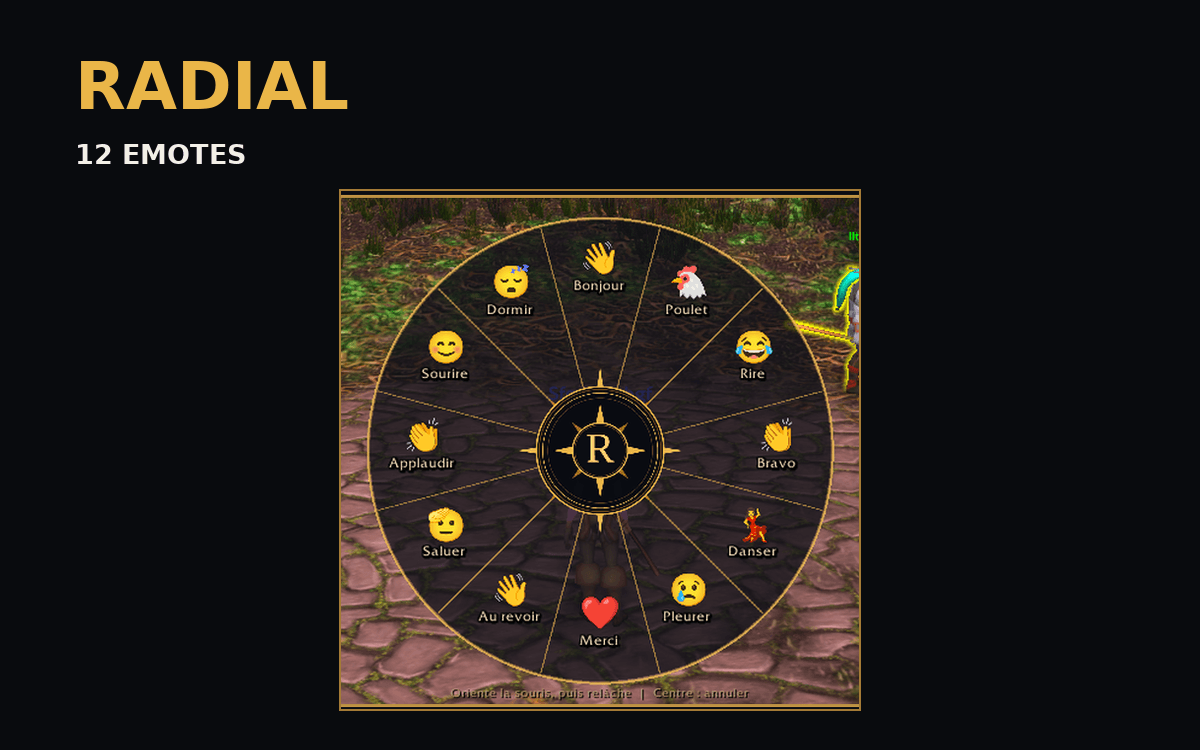
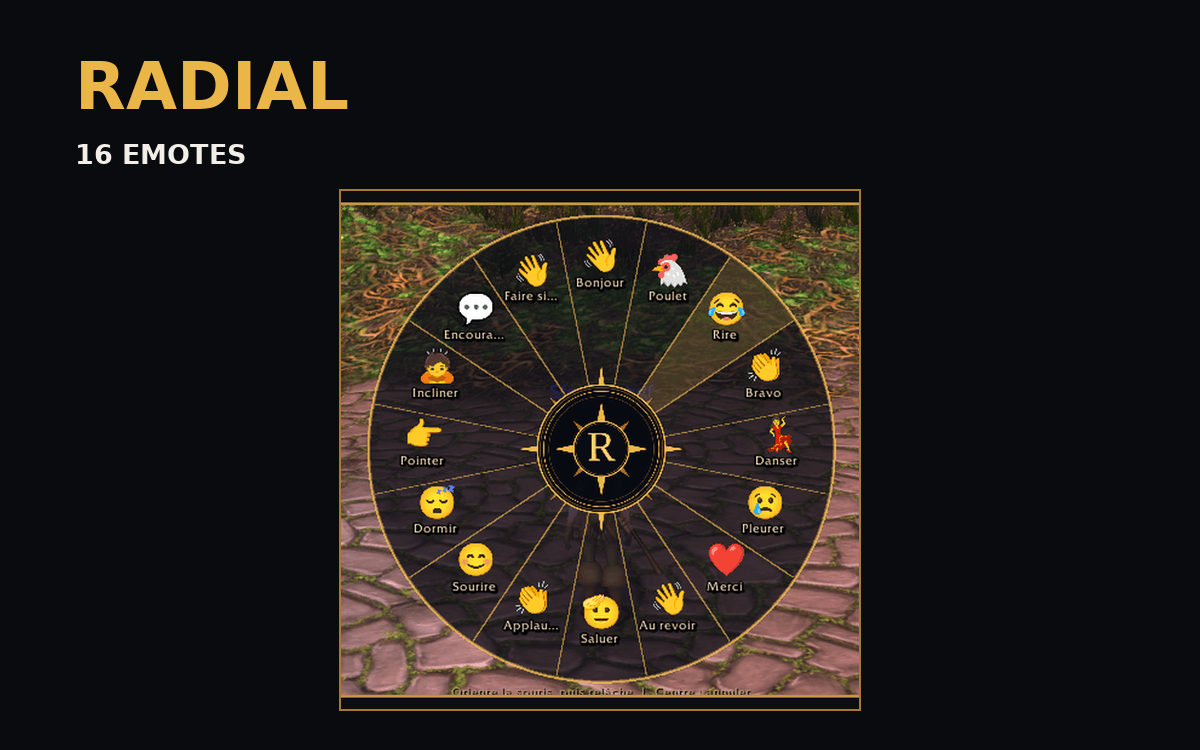
- Choose 4, 8, 12, or 16 emotes per wheel.
- Two activation styles: Hold (hold your key, point toward an emote, then release) and Click (toggle the wheel, then click to select).
- Customize emote labels and commands.
- Assign your preferred shortcut (default: R).
- Elegant dark-and-gold interface with a compass-inspired centerpiece and clear selection highlights.
- Built-in emote catalog accessible from settings or with `/radial emotes`.
- Settings accessible through the minimap button.
- Your preferences are saved between sessions.
Getting started :
- Install Radial in your AddOns folder and enable it.1.
- Press R to open the wheel (default shortcut).
- Select an emote using your chosen interaction mode.
- Open the minimap button to customize the wheel, shortcut, and emotes.
- Chat commands: `/radial help` · `/radial emotes`
Version: 1.0.0 · Game: World of Warcraft Retail/Classic and Forever
Français — description
Fonctionnalités :
Exprimez-vous en un geste ! Radial remplace la recherche de commandes dans le chat par une roue d'emotes élégante, rapide et personnalisable, au style noir et or.
- 4, 8, 12 ou 16 emotes au choix.
- Deux modes : maintien (maintenez la touche, choisissez une direction, relâchez) et clic (ouvrez la roue puis cliquez sur une emote).
- Noms et commandes des emotes personnalisables.
- Raccourci clavier configurable (R par défaut).
- Interface sombre aux accents dorés, avec boussole centrale et sélection visuelle.
- Catalogue d'emotes intégré : bouton dans les réglages ou commande `/radial emotes`.
- Accès aux réglages depuis l'icône de la minicarte.
- Préférences enregistrées automatiquement.
Pour commencer :
1. Installez Radial dans le dossier AddOns de WoW et activez-le.
2. Appuyez sur R (raccourci par défaut).
3. Sélectionnez une emote selon le mode choisi.
4. Personnalisez la roue depuis le bouton de la minicarte.
5. Commandes : `/radial help` · `/radial emotes`
Version : 1.0.0 · Jeu : World of Warcraft Retail/Classique et Forever
Radial Team