
RADAR METIER
screenshot_config_messages.png
screenshot_alerte_client.png
Capture d'écran 2026-07-03 140410.png
Capture d'écran 2026-07-03 140512.png
Capture d'écran 2026-07-05 191410.png
Capture d'écran 2026-07-05 191430.png
Description
RADAR MÉTIERS : Trouve des clients pour tes métiers (et des artisans pour tes commandes)
Radar Métiers surveille les canaux Commerce et Général, t'alerte dès que
quelqu'un cherche un artisan, et te fait répondre en un clic, avec le bon
personnage, à chaque fois. Et si tu es plutôt client : note tes artisans
préférés et commande-leur en deux clics.
COMMENT ÇA MARCHE
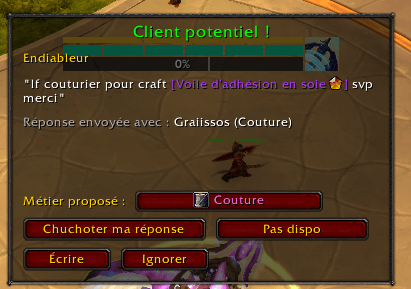
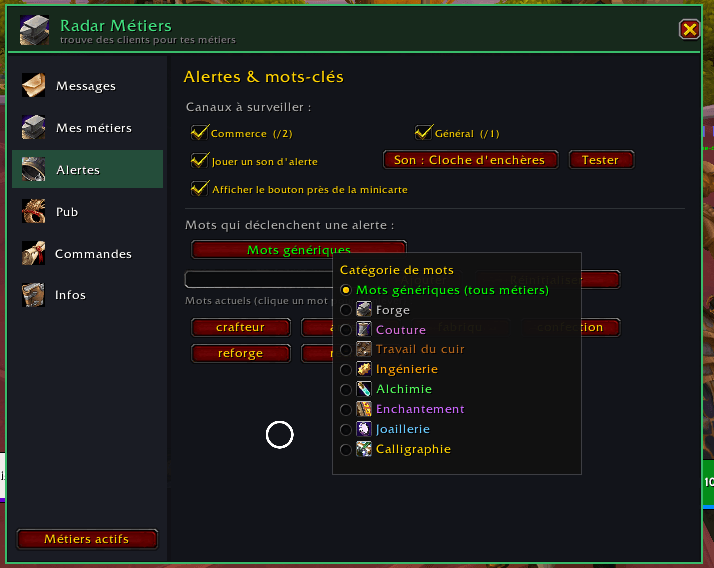
Pendant que tu joues, l'addon lit les canaux Commerce (/2) et Général (/1).
Quand quelqu'un cherche un craft (« cherche forgeron », « besoin d'un
enchanteur »...), une popup s'affiche avec un son : le message, le métier
détecté, et des réponses prêtes à envoyer.
CÔTÉ CRAFTEUR
• Détection intelligente : mots-clés par métier (personnalisables) + mots
génériques (« craft », « artisan »...), avec anti-spam intégré.
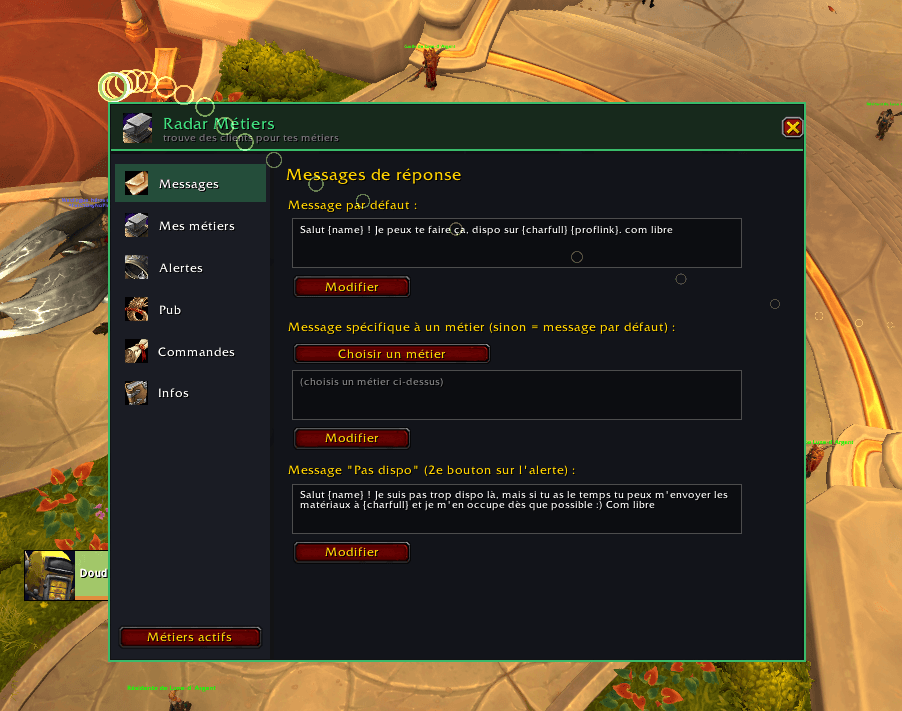
• Réponse en 1 clic : chuchotement pré-écrit avec variables {name}, {char},
{prof} et {proflink} (le vrai lien cliquable de tes recettes). Message
« plus tard » séparé.
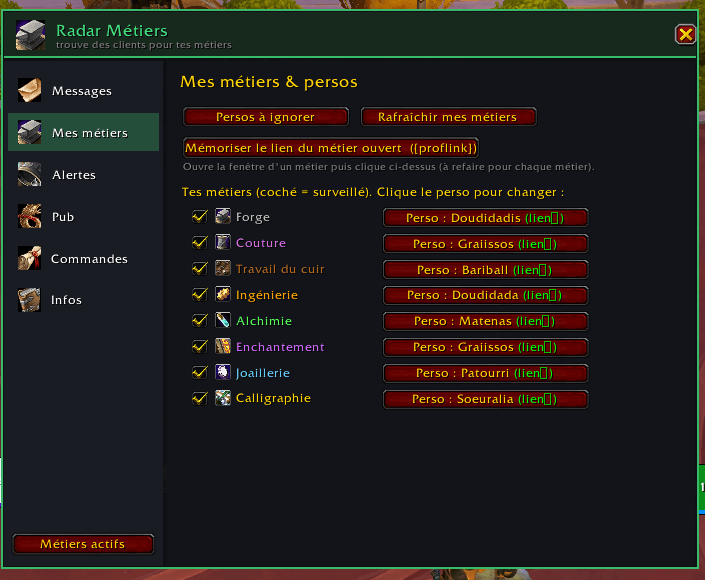
• Multi-persos : l'addon apprend quel perso a quel métier et propose
toujours le bon. Perso forçable par métier.
• Historique des alertes : toutes les demandes reçues en tableau triable et
filtrable, objets cliquables, action prise mémorisée (répondu, plus tard,
ignoré...), clic droit pour relancer un client.
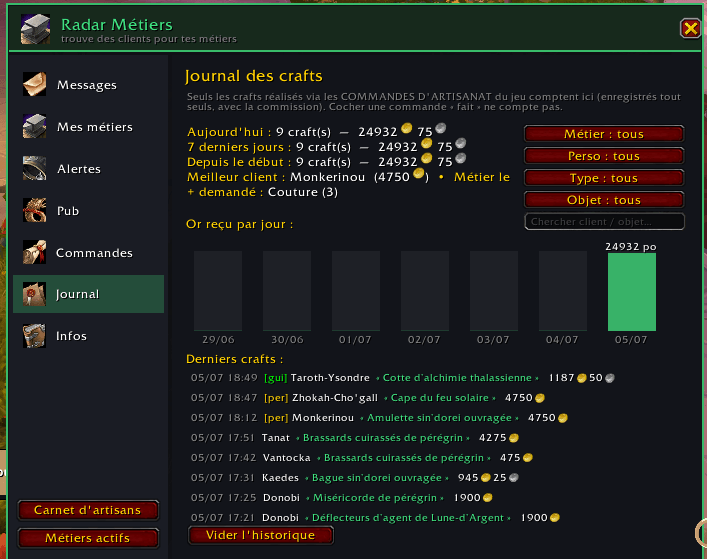
• Journal des crafts : tes commandes d'artisanat honorées s'enregistrent
toutes seules (commission incluse) : stats, or par jour/semaine/mois/année,
meilleur client, et un historique complet façon tableur (tri par colonne,
filtres multiples : métier, perso, client, objet, commission = > <...).
• Suivi de commandes : note les crafts à faire (clic droit sur un joueur,
avec sa classe), rappels à la connexion et périodiques.
• Pub : poste ton annonce dans /2 en un clic, avec {metier} et
{metierlien} remplis automatiquement. Rappel au choix (5-30 min) : un
petit bouton « Poster ma pub » apparaît, ton clic l'envoie (le jeu
bloque les messages envoyés tout seuls).
• Choix d'outil : à l'ouverture d'un métier, change d'outil
(multicraft / ingéniosité) en un clic, même quand ils portent le même nom.
• Commandes PNJ : la rentabilité de chaque commande directement dans la
liste (net, ce que tu fournis, ce que le PNJ offre), fond vert ou rouge,
seuil réglable, pastille des compos manquants et fenêtre de calcul
détaillée. Prix via Auctionator ou TSM, valeurs perso pour ce qui ne se
vend pas. Raye les commandes pas rentables, et enchaîne Commencer >
Créer > Oui avec un seul bouton.
• Sais-tu le faire ? : l'alerte et les infobulles d'objets indiquent
lequel de tes persos connaît la recette, ou d'où s'obtient le plan
(texte complet du jeu, et lien Wowhead en un clic depuis l'alerte).
CÔTÉ CLIENT
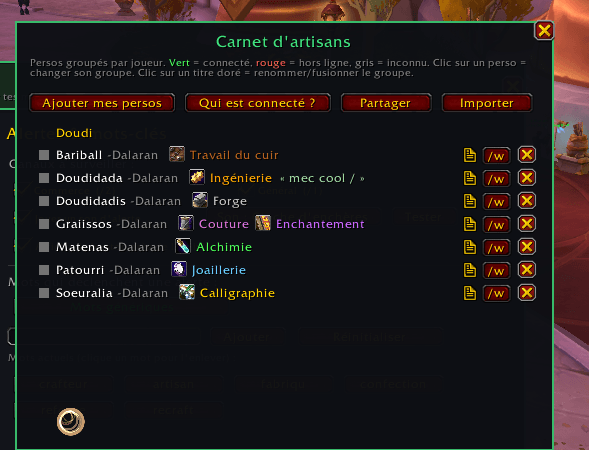
• Carnet d'artisans : enregistre qui sait faire quoi (clic droit sur un
joueur), groupé par joueur, avec notes privées. Glisser-déposer entre les
groupes, statut connecté sans envoyer de whisp, alerte si l'artisan
est sur un royaume non lié.
• Partage : envoie ta liste par code ou par lien cliquable en jeu
(/guilde, /groupe, /w...), avec fusion douce : tes groupes et notes sont
toujours conservés.
• « À qui commander ? » : sur le formulaire de commande d'artisanat, les
artisans du métier de TA recette, en grand ; un clic remplit le champ
« À : ». Favori par métier (étoile), mis tout seul dans « À : ». Les
artisans d'un serveur non lié sont masqués. Vue globale à la demande,
filtre par groupe, métiers réorganisables et masquables (roue crantée).
BIEN DÉMARRER
Un écran de bienvenue règle l'addon en une question (crafteur ou client ?)
puis un petit tutoriel te fait faire le tour, relançable depuis /rd → Infos.
Connecte-toi une fois sur chacun de tes persos crafteurs, personnalise ton
message de réponse, et teste avec : /rd test besoin d'un forgeron
COMMANDES
/rd (ou /radar) : options • /rd artisans : carnet d'artisans
/rd test <texte> : simuler une alerte • /rd debug : expliquer le tri des
messages • /rd scan : re-détecter les métiers • /rd pub : poster
l'annonce • /rd aide : tout le reste
---
English speakers: this addon is made by a French player for French-speaking
realms: the interface and default keywords are in French. Profession
detection works on English clients too and every keyword is customizable,
but expect a French UI. Bug reports welcome!
RADAR METIER Team
