Quiet Attack Spamming
- By
Silence 'attack not ready yet' and 'not enough rage/mana/energy' voice lines when spamming attacks.
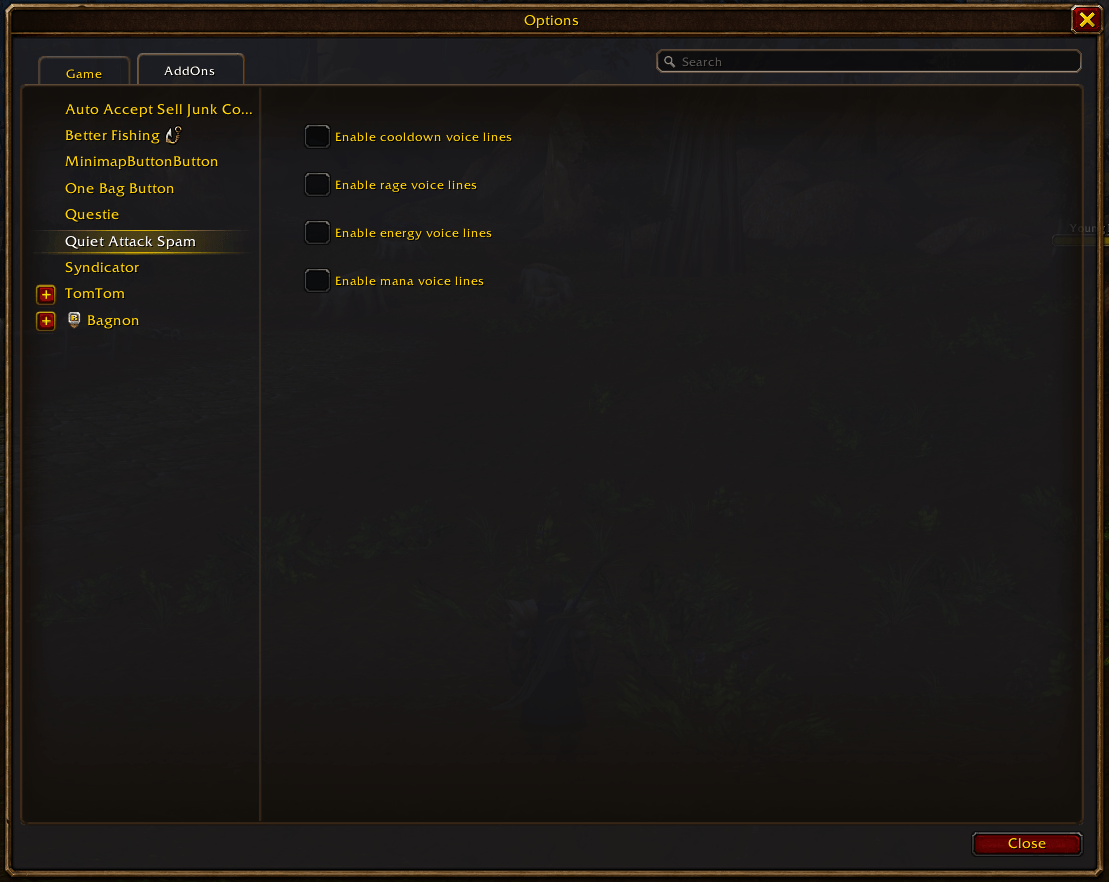
QAS Options.png
Description
Description
Ever been spamming moves ready for them to come off of cooldown or for your rage/energy/mana to recharge, and all you can hear is 'That move isn't ready yet', 'I cant do that yet', 'Not enough rage', etc?
Quiet Attack Spam is a lightweight addon for WoW Forever that silences repetitive cooldown and resource voice lines, letting you play without the constant interruptions.
The addon suppresses voice warnings caused by ability, spell and item cooldowns, including the global cooldown. It can also silence "not enough rage", "not enough energy" and "not enough mana" voice lines.
Cooldown, rage, energy and mana voice lines can all be controlled independently, so you can choose exactly which warnings you want to hear.
Error text and unrelated voice warnings, such as "out of range", continue working normally.
All supported voice lines are silenced by default. Your preferences are saved automatically across all characters, and no additional dependencies are required.
Features
- Silences repetitive ability, spell and item cooldown voice lines.
- Suppresses voice warnings triggered by the global cooldown.
- Silences "not enough rage", "not enough energy" and "not enough mana" voice lines.
- Provides separate settings toggles for cooldown, rage, energy and mana warnings.
- Lets you enable or disable each type of voice warning independently.
- Preserves error text and unrelated voice warnings.
How to Use
The addon automatically silences cooldown and resource voice lines when enabled. No configuration is required.
To customise which voice warnings are silenced, open Settings > AddOns > Quiet Attack Spam, or use the following command:
/qas- Open the addon settings.
The settings menu provides four independent options:
- Enable cooldown voice lines - Restore voice warnings for abilities, spells and items that are still on cooldown.
- Enable rage voice lines - Restore "not enough rage" warnings.
- Enable energy voice lines - Restore "not enough energy" warnings.
- Enable mana voice lines - Restore "not enough mana" warnings.
Check an option to enable its voice warnings, or uncheck it to silence them.
Each setting works independently, so you can silence cooldown warnings while keeping resource warnings enabled, or choose any other combination.
Changes apply immediately and are saved automatically between sessions for all characters.
Note: WoW's Error Speech sound setting must also be enabled for voice warnings to be audible when restored.
Installation
-
Download and extract the addon ZIP.
-
Copy the
QuietAttackSpamfolder into your WoW Forever client'sInterface/AddOnsdirectory. -
Restart the game and enable Quiet Attack Spam from the character selection screen's AddOns menu.
Updating
To update the addon, replace the existing QuietAttackSpam folder with the latest version and type /reload in-game.
Your existing cooldown preferences will be preserved when upgrading. The new rage, energy and mana voice warnings will be silenced by default until you choose to enable them.
To restore the game's default voice warning behaviour, disable the addon and reload your UI.
Quiet Attack Spamming Team