


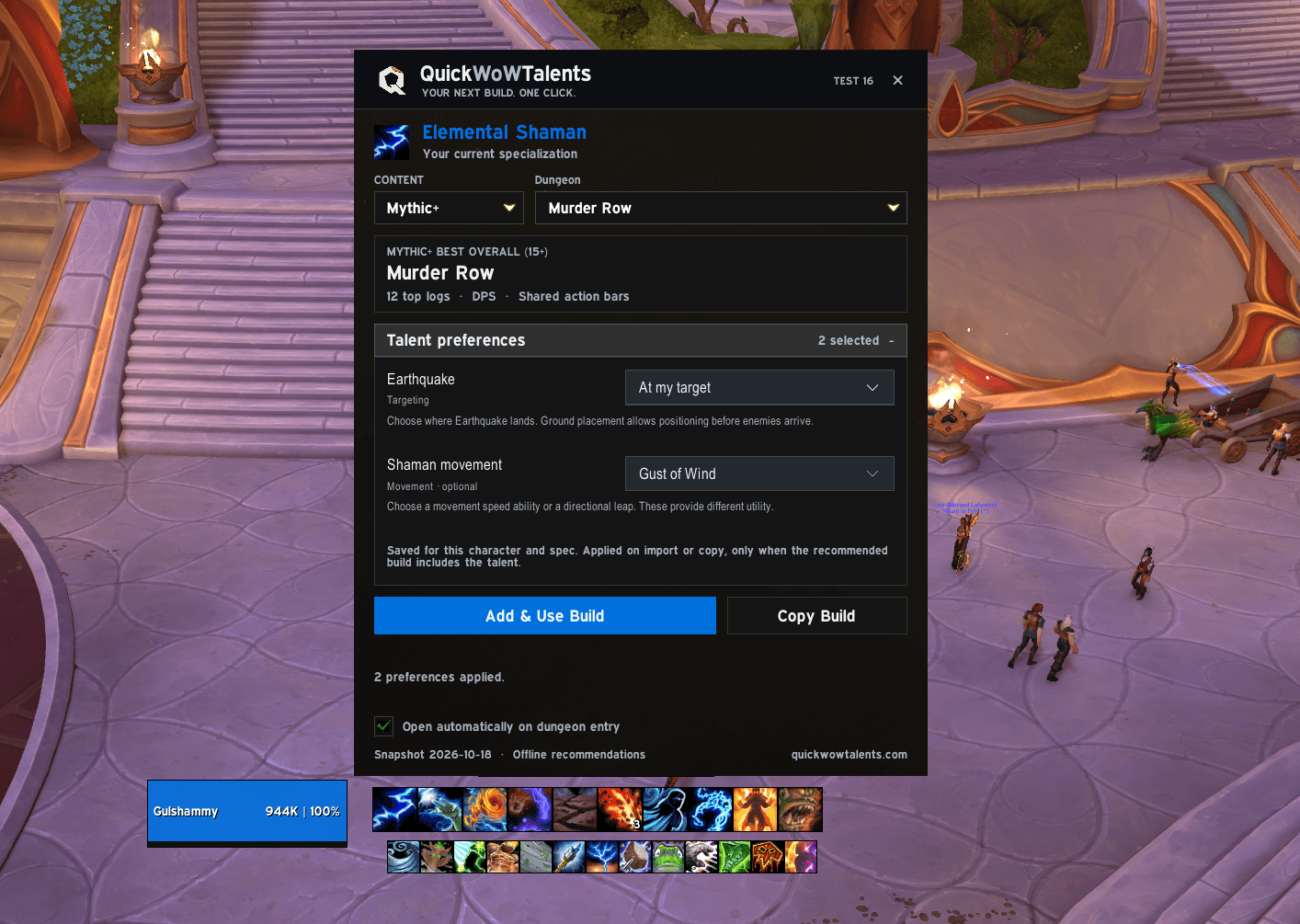
InGamePreferenceSelector.png
Description
QuickWoWTalents is a lightweight World of Warcraft addon that brings talent recommendations from quickwowtalents.com directly into the game.
The addon detects your current specialization and shows recommended builds for supported Mythic+ and Heroic Raid content.
Use Add & Use Build to import and apply your selected build in one click, or copy the Blizzard talent import string for manual importing.
Features
- Compact, modern UI — A redesigned window with custom dropdowns, class colours, clear build details and an integrated progress bar while talents are being applied.
- One-click importing — Select a dungeon or raid boss, then click Add & Use Build to create and apply its recommended talent loadout.
- Automatic cleanup — Loadouts are named QWT- followed by the dungeon or boss name. Once the new build has been successfully applied and verified, older QWT-managed loadouts are removed. Your personally named loadouts are preserved.
- Automatic specialization detection — See recommendations for your current class and specialization.
- Mythic+ and Heroic Raid builds — Includes Mythic+ best-overall recommendations based on 15+ keys.
- Optional automatic opening — Open the addon when entering a supported instance, with the relevant recommendation selected. This can be turned on or off.
- Shared action bars by default — QWT loadouts use shared action bars for easier switching.
- Copyable import strings — Manual Blizzard talent importing remains available.
- Offline recommendations — Bundled static data with no in-game network calls, refreshed through regular addon data releases.
Getting Started
- Type /qwt to open the addon.
- Select your dungeon or raid boss.
- Click Add & Use Build.
Commands
/qwt              — Open the addon
/qwt info         — Show addon information
/qwt hide         — Close the addon window
/qwt auto on      — Enable automatic opening
/qwt auto off     — Disable automatic opening
/qwt auto status  — Show the automatic opening setting
QuickWoWTalents Team
