
Quick Macro Deleter
- By
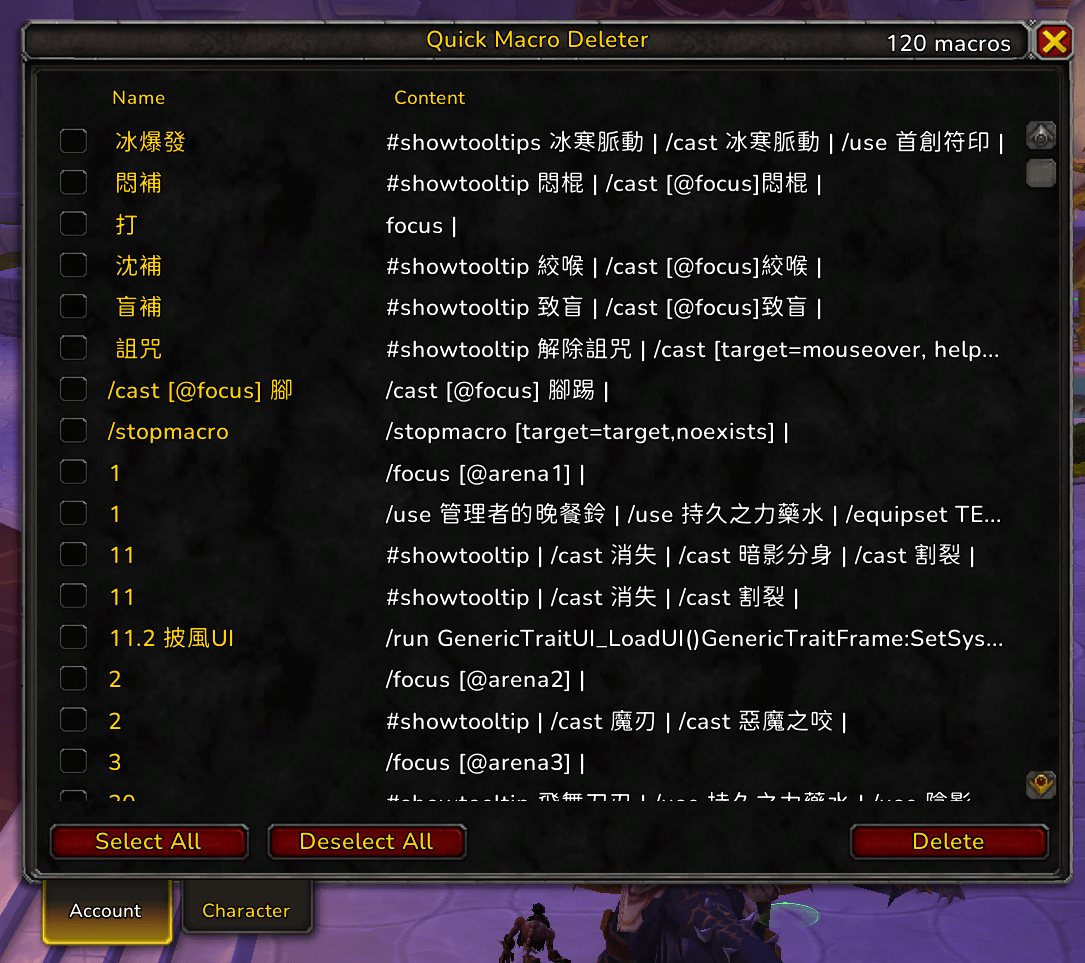
Quick macro deleter allows you to mass delete all or selected macro from your account or character, clearing your old macro is now one click instead of having to press delete and confirm multiple times through default UI.
Screenshot 2026-04-28 025330.png
Description
Quick Macro Deleter
A lightweight utility for cleaning up your macro list in bulk. The default macro UI only lets you delete one macro at a time — Quick Macro Deleter gives you a single dialog with checkboxes so you can wipe out dozens of unused macros in seconds.
Features
- Slash command:
/deletemacro(alias:/qmd) opens the dialog from anywhere. - Two tabs: Account and Character macros are listed separately, matching how the game stores them.
- Checkbox per row: Each row shows the macro name and a single-line preview of the macro body. Hover a row to see the full multi-line macro text in a tooltip.
- Bulk actions: Select All / Deselect All operate on the currently visible tab. Delete removes every checked macro after a confirmation prompt.
- Safe deletion: Macros are deleted from highest index downward so the indices of pending deletions don't shift mid-loop. If a macro's index has changed since the list was loaded, the addon falls back to looking it up by name.
- Combat protection: Deletion is blocked while in combat (the underlying API is protected) and a clear chat message tells you to retry after combat ends.
- Movable, persistent state per session: Drag the dialog by its title bar; close with the standard frame button or
Esc. Tab selections are remembered while the dialog stays open.
Usage
- Type
/deletemacro(or/qmd). - Switch between the Account and Character tabs.
- Tick the macros you want to remove (or use Select All).
- Click Delete and confirm.
That's it — the dialog refreshes automatically after deletion.
Why use this?
If you've been playing for a while you probably have a graveyard of macros from old specs, retired alts, or addons that auto-create macros (Decursive, NSRT, etc.). Cleaning them out one click at a time through the default UI is tedious. QuickMacroDeleter turns it into a 5-second job.
Feedback
Bug reports and suggestions welcome on the CurseForge project page.
Quick Macro Deleter Team
