
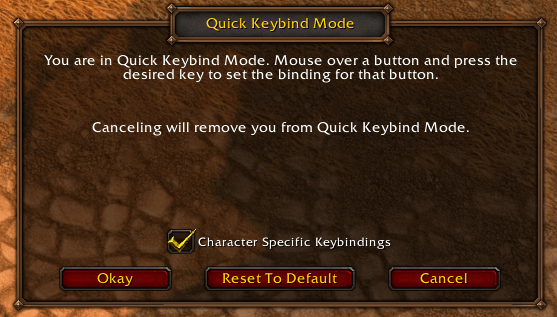
Type /kb and Blizzard's Quick Keybind Mode opens instantly. Hover a button, press a key, done.
quickkb.png
Description
Type /kb to open Quick Keybind Mode instantly. No more digging through Options.
Built for World of Warcraft: Forever.
What it does
Keybinding in one command
Type /kb and Blizzard's Quick Keybind Mode opens right away. Hover over any action button and press a key to bind it. Type /kb again when you're done.
Lightweight
No settings, no minimap icon, and nothing running in the background. It does one thing and stays out of your way.
How to use
| Command | What it does |
|---|---|
Type /kb in chat |
Opens or closes Quick Keybind Mode |
Type /quickkb in chat |
Same thing, if another addon already uses /kb |
Getting started
- Type /kb in chat.
- Hover over an action button and press the key you want.
- Type /kb again, or click Okay, to finish.
Questions
Why didn't /kb open in combat?
The game doesn't allow keybind changes during combat. Try again once the fight is over.
I use Bartender4, Dominos, or ElvUI. Does this still work?
Those addons use /kb for their own keybind mode, so they take over /kb. Type /quickkb to open Blizzard's Quick Keybind Mode instead.
Does it work with the default action bars?
Yes. Quick Keybind Mode is Blizzard's own feature, so it works with the standard action bars.
Quick Keybind (/kb) Team