


Get a phone notification the moment your queue pops
Solo Shuffle queue is 25 minutes. Instead of half-watching your screen the whole time, QueuePing buzzes your phone the instant a queue pops, so you can cook, stretch, or walk the dog and still make it back in time to hit Enter.
Works for Solo Shuffle, Blitz, arena, battlegrounds, and dungeon/raid finder.
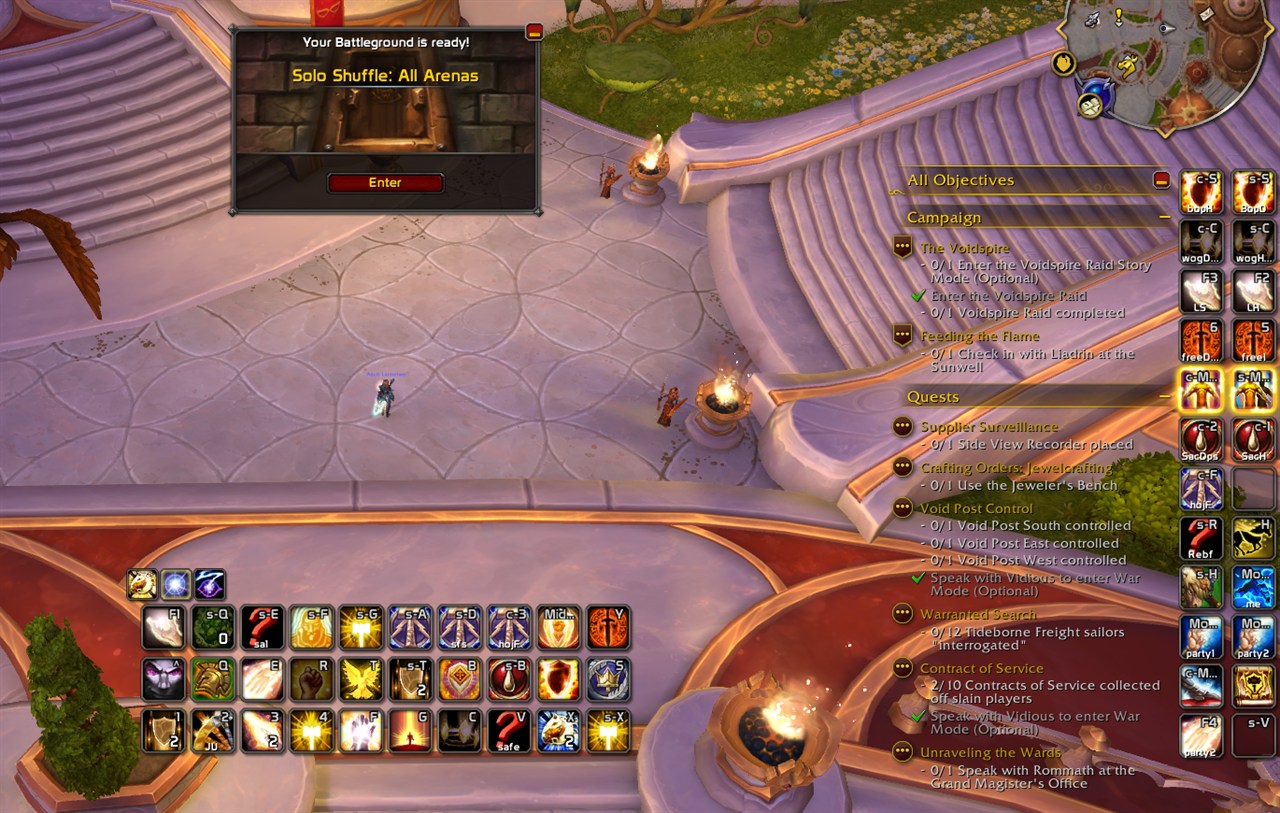
The moment this appears in game, your phone buzzes.
Important: this addon needs a free companion app
WoW addons are sandboxed and cannot access the internet — no addon can send anything to your phone on its own. QueuePing is therefore two pieces, and you need both:
| Piece | What it does | Where to get it |
|---|---|---|
| This addon | Detects the queue pop in game | CurseForge (here) |
| QueuePing desktop app | Sends the notification to your phone | github.com/Seifjk/QueuePing — free, open source, Windows |
The addon detects the pop and drops a signal file; the desktop app notices it and pushes the alert to your phone through the free ntfy app or a Discord webhook. Full source for both parts is on GitHub under the MIT licence.
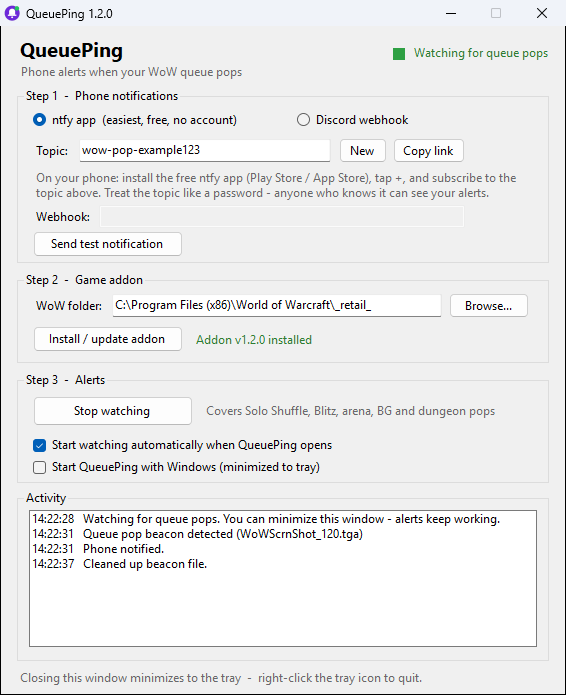
The desktop app. Three steps, then it lives in your system tray.
Installation
1. Install this addon with the CurseForge app (or manually — drop the QueuePing folder into
World of Warcraft\_retail_\Interface\AddOns\).
2. Download the desktop app: QueuePing.exe from the latest release. It is a single file, no installer. Windows will warn that it is unsigned — click More info → Run anyway, or build it yourself from source in one command if you would rather not trust a download.
3. Set up your phone. Install the free ntfy app (Android / iOS). In QueuePing press Copy link, then in the ntfy app tap + and subscribe to that topic. Prefer Discord? Choose "Discord webhook" and paste a webhook URL.
4. Press Start watching in the app, then type /qping test in game. Your phone should buzz within a
few seconds. That is the whole setup.
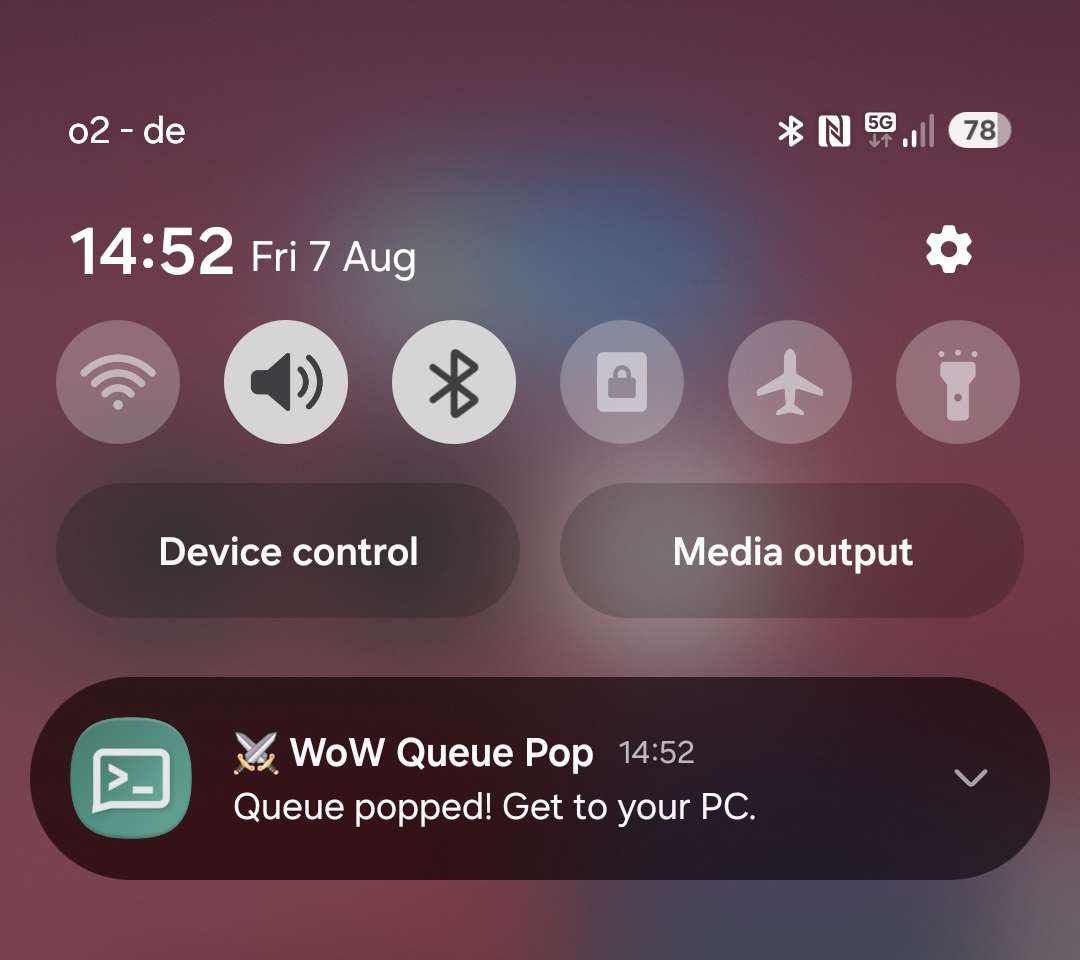 Tick Start QueuePing with Windows and you never have to think about it again.
Android tip: exclude the ntfy app from battery optimisation, otherwise Android may delay the alert.
Commands
| Command | What it does |
|---|---|
/qping |
show status and current settings |
/qping test |
fire a test alert through the whole chain |
/qping pvp on / off |
alerts for Solo Shuffle, Blitz, arena, BGs (default: on) |
/qping dungeon on / off |
alerts for dungeon and raid finder pops (default: on) |
How it works, and why it is safe
When a queue pops, the addon takes a screenshot in .tga format. That is the entire trick — your own
screenshots are .jpeg, so a .tga file works as a signal the desktop app can spot. The app sees it, sends
the notification, and deletes the file.
- The screenshot never leaves your PC. It is deleted about five seconds after it is created.
- The notification carries no game data — just the words "Queue popped! Get to your PC."
- No account, no telemetry, no server of mine. The notification service only ever sees a random topic name and that fixed sentence. You can use your own Discord webhook or self-host ntfy instead.
- The addon uses only the official addon API, the same events the default UI uses for the "Enter Battle" popup. It reads no memory, sends no input, and changes no game files.
- It cannot accept the queue for you. You still have to be at your PC and click Enter — this just means you no longer have to stare at the screen while you wait.
Your screenshots are safe. If your screenshot format was set to TGA, the addon switches it to JPEG and tells you in chat, so your own screenshots can never be mistaken for signal files. The app only ever deletes TGA files that appear while it is running.
Troubleshooting
Nothing on your phone? The app's Activity log tells you exactly how far the signal got:
| Activity log shows | Meaning | Fix |
|---|---|---|
nothing when you /qping test |
the app is not seeing the addon's signal | Is the status dot green? Is the WoW folder in Step 2 the one you actually play on? |
| "beacon detected" then "FAILED" | your PC cannot reach the notification service | Check internet/firewall, then press Send test notification |
| "Phone notified" but no buzz | the phone side is not set up | Check the topic matches exactly, allow notifications, disable battery optimisation |
/qping test prints nothing in game? The addon is not loaded — /reload, and if WoW lists it as out of
date, tick Load out of date AddOns.
Does it stop the 30-minute AFK logout? No, and nothing legitimate does. Stay within about 25 minutes.
Does it work while WoW is minimised? Yes, both parts do.
Mac or Linux? The addon works anywhere, but the desktop app is Windows-only for now. The logic is small and ports are welcome on GitHub.
Links
- Desktop app + full source: https://github.com/Seifjk/QueuePing
- Bug reports and feature requests: https://github.com/Seifjk/QueuePing/issues
Not affiliated with or endorsed by Blizzard Entertainment. MIT licensed.
The QueuePing Team
