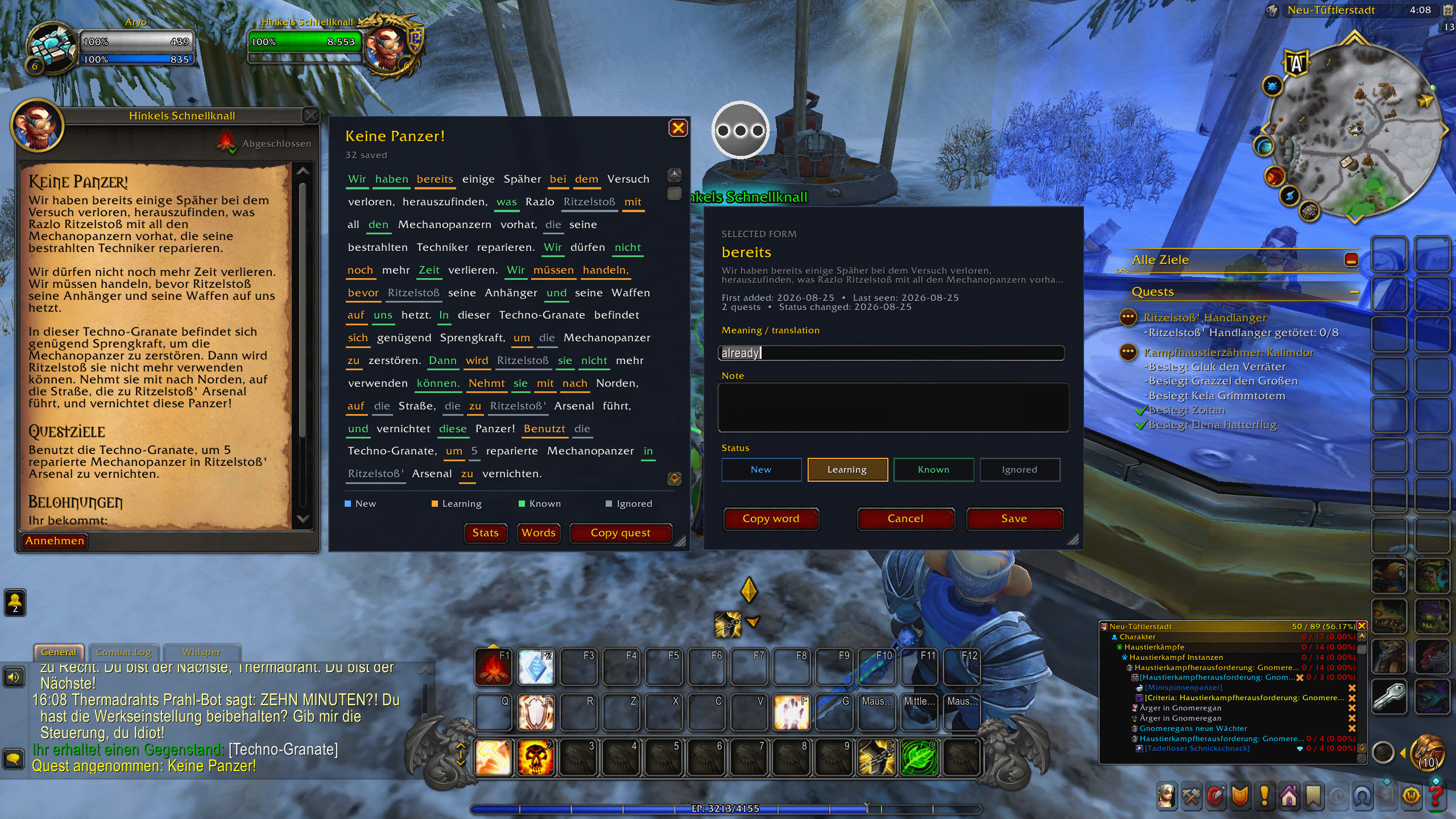
default view
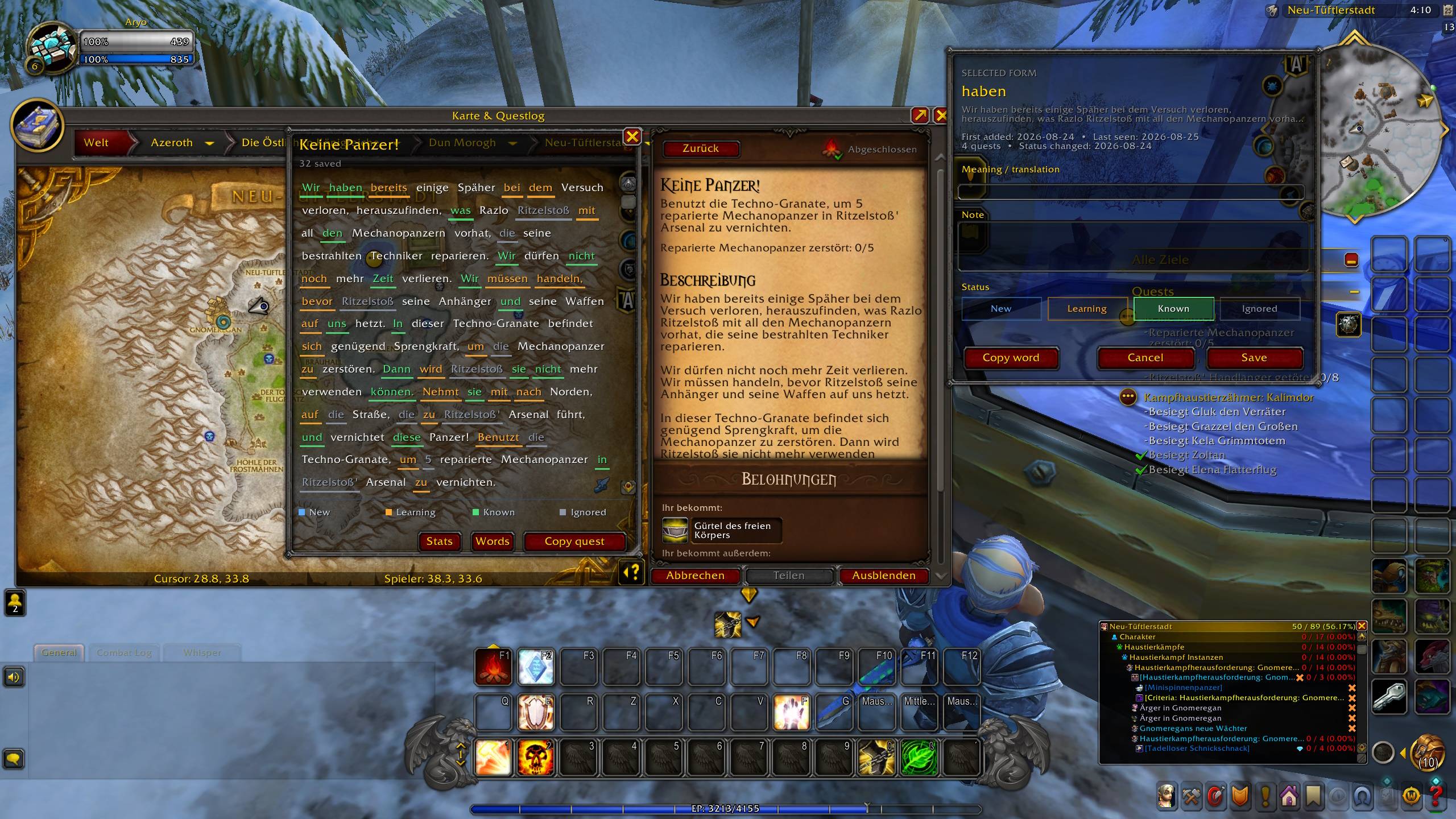
Other available theme
Description
WoW quests are full of the language you actually want to learn — but they fly by. You accept, scan for objectives, and the words are gone.
QuestWordHunter keeps the quest on screen as clickable text. See a word you don't know? Click it, add a meaning, mark it Learning. Next time it shows up in another quest, it's already colored. After a while you have a real vocabulary list from the game, not from a textbook.
The addon works on its own. Optional companions add an English text pane and a ready-made German dictionary.
Features
- Read and select words from new quests or quests already in the Quest Log
- Color saved words by learning status directly in the quest text
- Store a translation, personal note, quest title, and sentence context
- Track the first-added date, last-seen date, and number of distinct quests for each word
- Receive a non-automatic Ready for Known suggestion after five quests and fourteen days of learning
- Browse saved vocabulary in a searchable Word List (/whw words) and track progress in Statistics (/whw stats)
- Choose from four window backgrounds (Tooltip, Dialog, Solid, Midnight) and adjust transparency (/whw settings or /whw bg / /whw opacity)
- All windows are resizable, movable and remember their position
- Per-language word database — German words stay separate from French etc. (/whw lang or Settings)
- Copy a selected word or complete quest text with Ctrl+C
Buttons stay in English. Quest text stays in the language you set in WoW.
Highly recommended optional plugins.
Install these as separate CurseForge addons if you want them. They require QuestWordHunter. QuestWordHunter does not require them.
- QuestWordHunter - English Quest Panel — official English title and description next to the original quest, so you can check a hard sentence without leaving the game
https://www.curseforge.com/wow/addons/questwordhunter-english-panel
- QuestWordHunter - German Dictionary — ~74,000 German quest words already glossed in English. Click a word and a translation is waiting
https://www.curseforge.com/wow/addons/questwordhunter-german-dictionary
Requirements
- World of Warcraft Retail 12.1.0 (Interface 120100)
- Set the WoW text language and the addon's Target language to the same locale. Supported: enUS/enGB English, deDE German, frFR French, esES/esMX Spanish, itIT Italian, ptBR Portuguese
Getting started
- Install and enable QuestWordHunter (WordHunterWoW in the in-game AddOns list)
- Set the World of Warcraft text language and the addon's Target language (/whw lang or Esc → Options → AddOns → WordHunterWoW)
- Accept a quest, or select an existing quest in the Quest Log
- Click an unfamiliar word in the QuestWordHunter panel
- Add an optional meaning and note, choose a status, and select Save
/whw shows or hides the panel. /whw words, /whw stats, /whw settings open the other windows.
Privacy
QuestWordHunter is local-only. It makes no network requests and does not send quest text or vocabulary anywhere.
Support and source
Source: github.com/Ironship/WordHunterWoW
All rights reserved.
The QuestWordHunter Team