QuestListShortcut
- By
Collapse quest categories and manage quest tracking globally or by zone in WoW Forever
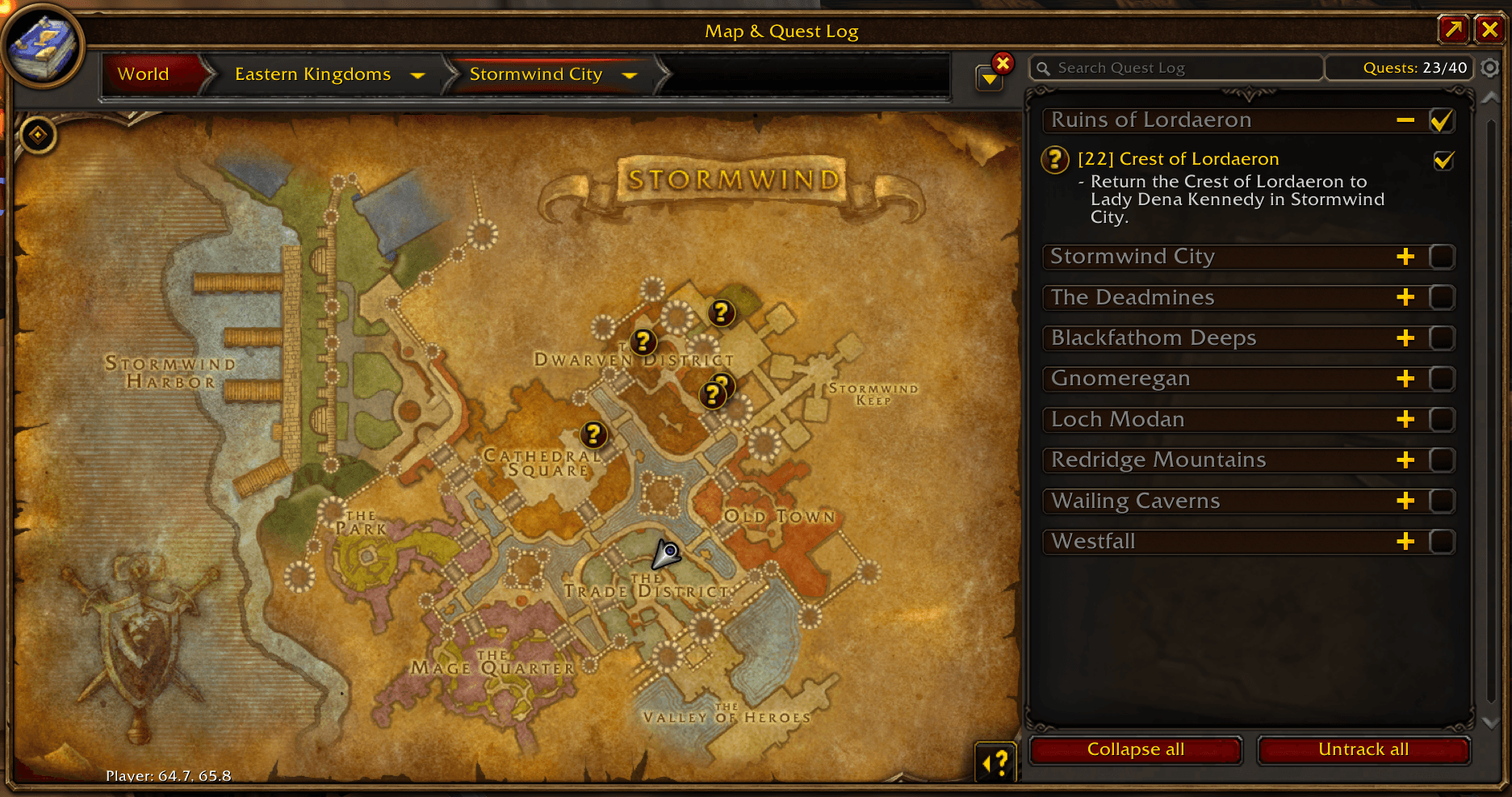
Collapse all regions, stop tracking all quests with a single click
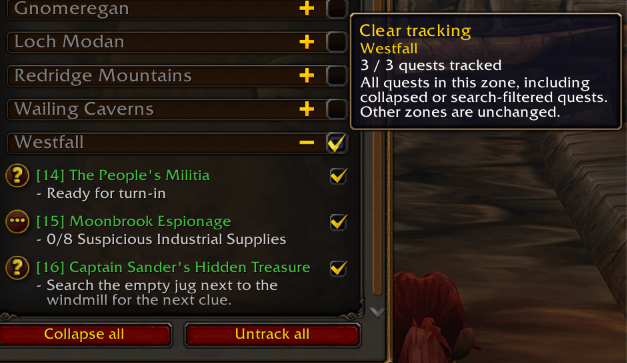
Toggle quests of the region
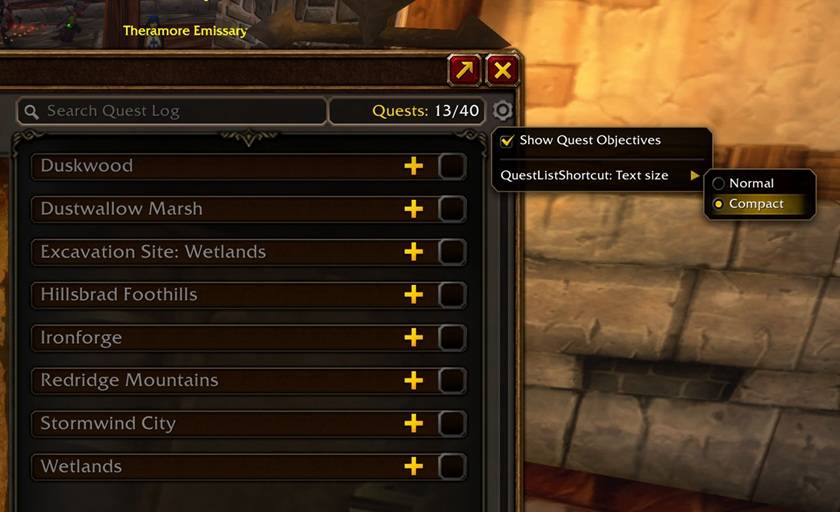
Change text size
Description
QuestListShortcut
Small quest-log shortcuts for World of Warcraft: Forever
Features
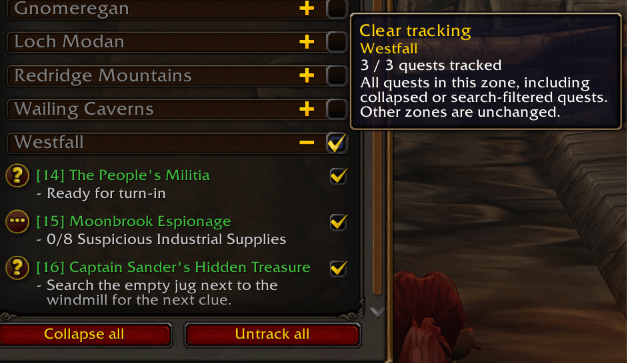
- Collapse all clears the search and folds every quest category. When all categories are closed, it becomes Open all, which clears the search and opens them. Individual categories remain freely openable and collapsible.
- Untrack all removes tracking from all quests without abandoning them.
- A checkbox next to each zone header manages tracking for that zone: empty or partially checked means Track all; fully checked means Clear tracking.
- Zone actions include quests hidden by search or collapsed categories. Other zones and your automatic tracking setting are unchanged.
- Tooltips explain each action, show zone tracking counts and indicate restrictions. No dependencies required.
Text size
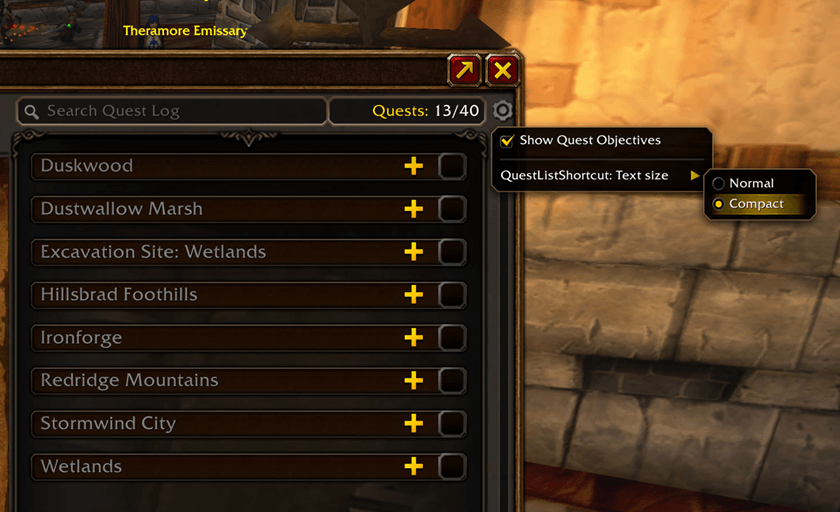
Open the gear menu at the top right of the quest list, then QuestListShortcut: Text size:
- Normal (default): the original text size.
- Compact: zone names, quest titles and objectives are 20% smaller, using the same client font. Quest row heights are recalculated by the game.
The change applies immediately to the list. Quest details and the rest of the interface keep their usual size. The choice is saved account-wide in QuestListShortcutDB and survives /reload and game restarts. Select Normal to restore the original sizes.
Languages
The addon automatically uses the WoW client language: English, French, German, Spanish (Spain and Latin America), Italian, Brazilian Portuguese, Russian, Korean, Simplified Chinese and Traditional Chinese. Missing translations and unknown locales fall back to English.
Translations are included in the addon and do not require a website connection. Terminology and text layout in each language still need in-game review; translation corrections are welcome.
Installation
Install through your addon manager, or extract the QuestListShortcut folder into your Forever client's Interface/AddOns directory. The TOC must be at Interface/AddOns/QuestListShortcut/QuestListShortcut.toc.
Restart WoW after a first installation. For updates to a loaded addon, use /reload.
Compatibility and feedback
Targets Forever 1.60.1 (build 70009). Automated tests cover addon behavior with simulated APIs. Visual layout, combat restrictions and taint still require in-game validation. Other WoW editions are not supported by this package.
When reporting a problem, include the addon version, client build and language, the action performed, and the complete Lua error if available.
QuestListShortcut Team