Questfire Forever
Spot dungeon quest givers and prerequisites with animated flames, and explore their full quest chains in WoW Forever.
Screenshot 2026-11-26 102152.png
Screenshot 2026-11-26 103226.png
Screenshot 2026-11-26 103247.png
Screenshot 2026-11-26 103309.png
Screenshot 2026-11-26 103323.png
Description
Questfire Forever helps you find dungeon quests—and the prerequisite quests that lead to them—before heading into a dungeon.
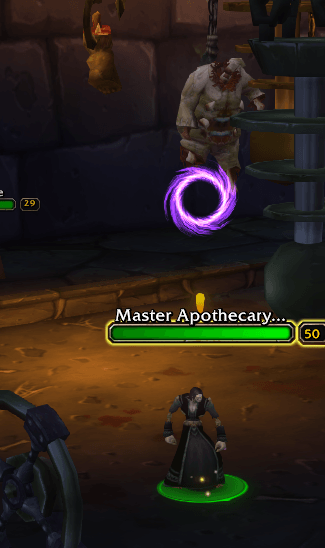
Eligible nearby quest givers display animated flames, so you can recognize useful quests without targeting each NPC. Hover over a flame to see the quest names, then click it to explore the recorded full quest chain.
Features
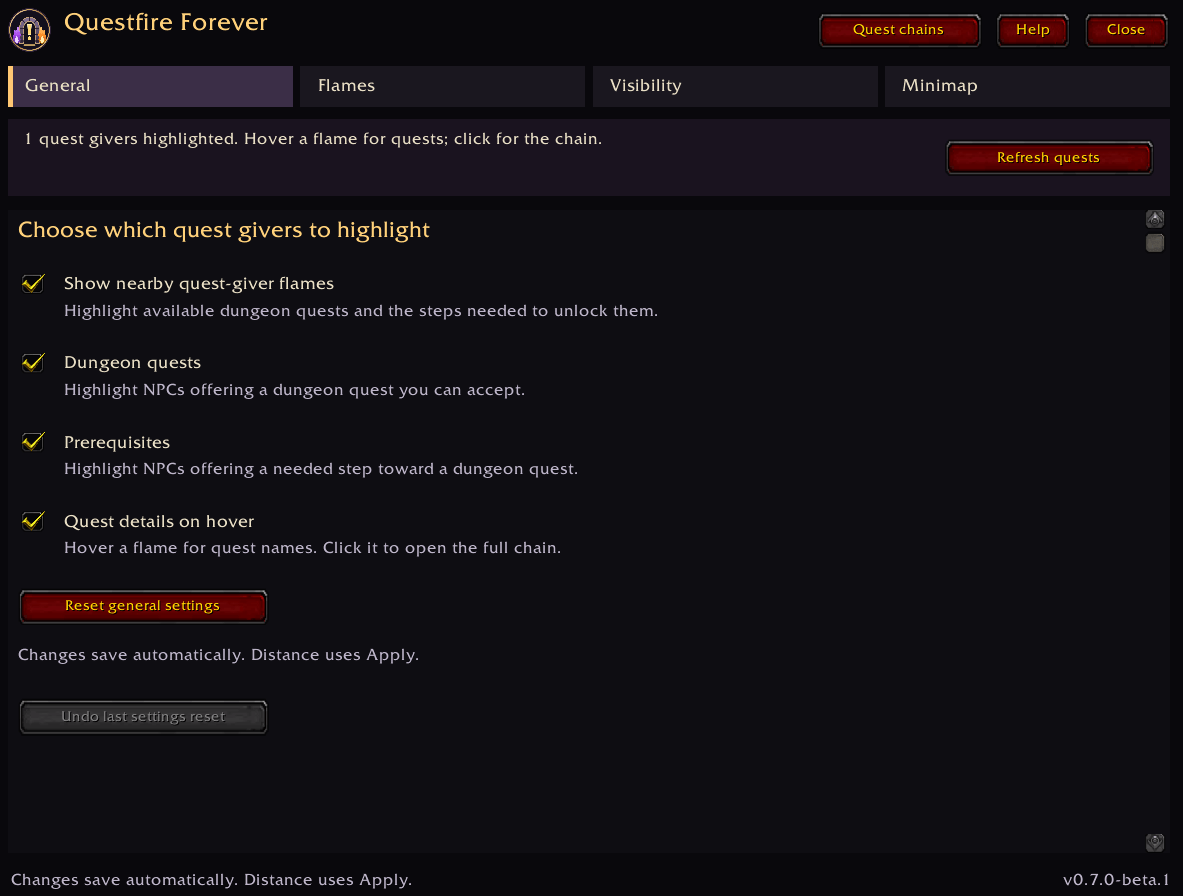
- Dungeon quest highlights: Spot nearby NPCs offering dungeon quests your character can accept.
- Prerequisite highlights: Find the earlier quests needed to unlock dungeon quests.
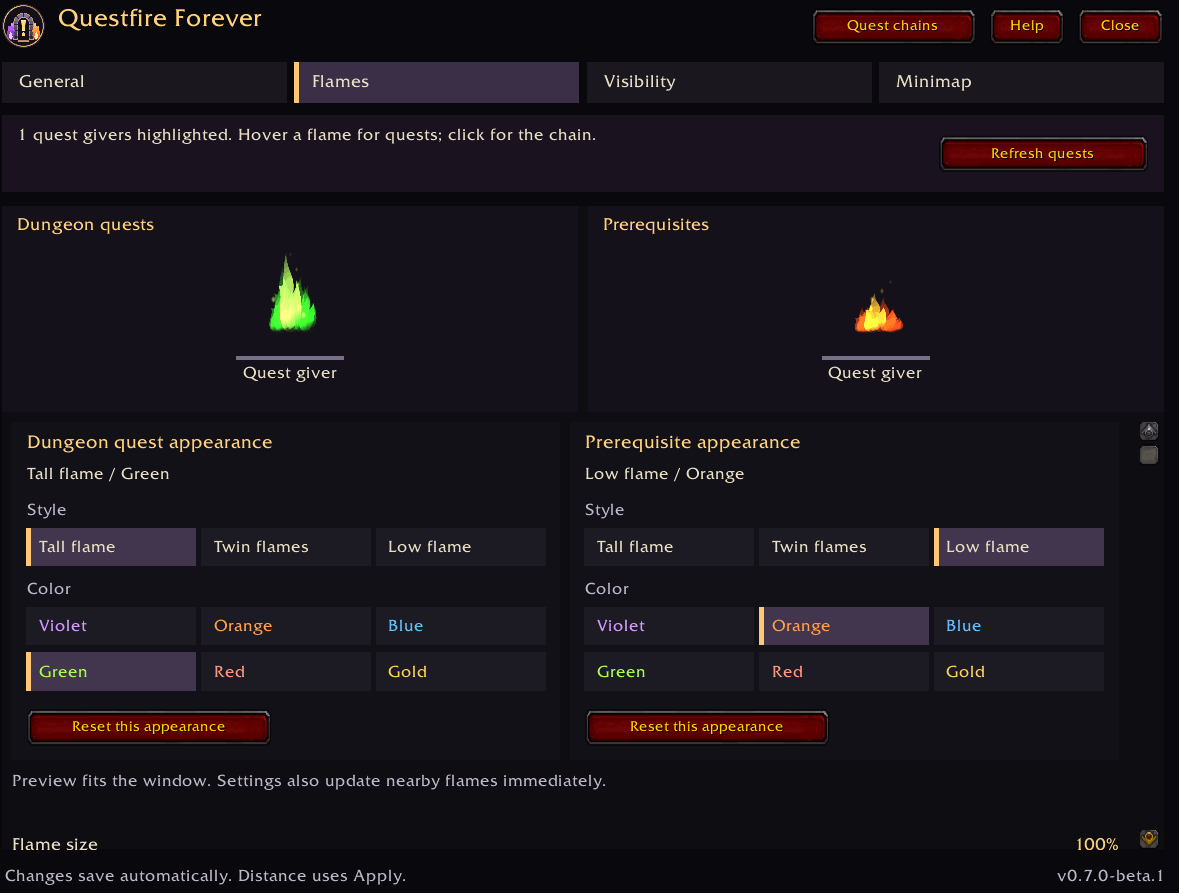
- Distinct flame appearances: Dungeon quests use tall violet flames by default; prerequisites use twin orange flames. Choose separate styles and colors for each.
- Quest details on hover: See matching quest names and whether they are dungeon quests or prerequisites.
- Full quest-chain browser: Explore recorded prerequisites, alternative branches, optional lead-ins, quest givers, objectives, and requirements.
- Search and filters: Search by quest name or ID, hide completed quests, and browse quests beyond your current character’s eligibility.
- Customizable appearance: Adjust flame size, brightness, animation speed, position, and reduced motion.
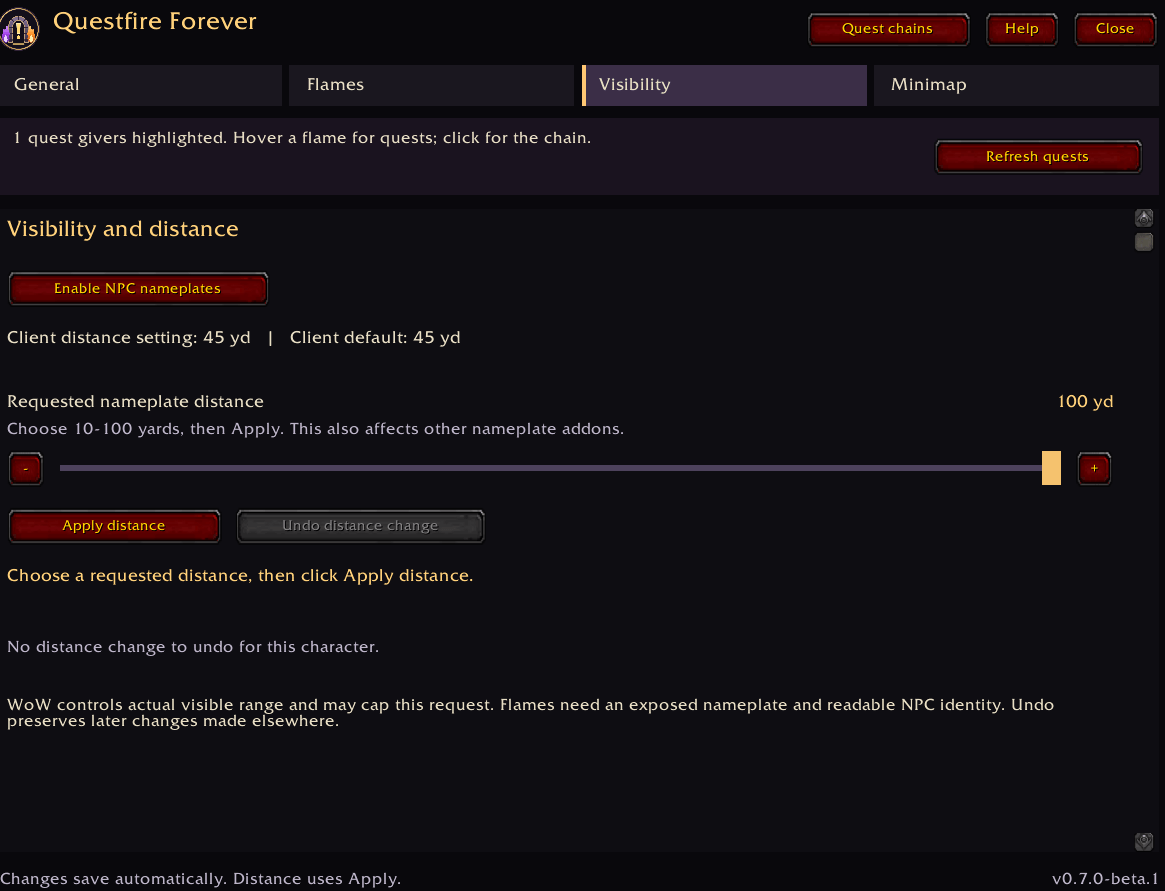
- Visibility controls: Request a nameplate distance and undo the addon’s change when available.
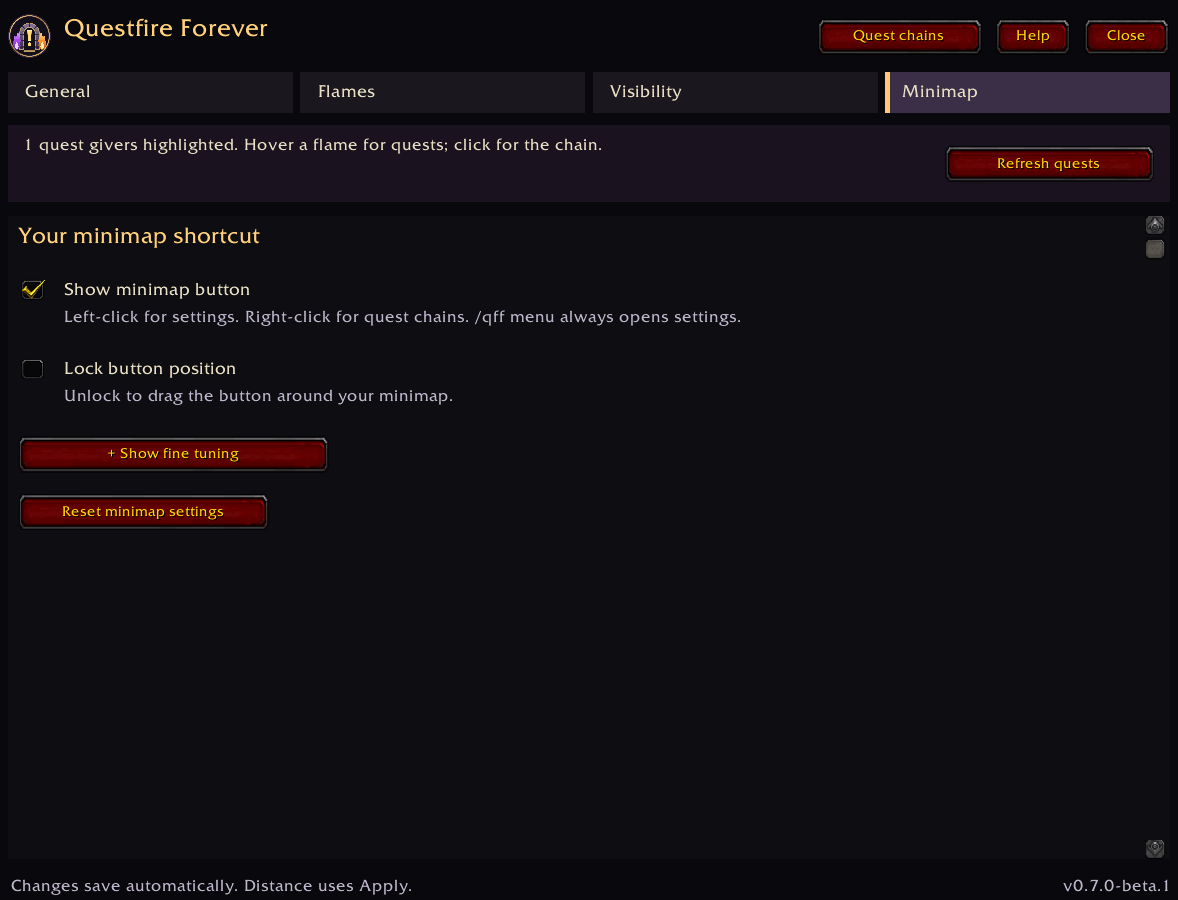
- Compact minimap button: Left-click for settings or right-click for quest chains.
- No required companion addon.
Getting started
- Install Questfire Forever for World of Warcraft: Forever and enable it in the AddOns list.
- Fully restart WoW after your first installation.
- Left-click the minimap button or type
/qff menu. - Enable friendly NPC nameplates using the menu’s status action if needed.
- Visit an NPC offering an available dungeon quest or prerequisite. Hover over its flames for details, or click to open the quest chain.
The settings menu has four pages: General, Flames, Visibility, and Minimap. Appearance previews stay visible while you adjust flame settings, and ordinary settings save automatically.
Commands
/qff— Open the quest-chain browser./qff menu— Open settings./qff flames— Open flame appearance settings./qff distance— Open visibility settings./qff minimap— Restore the minimap button./qff onor/qff off— Enable or disable nearby flames./qff status— Show the addon version and detected highlight count.
Beta coverage and limitations
This beta targets WoW Forever 1.60.1. The bundled data contains 862 connected quest records, including 419 directly dungeon-associated quests across 24 populated dungeons. Krol’dok Stronghold coverage is pending. Coverage is still growing, and some quest requirements or server conditions may be missing.
Flames rely on NPC nameplates exposed by the game. They cannot reveal hidden or off-screen NPCs, and they pause during combat. Actual visibility distance is controlled by the client; requesting a higher distance does not guarantee that reach. Distance changes affect the shared nameplate setting.
Quests with unknown requirements remain visible in the browser without being highlighted as available. If an NPC offers several matching quests, the tooltip lists them; clicking opens the first matching chain, and the browser lets you explore the others.
Bundled fallback text is English, with native localized quest titles used when available. Compatibility with every third-party nameplate addon and gamepad-only navigation has not yet been verified.
Feedback
Bug reports and suggestions are welcome in the project comments. Please include your addon version, WoW client build, quest or NPC name/ID, steps to reproduce the issue, expected behavior, and the first Lua error if one appears. For visibility problems, include the names of any other nameplate addons you use.
Please do not post personal SavedVariables files or account information.
Credits
Created by Psylin. Quest data is derived from QuestieDB. Original addon code and artwork use GPL-3.0-or-later; bundled data attribution and upstream licensing notices are included with the addon.
Questfire Forever Team