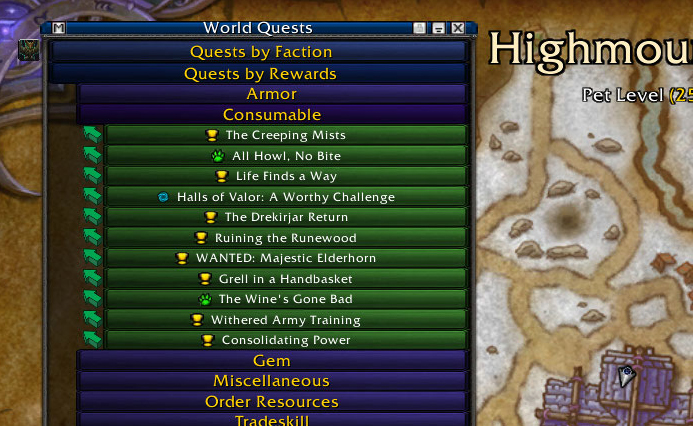
The world quest frame shows up both on the main view and the world map
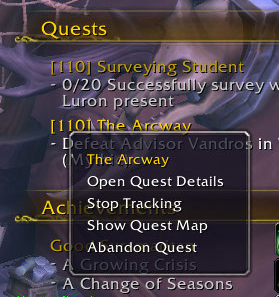
QuestBuster adds the quest level to the quest name in the objective frame, and provides an 'abandon quest' option when right-clicking the quest.
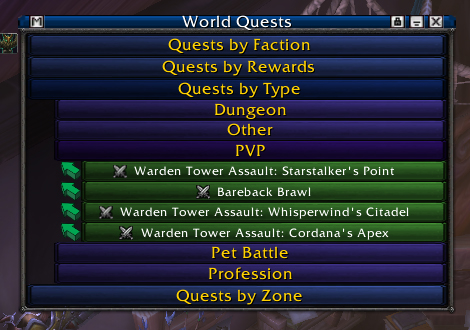
The main World Quest frame listing all the world quests available
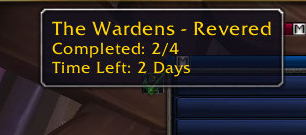
Incomplete emissary quests show an icon next to the world quest list. A checkmark appears over the icon that becomes more opaque as more quests are done towards that faction.
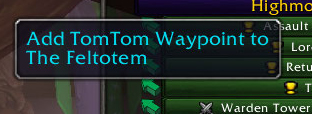
When installed, the World Quest frame will have a button to add a TomTom waypoint for the world quest
Description
"Okay, the wardens are the emissary for today.....now where are those stupid quests?!"
"Order hall resources, order hall resources, man I need to do a few world quests so I can buy that upgrade token, but where are the stupid things?"
"Cripes it takes forever to see what world quests are available! Why do I have to go to the zone in the map just to see a list of quests available?!"
"Yes, yes, stupid daily. I always pick that item instead of the other one when I do you, why can't you take a hint?!"
If any of the above has happened to you, then you're in luck!
Features include:
- Provide a single, collapsible frame viewable on both the main screen as well as the map listing all of the available World Quests. Allows you to filter by Zone, Faction, Reward, and Type.
- Add world quest to objective frame by clicking on the quest name in the quest list.
- TomTom integration, if available. Click the icon next to the World Quest to create a waypoint.
- Icons next to the quest list for any Incomplete emissary dailies. Checkbox appears over the icon that gets more opaque as you do more quests for that faction.
- Data broker functionality, providing toggle for . Currently only tested with TitanPanel.
- Auto turn-in quests, with filters for just low level quests and just dailies as well as for all quests.
- Ctrl + Left Click to select a reward for a given repeatable quest. Subsequent turn ins will automatically select that item when completing the quest.
- Highlight rewards for max vendor price and transmog items if you have MogIt installed (may be unnecessary in Legion). Future functionality will add highlights for upgrades and any you may have set to 'Auto Selected'
- Add "Abandon Quest" to right clicking on quests in the objective frame
Known Bugs:
- Rarely quest buttons on the world quest list will show up after being completed separate from the rest of the list. Reloading the ui resolves this until I can get a proper fix in.
QuestBuster Team