Quest Pilot
- By
Smart quest routing for WoW Forever with nearby objective prioritisation, navigation, quest-item buttons, progress tracking and XP-to-level estimates.
Description
Quest Pilot
Smarter questing. Clear guidance. Your adventure.
Quest Pilot helps you spend more time completing quests and less time deciding where to go next.
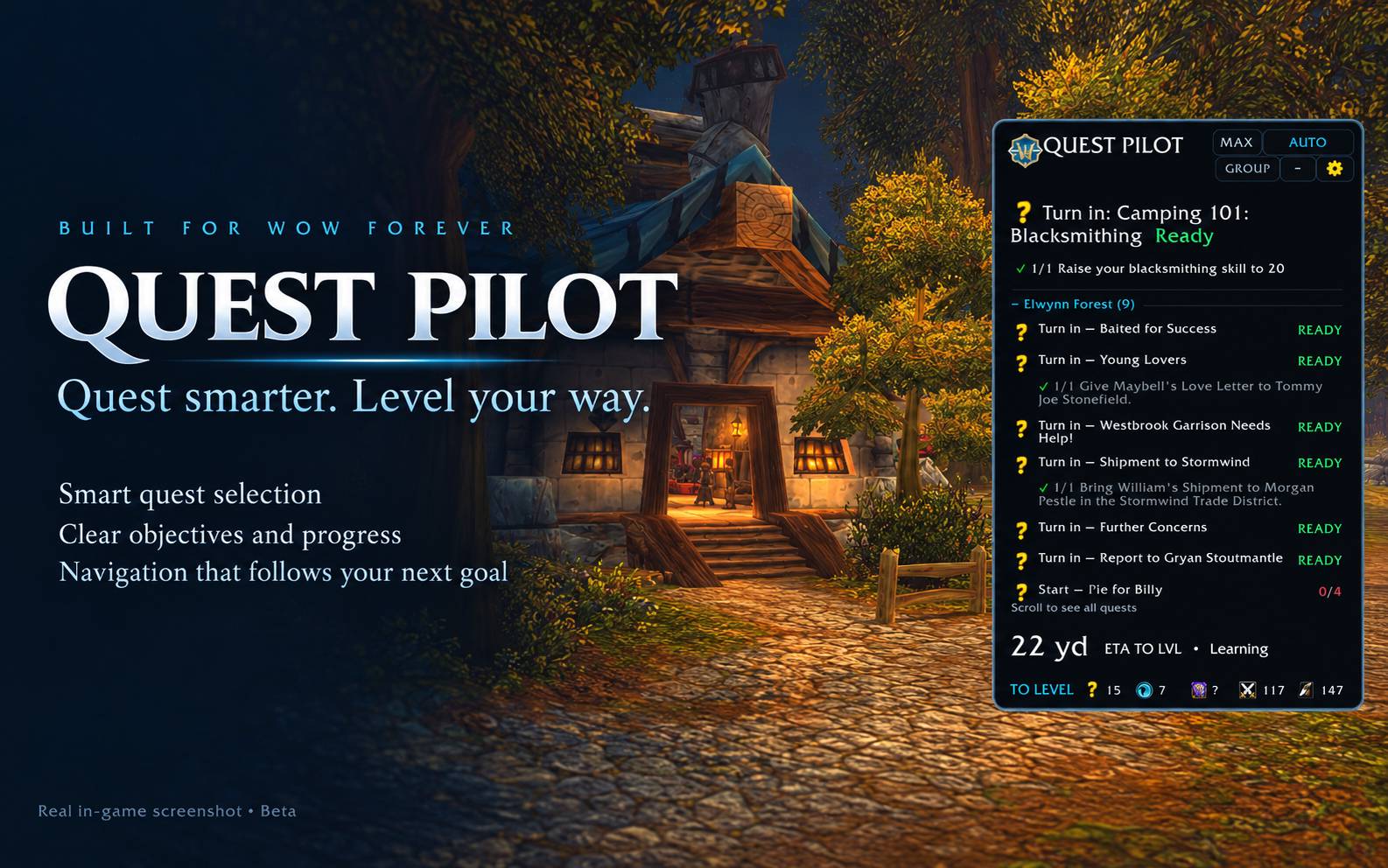
Built for WoW Forever, it looks at your active quests, current location, objective progress and XP rewards to recommend your next objective. Follow its recommendations, fine-tune your priorities or take control by pinning a quest yourself.
From your first quests to dungeon runs, Quest Pilot brings navigation, objective tracking and leveling estimates into one customisable interface.
💬 Need help or have a suggestion? Join the Quest Pilot Discord.

🧭 Smart Quest Navigation
Quest Pilot updates its recommendations as you move, complete objectives and finish quests.
- Prioritises nearby objectives and useful hand-ins.
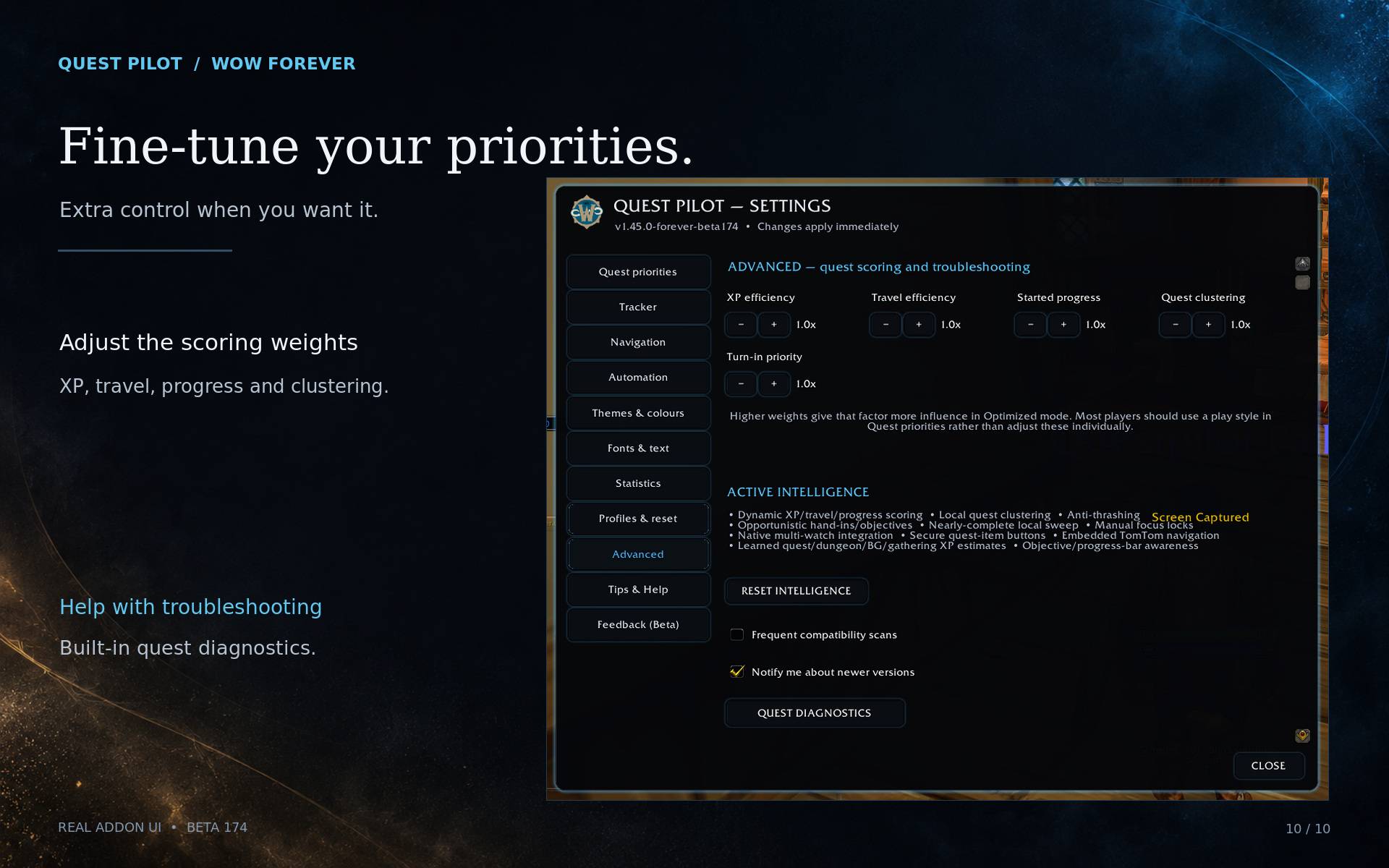
- Considers XP rewards, travel distance and quest progress.
- Recognises opportunities to complete overlapping quests.
- Can favour objectives you have already started.
- Offers nearby detours and turn-in clustering.
- Explains its recommendation through the WHY button.
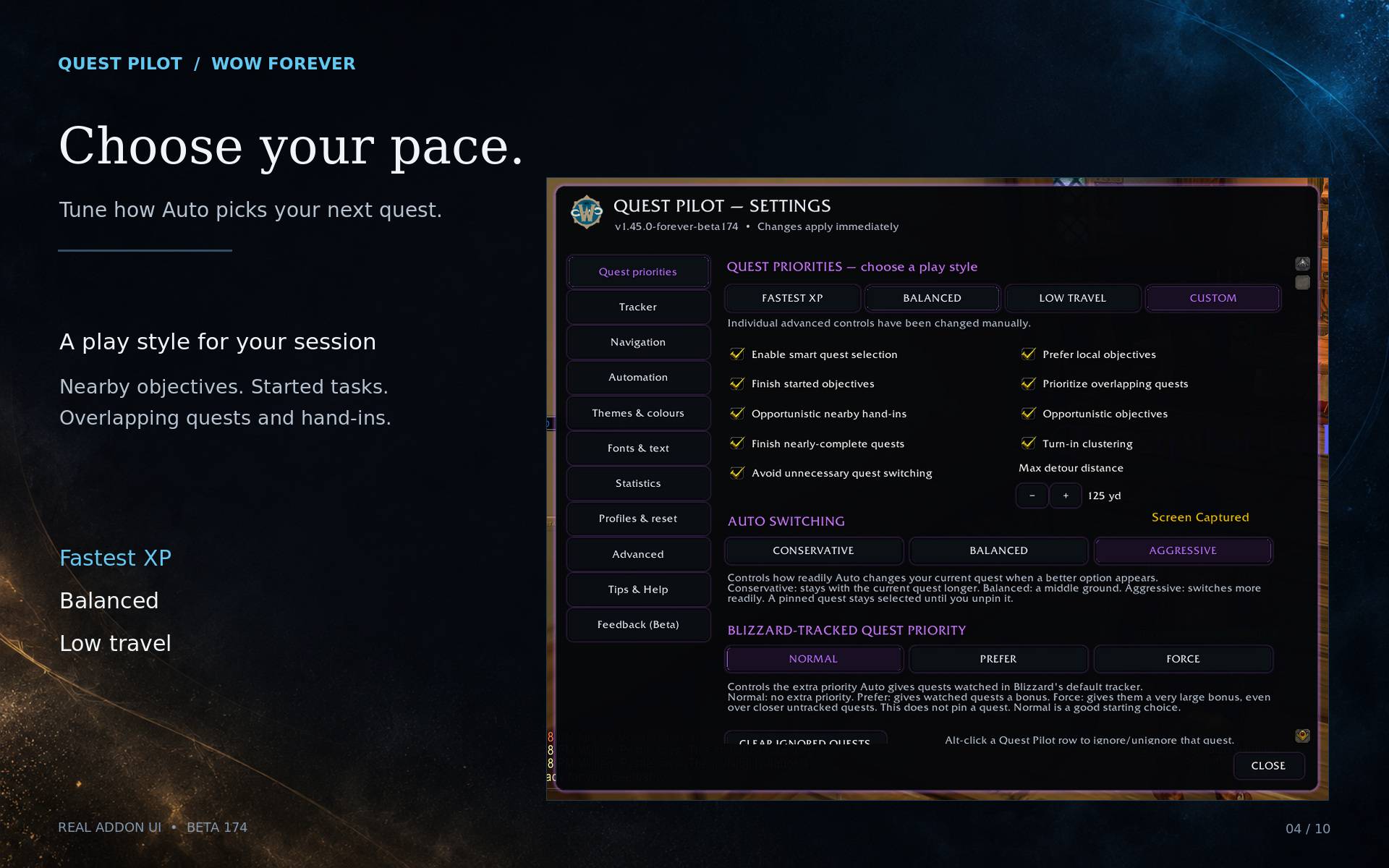
Choose how readily Quest Pilot switches objectives, from Conservative to Balanced or Aggressive.
⚡ Level Your Way
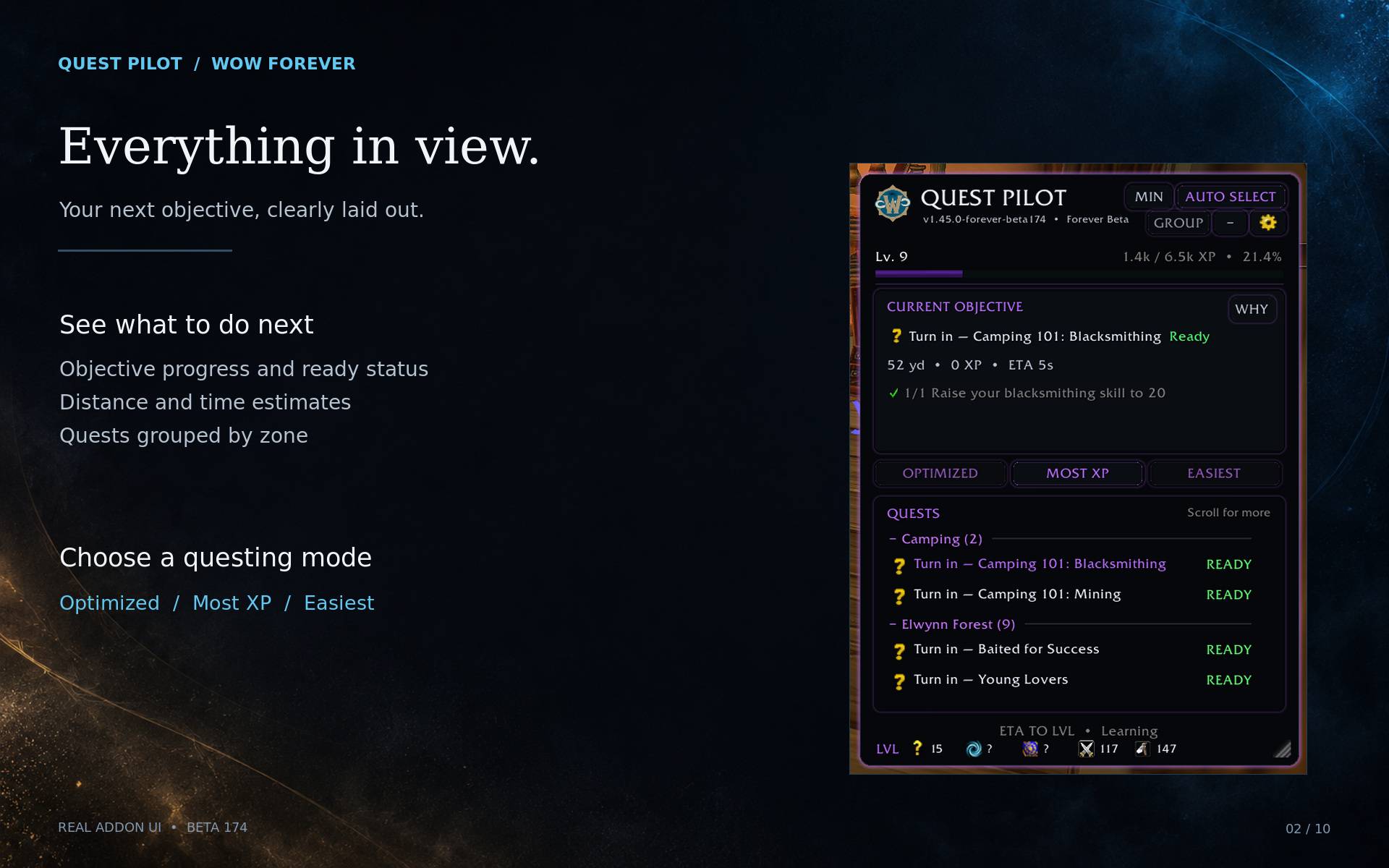
Switch between three tracker modes whenever you want.
Optimized
Balances distance, XP, progress and nearby opportunities.
Most XP
Gives greater priority to experience rewards.
Easiest
Favours closer, more convenient objectives.
In settings, choose Fastest XP, Balanced or Low Travel, then adjust individual priorities to create your own Custom setup.
📌 Pick a Quest. Make It Your Priority.
Want to focus on something specific?
Click an active quest on the world map to make it Quest Pilot’s priority quest. Click another quest to change your selection, even while pinned.
Your chosen quest stays selected until you click PIN to return to AUTO.
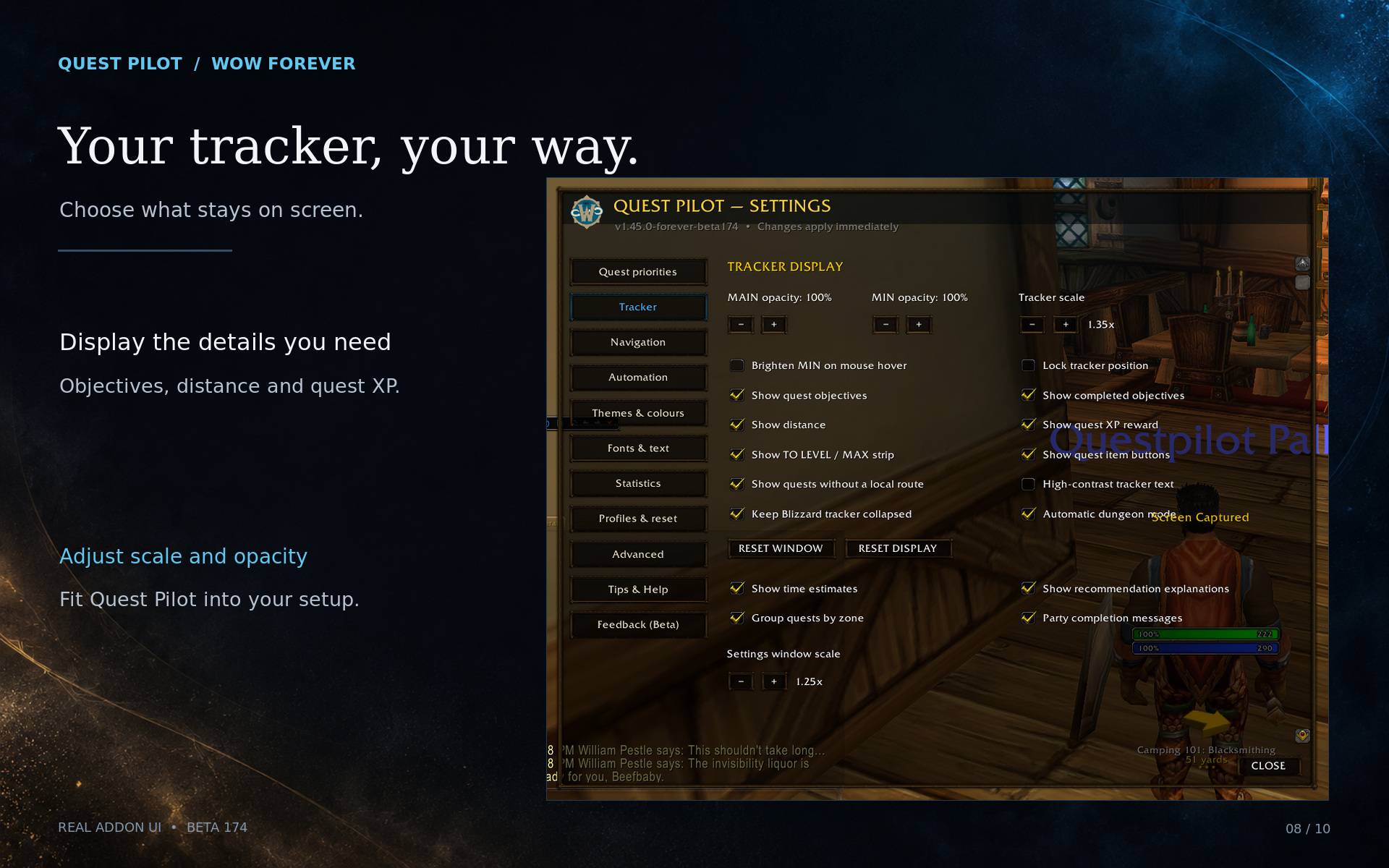
📋 Clear, Live Quest Tracking
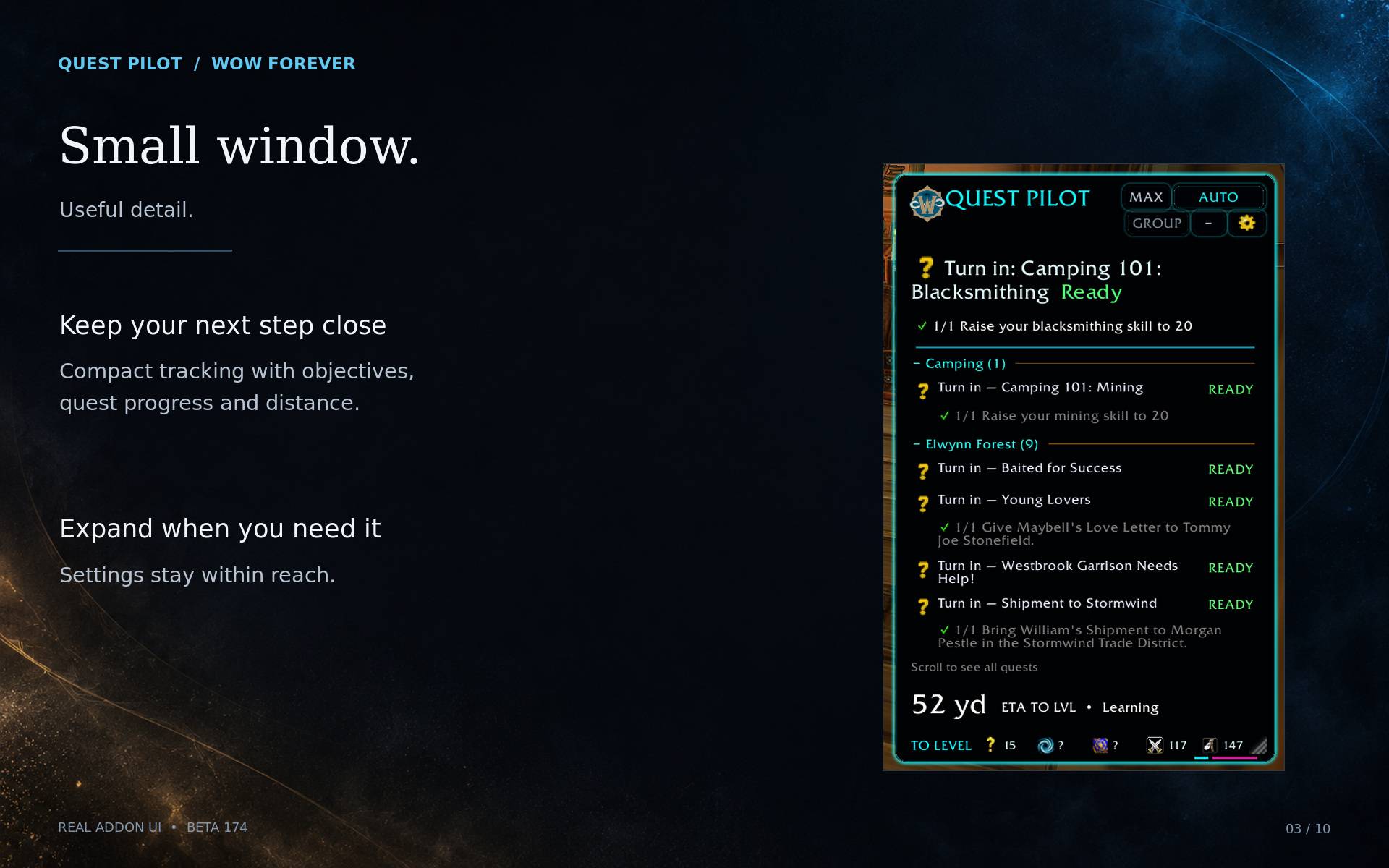
Keep your current objective and nearby quests easy to read.
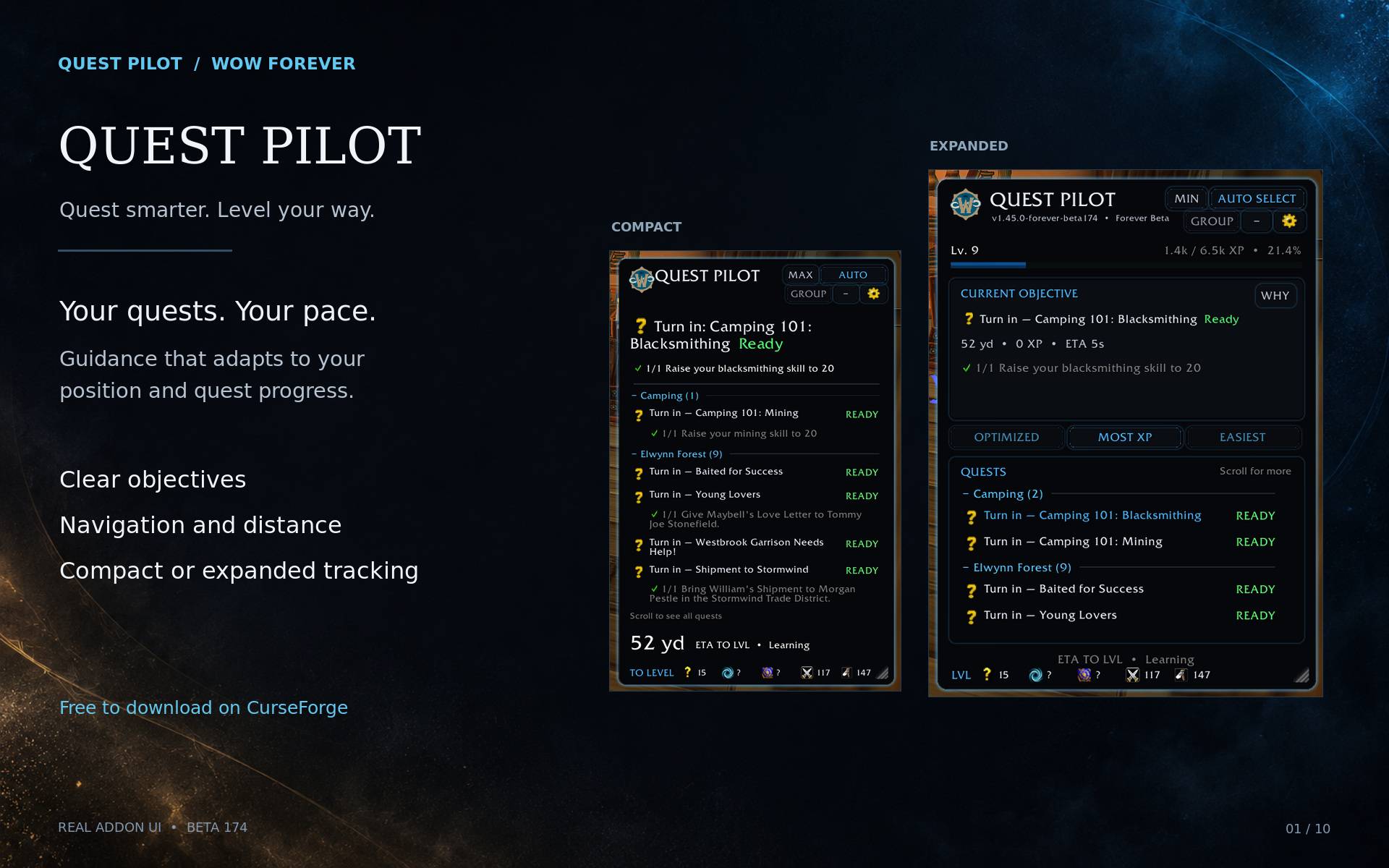
- Quest titles and objective progress.
- Ready-to-hand-in status and completion ticks.
- Distance and available quest XP.
- Selected-objective highlighting.
- Scrollable quest lists with zone sections.
- Expanded MAX and compact MIN layouts.
- Resizable windows with saved size and position.
You can also fully hide Blizzard’s objectives tracker for a cleaner screen.
🎯 Quest Enemy Indicators
Spot enemies connected to your active quests.
Indicators distinguish between kill and loot objectives and show your current progress above relevant enemies.
Adjust their font size, horizontal position and vertical position in Navigation settings to suit your nameplates and UI.
🎒 Quest Items Within Reach
When a quest has a usable item, Quest Pilot can display a clickable item button beside it.
Use the item directly from the tracker and view its normal tooltip in either the expanded or compact layout.
⚔️ Automatic Dungeon Mode
Enter a supported dungeon and Quest Pilot switches to a dedicated dungeon display.
- Boss lists with individual completion progress.
- Clear completion ticks.
- Rare spawns labelled (Rare).
- Optional encounters separated from required completion.
- Dungeon quests beneath the encounter list.
- Recorded progress retained through
/reload. - Dungeon-copy history and reset handling.
- Tools to scan or review recorded boss progress.
Built-in encounter data covers 29 dungeon sections, including all four Scarlet Monastery wings. Known encounters supplement partial lists supplied by the client.
Coverage is still growing. The Drowned City, Krol’dok Stronghold, Alcaz Prison, Blackmaw Hold and Shaper’s Terrace currently rely on client-provided encounter data.
🏹 Follow the Arrow
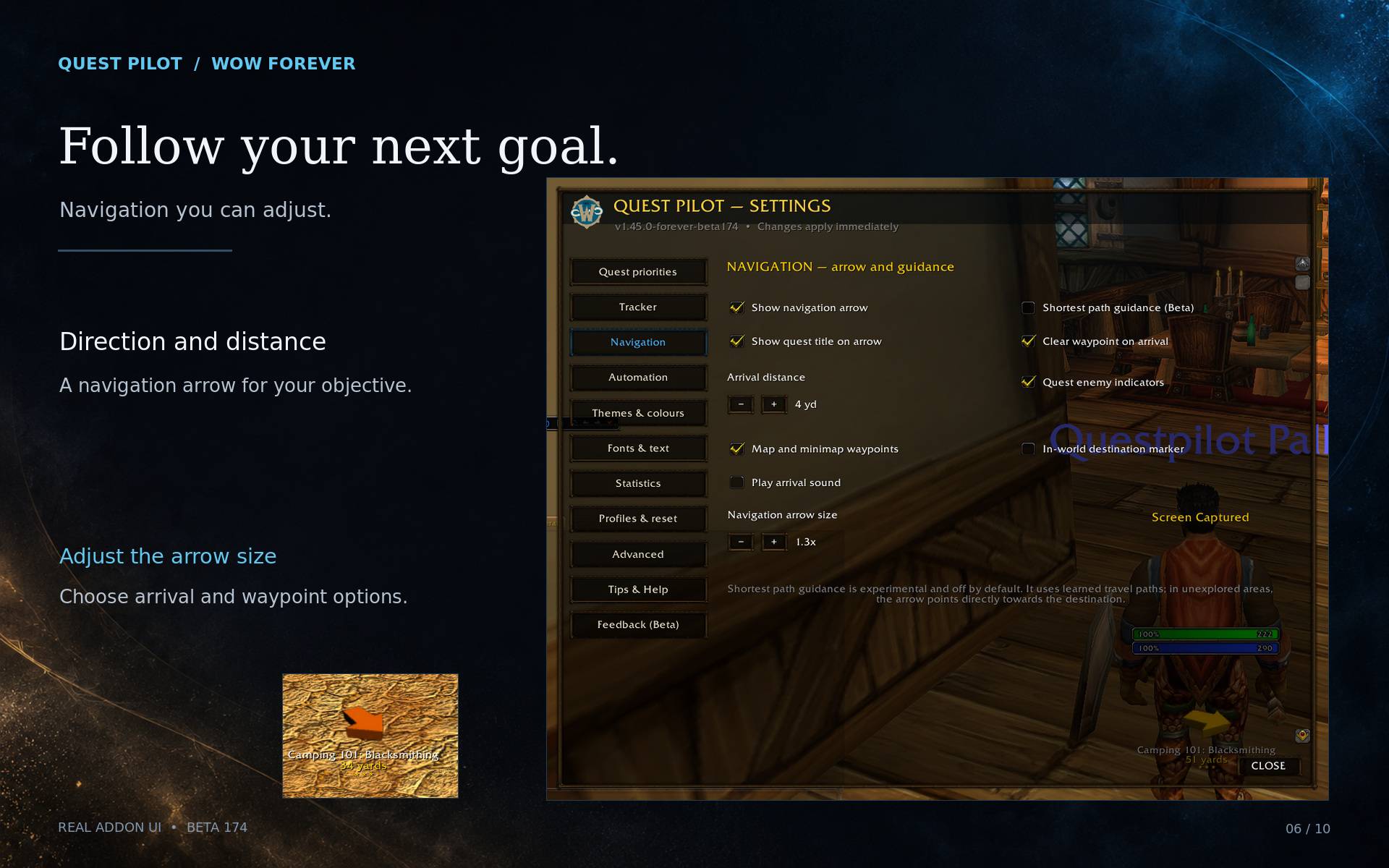
Quest Pilot includes a bundled navigation arrow with everything needed to guide you towards the selected objective.
- Direction and remaining distance.
- Optional quest-title display.
- Adjustable arrow size and arrival distance.
- Map and minimap waypoints.
- Optional waypoint clearing on arrival.
- Optional arrival sound.
- Appearance options that match your theme.
Navigation updates when your selected objective changes.
⏱️ Watch Your Progress
See how your leveling session is developing.
- Estimated time to your next level.
- Current XP progress and session statistics.
- Estimates for quests, mob kills and gathering actions remaining.
- Dungeon and battleground activity estimates.
- AFK-aware timing.
Estimates adapt to your character’s recorded XP gains as you play.
You can also enable a quest-completion ding when a quest becomes ready to hand in.
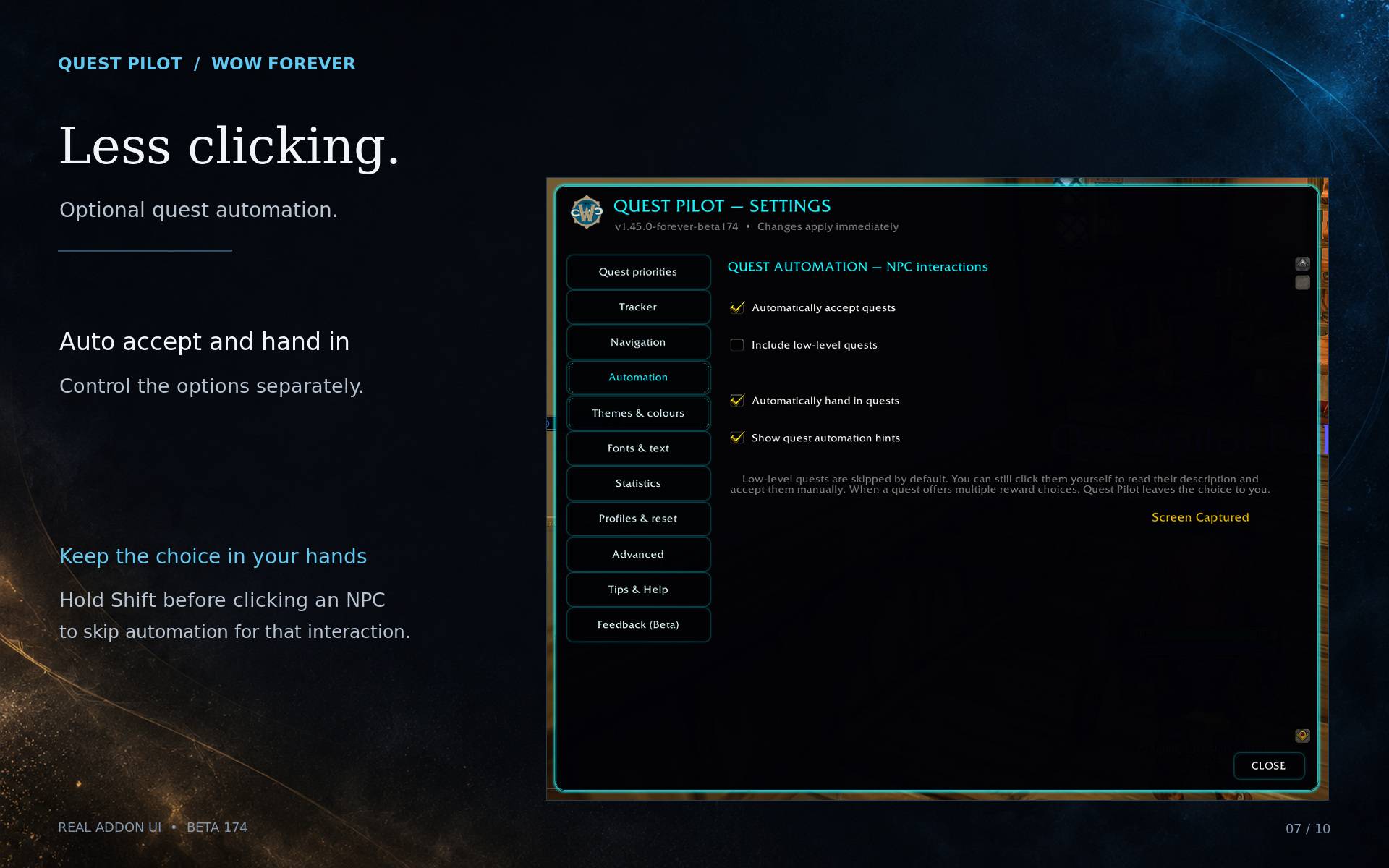
🤖 Optional Quest Automation
Streamline NPC interactions with individually configurable options.
- Automatically accept eligible quests.
- Automatically hand in completed quests.
- Choose whether to include low-level quests.
- Hold Shift to retain manual control during supported automated interactions.
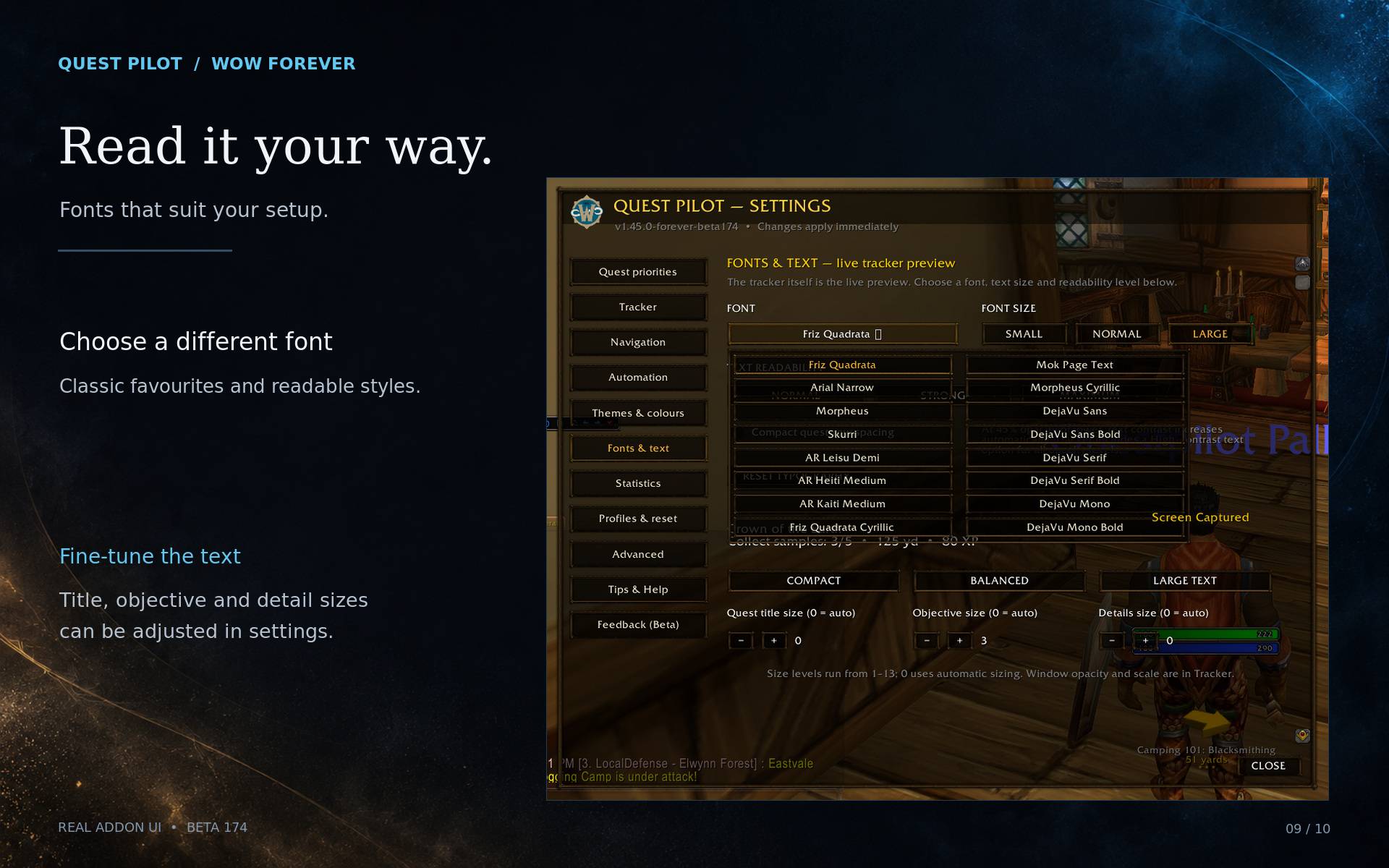
🎨 Make It Yours
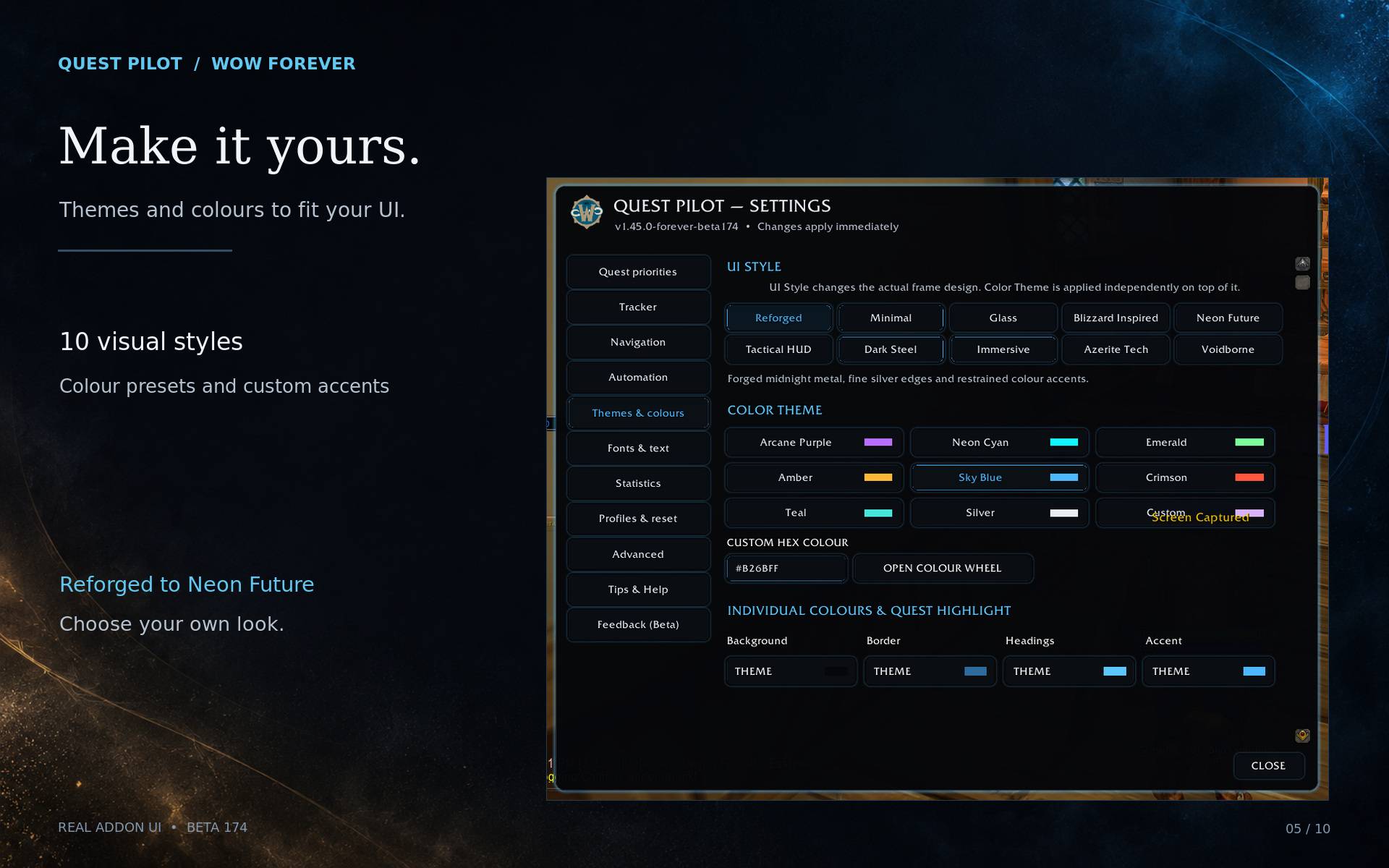
Build a tracker that fits your interface.
Choose from multiple UI styles, colour themes and fonts, including Fomular Red.
Customise accent colours, individual interface colours, font sizes, opacity, scale and row density. Export and import profiles to reuse your setup.
🔔 Stay Up to Date
Quest Pilot can notify you when it detects a newer version through compatible addon users in your guild, group or nearby.
Update notifications can be toggled in settings.
🚀 Getting Started
-
Install Quest Pilot and enter the game.
-
Choose a quest-priority preset.
-
Follow the current objective or click a quest on the map to pin it.
-
Adjust the tracker’s size, appearance and navigation settings to suit you.
Handy controls
- Left-click the minimap button to hide or show Quest Pilot.
- Right-click the minimap button to restart the guided settings tutorial.
- Type
/qp settingsto open settings. - Click PIN to return to automatic quest selection.
The tutorial can be restarted whenever you want a walkthrough of the settings and what they do.
💬 Join the Quest Pilot Community
Have a question, found a bug or thought of something you would like added?
Join us on Discord to share your setup, follow updates and help shape Quest Pilot.
For bug reports, include your addon version, the quest or dungeon involved, what happened and any error message or screenshot.
Join the Quest Pilot Discord
You can also find the invite in the Discord tab inside Quest Pilot settings.
Choose your priorities. Follow your progress. Enjoy the grind.
Quest Pilot Team