


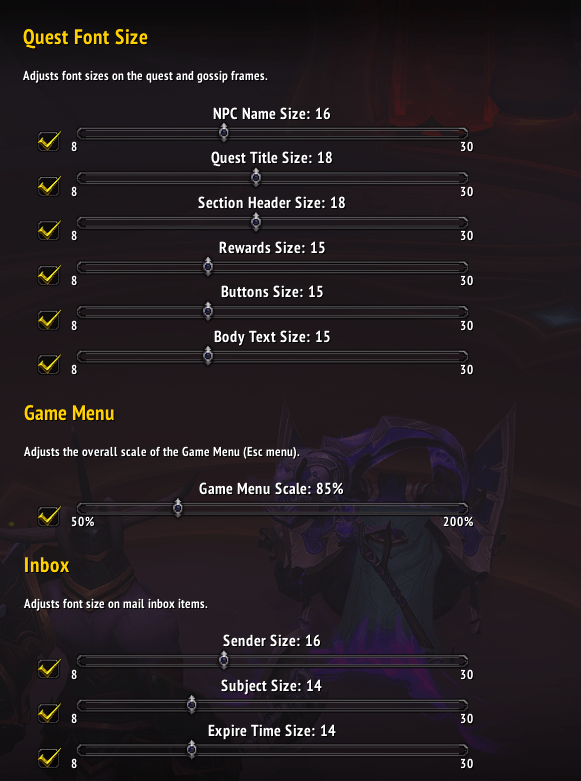
Quest Font Size
- By
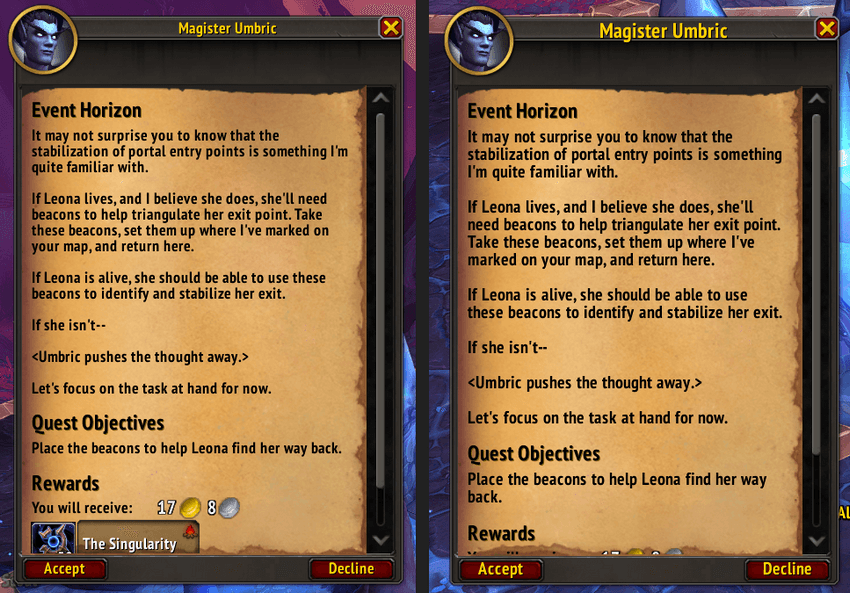
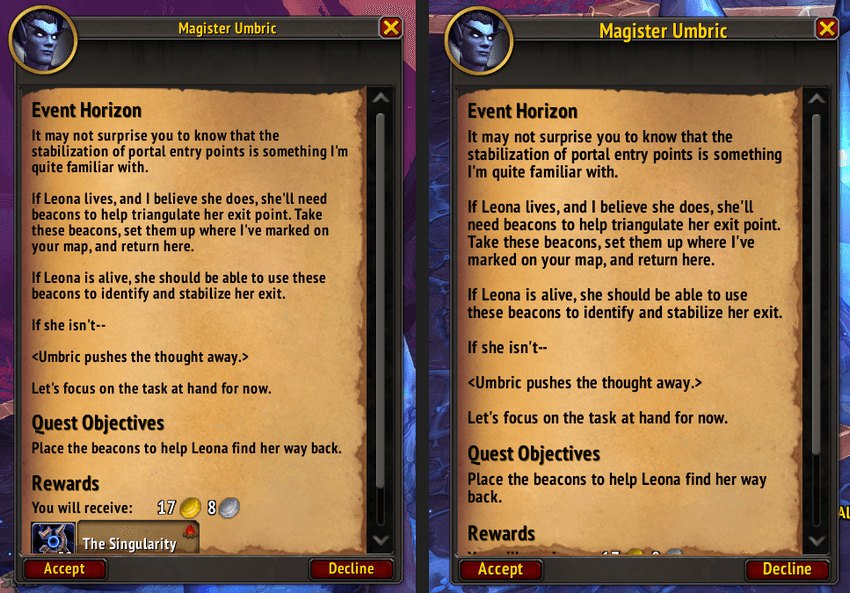
Quest frame font size difference (original on the left, increased on the right)
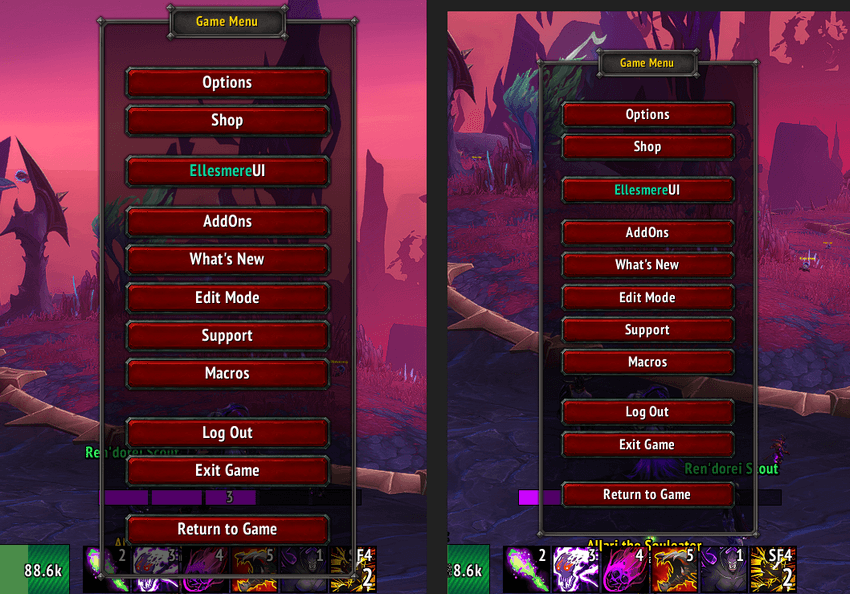
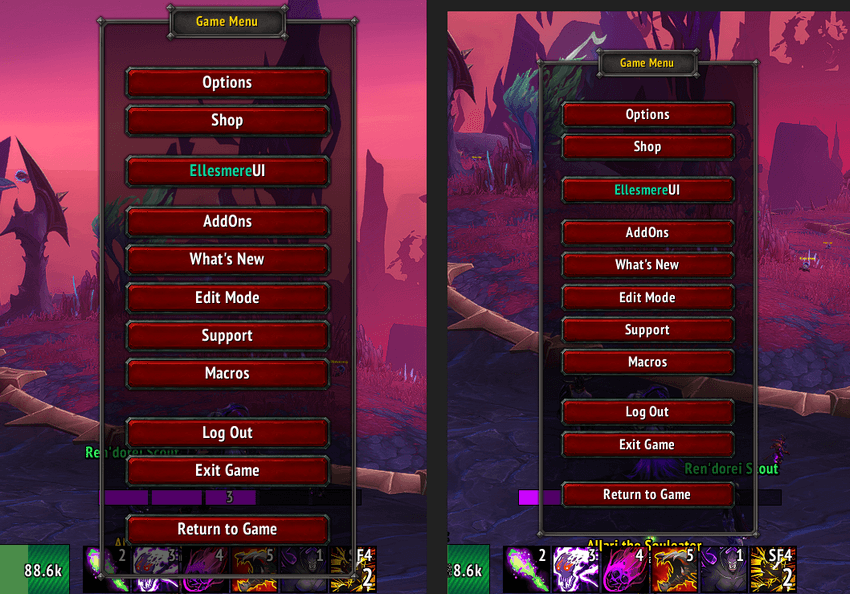
Game menu size difference (original on the left, 85% decreased on the right)
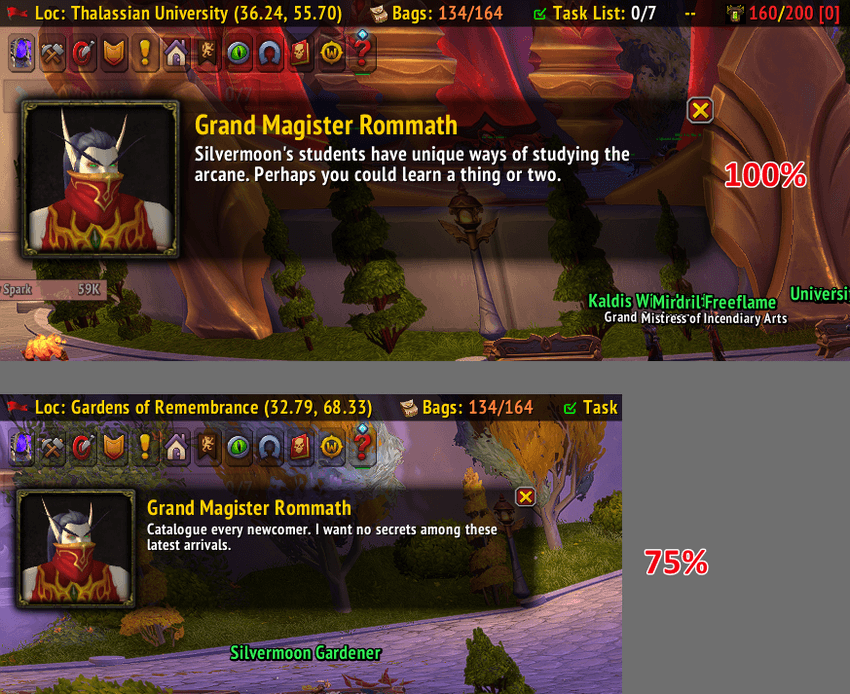
Change the scale of the Talking Head frame down to 50% or up to 200%.
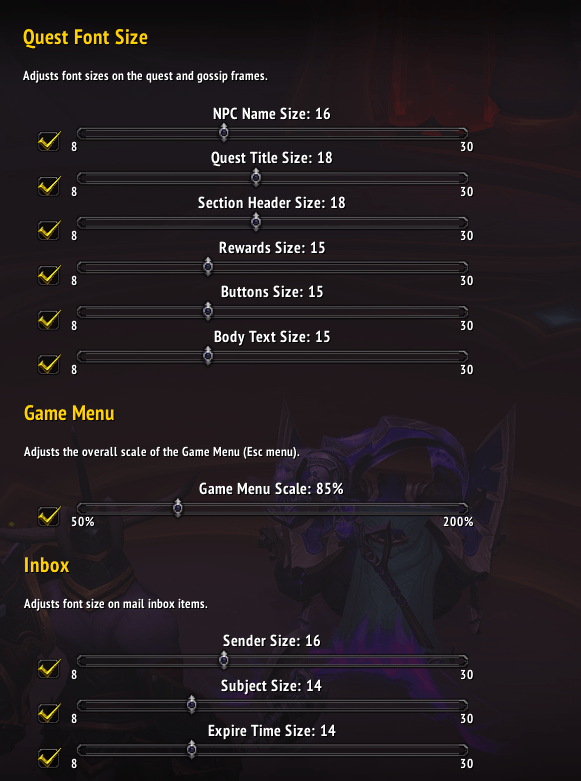
Adjust the font size of the quest/inbox frame or the scale of the Game menu and Talking Head. Disable the slider to revert to the Blizzard font size.
Description
Quest Font Size lets you independently resize every piece of text on the quest, gossip, inbox frames, game menu, and Talking Head frame — no more squinting at tiny quest text or covering nameplates with the Talking Head during an M+ run.
What it changes
The addon hooks into the default quest and gossip UI and applies your chosen font sizes and scales across:
- Quest Accept screen — quest title, description, objectives header/text, rewards header, reward item names, Accept/Decline buttons
- Quest Turn-In screen — quest title, flavor text, Complete Quest button
- Quest Progress screen ("bring me X items") — quest title, flavor text, required item names, Continue/Cancel buttons
- Gossip frame — NPC name, greeting text, numbered dialogue options, Goodbye button
- Game Menu (Esc menu) — overall UI scale, so buttons and text resize together as a percentage
- Inbox frame - change the font sizes of mail inbox items
- Talking Head frame - change the scale between 50% and 200%
Plus a separate Game Menu Scale slider (50%–200%) for the Esc menu.
And an option to change the scale of the Talking Head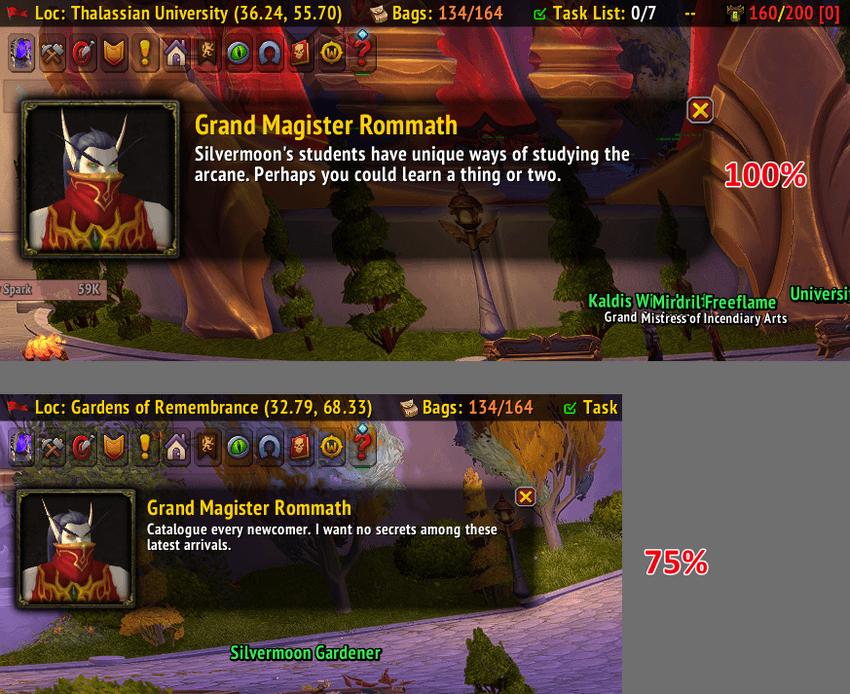
All settings are available under Options → AddOns → Quest Font Size (or /qfs shortcut), take effect immediately as you drag each slider, and are saved per-account across sessions.
Notes
- Uses only standard, documented WoW Addon API calls (
SetFont,SetScale,hooksecurefunc) — it does not modify game files or automate gameplay. - Gossip option text automatically reflows to prevent overlapping rows when sizes are increased.
The Quest Font Size Team
