PulseHaptics
- By
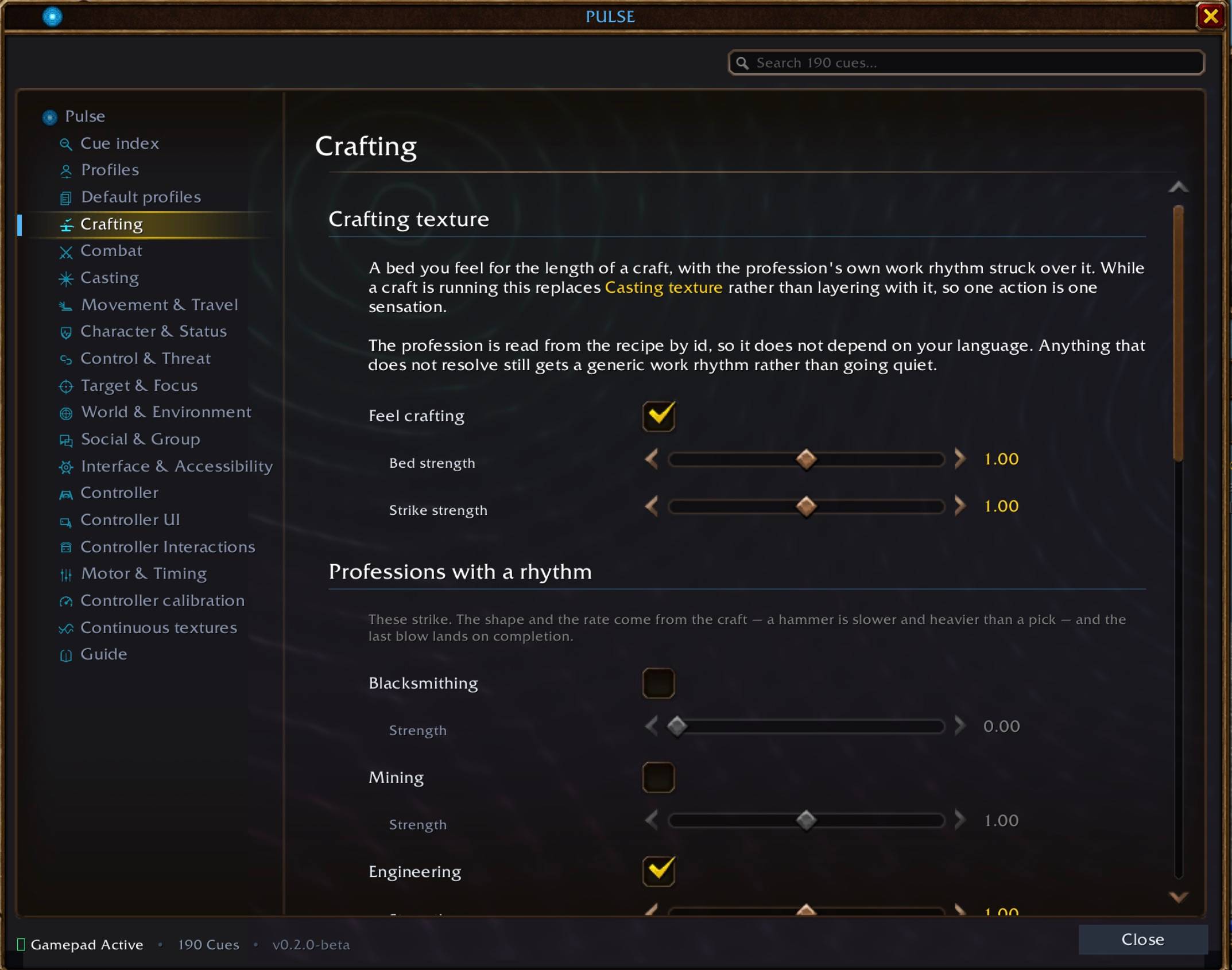
Screenshot 2026-09-23 at 21.00.27.jpeg
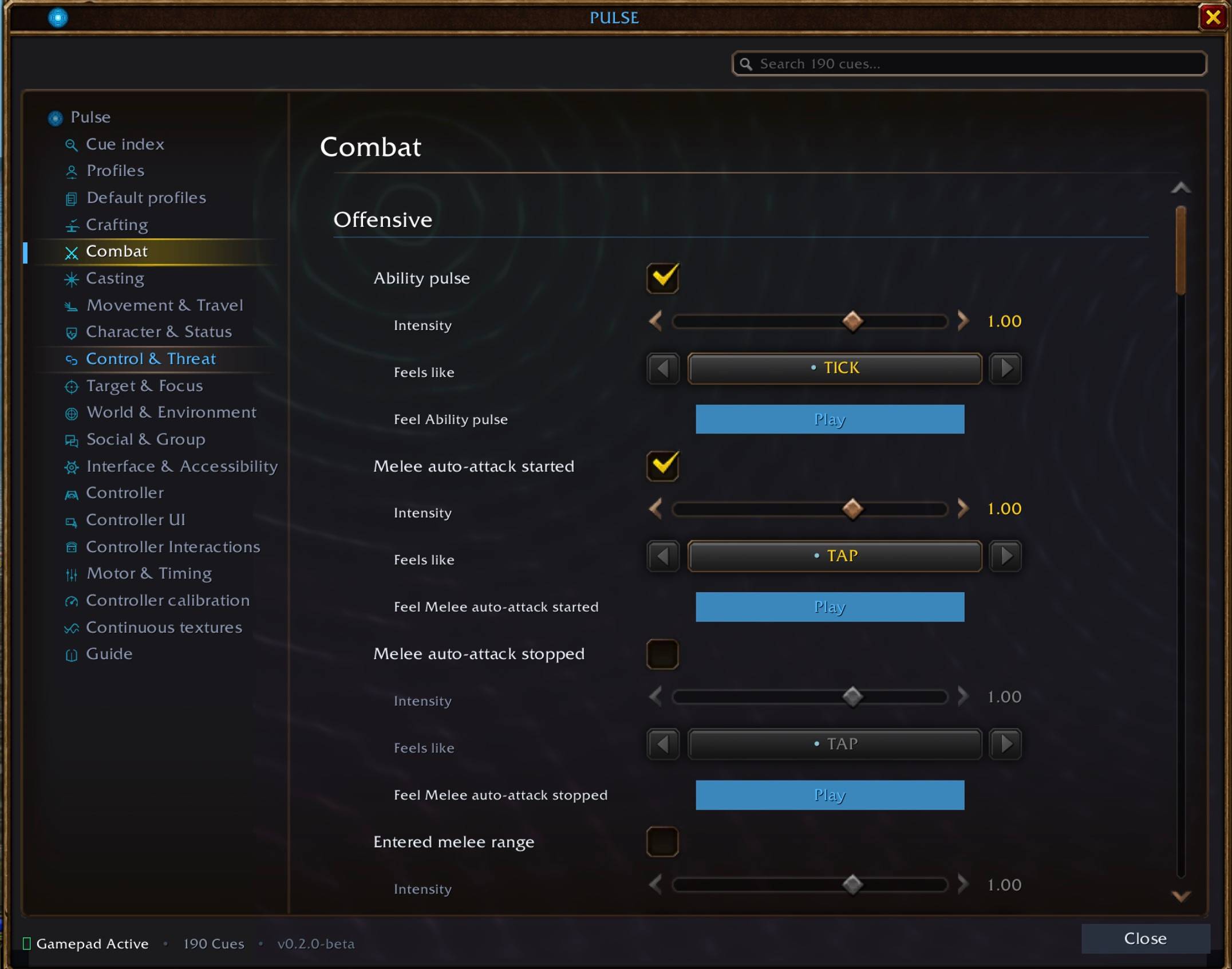
Screenshot 2026-09-23 at 21.00.35.jpeg
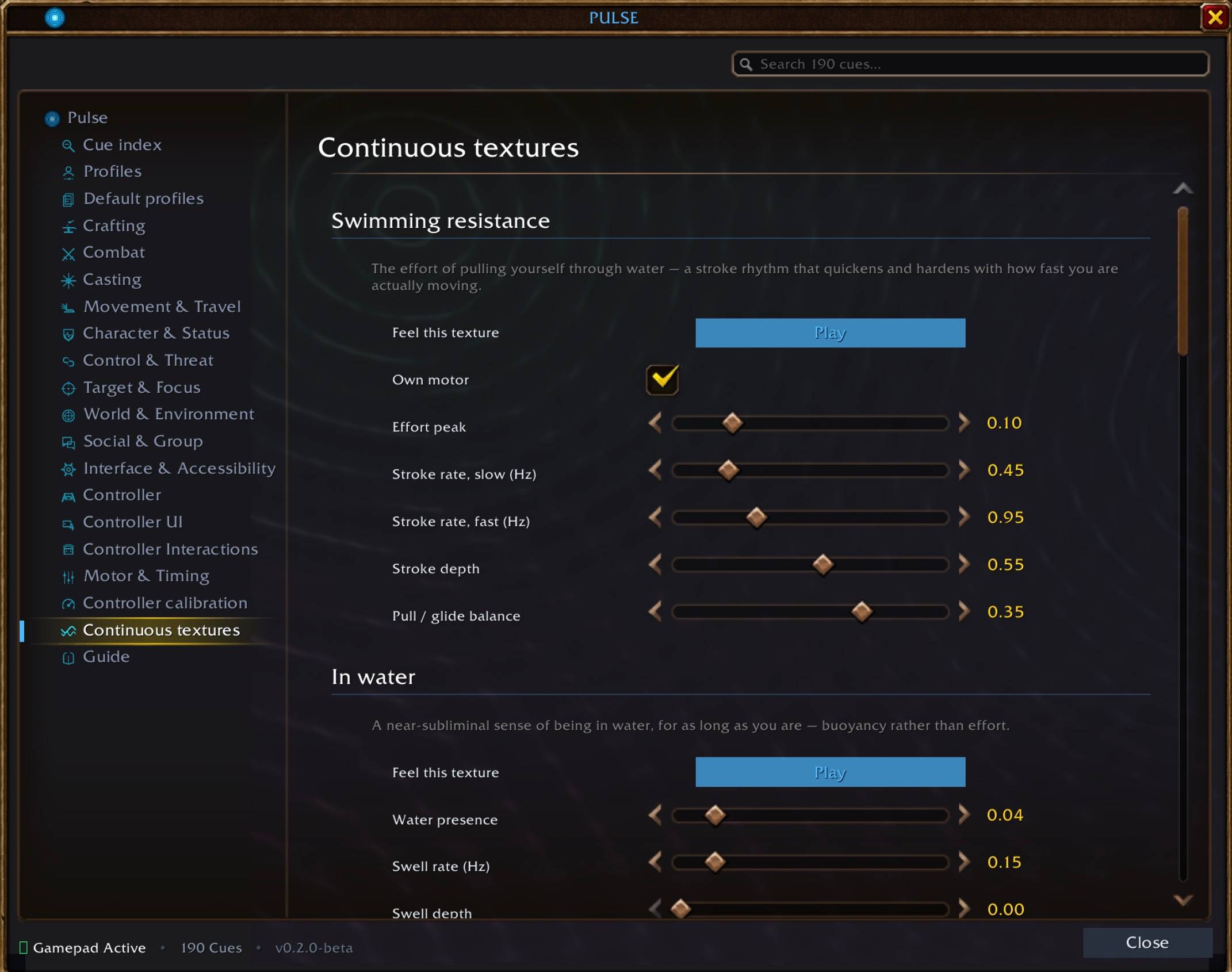
Screenshot 2026-09-23 at 21.01.25.jpeg
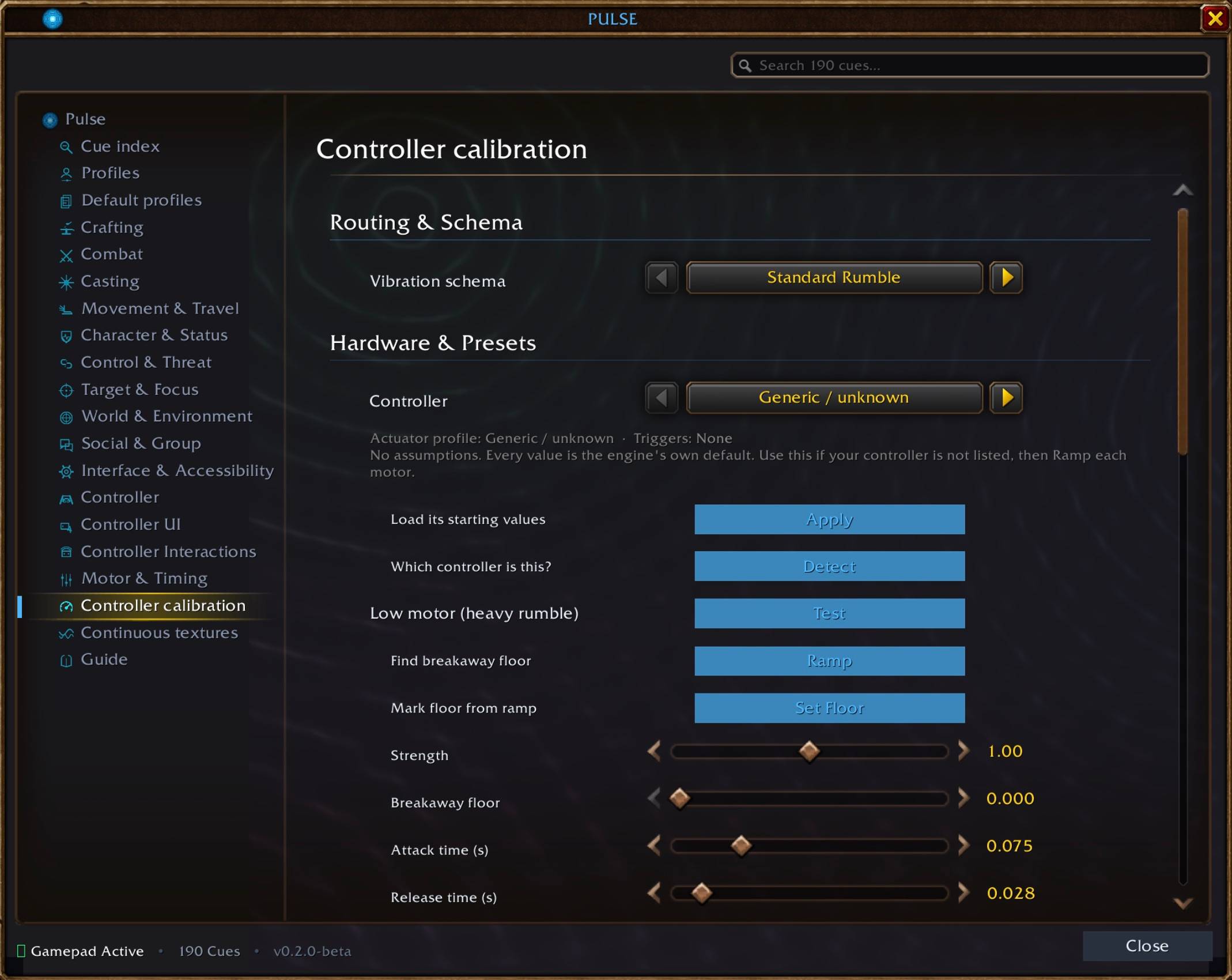
Screenshot 2026-09-23 at 21.01.18.jpeg
Screenshot 2026-09-23 at 21.01.11.jpeg
Description
Feel Azeroth.
PulseHaptics brings World of Warcraft to your controller with rich, customizable haptic feedback.
Feel combat impacts. Feel your spells. Feel movement, flight, swimming, UI interactions, and the world around you.
PulseHaptics turns game events into tactile feedback designed to complement what you see and hear — from quick impact pulses to continuous sensations that evolve with what you're doing.
🎮 Features
200+ Haptic Cues
A rich collection of customizable cues (202 distinct triggers) covering:
- Combat and impacts
- Damage and healing
- Casting and spell activity
- Movement and locomotion
- Flight, mounts, and travel
- Swimming and environmental feedback
- UI and controller interactions
- World and exploration events
- Accessibility-focused feedback
- And more
36 Haptic Modes
A reusable library of distinct vibration patterns, including:
- Quick taps and clicks
- Impacts and heavy pulses
- Double and triple pulses
- Ramps and fades
- Stutters and bursts
- Alternating and layered patterns
- Trigger-focused patterns
- Continuous textures such as HUM, THRUM, WAVE, PATTER, and DRIFT
Different events can therefore have different physical "feels" instead of everything becoming the same vibration.
🎛️ Controller Support & Tuning
PulseHaptics is built around configurable controller output.
- Controller-specific device presets
- Motor calibration
- Per-motor strength and response tuning
- Attack and release timing
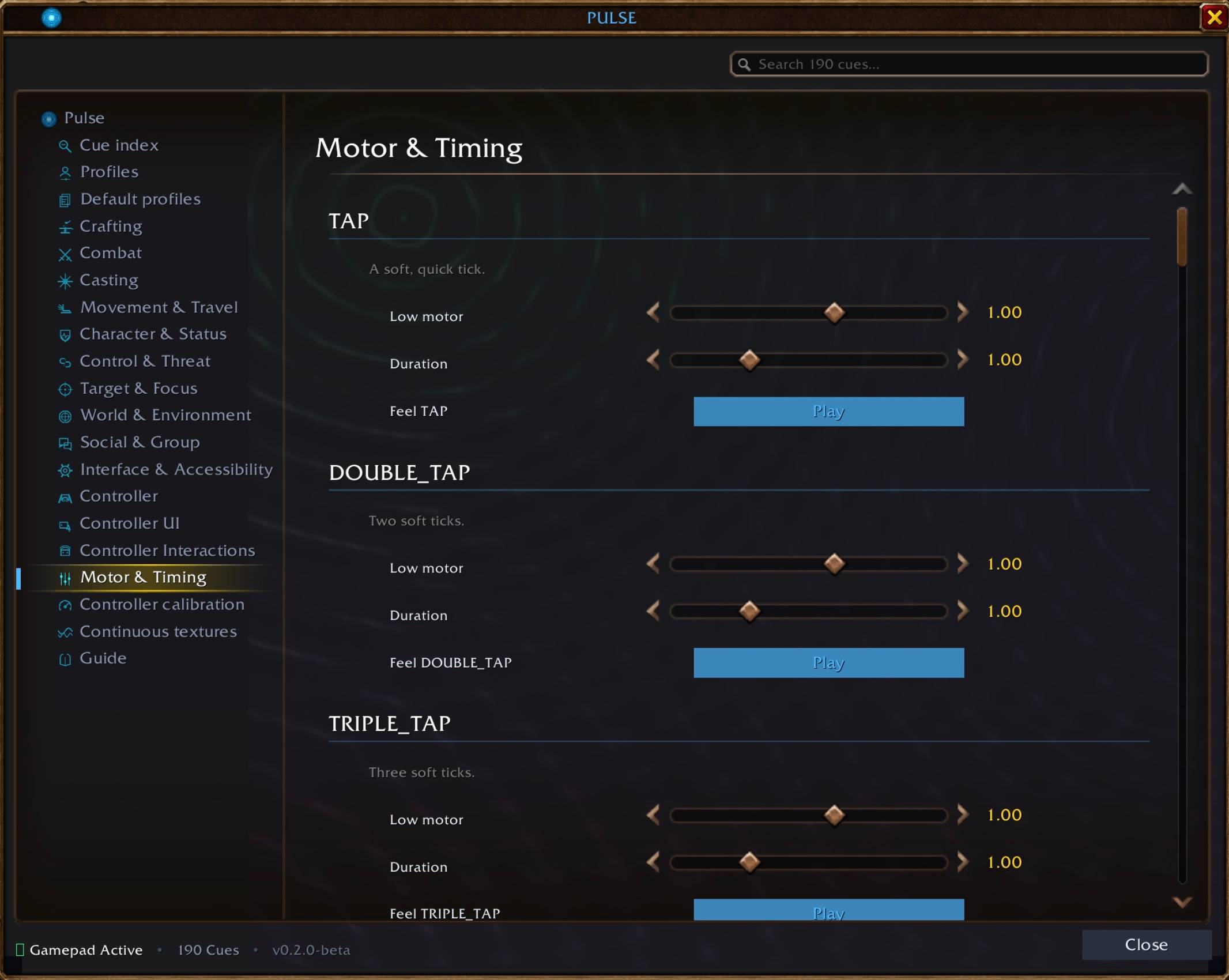
- Per-mode motor and duration tuning
- Logical haptic channel routing
- Controller output testing
- Trigger-aware modes with rumble fallback where supported
The goal is to make the same cue system adaptable to different controllers and different hardware characteristics.
🎚️ Profiles
Use built-in playstyle profiles or create your own.
Profiles let you decide which cues are enabled and how your haptic experience behaves, with each character able to use its own active profile.
🌊 Layered & Continuous Haptics
PulseHaptics is designed to let sensations coexist.
A continuous movement texture can remain active while a combat impact fires on top of it. Ongoing states can also use changing haptic output rather than simply turning vibration on and leaving it there.
🧪 Built-in Testing
Test haptic modes and individual cues directly from the Pulse interface.
Additional companion tools are included in the developer suite for debugging and tracking which cues have been confirmed in-game:
- PulseDebug — live event and cue troubleshooting (
/pdebug) - PulseChecklist — in-game testing and verification checklist for all 202 triggers (
/pcheck)
♿ Accessibility & Immersion
Haptics provide another channel for perceiving important game events.
PulseHaptics can be used purely for immersion, as an additional feedback layer alongside sound and visuals, or as a way to make selected game events more physically noticeable.
Everything is configurable, so you decide what you want to feel.
🚀 Quick Start
1. Enable Gamepad & Vibration in WoW
Run these two commands once in-game:
/console GamePadEnable 1
/console GamePadVibration 1
2. Installation
Install the addon into your Interface/AddOns/ directory:
- Core Standalone: Drop
PulseHapticsintoInterface/AddOns/ - Suite Release: Also includes
PulseDebugandPulseChecklist - macOS:
/Applications/World of Warcraft/_classic_beta_/Interface/AddOns/ - Windows:
C:\Program Files (x86)\World of Warcraft\_classic_beta_\Interface\AddOns\
3. In-Game Commands
| Command | Action |
|---|---|
/pulse |
Open the settings window. |
/pulse test <mode> |
Play a vibration mode (e.g. thud, wave, surge, heartbeat). |
/pulse profile [name] |
Inspect or switch the active profile. |
/pulse debug |
Toggle verbose logging and view engine error diagnostics. |
/pdebug (PulseDebug) |
Open the real-time diagnostic HUD. |
/pcheck (PulseChecklist) |
Open the cue verification checklist (all 202 cues). |
/pcheck export (PulseChecklist) |
Generate a markdown QA report to copy to clipboard. |
/pcheck import (PulseChecklist) |
Restore statuses and notes from a previous export. |
🛠️ Open Source Hobby Project
PulseHaptics is a free, open-source hobby project developed independently for the World of Warcraft community.
It is actively developed and currently in Public Beta (v0.2.0-beta). The core engine is fully implemented, while authored cues continue to be tuned in-game against Blizzard's evolving controller APIs.
Feedback, bug reports, testing, and contributions are welcome.
📜 Credits & Attributions
Author: codingdoctorbot
AI-assisted development: Claude Code (Anthropic) and Google Antigravity (Google DeepMind)
Tremor: Precursor project that provided initial inspiration, core structural ideas, and the foundational accessibility cue set used by PulseHaptics.
Third-party libraries:
- LibStub
- CallbackHandler-1.0
- LibDataBroker-1.1
Their respective authors and license notices are retained with the project.
⚠️ Disclaimer
PulseHaptics is a community-made World of Warcraft addon and is not affiliated with or endorsed by Blizzard Entertainment.
World of Warcraft and Blizzard Entertainment are trademarks of Blizzard Entertainment.
Feel Azeroth.
The PulseHaptics Team