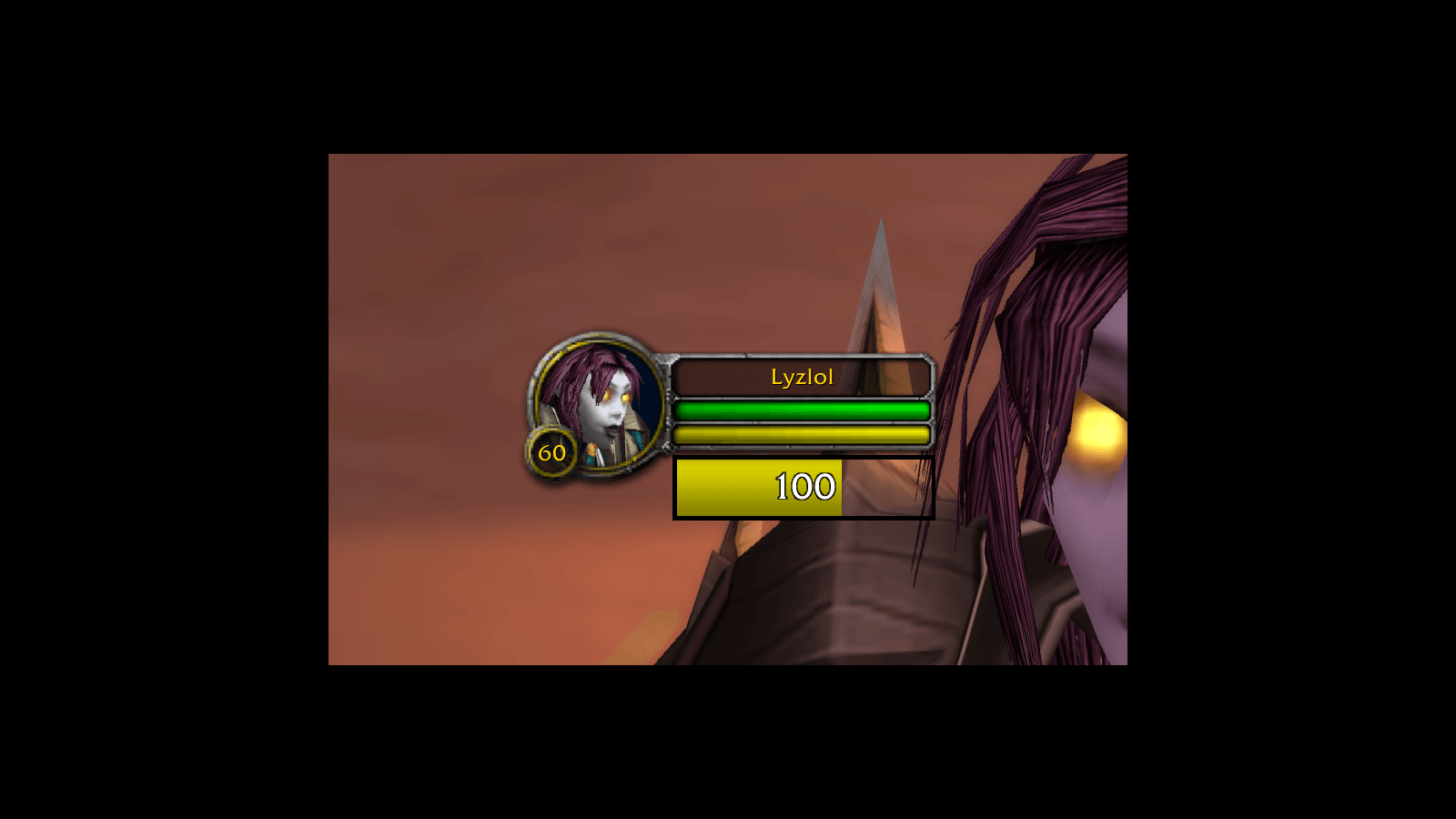
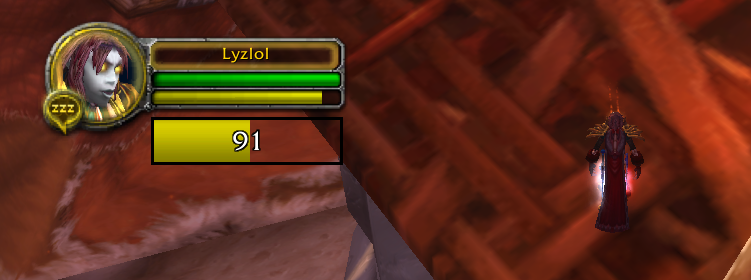
Pulse visualizes the next energy tick and your current energy - the bar appears the moment you spend energy. Most useful for rogues and their energy regeneration.
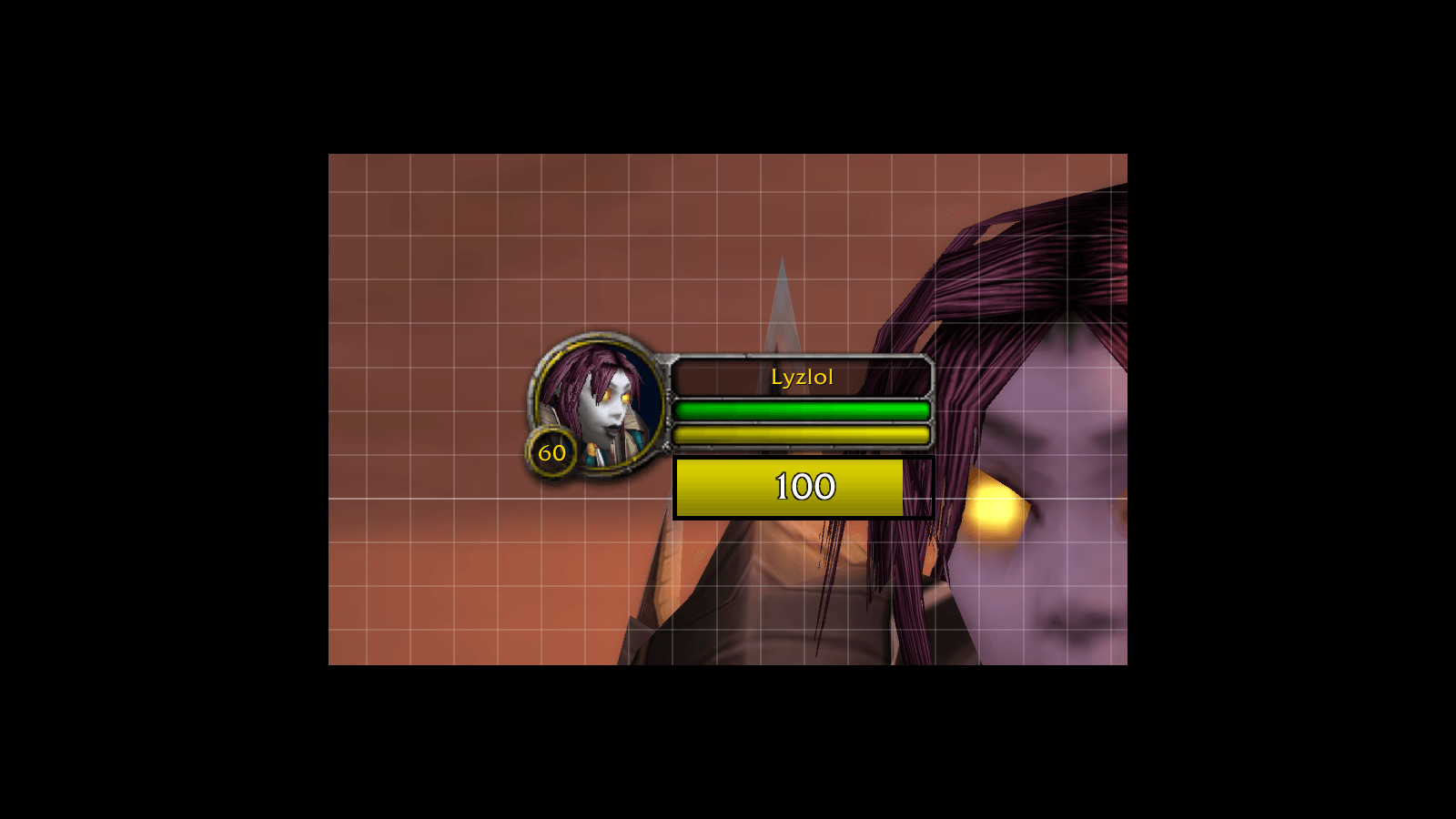
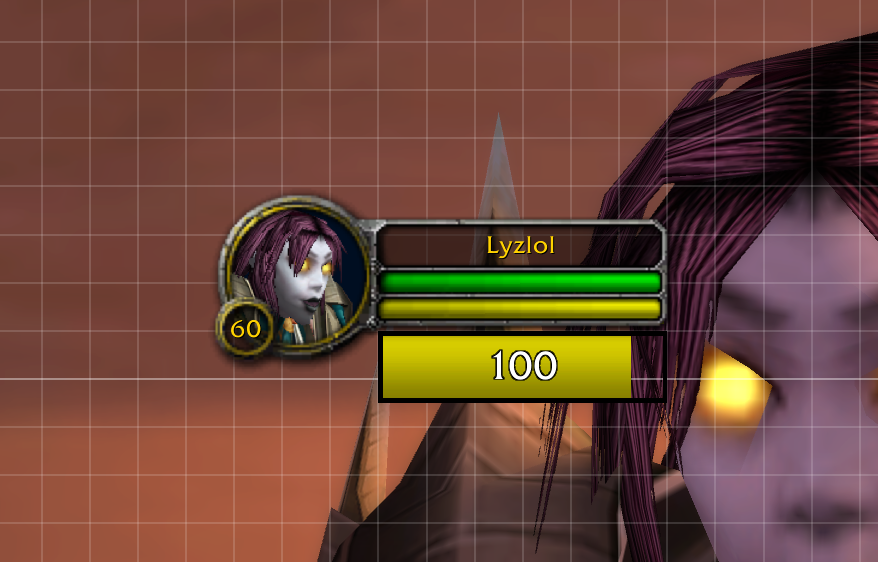
Position the energy bar precisely: with Snap to grid enabled, dragging the unlocked bar lands it on clean grid increments. Set the spacing with the Grid size slider.
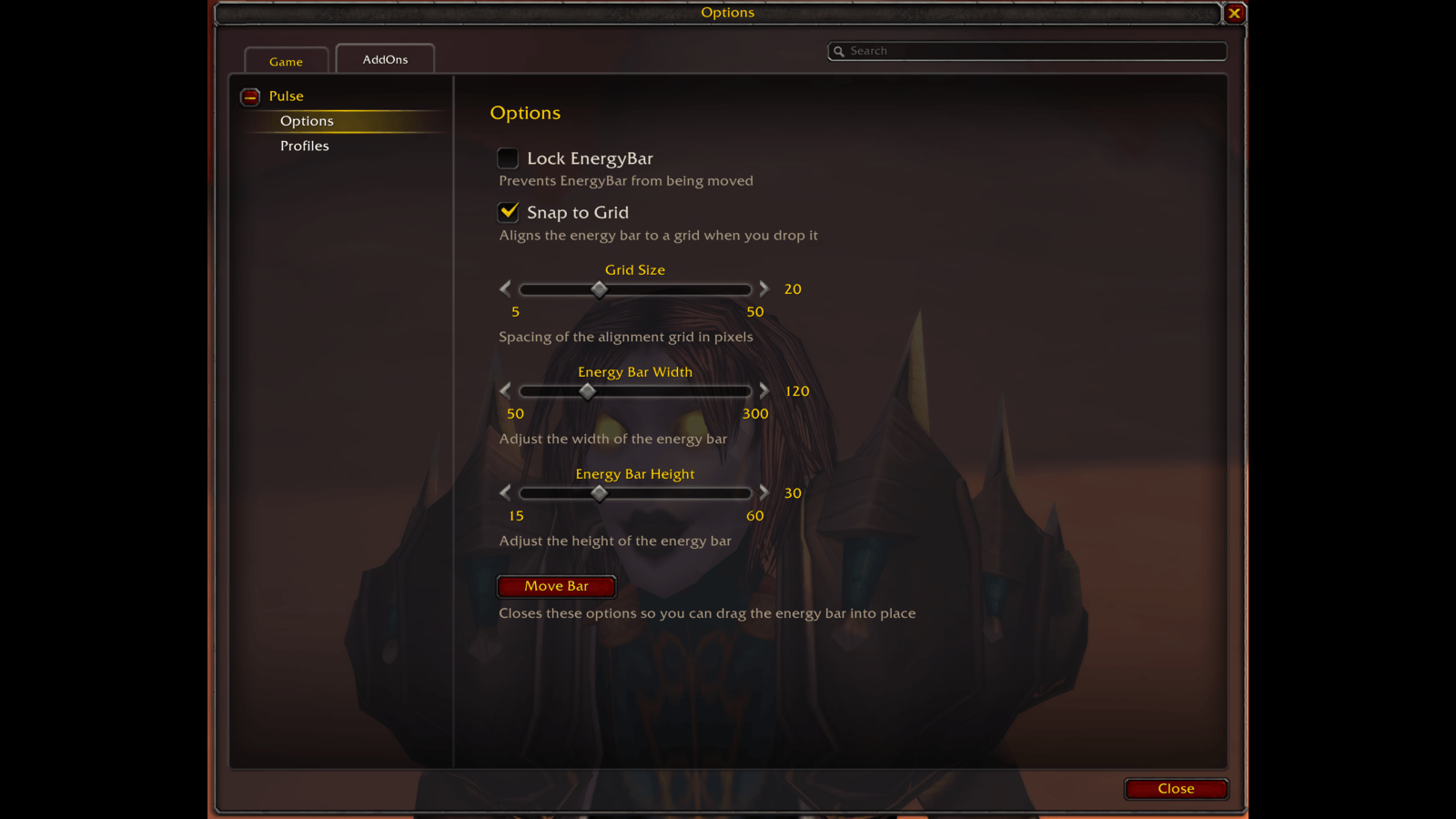
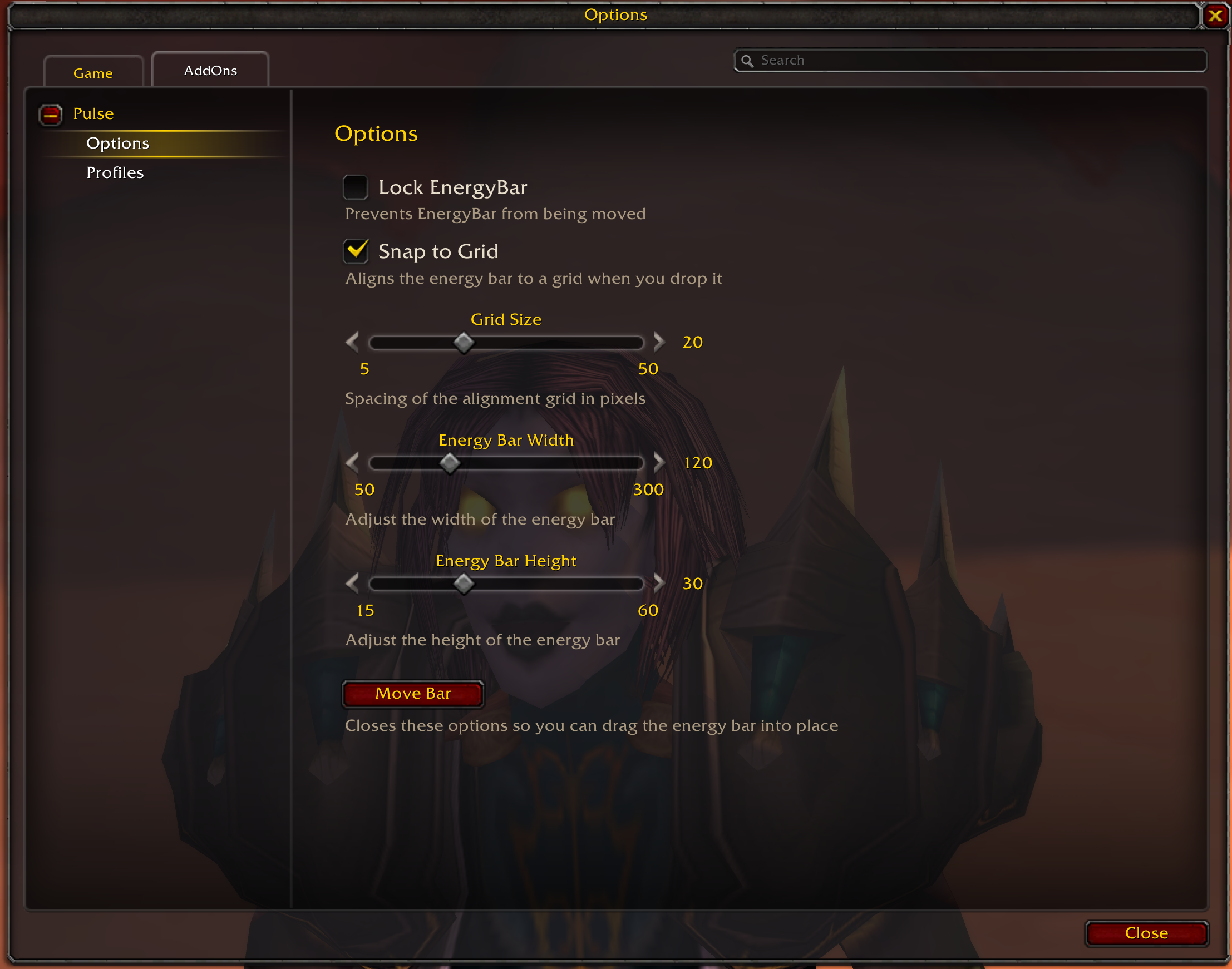
Resize the energy bar to fit your UI with the width and height sliders, then lock it in place once you have positioned it.
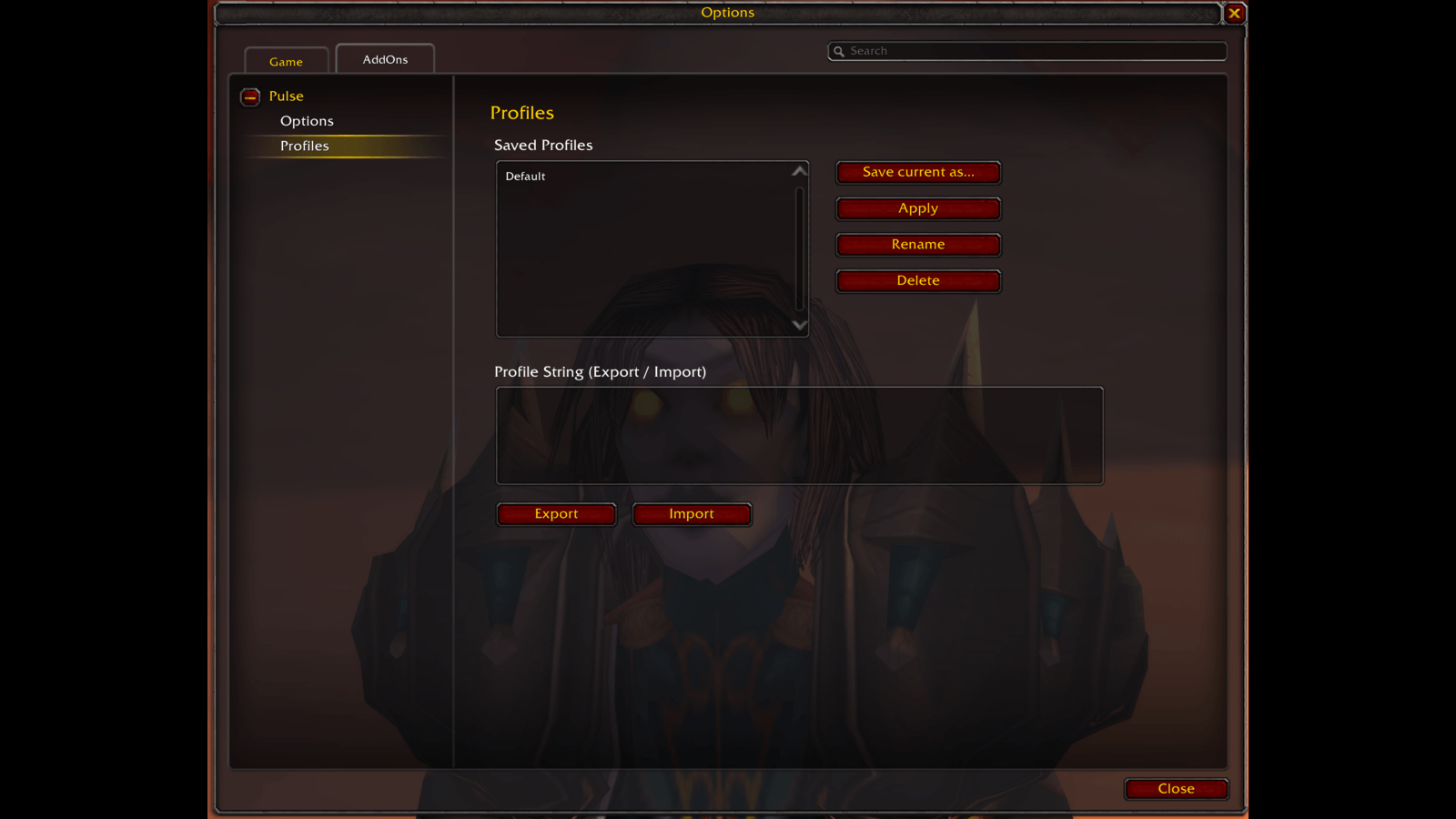
Save your Pulse setup as named profiles and switch between them, or share a profile with another character or player using the export/import string.
Description
Pulse
Pulse gives a visual interpretation of when the player's next energy tick happens, letting energy users such as rogues time their actions around the 2-second energy-regen tick.
Providers


Source/Issues


What is Pulse?
Pulse is a simple addon that tracks the energy-regen tickrate and the current amount of energy. The energybar will show once the player spent some energy.
The bar keeps sweeping even while energy is full. This is intentional and one of the main use cases of the addon: it lets you time an attack right before the next energy tick. A rogue sitting at full energy in stealth, for example, can watch the bar and open just before a tick, so the first energy regenerates shortly after the opener.
Configuration
Pulse can be configured through the in-game interface options. Access the configuration by:
- Opening the game menu (ESC key)
- Selecting "Options"
- Navigating to "AddOns"
- Finding "Pulse Options" in the list
Alternatively, you can use the slash command:/pulse optor/rgp opt
Placing the Energy Bar
Click Move Bar in the options (or type /pulse move). Pulse closes the options window, brings the energy bar on screen and lets you drag it wherever you like – even if the bar is locked. Click Done when you are happy with the position and you are taken straight back to the options. Pressing Escape also leaves positioning mode, but closes everything instead of returning to the options.
This is the intended way to position the bar: the options window sits in the middle of the screen, so it would otherwise cover the very bar you are trying to place. If Snap to Grid is enabled, the alignment grid is drawn while you are placing the bar and disappears again when you are done.
Available Settings
Energy Bar Positioning
- Lock Energy Bar: When enabled, prevents the energy bar from being moved by dragging. When disabled, you can drag the energy bar to reposition it anywhere on your screen.
- Snap to Grid: When enabled, the energy bar's top-left corner is aligned to a grid as soon as you drop it, which makes it easy to line the bar up with the rest of your UI. Disabled by default – placement stays free until you turn it on, and an already placed bar only moves the next time you drag it. The grid itself is drawn only while you are placing the bar (see above), never during normal play.
- Grid Size: The spacing of that grid in pixels. A smaller value allows finer placement, a larger value snaps in bigger steps. Only available while Snap to Grid is enabled.
Energy Bar Dimensions
- Energy Bar Width: Adjust the width of the energy bar to fit your UI layout. Use the slider to increase or decrease the horizontal size.
- Energy Bar Height: Adjust the height of the energy bar. Use the slider to increase or decrease the vertical size.
Profiles
Pulse lets you save your configuration as named profiles, so you can switch between different setups or carry your settings to another character. Profiles are managed under the Profiles tab of the configuration interface.
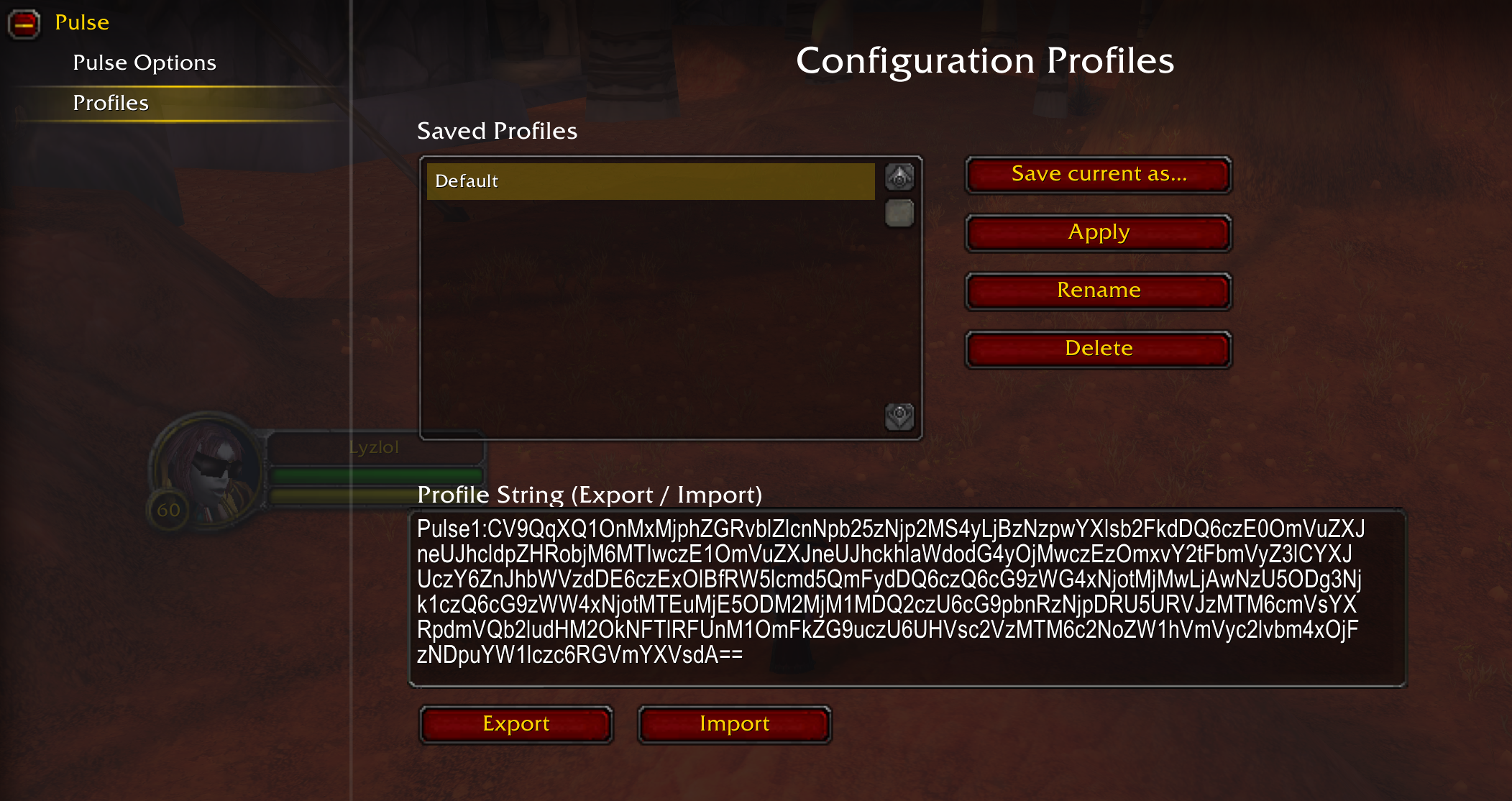
A profile captures all of your Pulse settings – the energy bar lock state, its grid snapping and grid size, its width and height, and its on-screen position.
- Save current as…: Snapshots your current settings into a new named profile (or overwrites an existing one of the same name).
- Apply: Loads the selected profile and applies its settings.
- Rename: Renames the selected profile.
- Delete: Removes the selected profile.
The Default Profile
Every character starts with a profile named Default. It holds Pulse's shipped settings and is created automatically – you never have to save it yourself. It cannot be deleted, renamed or overwritten, so there is always a clean baseline to go back to: select Default and click Apply to reset Pulse to its factory settings. The Rename and Delete buttons are greyed out while it is selected.
Sharing Profiles (Export / Import)
Profiles can be shared as portable strings, making it easy to copy a setup between characters or hand it to another player.
- Export: Generates a copy-pasteable profile string for the selected profile in the Profile String field.
- Import: Paste a profile string into the field and import it as a new profile. Imported strings are validated, so an invalid, corrupted, or non-Pulse string is rejected without changing any of your settings.
Note: Profiles are stored per character. Use export/import to move a profile to another character.
FAQ
I get a red error (Lua Error) on my screen. What is this?
This is what we call a Lua error, and it usually happens because of an oversight or error by the developer (in this case me). Take a screenshot off the error and create a GitHub Issue with it, and I will see if I can resolve it. It also helps if you can add any additional information of what you were doing at the time and what other addons you have active. Additionally, if you are able to reproduce the error make sure to check if it still happens if you disable all others addons.
Pulse - Classic Team

Owner