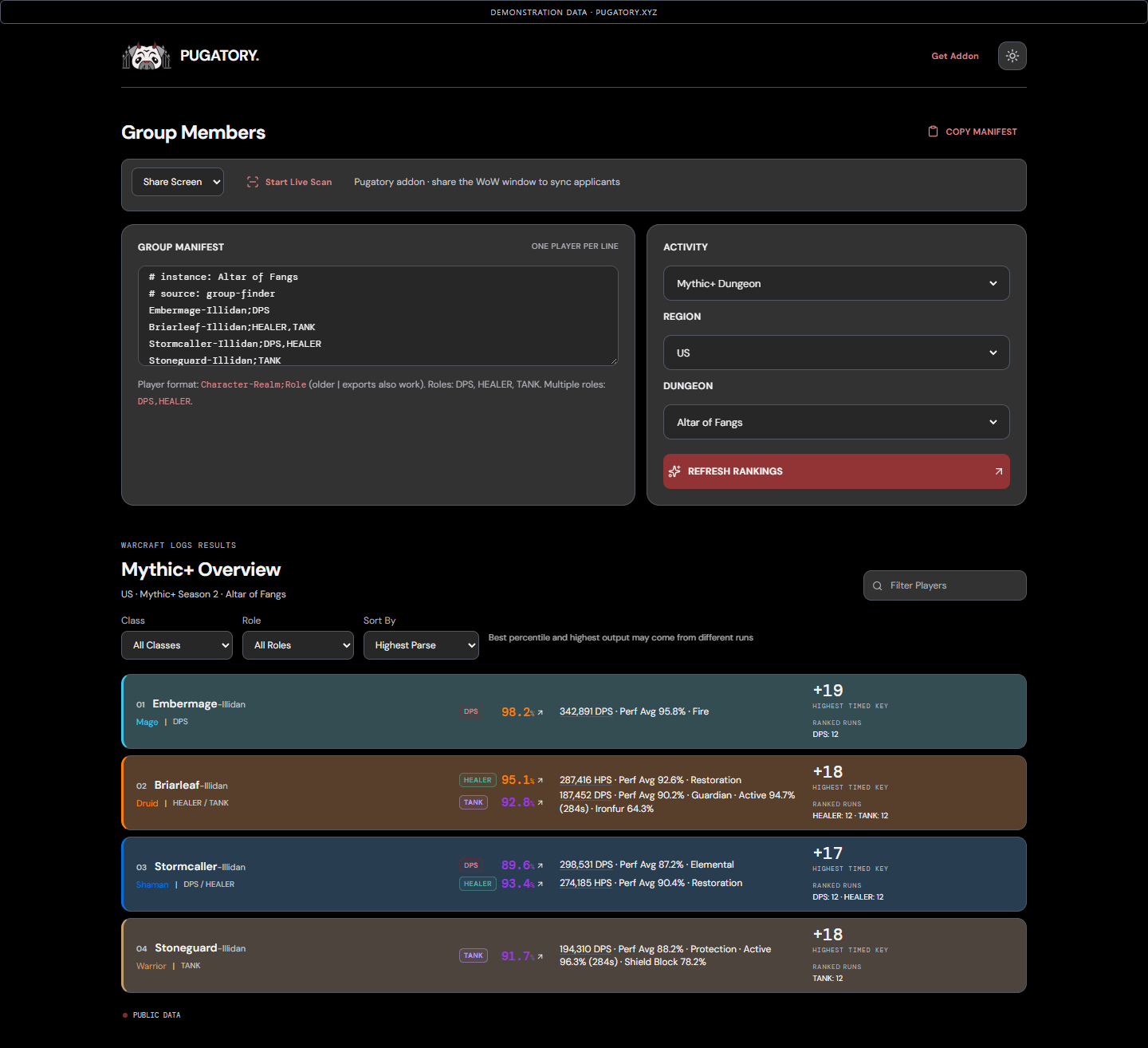
01-mythic-plus-overview.png
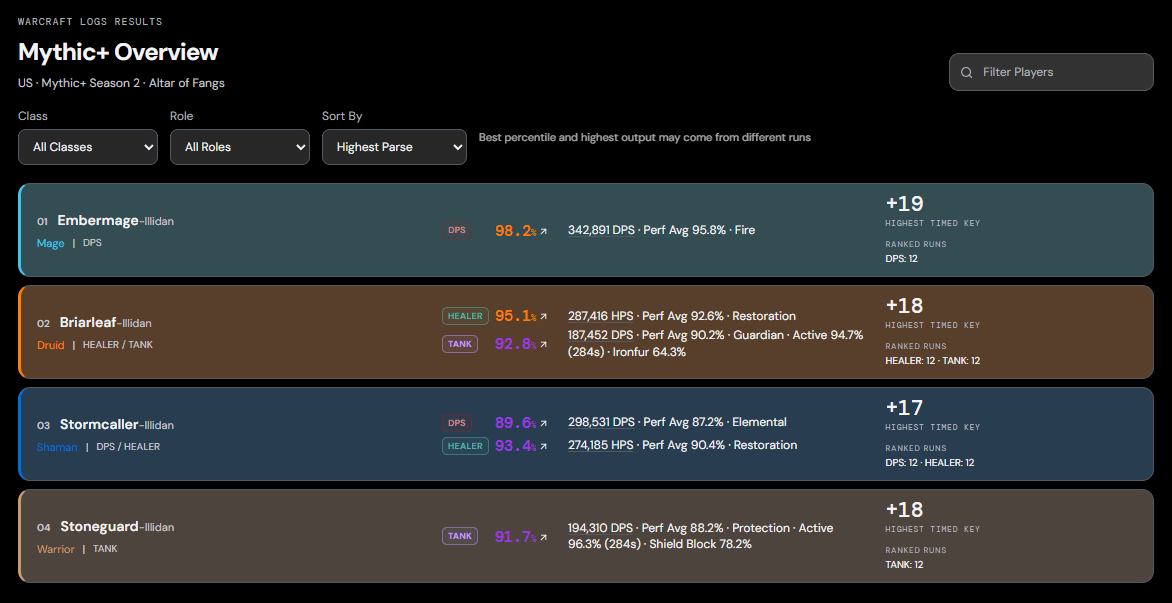
02-multi-role-and-tank-details.png
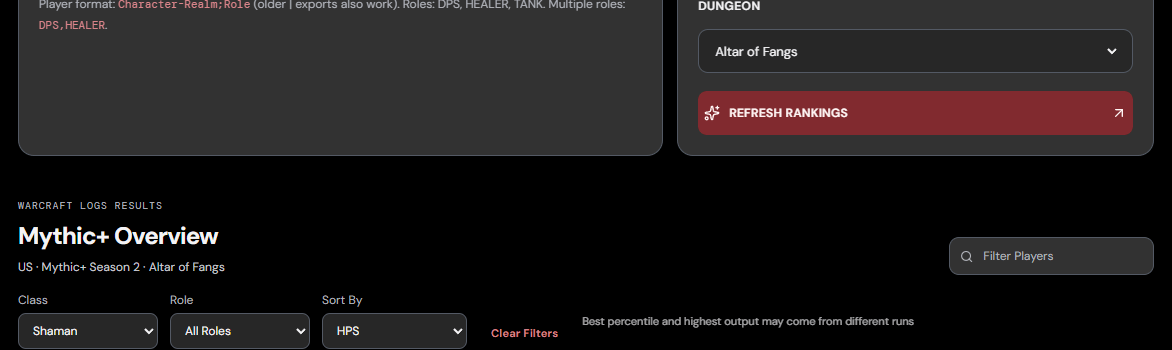
03-class-filter-and-hps-sort.png
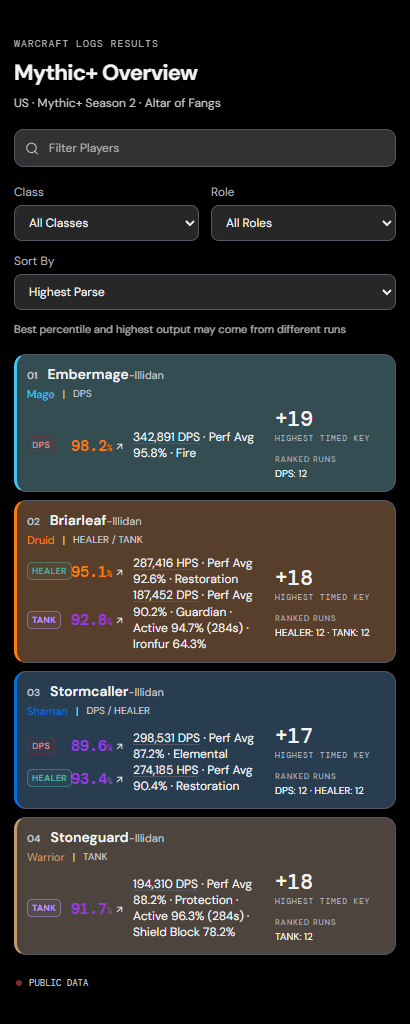
04-mobile-player-cards.png
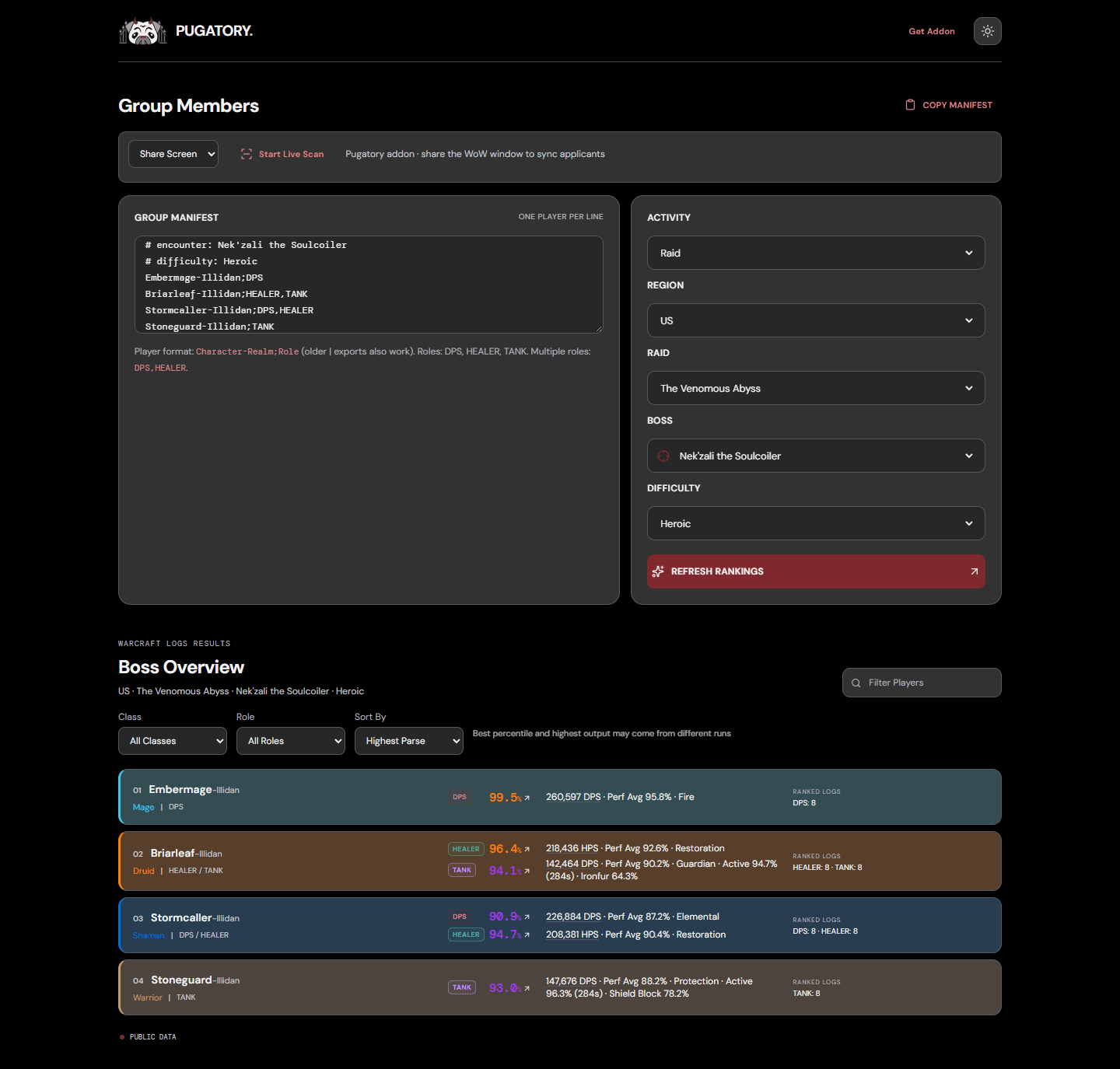
05-raid-overview.png
Description
Pugatory
Know the queue.
Pugatory connects your World of Warcraft Group Finder applicants with public Warcraft Logs performance on https://pugatory.xyz. Copy a group manifest or use the optional Live Scan workflow to keep the applicant list in the companion website up to date.
The addon handles the in-game export. The website handles the Warcraft Logs lookups and player cards. You do not need to supply a Warcraft Logs API key or log in to WCL to use the public-data workflow.
What the addon does
- Adds two separate buttons to your Group Finder applicant window: Pug for a copyable manifest and Live for a QR marker.
- Exports your current group and readable pending applicants, including grouped applicants and every selected role.
- Includes the listed activity and other available context to help the website select the correct raid or dungeon.
- Provides a movable copy window with Select to Copy and Refresh Manifest controls.
- Provides a movable, automatically updated Live marker. Larger manifests rotate through multiple QR pages.
- Includes class metadata as a fallback when a WCL response does not identify a player's class.
- Uses a compact black, gray, and deep-red Pugatory Armor skin.
Applicant access depends on what Blizzard allows your character to read. You do not always need to be party leader, but the addon cannot export applicant information that WoW hides from you.
What the companion website shows
- Raid and Mythic+ performance for the activity you select.
- One card per character, with separate results for their queued roles.
- Parse percentages and Perf Avg, displayed to one decimal place.
- Highest available logged DPS or HPS, displayed as whole numbers.
- Highest timed logged key for the selected dungeon, when available.
- Tank activity and relevant mitigation-buff uptime, when the report provides it. Tank damage remains the primary performance figure.
- Links to the underlying WCL reports, where available.
- Class, role, and text filters and sorting by Highest Parse, DPS, HPS, Active Time, Perf Avg, Highest Timed Key, or Name.
- Light and dark modes, class-colored cards, and mobile layouts.
For Mythic+, the displayed percentile uses WCL's Points + Damage/Healing by Level data. Raid percentiles use the selected encounter and difficulty. Highest output and highest percentile can come from different runs; their report links can therefore differ. Missing or private logs may leave some fields unavailable.
Getting started: copy and paste
- Install Pugatory and enable it in WoW Retail.
- If upgrading from the earlier Amp or standalone AutoAmp packages, remove or disable those older addons first.
- Create a Group Finder listing and open its applicant window.
- Click Pug. In the copy window, click Select to Copy, then press Ctrl+C.
- Open https://pugatory.xyz and paste the text into the Group Manifest box.
- Check the activity, region, dungeon or raid, encounter, and difficulty. Some fields need manual selection when the listing does not expose enough information.
- Click Analyze Targets, then filter or sort the results to suit your group.
You can also export your current group without a listing using /pugatory or /pug.
Optional: Live Scan on desktop
- Click Live in the Group Finder applicant window, or type
/puglive. - Keep the QR marker visible on screen.
- On pugatory.xyz, select Share Screen, then Start Live Scan.
- In your browser's sharing prompt, choose the WoW window or screen containing the marker.
- Leave the website and marker open. Complete readable snapshots update the applicant list without a full page reload.
Live Scan adds and removes applicants as the exported queue changes. Combat, protected game data, a frozen capture, or an obscured marker can pause synchronization. Keep the marker visible briefly after delisting so the website can receive the ended-listing update.
Optional: scan with a phone
Open https://pugatory.xyz on your phone, select Use Camera, and tap Start Live Scan. Grant camera permission and point the camera at the Live marker on your monitor. Keep the marker large, sharp, and fully visible, and leave the page open.
Screen and camera capture require browser support and permission. Available capture options vary by browser and device.
Slash commands
| Command | Action |
|---|---|
/pugatory or /pug |
Open a manifest for your current group. |
/pugatory applicants |
Include the listing, group, and readable pending applicants. |
/puglive |
Toggle the Live marker. |
/puglive on |
Show and enable the marker. |
/puglive off |
Hide and stop the marker. |
/puglive reset |
Recenter and enable the marker. |
/amp |
Legacy alias for /pugatory. |
/autoamp |
Legacy alias for /puglive. |
Privacy and freshness
Screen and camera frames are decoded locally in your browser; they are not uploaded for scanning. Decoded character identities, selected roles, and activity are sent to the companion service for public Warcraft Logs lookups. The site also records anonymous aggregate usage counts.
Successful ranking and Perf Avg lookups are cached for six hours to reduce API usage. Live Scan updates the queue, not the underlying WCL logs in real time. Refresh Rankings requests fresh ranking data when the shared WCL allowance permits it. Activity details may have a longer cache lifetime.
The addon does not contact the WCL API from inside WoW. It exports a manifest or marker; performance information is displayed on the companion website.
Troubleshooting
- A field is blank: verify the character's region and realm, the selected activity, and whether public logs exist for that role.
- Live Scan is paused: bring the marker back into view, wait for combat to end, or stop and restart scanning.
- A large marker is changing pages: allow the browser to read a complete cycle before moving or hiding it.
- The imported encounter is missing or wrong: choose the activity and difficulty manually before analyzing.
- The addon is not listed after manual installation: check that
Pugatory.tocis directly insideInterface/AddOns/Pugatory/, then restart WoW if necessary.
Credits
Created by Pugatory. QR encoding includes code derived from speedata/luaqrcode, with its BSD 3-Clause notice retained in the addon.
Pugatory is an independent project and is not affiliated with or endorsed by Blizzard Entertainment or Warcraft Logs.
Pugatory Team