


P'uga (Midnight Falls Lura Memory Helper)
- By
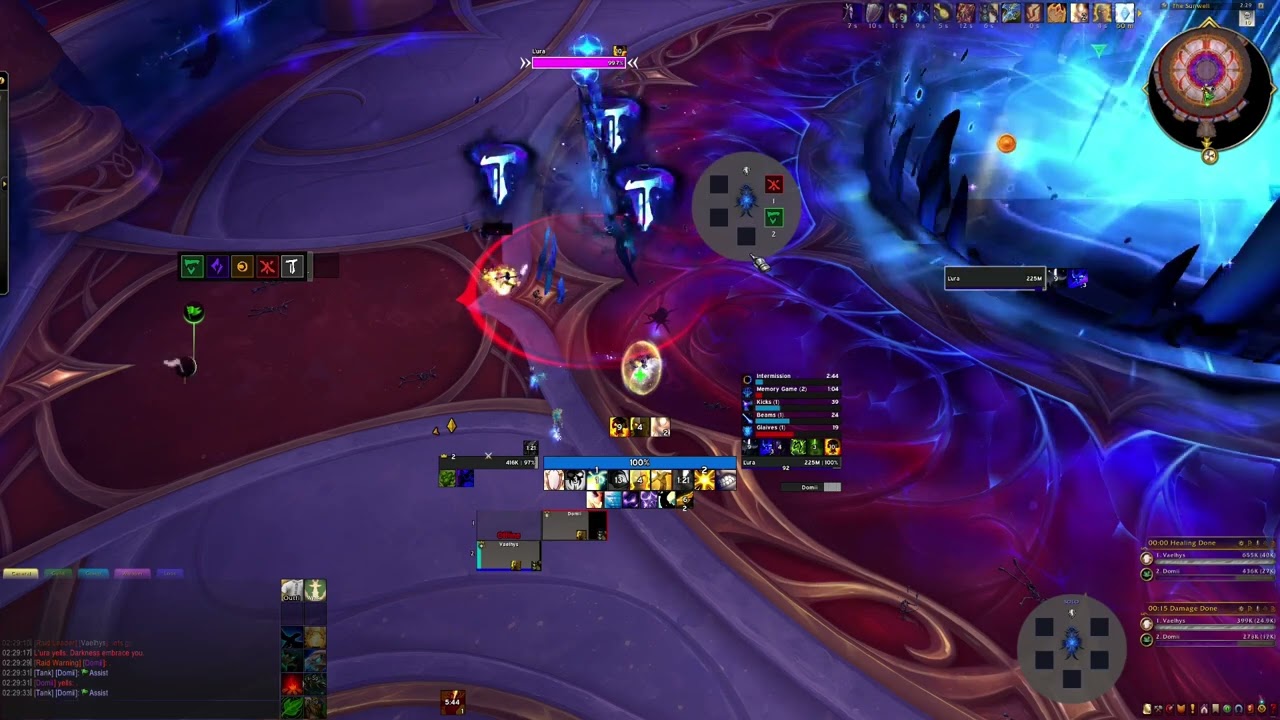
Description
PugaHelper, L'ura Memory Game Helper - Made for pickup group in mind
The only addon that shares the symbols in real time with your entire raid without having to replace textures
Works exclusively during combat and only during the L'ura memory game
Demo Videos:
- SETUP -> what the assigned person will do : https://www.youtube.com/watch?v=XSySqK_HXhA
- Proof it works in combat + symbols are shared across raid: https://www.youtube.com/watch?v=AIrMYvbrA-E
- SOLO mode can be tested outside of combat (works only in combat when the diagram is showing) : https://www.youtube.com/watch?v=pFQwQoxDNSQ
How It Works :
During the 16 seconds input window (for example, from 8s to 24s into the fight, on the first memory game), only one person (usually the raid leader or an assistant) should enter the sequence.
Only that person presses the macros. No one else should use raid warnings, yells, raid chat or pings during this window, otherwise the input will break.
Anyone can ping when 5 signs are showing or outside of memory game but be carefull when the memory game is coming !
The 5 Macros (automatically created if the corresponding button is pressed):
- Triangle → /ping assist + /yell
- Diamond → /ping assist+ /rw
- Circle → /raid .
- Cross → /rw .
- Tee → /yell .
As soon as the assigned player presses the macros, the diagram updates instantly for everyone in the raid who has the addon installed.
Don't click too fast between buttons, or it might fail. (Be in rythm with the boss)
Features
- Fully Automatic Diagram: Shows at the right moments during the fight and hides between phases. No need to manually open or close it.
- Sound Alert: Plays a warning sound before the "Dodge Glaives" ability.
- Solo Mode: Helps memorize the melody only for yourself (the broadcasted one will still show up, so if anyone is using the addon you can compare)
- Normal / Heroic Modes: Toggle between 3 symbols (Normal) and 5 symbols (Heroic).
- Easy Macro Creation: Create all 5 macros. Just drag them to your action bar.
- Diagram : Show or hide the diagram.
- Click-Through Template: Place the visual template over your action bar and macros. It becomes non-movable once in combat.
Custom Icons (Optional)
Icons have been updated with custom textures. Not required since I added the template and the addon works perfectly without them.
If you want to use the new icons:
- Copy the .tga files from AddOns\PugaHelper\NEW icons
- Paste them into Interface\Icons\ (create the folder if it doesn't exist)
For users of Clean-Icons-Mechagnome-Edition: A folder with the old icons is provided (AddOns\PugaHelper\OLD icons) so you can easily restore them if needed.
The P'uga (Midnight Falls Lura Memory Helper) Team
