


PTGForever
- By
Guild-first companion for WoW Forever: share loot with name-down prio, find crafters, post events, spot quest buddies, track keys, celebrate milestones and birthdays, and see guildies on the map, all in a subtle, Horde-styled hub.
slide_00.png
slide_01.png
slide_02.png
slide_03.png
slide_04.png
slide_05.png
slide_06.png
slide_07.png
slide_09.png
slide_10.png
slide_11.png
Description
PTG Forever
A guild-first companion for WoW Forever. Everyone in your guild who runs PTG Forever can see what the others are up to: what they're crafting, questing, looting, planning and achieving. Help each other before heading to the auction house. It sits quietly in the background with small toasts, and opens into a full guild hub when you want it.
Built for the PTG guild, but it works for any guild. Each guild only ever sees its own members' data.
The hub
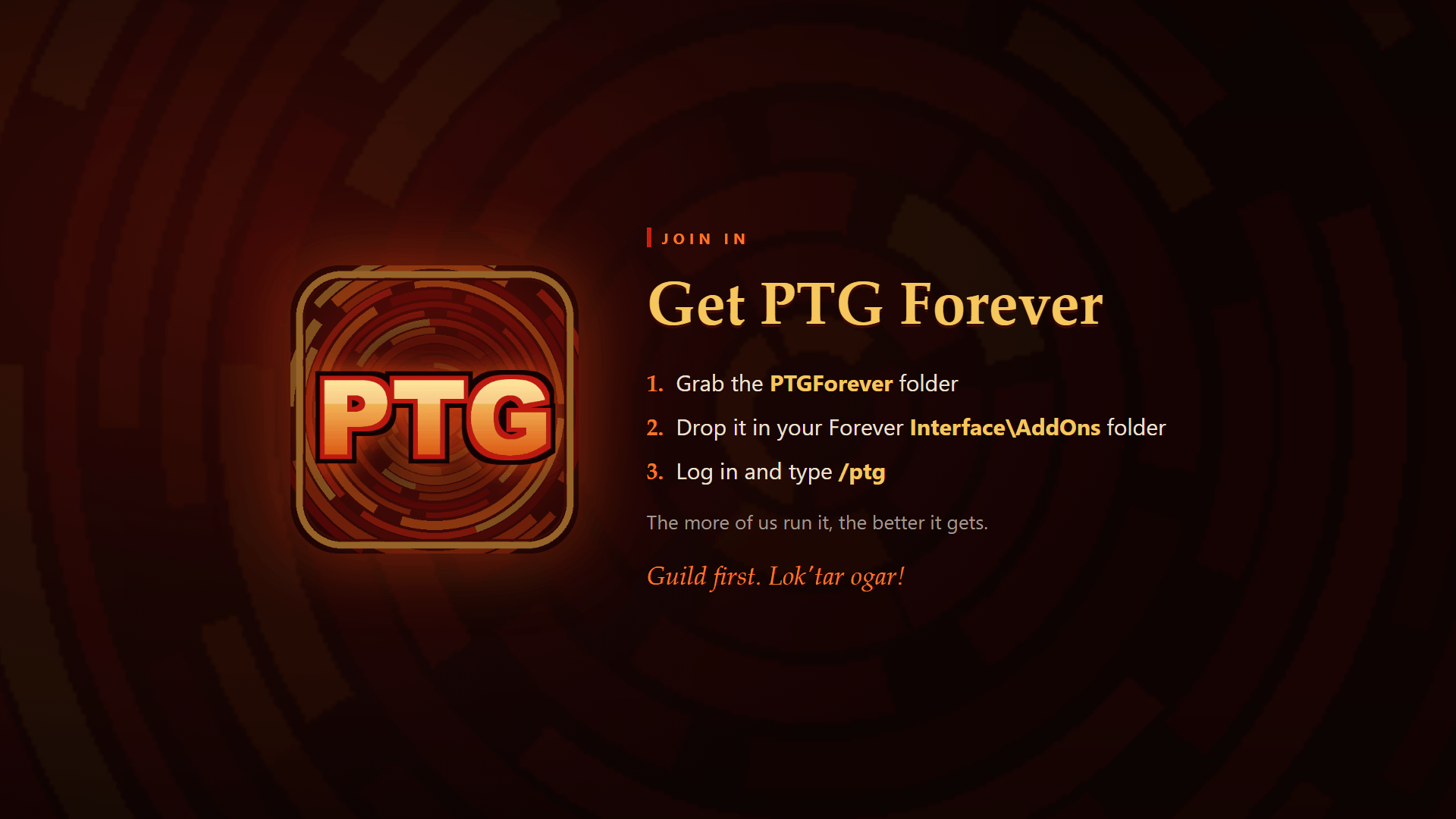
Open it with /ptg, the minimap button or the addon compartment.
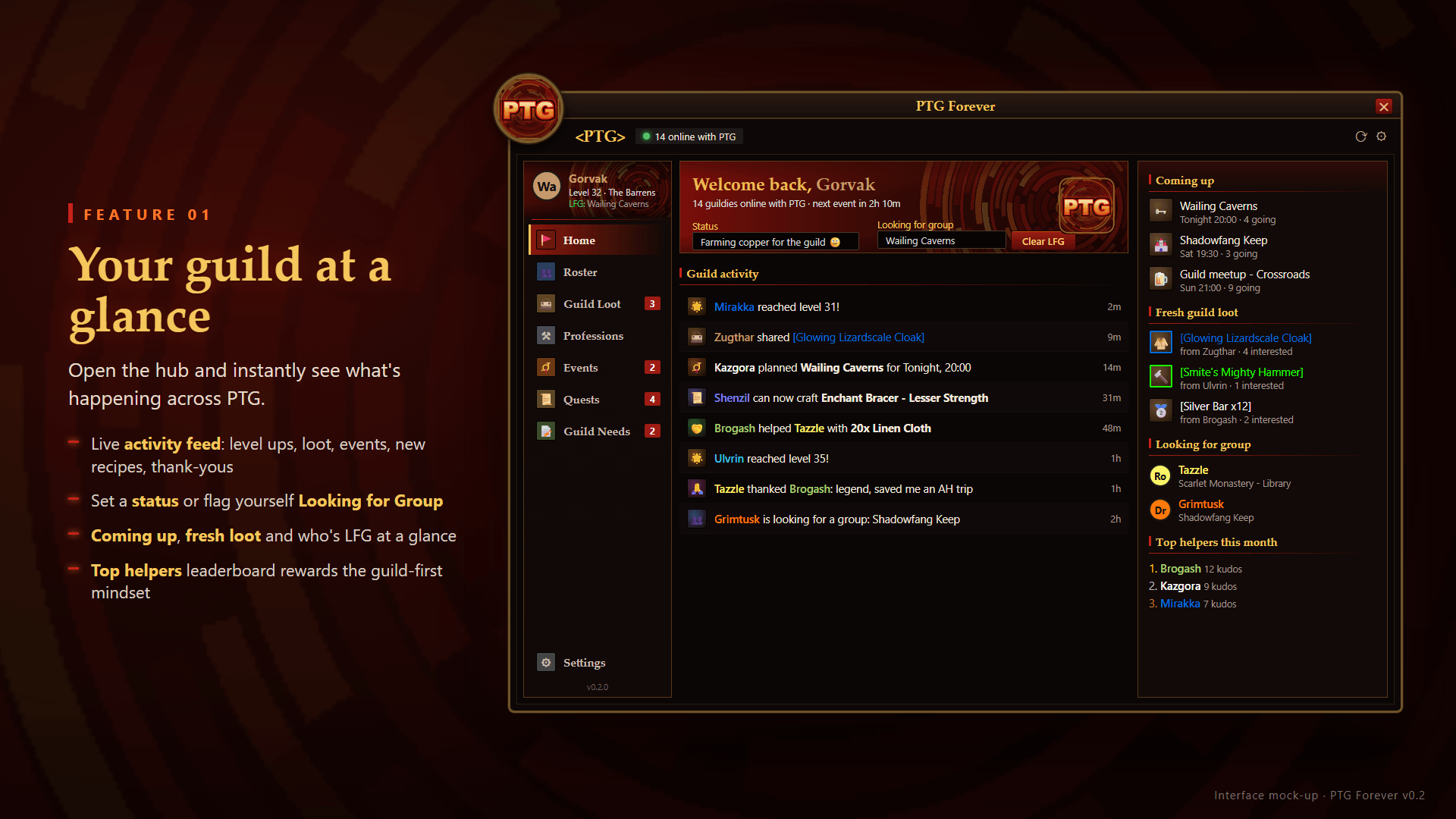
- Home: your guild at a glance. Activity feed, upcoming events, fresh loot, who's looking for a group, and this month's Helping Hands.
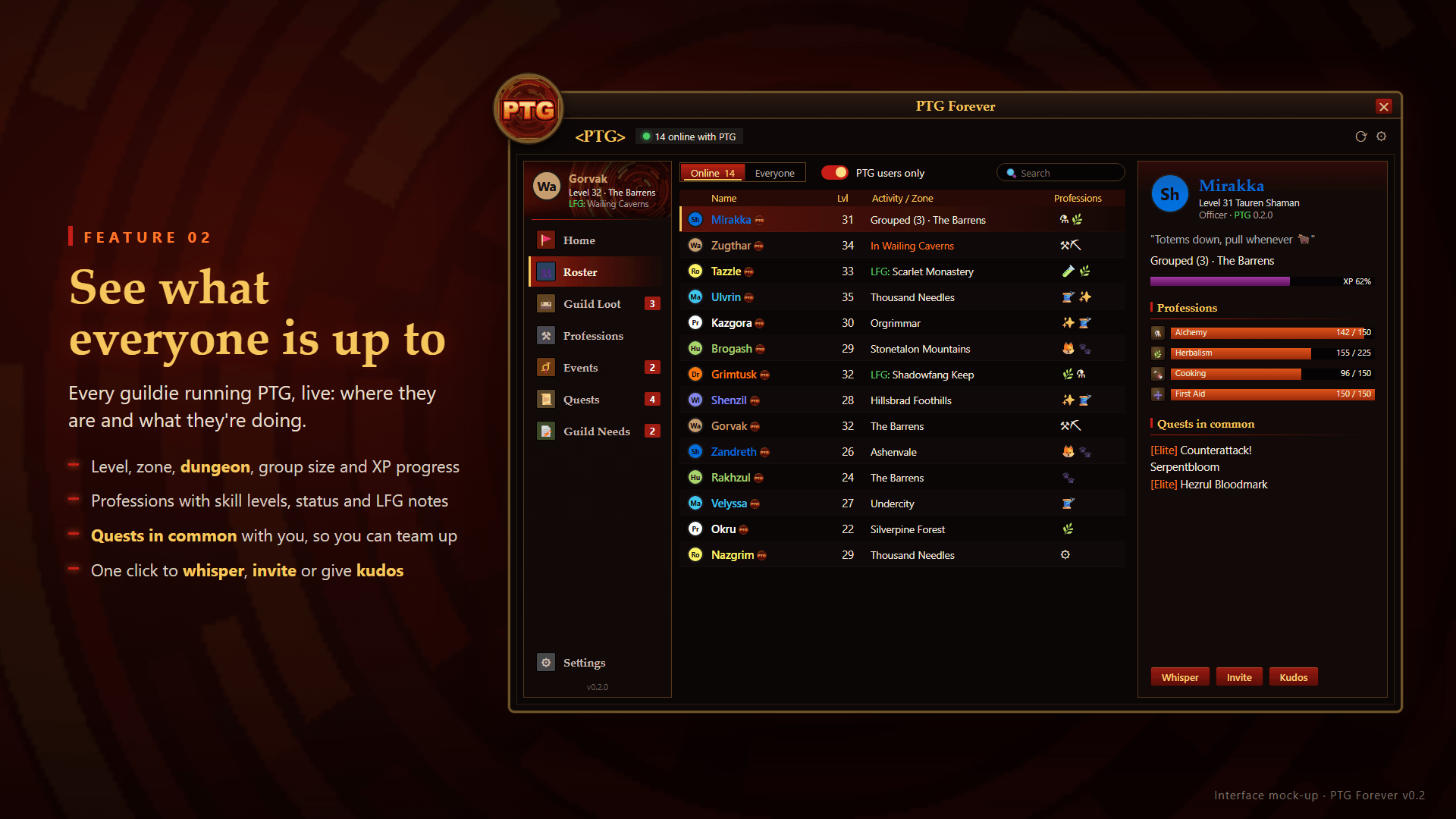
- Roster: every guildie's level, zone, group, professions and status, plus the quests you share with them. Switch to Nearby to see guildies near your level in your zone or on your quests. Right-click to whisper, invite or give kudos.
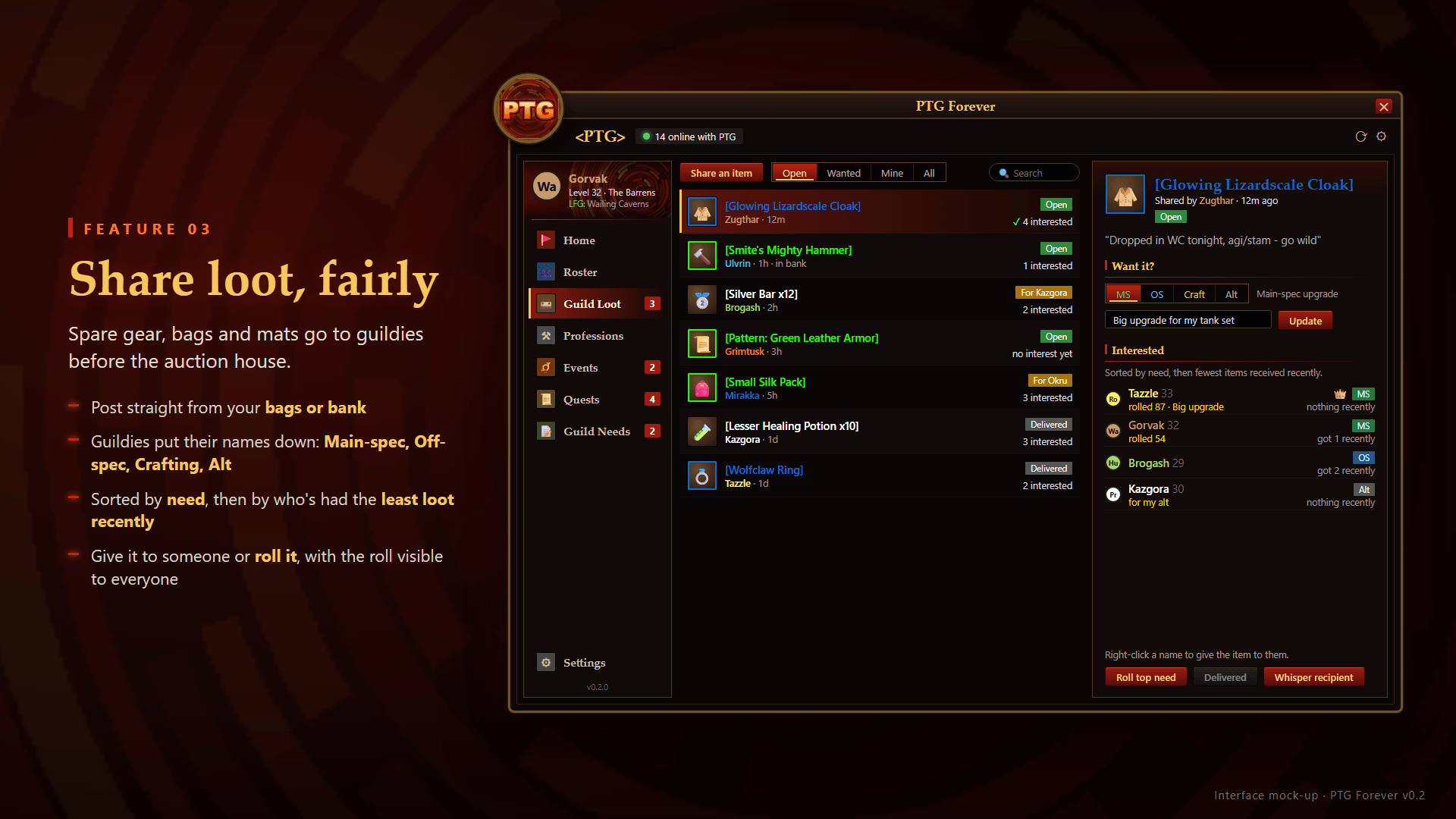
- Guild Loot: share spare items from your bags or bank. Guildies put their names down with a reason (Main Spec, Off Spec, Craft, Alt). Requests are sorted by need, then by who has received the least lately, so it's fair rather than first come, first served. The poster assigns the item or holds an open roll that everyone can see.
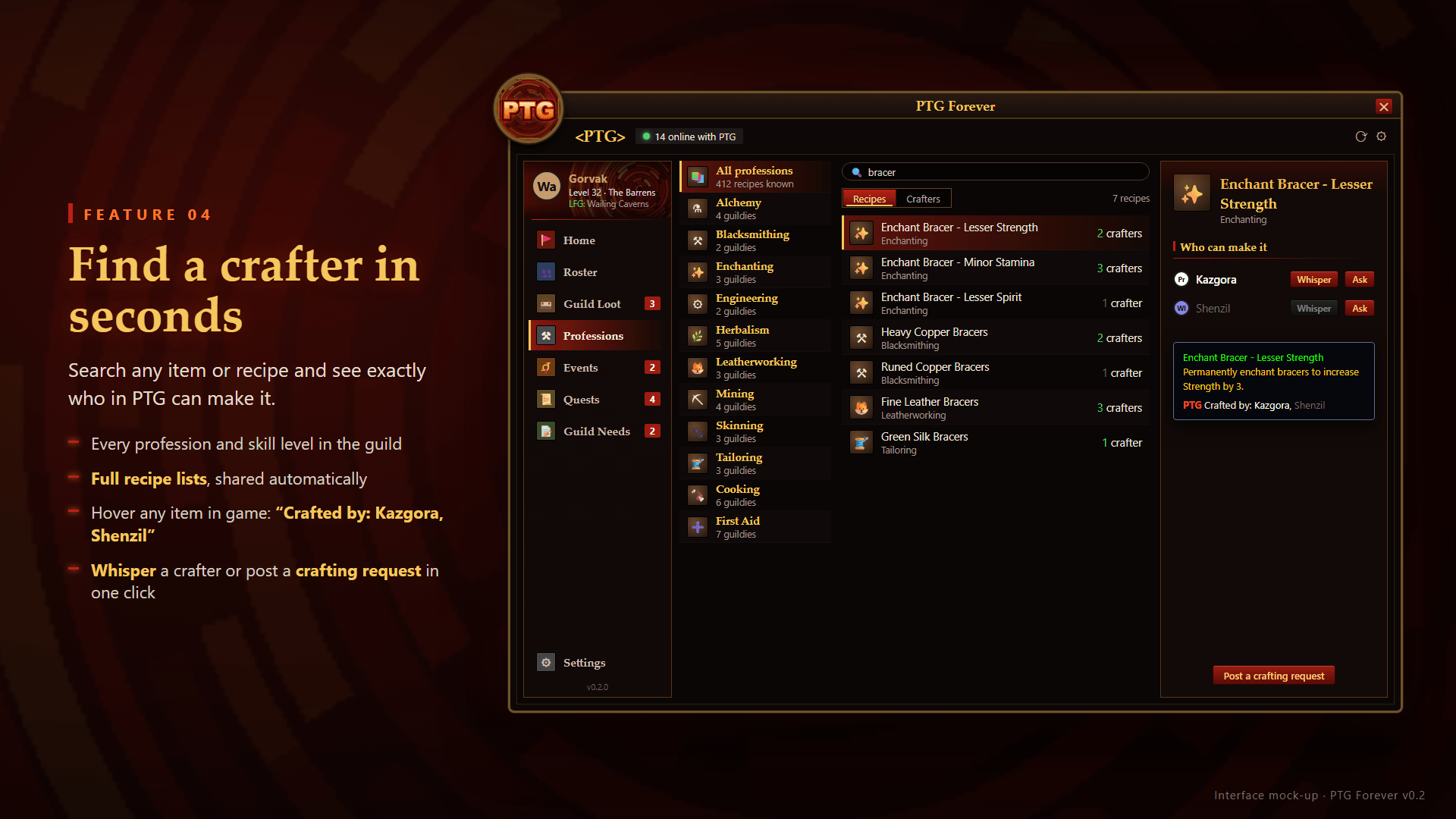
- Professions: every profession in the guild with skill levels. Search any item or recipe to see who can make it, then whisper them or post a crafting request.
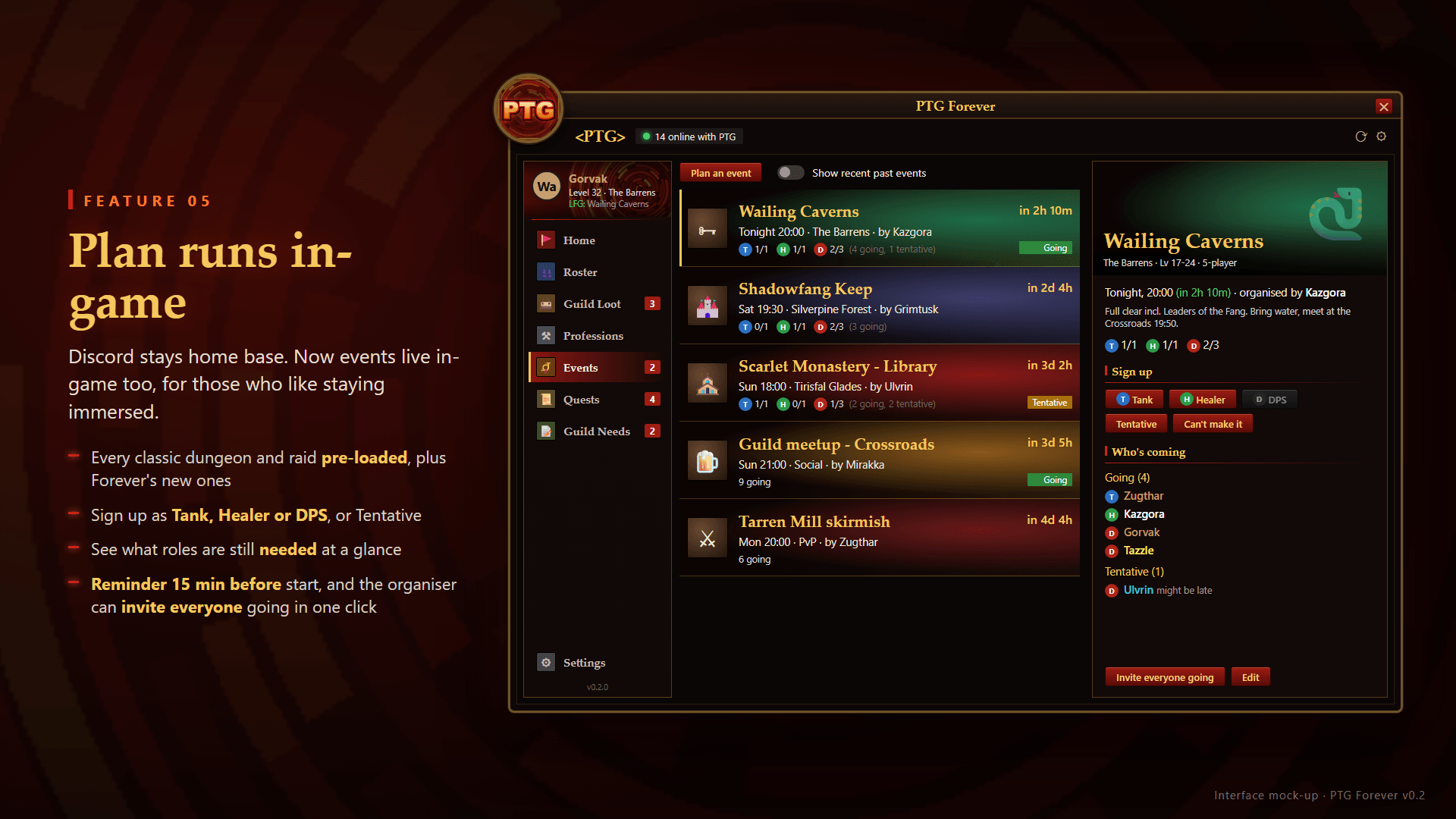
- Events: plan dungeons and raids, with every classic and Forever instance and its artwork built in. Social, PvP and farming events work too. Sign up as Tank, Healer or DPS. The organiser can invite everyone attending, and reminders arrive 15 minutes before the start.
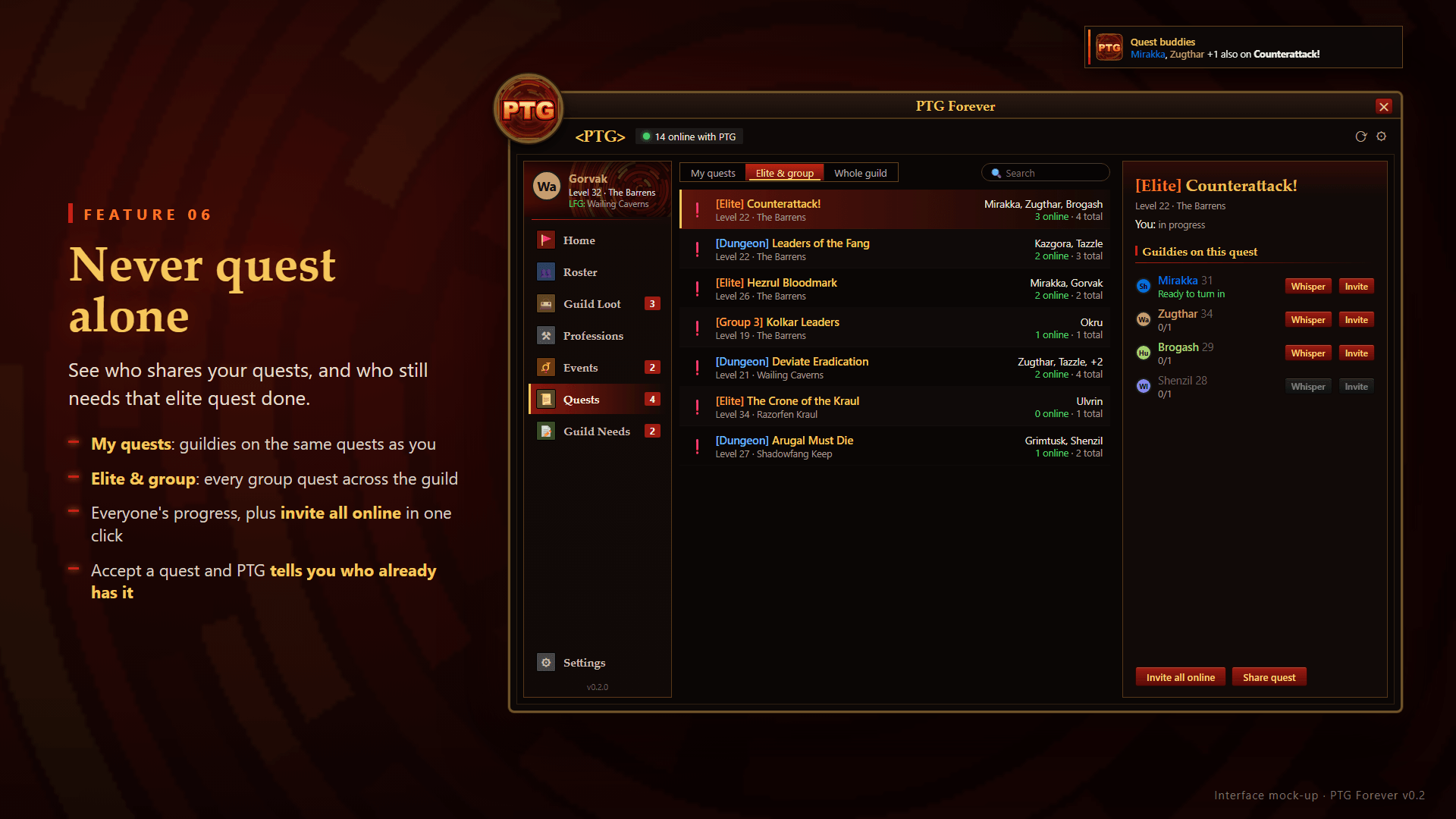
- Quests: see which guildies share your quests, plus every elite, group and dungeon quest across the guild. You get a toast when you pick up a quest a guildie already has.
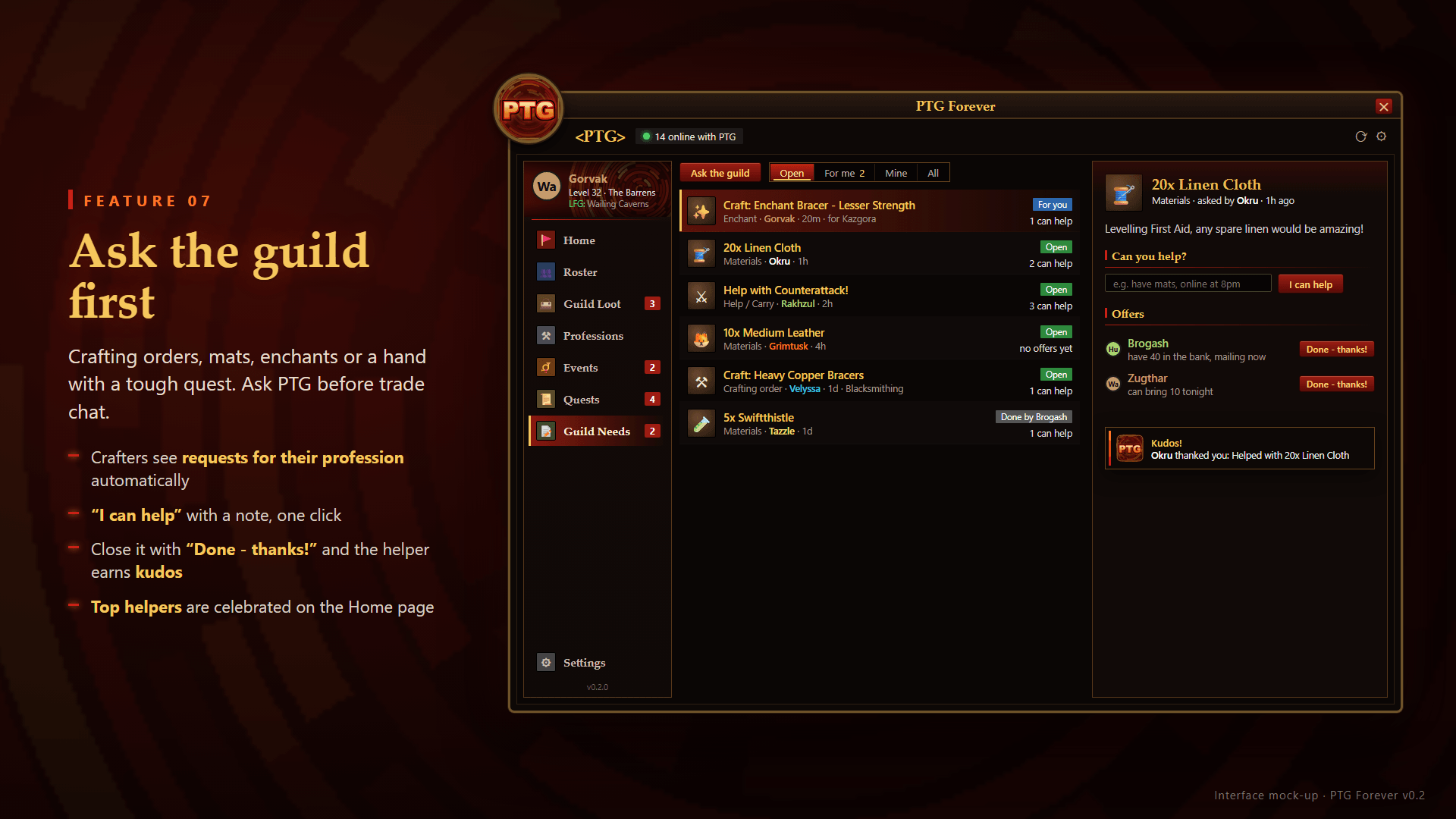
- Guild Needs: crafting orders, materials, enchants and help requests. Crafters see the requests they can fill, and closing a request with "Done - thanks!" sends the helper kudos.
- Journeys: the guild's milestone wall. It records level milestones, profession ranks, first dungeon clears (with the guildies who were there), keys, attunements, epics and first mounts. Send a heart to cheer someone on. It also lists upcoming birthdays and guild anniversaries.
- Guild Spirit: a leaderboard with no rankings, just thanks. Helping Hands, Open Hands, Guild Artisans, Rally Callers, Cheerleaders and Trailblazers, for the week, month or year.
- Keys: dungeon keys (Scarlet Monastery, Gnomeregan, Zul'Farrak, Blackrock Depths, Dire Maul, Stratholme, Scholomance, UBRS) and raid attunements (Onyxia, Molten Core, Blackwing Lair, Naxxramas). See who has each one and who still needs it, then ask the guild for help.
Quietly in the background
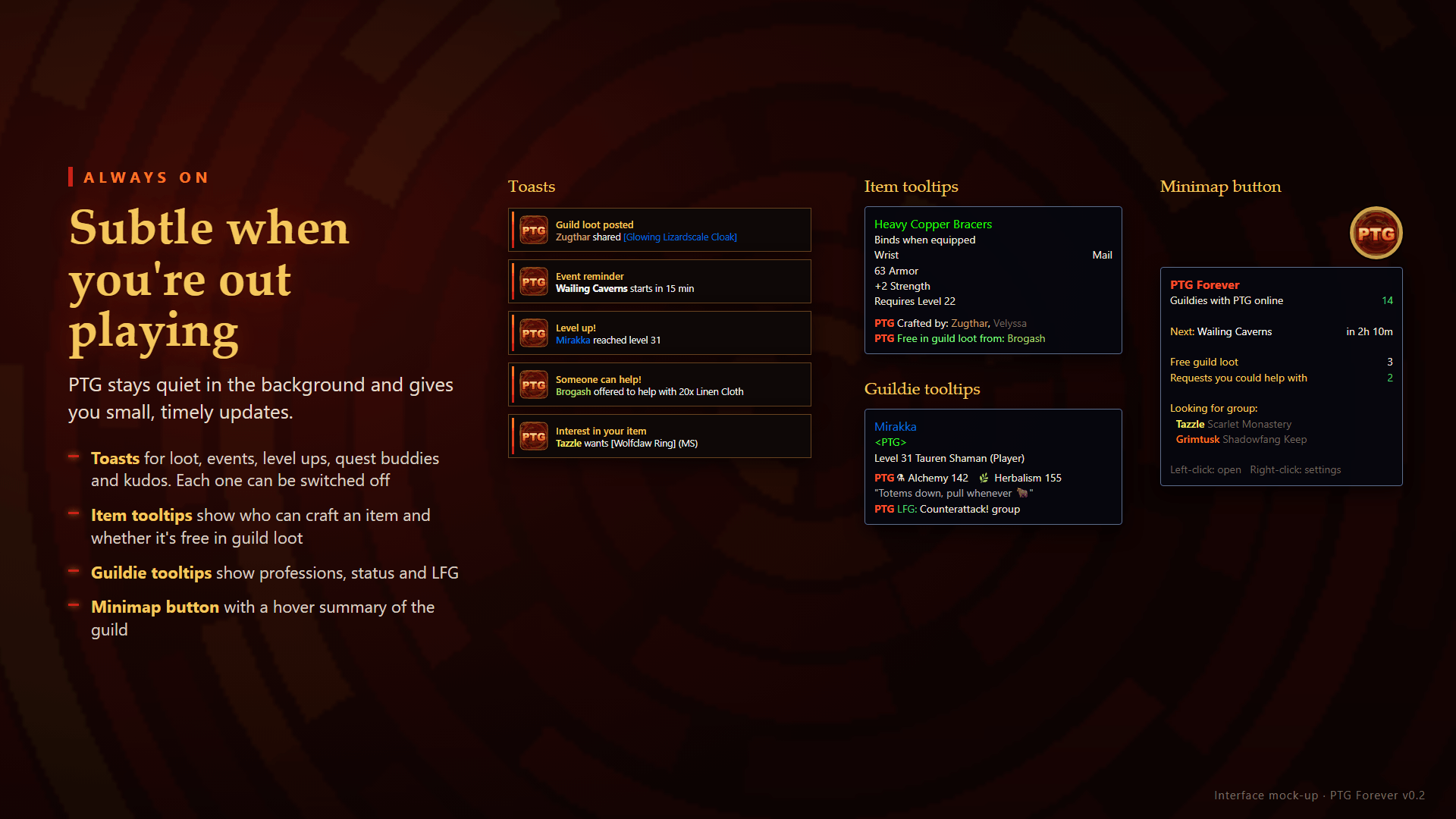
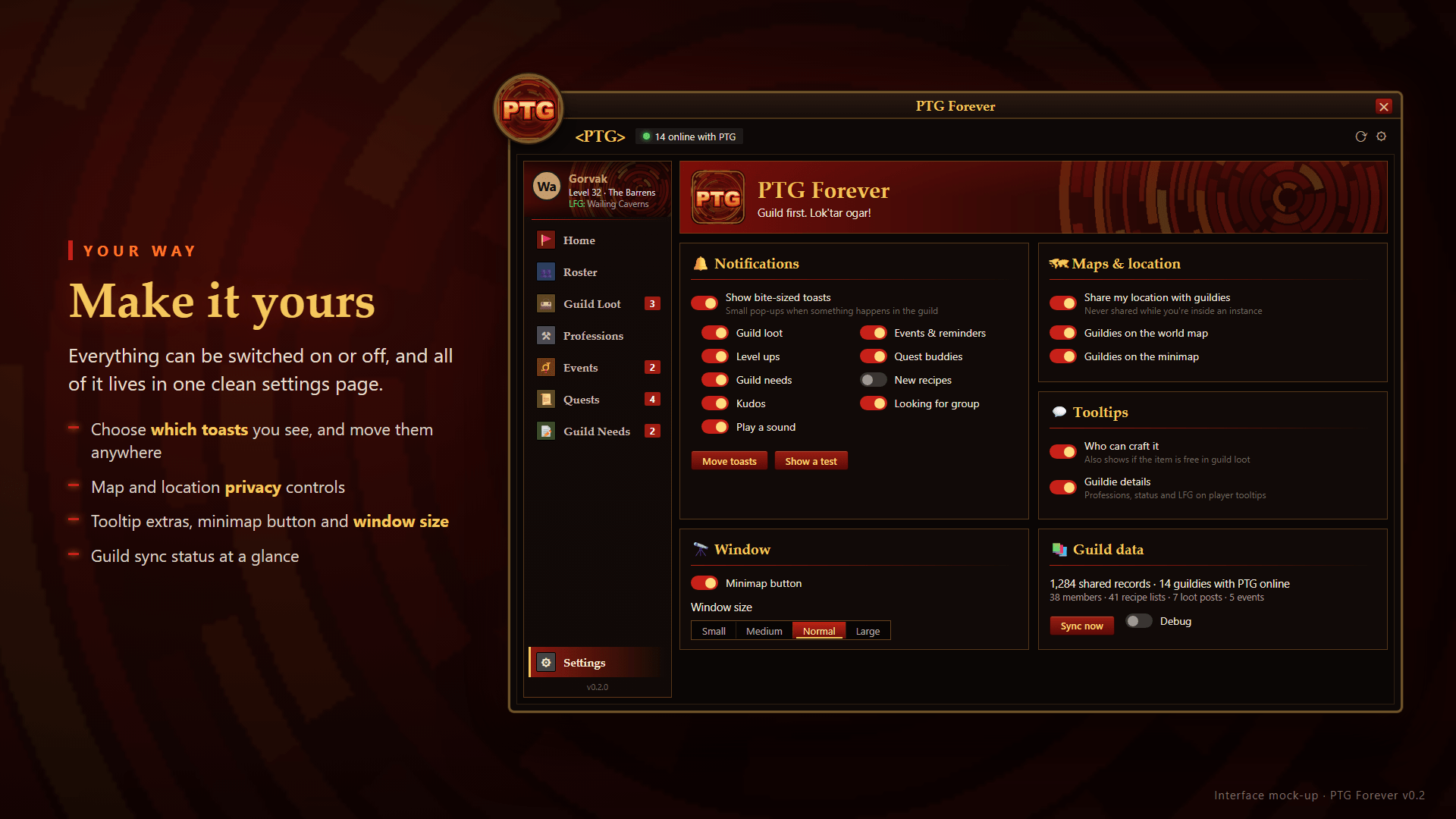
- Toasts: small pop-ups for guild loot, events, level-ups, quest buddies, guild needs, new recipes, kudos, milestones, hearts and birthdays. Each type can be turned off, and the toasts can be moved.
- Tooltips: items show who in the guild can craft them and whether a copy is free in guild loot. Player tooltips show a guildie's professions and status.
- Guildies on the map: guildies running the addon appear on the world map and minimap as class icons, the same way party members do.
- Guild map notes: drop shared notes for rare spawns, herbs, ore, danger, quest tips or meet-ups from the PTG button on the world map. Notes fade after 1 to 7 days.
- Grouping radar: a gentle nudge when a guildie near your level is questing nearby. It shows at most once per zone every 30 minutes.
- Alts: set your main once, and all your characters count as one person for kudos, Guild Spirit and celebrations.
- Birthdays and anniversaries: share your birthday (day and month only) and the guild can celebrate with you.
Good to know
- Data syncs directly between guildies running the addon over WoW's built-in addon messaging. There are no external servers or accounts.
- Offline guildies' data is passed along by whoever is online, so everyone stays up to date.
- Only guild members can sync with you. Messages from anyone outside your guild are ignored.
- Your location is never shared inside instances, and location sharing can be switched off entirely.
- Recipes are shared once you open each profession window. Bank contents are remembered when you visit the bank.
- Commands:
/ptg,/ptg options,/ptg sync,/ptg loot | events | quests | professions | roster | requests | journeys | keys
Install
Copy the PTGForever folder into your Forever client's Interface\AddOns folder.
Guild first. Lok'tar ogar!
PTGForever Team


