


Psysh's Fishing
- By
Captura de pantalla 2026-11-02 231631.png
Captura de pantalla 2026-11-02 231656.png
Captura de pantalla 2026-11-02 231714.png
Captura de pantalla 2026-11-02 231908.png
Captura de pantalla 2026-11-02 231914.png
Description
Psysh's Fishing
One-key fishing. Psysh's Fishing turns fishing into its own mode: it puts on your fishing gear, casts, reels in and loots with a single key, and keeps a history of every session.
Features
One-key fishing mode
- Click the Fishing macro (the addon creates it for you) to enter fishing mode.
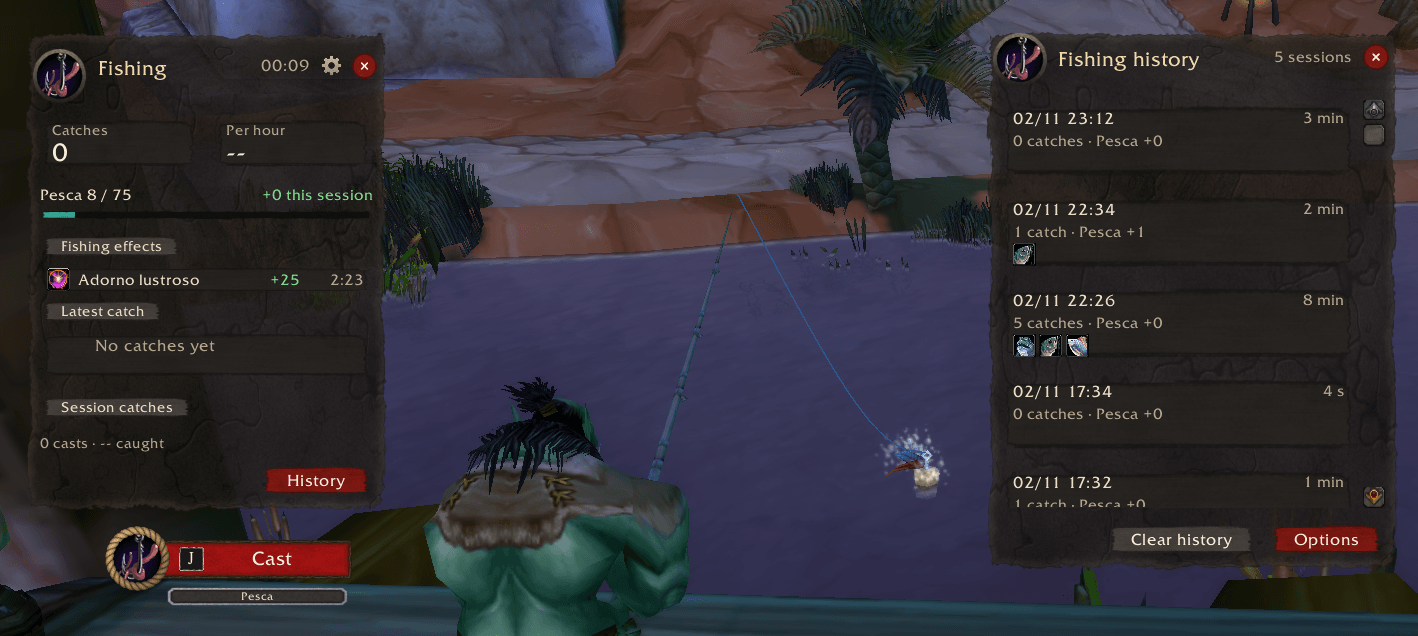
- Press J (or any key you choose) to cast. When a fish bites, press it again to reel in. Auto loot is turned on while you fish (you can switch it off), so the fish goes straight to your bags.
- Escape leaves the mode and puts your normal gear back on. Game windows and the map still close with Escape as usual.
- Combat safe: if you are attacked while fishing, Escape puts your weapons back on, even in combat.
- If you delete the macro, a notice on login lets you create it again with one click.
Fishing gear
- Type
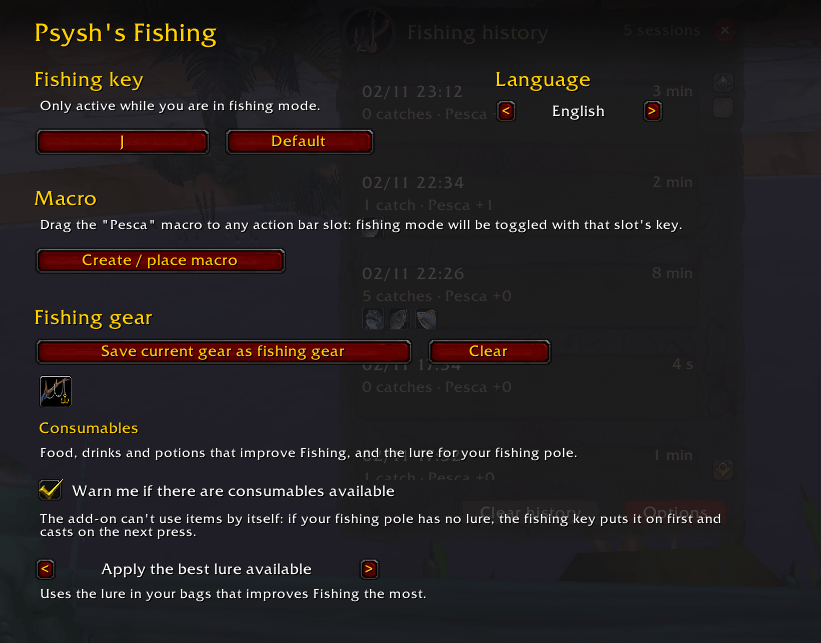
/pf gearor use the options to save your pole and every piece that mentions Fishing. - Your saved gear goes on when you enter the mode and comes off when you leave.
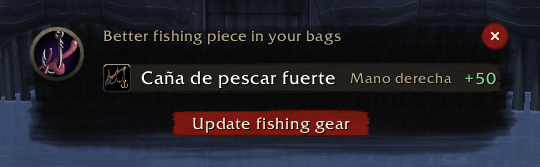
- A notice in the middle of the screen tells you when you have better fishing gear in your bags, even if it arrives while you are fishing. The Update fishing gear button puts it all on and saves it in one go.
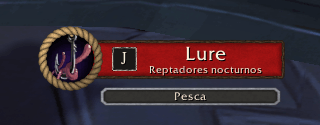
- Optional lures: before casting, the same key applies the best lure in your bags, or the one you choose.
- Reminds you about fishing food and potions you carry whose effect is not active.
Session window and history
- Live catches, catches per hour, catch rate, your last catch and your Fishing skill with the points gained this session.
- The fish caught this session.
- Active fishing effects (lure, food, potions) with a countdown.
- The history keeps your last sessions for each character: 5 by default, up to 10.
Quality of life
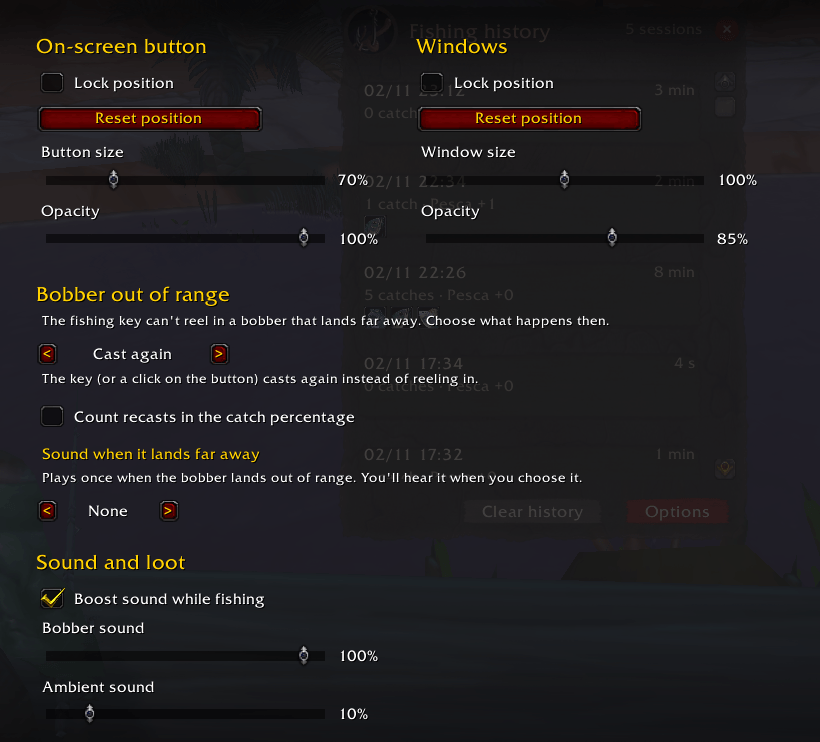
- Enhanced sound: louder bobber splash, quieter music and ambience, with your own volumes.
- Fades the rest of the UI and zooms the camera in while you fish; both can be turned off, and everything goes back when you leave.
- Classic Era and Mists of Pandaria Classic: Works around the range limit of Blizzard's Soft Interact! If the bobber lands too far away, the addon tells you to point at it with the mouse, or the key can recast instead, with an optional sound. You choose whether recasts count towards your catch rate.
- Size and opacity for the button and the windows, and you can lock them or reset their position.
- Change the fishing key from the options panel.
- English and Spanish, chosen automatically or by hand.
Commands
| Command | What it does |
|---|---|
/pf |
Toggle fishing mode |
/pf gear |
Save your current gear as fishing gear |
/pf history |
Open the session history |
/pf options |
Open the options panel |
/pf window |
Reopen the session window |
/pf debug |
Print information for bug reports |
/pf help |
Show the list of commands |
Getting started
- Log in. The Fishing macro is created and a notice shows you how to drag it to your action bar.
- Put on your fishing gear and type
/pf gear. - Click the macro, then press J to fish.
Game versions
- Retail (12.x)
- Mists of Pandaria Classic (5.5.x)
- Classic Era (1.15.x)
One download works on all three: copy the PsyshsFishing folder into the Interface/AddOns folder of each client.
Reporting bugs
Please include the output of /pf debug and your game version.
Credits
Inspired by Angleur. Psysh's Fishing is written from scratch: it does not include code, textures or other files from any other addon.
Español
Pesca con una sola tecla. Psysh's Fishing convierte la pesca en un modo propio: te pone el equipo de pesca, lanza, recoge y lootea con una sola tecla, y guarda un historial de cada sesión.
Funciones
Modo pesca con una tecla
- Pulsa la macro Pesca, que el addon crea por ti, para entrar en el modo pesca.
- Pulsa J (o la tecla que elijas) para lanzar. Cuando pique, vuelve a pulsarla para recoger. Mientras pescas se activa el botín automático (puedes quitarlo), así que el pez va directo a las bolsas.
- Escape sale del modo y te devuelve tu equipo normal. Las ventanas del juego y el mapa se siguen cerrando con Escape como siempre.
- Seguro en combate: si te atacan mientras pescas, Escape te vuelve a poner las armas, incluso en combate.
- Si borras la macro, al entrar en el juego un aviso te deja volver a crearla con un clic.
Equipo de pesca
- Escribe
/pf equipoo usa las opciones para guardar tu caña y todas las piezas que mencionan la Pesca. - El equipo guardado se pone al entrar en el modo y se quita al salir.
- Un aviso en el centro de la pantalla te dice si tienes equipo de pesca mejor en las bolsas, aunque te llegue mientras pescas. El botón «Actualizar equipo de pesca» te lo pone y lo guarda, todo de una vez.
- Señuelos opcionales: antes de lanzar, la misma tecla pone el mejor señuelo de tus bolsas o el que elijas.
- Te recuerda la comida y las pociones de pesca que llevas y cuyo efecto no está activo.
Ventana de sesión e historial
- Capturas en directo, capturas por hora, porcentaje de captura, tu última captura y tu habilidad de Pesca con los puntos ganados en la sesión.
- Los peces de la sesión.
- Los efectos de pesca activos (señuelo, comida, pociones) con su cuenta atrás.
- El historial guarda tus últimas sesiones de cada personaje: 5 por defecto, hasta 10.
Comodidad
- Sonido reforzado: el chapoteo del corcho más fuerte y la música y el ambiente más bajos, con tus propios volúmenes.
- Desvanece el resto de la interfaz y acerca la cámara mientras pescas; las dos cosas se pueden quitar, y todo vuelve como estaba al salir.
- Classic Era y Mists of Pandaria Classic: ¡Sortea el límite de alcance de la interacción suave de Blizzard! Si el corcho cae demasiado lejos, el addon te avisa para que lo apuntes con el ratón, o la tecla puede volver a lanzar, con un sonido opcional. Tú eliges si los relanzamientos cuentan en el porcentaje de captura.
- Tamaño y opacidad del botón y de las ventanas; además, puedes bloquearlos o devolverlos a su sitio.
- La tecla de pesca se cambia en el panel de opciones.
- En español e inglés, elegido automáticamente o a mano.
Comandos
| Comando | Qué hace |
|---|---|
/pf |
Activa o desactiva el modo pesca |
/pf equipo |
Guarda el equipo que llevas como equipo de pesca |
/pf historial |
Abre el historial de sesiones |
/pf opciones |
Abre el panel de opciones |
/pf ventana |
Vuelve a abrir la ventana de sesión |
/pf diagnostico |
Escribe información para informar de un fallo |
/pf ayuda |
Muestra la lista de comandos |
Primeros pasos
- Entra en el juego. Se crea la macro Pesca y un aviso te enseña cómo arrastrarla a tu barra de acción.
- Ponte tu equipo de pesca y escribe
/pf equipo. - Pulsa la macro y luego J para pescar.
Versiones del juego
- Retail (12.x)
- Mists of Pandaria Classic (5.5.x)
- Classic Era (1.15.x)
Una sola descarga sirve para las tres: copia la carpeta PsyshsFishing en la carpeta Interface/AddOns de cada cliente.
Informar de fallos
Incluye lo que escribe /pf diagnostico y la versión del juego.
Créditos
Inspirado en Angleur. Psysh's Fishing está hecho desde cero: no incluye código, texturas ni otros archivos de ningún otro addon.
Psysh's Fishing Team
