PRR: Professions, Recipes, Reagents.
- By
PRR: Professions, Recipes, Reagensts. Atlas and search. Craft planner with auction scan.
Снимок ÑкÑана 2026-10-14 072446.png
window
Снимок ÑкÑана 2026-10-03 214622.png
Description
PRR: Professions, Recipes, Reagents
What crafts this item? What is this reagent good for? PRR answers both right in the item tooltip, and gives you a recipe browser for every profession of WoW Forever.
Features
Item tooltips
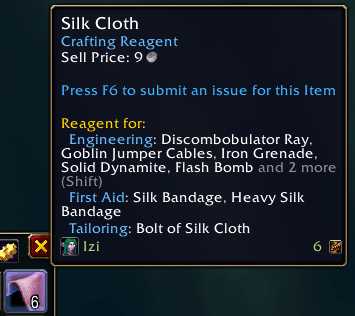
- Crafted by – the profession and skill that craft the item, with every reagent and its count.
- Reagent for – every recipe the item is used in, grouped by profession. Long lists are cut short; hold Shift to see them all.
- Teaches – on patterns, plans, formulas and recipes: what they teach and the reagents it needs.
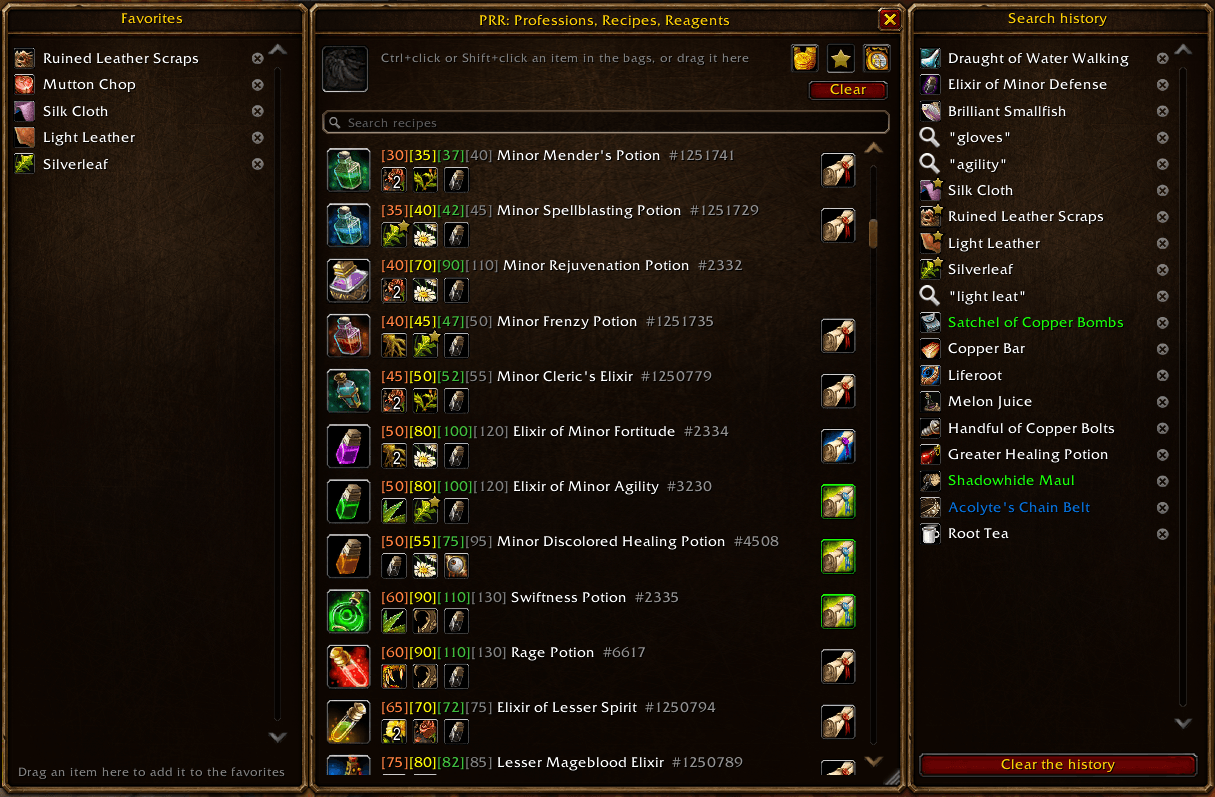
Recipe window
Open it with the minimap button or /prr.
- Open it from any item – Alt+click an item in your bags, a chat link or loot to open the window with it (the click is chosen in the settings: Alt / Shift / Ctrl / Ctrl+Alt with the left or right button, or none).
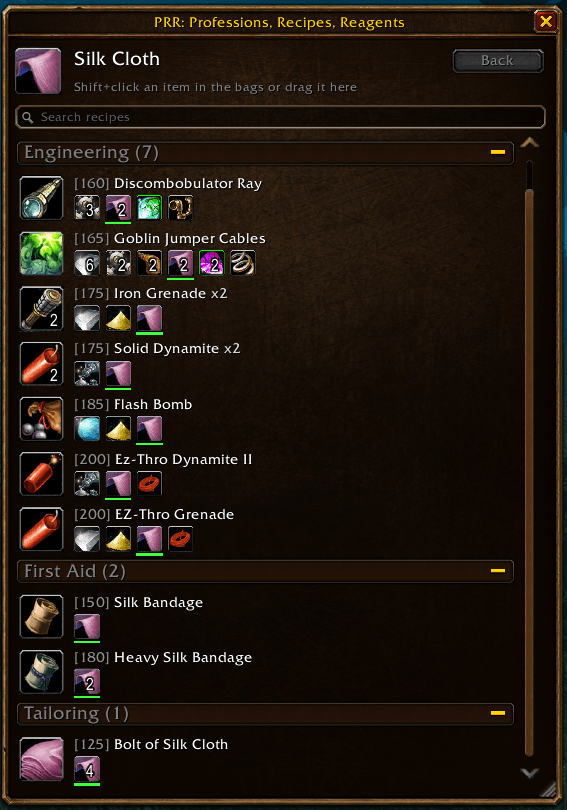
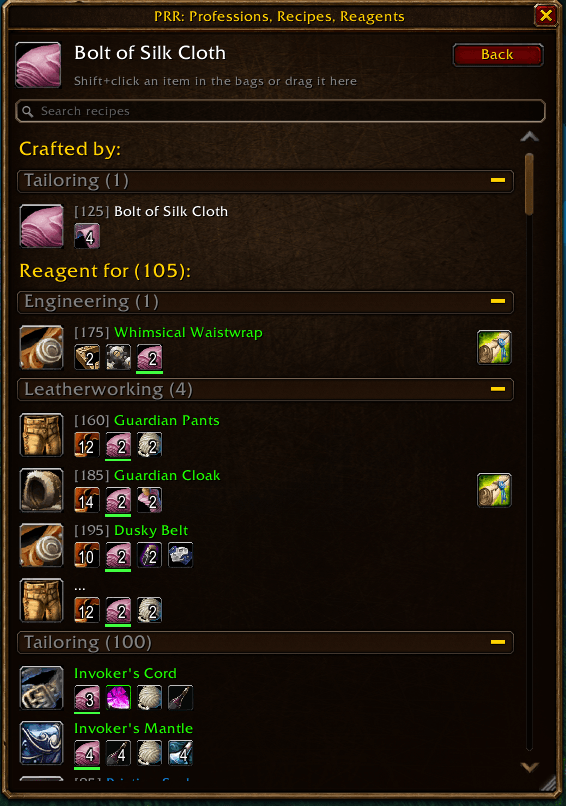
- Drop an item in – Shift+click an item in your bags while the window is open, or drag it onto the window, to see every recipe that crafts it or uses it.
- Icons with tooltips – each recipe shows its result, its skill levels in colors (when it can be learned, turns yellow, green and gray), every reagent with its count, and the pattern / plans that teach it. Shift+click any icon with the chat open to link it.
- Follow the chain – click any reagent or result to open it: Light Leather → Handstitched Boots → … History keeps the last 1000 items and searches; Clear starts over.
- Search – search all recipes by name. With an item in the slot, the search narrows that item's recipes.
- Browse everything – with an empty slot and search, every recipe of every profession is listed. Professions fold and unfold like zones in the quest log.
- Favorites – the star after an item name marks it; favorites carry a star in your bags and bank (Bagnon / BagBrother and the default bags) and are listed in a panel at the left of the window – drag items onto it to add them.
- Wowhead links – hover an icon in the window and press Ctrl+C to get its Wowhead link, ready to copy.
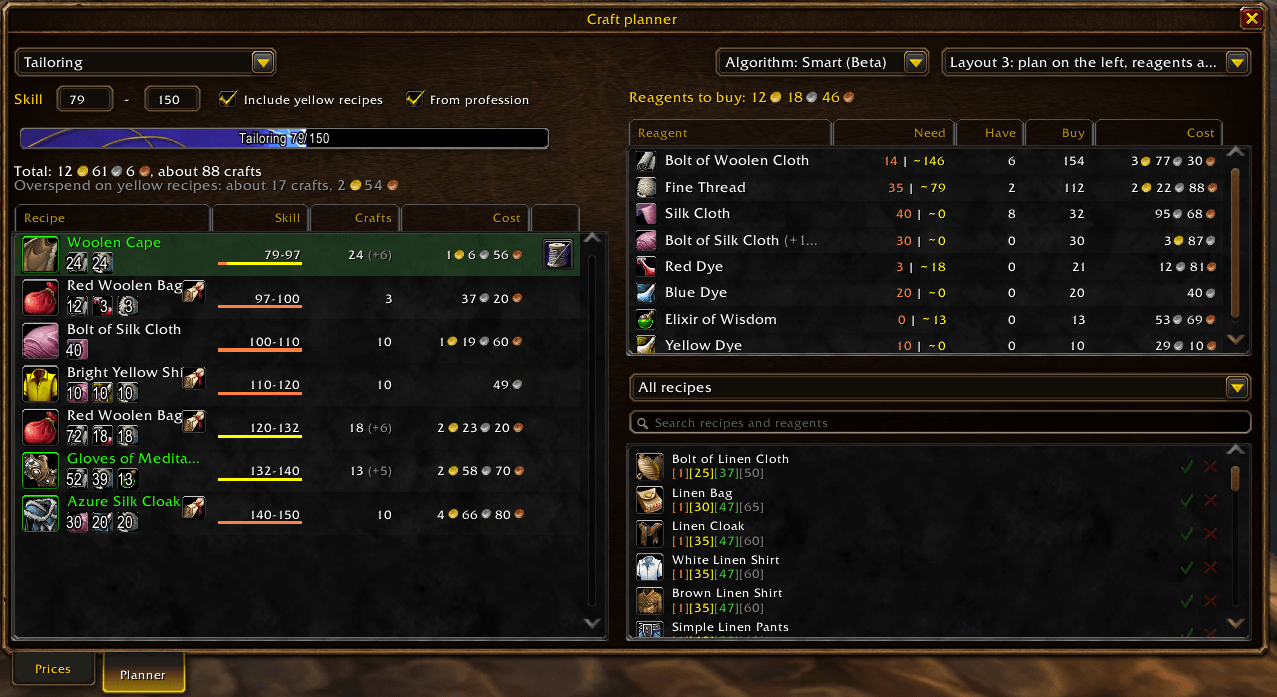
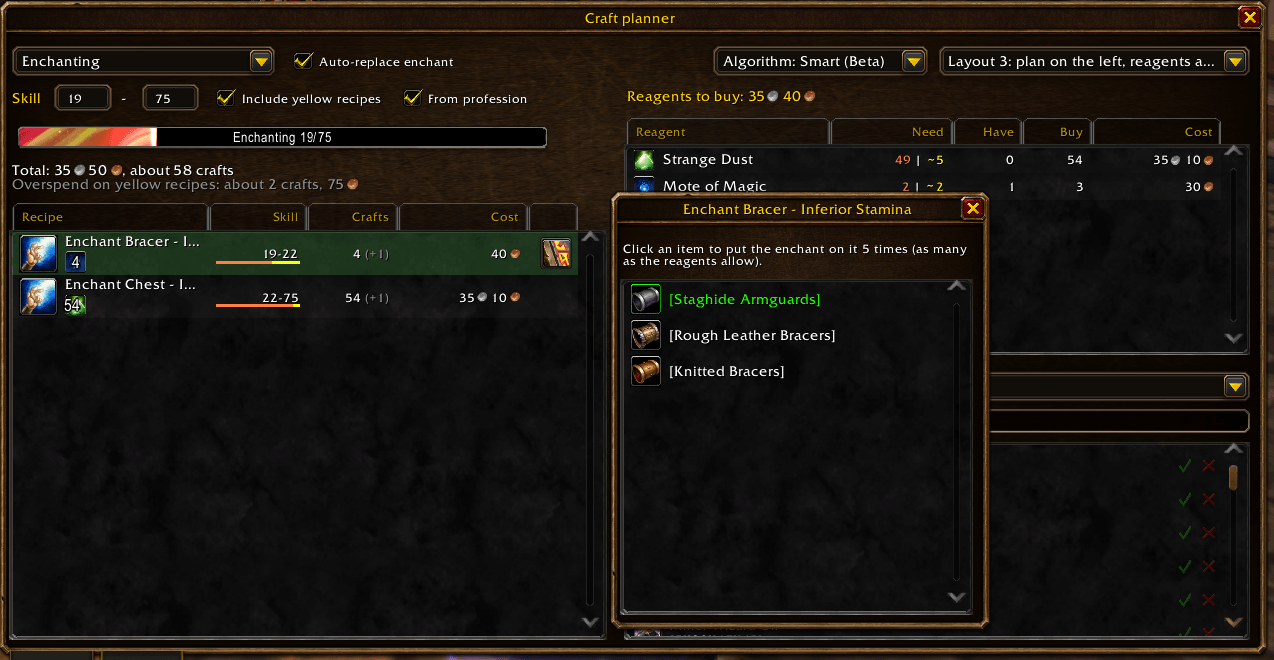
Craft planner
Open it with the coin button of the recipe window or /prr planner.
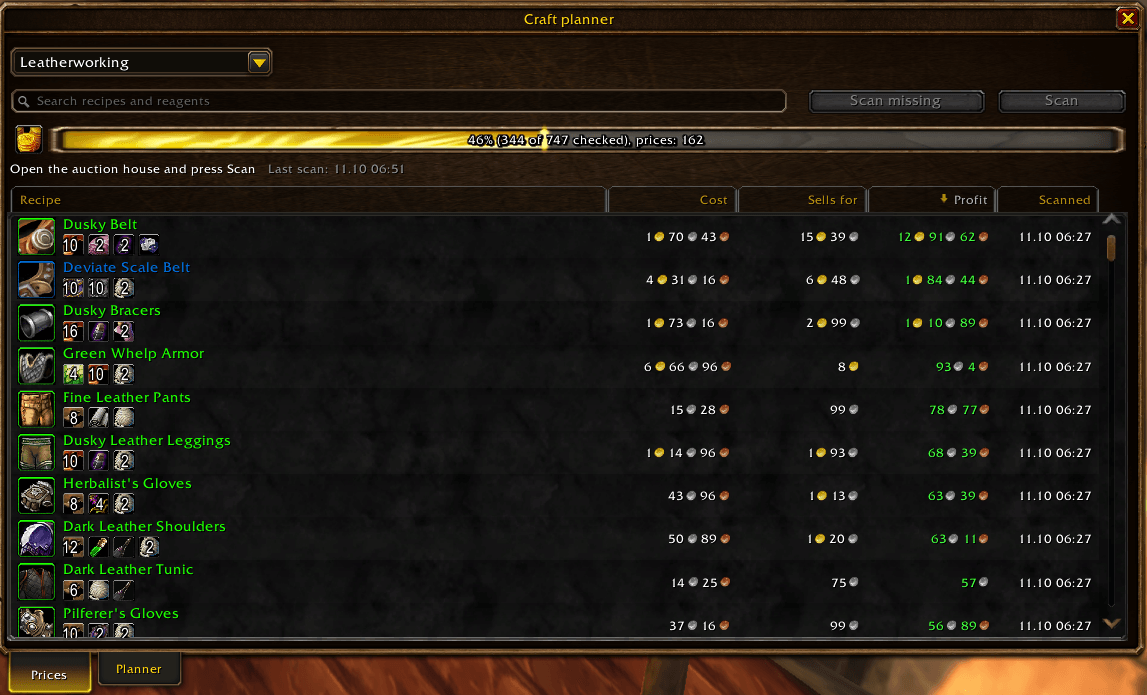
- Prices – scan the auction house for the reagents and the crafted items of a profession; see the craft cost, the sale price and the profit after the auction house cut for every recipe. Sort by any column, search, see how fresh every price is. Scanned prices also show in item tooltips.
- Planner – enter the skill range and get the cheapest way to level: the recipe for every skill point, the crafts and their cost, and a shopping list of reagents with what you already have. Yellow recipes can be included with their real chance of a point. Restrict recipes, force the ones you want or set your own price of a craft. Three layouts to choose from.
Built for WoW Forever
- Every recipe ships with the addon – about 2,500 recipes, including the ones Forever added. Their reagents and patterns were read from the game client itself, so there is nothing to scan or wait for.
- Your language – item, profession and recipe names come from your game client. The interface is in English and Russian.
Commands
| Command | |
|---|---|
/prr |
show or hide the recipe window |
/prr planner |
show or hide the craft planner |
/prr options |
settings (also: right click on the minimap button) |
/prr minimap |
show or hide the minimap button |
/prr crafted |
show or hide "Crafted by" in tooltips |
/prr reagent |
show or hide "Reagent for" in tooltips |
Settings
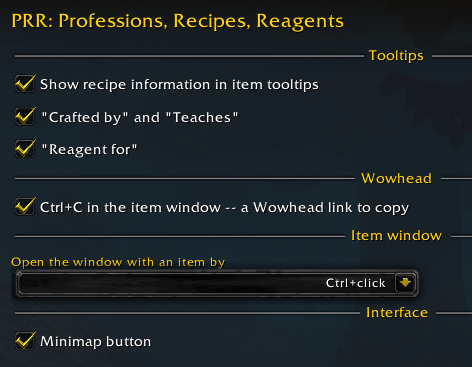
Options → AddOns → PRR:
- recipe information in item tooltips, with its "Crafted by / Teaches" and "Reagent for" parts;
- the click that opens the recipe window with an item (Alt+click by default);
- Ctrl+C Wowhead links in the recipe window;
- the minimap button;
- the glow of favorite items in the loot window;
- auction prices in item tooltips and the auction house cut of the planner.
PRR: Professions, Recipes, Reagents. Team