


PromptForged
- By
User attachment4.png
User attachment3.png
User attachment2.png
User attachment.png
Description
PromptForged — Your adventures, organized
Spend less time searching through windows—and more time playing.
PromptForged brings quests, professions, inventory, alts, progression and personal history together in one customizable interface for World of Warcraft: Forever.
Whether you are looking for your next quest, checking which character has your materials, reviewing trainer visits or keeping track of your adventures, PromptForged helps you organize the information your characters discover.
Your character at a glance
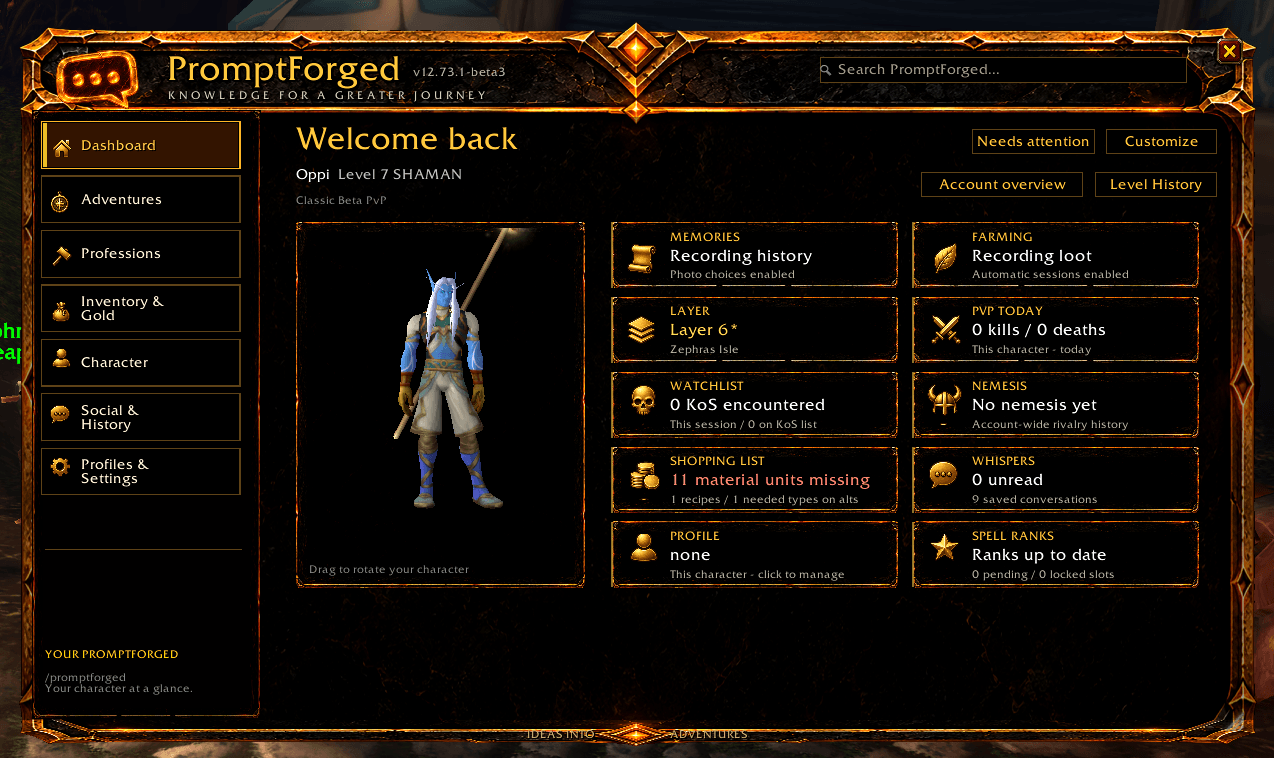
The dashboard gives you a central starting point for your session, with a character preview and quick access to your enabled features.
Keep an eye on recorded activity, missing shopping-list materials, spell-rank status, whispers, PvP history and more. Open the relevant tools directly from the dashboard instead of searching through separate menus.
Customize the layout, appearance and enabled features to suit how you play.
Quest Journal and destination guidance
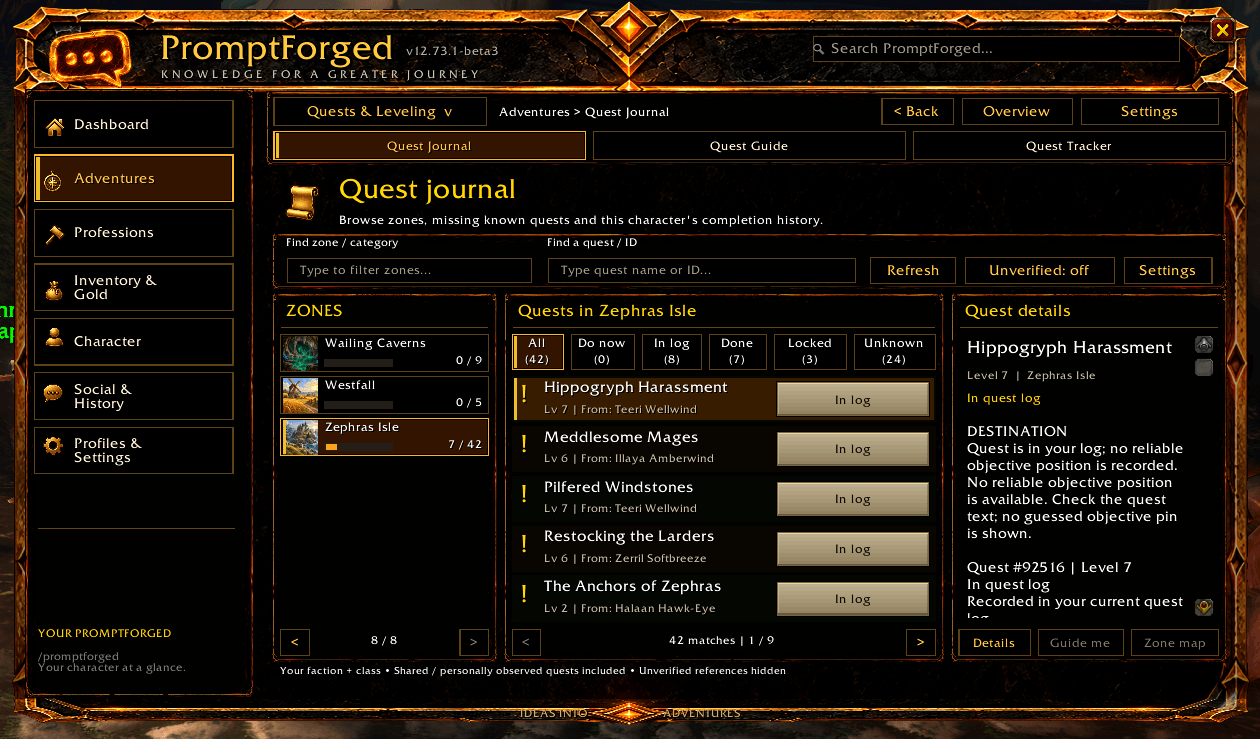
Browse quests by zone, search by quest name or ID, and review your character’s recorded progress.
- Quest status filters: distinguish quests in your log, completed quests, known restrictions and references that still need checking.
- Faction and class filtering: known opposite-faction and other-class quests are filtered out. Shared quests can still appear in zones normally associated with the other faction.
- Dungeon quest references: inspect related quests, recorded quest givers and available pickup or hand-in information.
- Quest-chain references: inspect known relationships and earlier steps where the available evidence supports them.
- Destination maps: open a known destination’s map and display a marker when coordinates are available.
- Guide me: set a destination and use direct guidance when the client provides the necessary position information.
The beta includes 2,712 reference quest records, supplemented by your character’s observations. This is not a claim that every quest is available to your character or that every destination is known.
Unverified references are hidden by default. If a search returns nothing, check your selected zone, status filter and the Unverified option. Enabling it includes references with uncertain faction information; it does not remove known class or faction restrictions.
Clear about what is—and is not—known
PromptForged distinguishes recorded observations from historical references and missing information. Check pickup means you should verify the quest at its source, not that the addon has confirmed you can accept it.
When no reliable destination is available, the addon explains the limitation instead of inventing a marker. Where only an area is known, an area map may be available without an exact pin.
Navigation provides destination markers and straight-line guidance, not a walking route. The arrow and distance require compatible same-map position data. There is no obstacle avoidance or automatic boat, flight, portal or cross-continent route planning.
Professions, trainers and material planning
Bring your profession information and crafting preparation together.
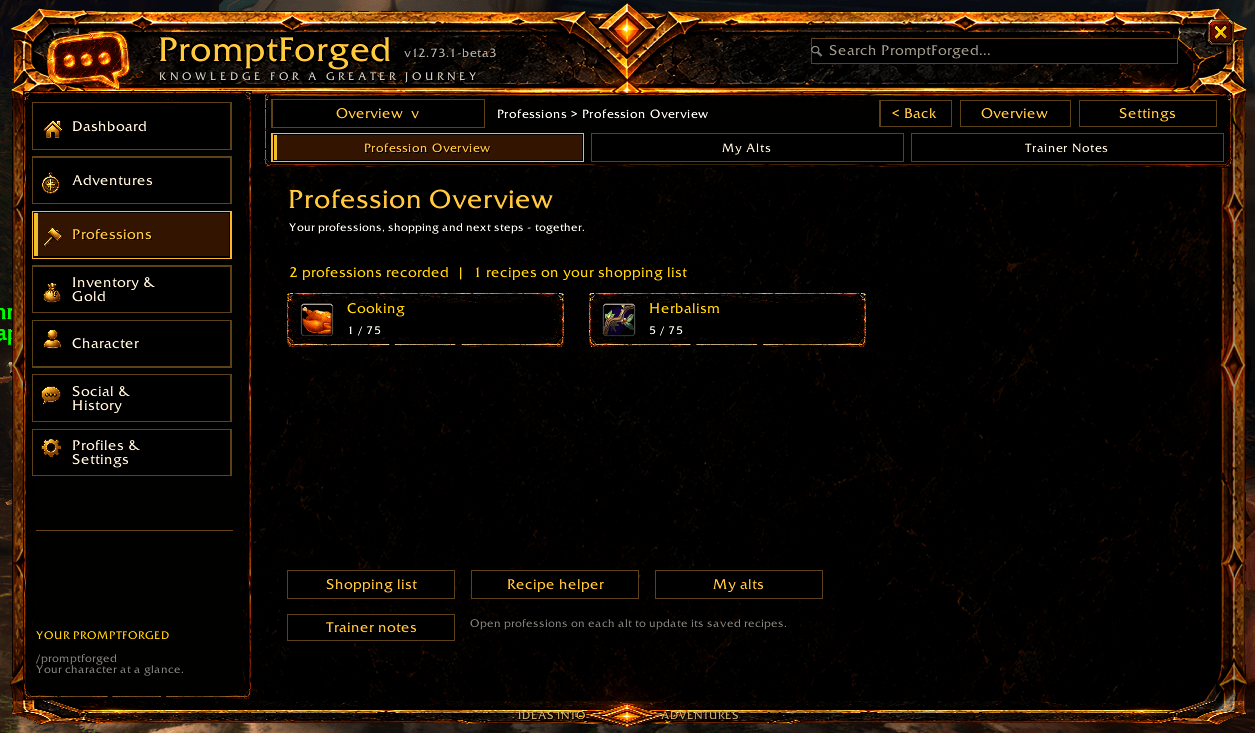
- View recorded profession skills across your characters.
- Save learned recipe information by opening each character’s profession windows.
- Build shopping lists and set material targets.
- Compare recorded stock against your material needs.
- Review crafting steps supported by scanned recipes and their materials.
- Browse recorded trainer services, requirements and costs.
- Open trainer location details and map markers when usable location data exists.
- View trainer models when the client provides usable appearance data.
The account planning tools help answer practical questions:
What do I need? Which character has it? What can I craft? What still needs to be bought or gathered?
Planning uses saved observations, so log into your alts and scan the relevant windows to keep their information current. Missing recipe data, uncertain yields and unavailable requirements are not treated as confirmed facts.
Recipe difficulty follows information provided by the client. Exact skill-up percentages and full-route material budgets are not promised.
Optional trainer-reference sharing
You can opt into sharing supported personal trainer observations with other PromptForged users in your guild or party/raid, where supported by the client. Group sharing can include players from other guilds.
This is not a global, always-updated database. Received references remain distinct from your own observations, and availability should still be checked at the trainer.
Inventory and account overview
Find useful information across the characters you have recorded.
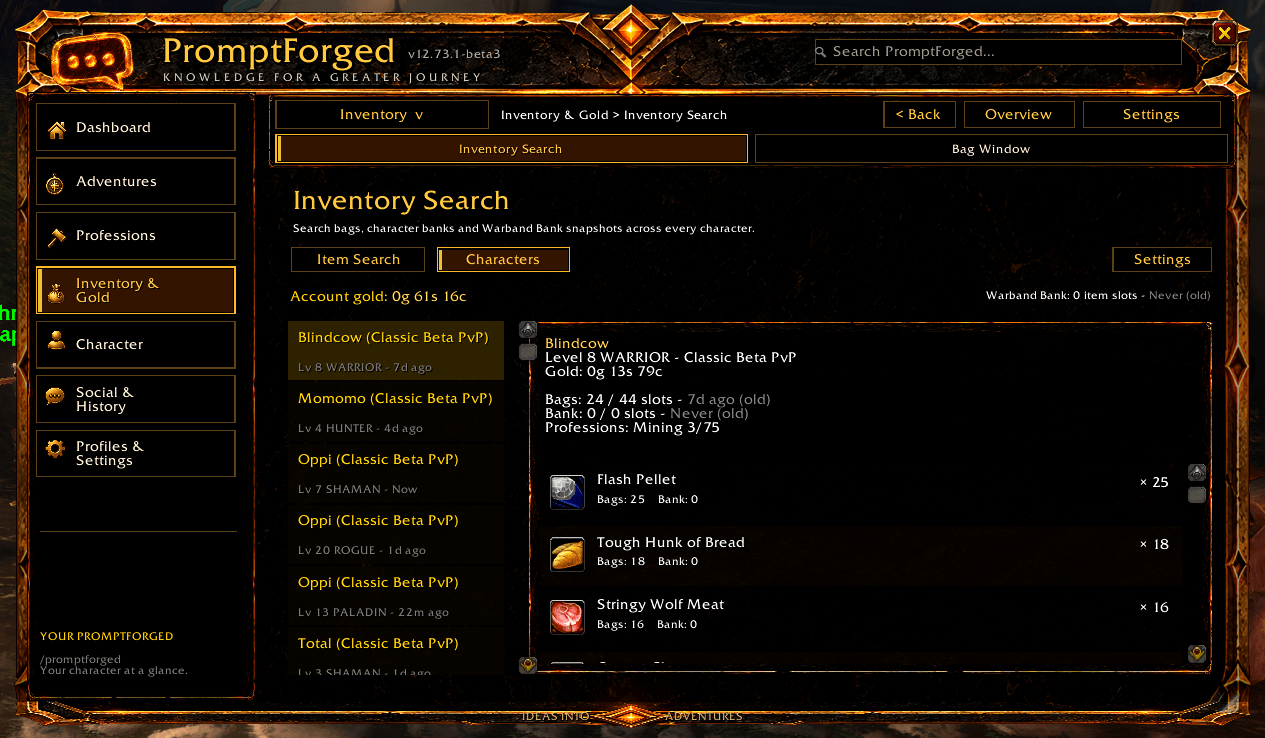
- Search saved bag and bank contents.
- Browse items with icons, quantities and recorded storage locations.
- View character level, class, gold and profession information.
- Check when a character’s information was last updated.
- Search saved items, learned recipes and material needs.
- Review material targets, crafting plans, transfer suggestions and recorded vendor sales.
Alt information is snapshot-based, not a live connection to every character. Bank information updates when the relevant bank is opened.
Recorded vendor sales are observations of gross sales—not a complete profit calculation.
Mail and material transfers
Use mailbox tools to organize loaded mail and prepare transfers between characters.
Filter and select messages, review supported collection actions, manage contacts and prepare material-transfer drafts. Return and deletion actions require confirmation and remain subject to the addon’s safety checks and the client’s restrictions.
Outgoing material transfers separate reviewing a draft from attaching a stack. You review the recipient and press Send yourself.
Existing drafts and protected items are respected. Mail tools operate at the mailbox; they do not provide remote mail access.
Farming and session tracking
Track your farming sessions with recorded loot, earned coins, elapsed time and estimated value.
Review saved sessions and value-per-hour information to compare your own activities. Valuations depend on the selected price source and available data; market estimates are not guaranteed sale prices or profit.
Progression, class tools and PvP history
Keep progression information close at hand with XP, reputation and honor panels, session statistics and level history.
Additional tools include spell-rank information, Hunter pet references and a Warlock Library for demon abilities and training progression. Availability and detail depend on your class, recorded information and client support.
PvP tools provide recorded encounters, kills and deaths, personal watchlists and rivalry history. Layer tools show inferred layer labels with optional supported guild sharing; these are observations, not authoritative server layer IDs.
Memories and conversations
Keep a local record of your character’s journey.
Browse recorded milestones, activity, progression and related moments. These records reflect what PromptForged observed while running—they are not a reconstruction of your entire account history.
Conversation tools let you revisit saved whispers and reply manually.
Privacy note: whisper recording is enabled by default, and the default retention has no age-based expiry. Saved conversations can contain player names and message text. Review the Social settings, retention options and deletion controls before use.
Settings and observations are stored locally in WoW SavedVariables. Optional sharing and exports have separate controls. Never post unredacted SavedVariables or private conversations in a public bug report.
Getting started
Supported target: World of Warcraft: Forever 1.60.1 — Interface 16001.
Compatibility with Retail or other Classic branches is not claimed.
- Place the ForeverXPBar folder inside your client’s Interface/AddOns folder. Keep the folder name unchanged.
- Enable PromptForged on the character-selection screen.
- Enter /promptforged in-game.
- Open your bags, bank and profession windows to populate the relevant observations.
- Log into your alts to record their information.
- Review customization, privacy and sharing settings.
When updating, back up your addon and SavedVariables separately. Replace only the addon folder—do not delete your WTF folder.
Beta status and feedback
PromptForged is an actively developing beta. Reference coverage is incomplete, some destinations and prerequisites remain unknown, and historical Classic information may differ from Forever.
The addon helps you organize information and make decisions. It does not guarantee quest eligibility, exact NPC spawns, market prices or complete server-specific coverage.
Found a problem? Please include:
- PromptForged version and game build.
- Character class and faction.
- What you expected and what happened.
- Steps to reproduce the issue.
- Lua error text or a relevant screenshot, with private information removed.
Credits and artwork
PromptForged combines original tools with licensed third-party components and credited reference data. Component licenses, source revisions and modification notes are retained in the package’s LICENSE, THIRD_PARTY.md and source documentation.
Credits include MoneyLooter, Librarian, pfQuest, BeastAndBow, Efficient Games, cMaNGOS Classic DB, GnomeLevelUp and ProfitForever.
Data from Efficient Games, licensed under CC BY 4.0, has been filtered and adapted for PromptForged. That license does not grant rights to Blizzard’s underlying game content.
The interface includes AI-generated decorative artwork. Its 86 zone/category illustrations are fantasy decorations—not accurate maps. Gallery screenshots show the actual addon in-game.
Your characters. Your discoveries. One place to keep track of them.
PromptForged Team
