


Untitled
Untitled
Screen
Description
(Due to changes in the 1.6 patch, qRanger will only show range info when targeting members of your party or raid)
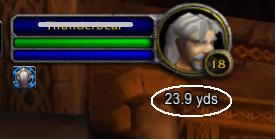
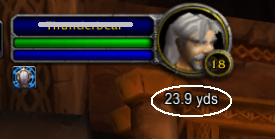
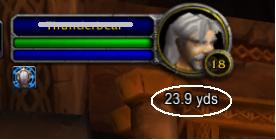
Displays the range, in yards, to pvp targets under the target frame. Due to recent changes in the mapping system, it will not work on NPCs or pets.
v1.0 - original version
v1.0a - The original zip file was missing path info. v1.0a includes the qRanger directory in the path to simplify installation.
V1.1 - Updated the TOC to match the latest patch, increased the update rate, and added reference data for 4 more zones.
V1.2 - Since I can't display range data for NPCs, I will now display that NPC's classification (elite, worldboss, etc.) in the same space. There were no other changes in v1.2, so if you're not interested in this
function you can stick with version 1.1.
V2.0 - This is a fairly big update. New features are:
-Translation - now displays meters (m) for all non-US countries
-Steering Cue - Behind the range, it now shows the heading to the target (in degrees) followed by a direction prompt, such as N, NW, NE, etc. (Note, the flags for North, Northwest, etc are NOT translated to other langs. Please post in this forum the correct terms and I'll make updates)
- Color coded ranges - you can specify at what range the display text changes from white to red.
- Minimap steeringdot - the APPROXIMATE position of your target will now appear on the minimap using the "map ding" animation (minus the ding sound). Due to scaling issues, it's not exactly perfect, but it's pretty close. This can be disabled or configured. See Readme for more details.
v2.1 - Blizzard has removed the ability to find the location of PvP targets.
-For targets in your group or raid, range info will still be shown and the target will still appear on the minimap.
-positioning on the minimap will be much more accurate than in v2.0.
-For all other players (friendly or hostile), the range info has been replaced with the target's class (druid, warrior, etc)
v2.2 - Updated silithus with the new map information
v2.4 - Made the text frame movable, you can drag it anywhere you like. Updated the TOC file for the 1.9 patch.
The qRanger Team

