


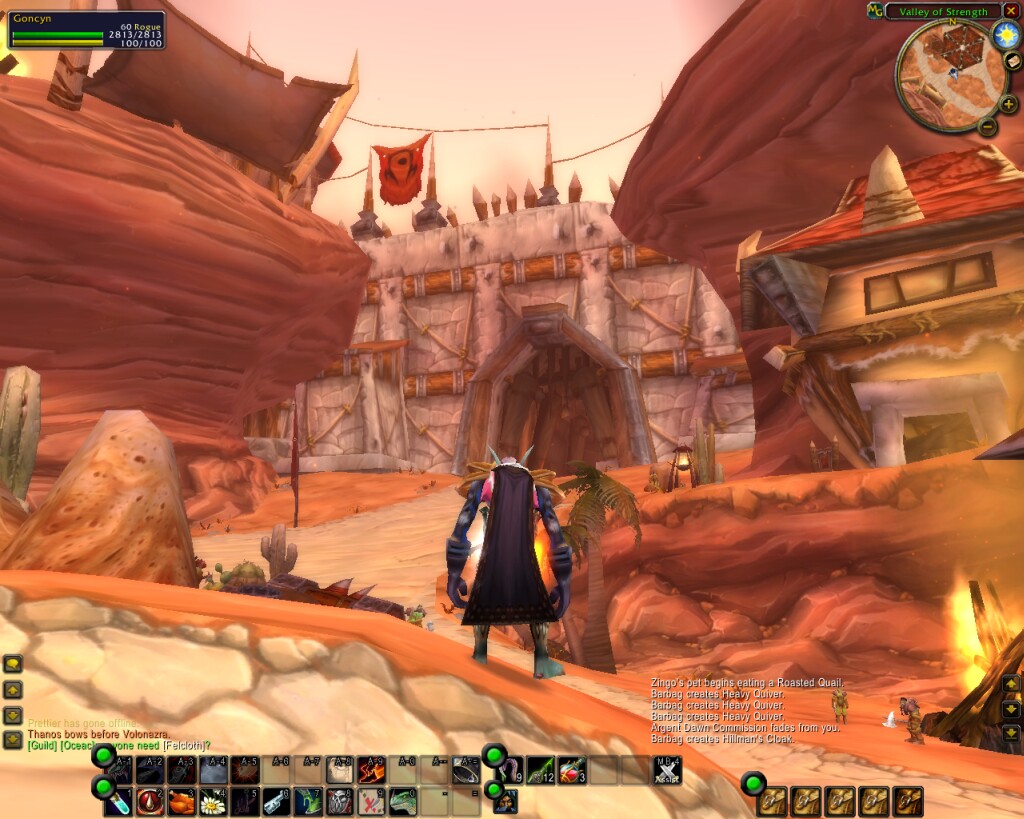
Unlocked for dragging
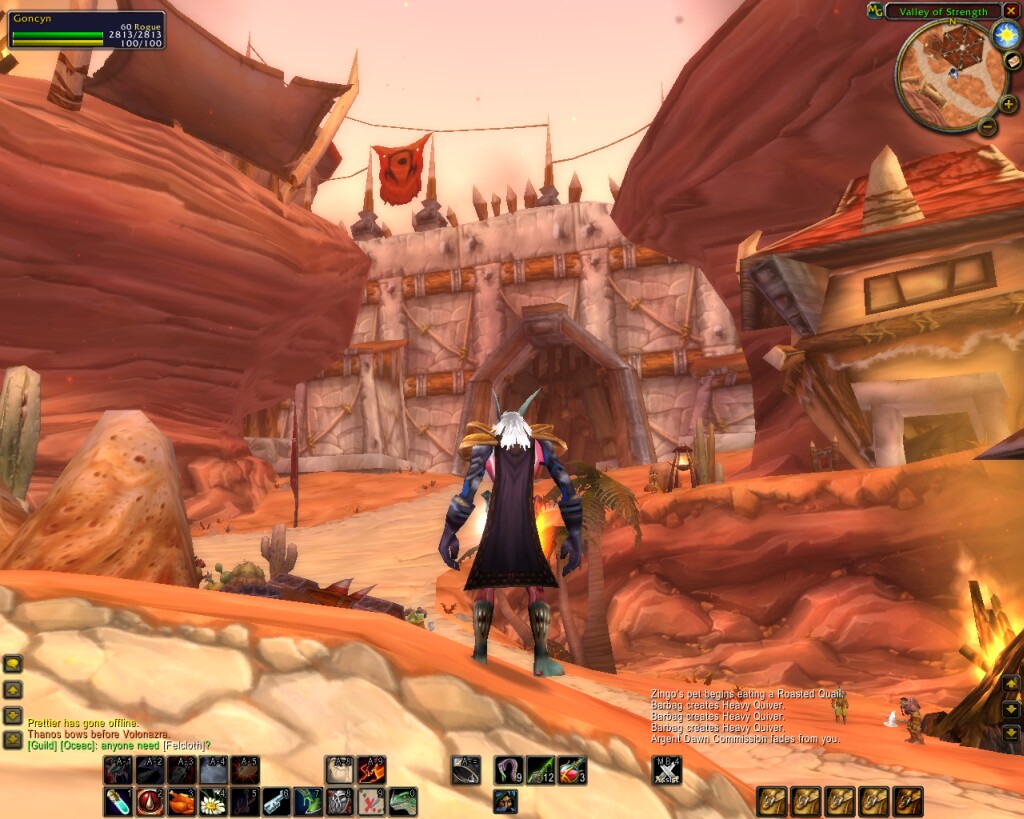
Docked and Locked
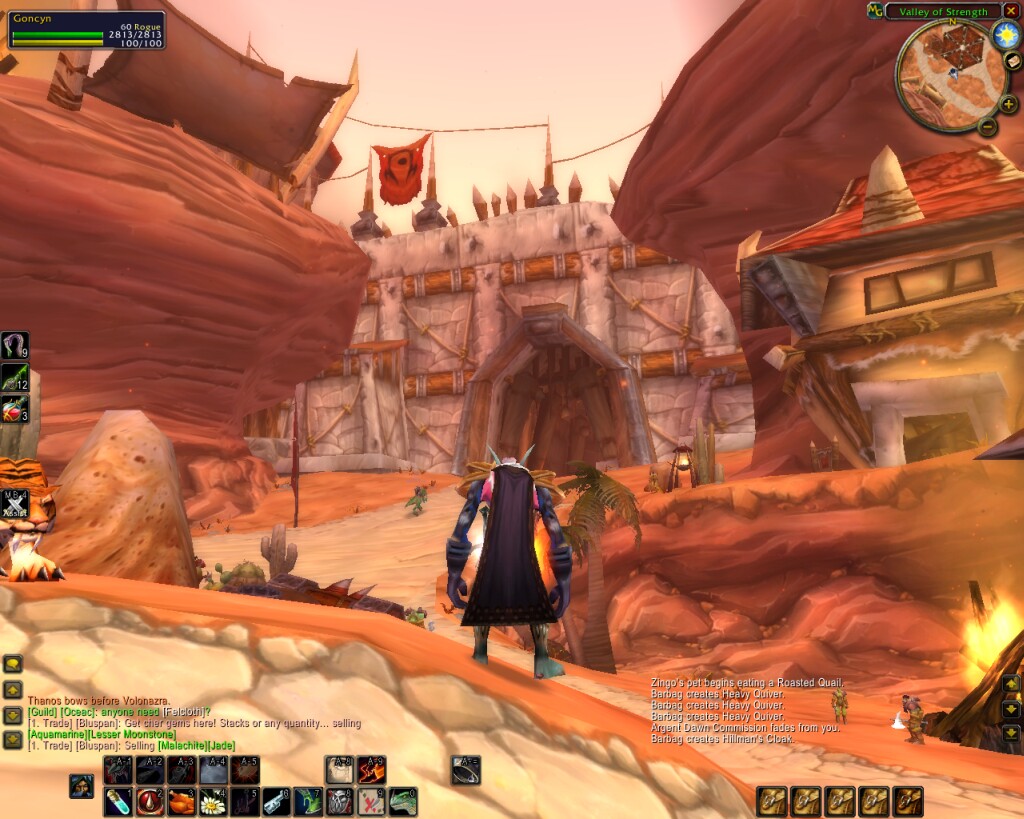
Moved around, Locked
Description
NOTE
THIS ADDON DOES NOT AND WILL NEVER WORK WITH 2.0. I am working on a new version of GAutoBar for 2.0, but I have no plans to update the main bar mod. When I release GAutoBar 2.0, it will be on WoWInterface.
Summary
GBars replaces your main action bar entirely, providing a main action bar, a 12-button second action bar, a 6-button extra action bar, the pet bar, the shapeshift/stance/stealth bar, and the bag bar, and an autobar, all of which can be independently dragged to any location on the screen.
Features
- Compact design, with no unnecessary graphics or gaps to clutter your screen. - 30 total extra action buttons (use IDs 25-36, 61-72, and 109-114). - All bars draggable. - Action bars can be flipped vertical. - Hide or show each bar - Miniature experience bar with xp info and ping tooltip - "Autobar" that always shows your best bandage, potions, food, and drink - NEW! "Cooldown Count" on all action buttons
Install
Extract the GBars folder into your World of Warcraft\Interface\AddOns folder. Please remove all other AddOns that modify the main action bar, because they probably will not work with GBars. If there is a specific AddOn you would like GBars to be compatible with, please request it in a comment.
About GAutoBar
Obviously, I got the idea for the GAutoBar feature included in version 0.9.2 from the original AutoBar mod. I also borrowed that mod's list of items, though I made some small alterations and improvements to it.
However, my version is completely recoded from scratch and does not contain a line of code from the AutoBar mod. I have implemented a smart caching scheme and optimized event handling that should reduce CPU usage noticeably when looting, for example, compared to the original AutoBar.
I decided to write my own autobar because I wanted it to be more "auto" - i.e. not require me to configure it for each of my characters. So there's no configuration screen and no way to choose what it displays - it shows bandages, health/mana/rage/energy potions, food, and water, nothing else. It also checks your class and shows the appropriate items - rogues will see Thistle Tea but no mana potions or water, for example.
If you prefer to use the original, customizable AutoBar with GBars, please disable GAutoBar with the command "/gbars auto disable". This will prevent GAutoBar from using any CPU power or memory while you aren't using it!
Finally, GAutoBar tries to be smart about helping you manage your stat food. If you are already Well Fed, it will show you non-stat food to eat and keep your stat food for when you are no longer Well Fed. It also shows conjured food/water first, since they are "free" (thanks to the hard work of all the good mages out there).
This mod is only as smart as the list of items in the code. If you find a type of food, etc, that isn't showing up correctly, please post the name of the item and where you got it!
Commands
{{{ /gbars unlock - unlock all bars, making them draggable /gbars lock - lock all bars in place /gbars reset - reset all bars to their default locations
/gbars auto [ enable | disable ] - turn on/off the autobar feature (account wide) /gbars cooldown [ enable | disable ] - turn on/off the cooldown count feature (account wide)
/gbars <barname> unlock - unlock a single bar, making it draggable /gbars <barname> lock - lock a single bar in place /gbars <barname> reset - reset a single bar to its default location /gbars <barname> hide - hide a bar from view /gbars <barname> show - unhide a bar }}}
Valid <barname>s: mainbar, secondbar, extra1, extra2, pet, shape, bags, options, xp, auto
When a bar is unlocked, you can right-click on the green drag-handle graphic to flip its orientation, horizontal or vertical.
Misc
Many thanks to Bleddyn, who provided much essential feedback during testing, and to Entropy, my other first user.
I used to use Kaitlin's MiniGroup, which is the unit frame you see in the screenshots.
I hope you enjoyed using GBars while it lasted. Look for GAutoBar soon.
GBars Team
