


Untitled
Screen
Untitled
Description
Since Mugendai finally released his BuffOptions, VerticalBuffs are officialy discontinued. Please use BuffOptions instead: http://www.curse-gaming.com/mod.php?addid=2130
========================================
========================================
Mugendai on Cosmos team is aming to create BuffOptions - a versatile addon for configuring how buffs look like. The current addon is written to be included in Cosmos as a substitute, until Buff options is ready. Current release is a beta realease, and I need your bug reports to produce a stable version that can be included in Cosmos. At this stage I'm not after feature request, because I want this addon to be simple and becuase it has to be stabilized before new features can be added. Thank you for your feedback.
Vertical Buffs Addon.
Version 1-Sep-2005 1.6.0.2
============
Introduction
============
There used to be two excellent addons in Cosmos that I loved. They are
ItemBuff and MooBuffMod. Unfortunately they were removed from Cosmos at some
stage. So I decided to write a very simple addon with only basic options that
will allow user to display buffs verticaly. This addon is configured by means
of Khaos, so it requires Cosmos to work properly.
============
Features
============
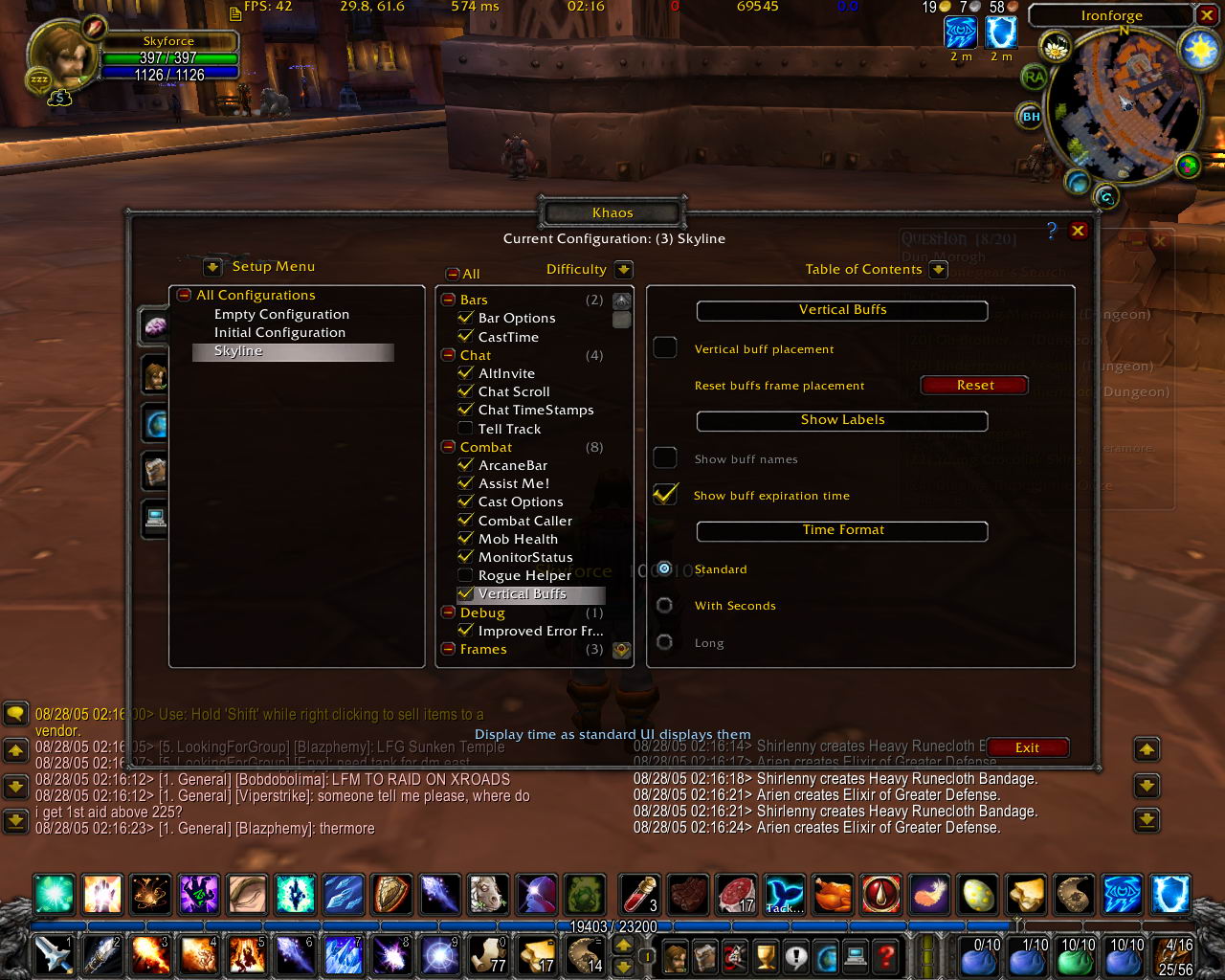
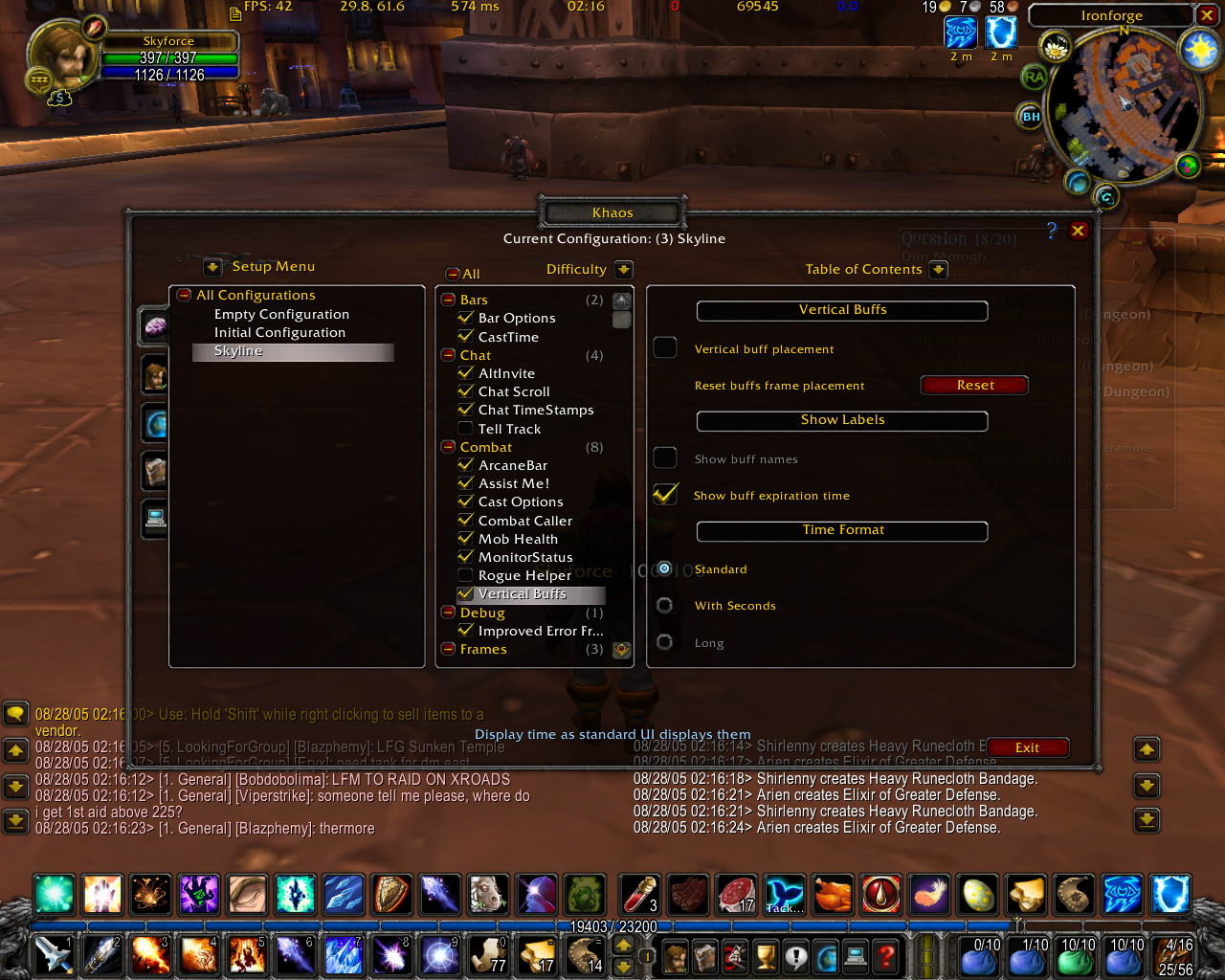
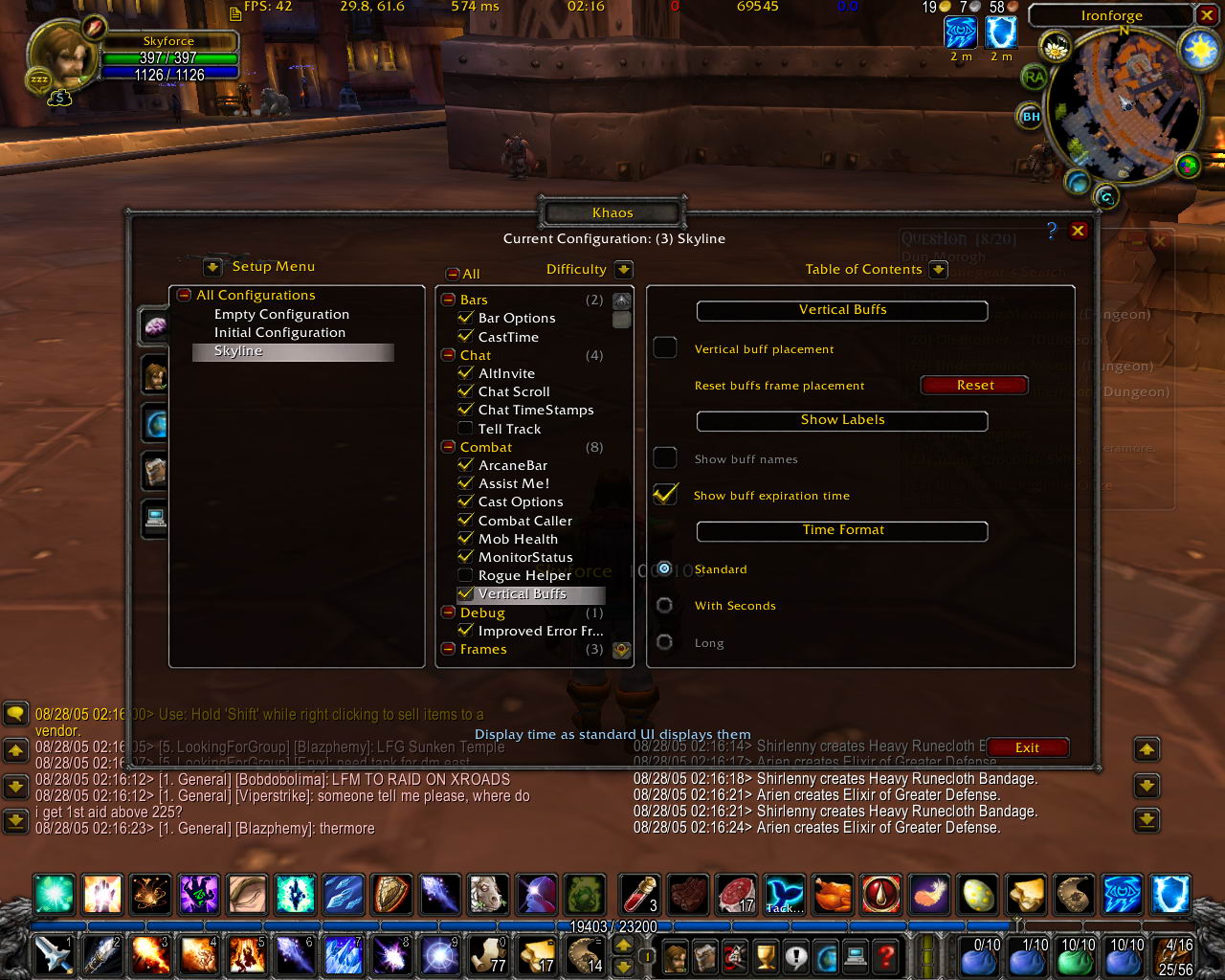
* Allows to display buffs Verticaly
* Allows to change displayed time format
* Allows to show charches on veapon buffs
* Compatible with MobileFrames
============
Positioning
============
It's recomended to use this addon in conjunction with Mobile Frames addon,
although this is not required. The addon stores position of the buff frame
for vertical and for horizontal mode separately, so if you positioned the
buff frame with Mobile Frames addon in horizontal mode and then switch to
vertical mode and reposition the buff frame, the position for horizontal
mode will be saved, so when you switch back to horizontal mode it is restored.
There is 'Reset' button as well to reset both modes position to respective
default states. If you use Buff Names option, them with some long buff names
the text labels can overlap with minimap. Use Mobile Frames to move your
Buff frame (and other frames) to comfortable for you postion.
Without Mobile Frames the buff frame will stay in its respective default
position for each of the two modes.
============
Buff Labels
============
You can choose what buff labels you would like to see: None, Buff Name, Buff
Duration, or Both. In vertical mode if you choose Both, the Duration and Name
labels displays on over the other, but if only one of them is choosen it's
positioned at the middle. Duration option does the same thing that standard
UI 'Buff Durartion' option in Interface Setting does. It's recreated in the
addon configuration screen to make it possible to change all the related
settings in the same place.
============
Time Formats
============
There are three time formats for buff duration supported at the moment:
- Standard. Same as in Blizzard standard UI.
- With Seconds. If duration is less then an hour, then the time is displayed
in format mm:ss. If duration is more then an hour the time as displayed as
in standard format.
- Long format. Time is displayed as follows: 7 days. Or 15 minutes. Or 1 Hour,
etc.
With horizontal placement Long time format is not supported because the text
wouldn't fit under the buff icon.
============
Known Issues
============
* GameTicket frame (whcih appears when you submit a ticket) overlaps with buffs frame
* Sometimes when zoning in the buff frame resets to its default position
VerticalBuffs Team
