
ProfReagents
- By
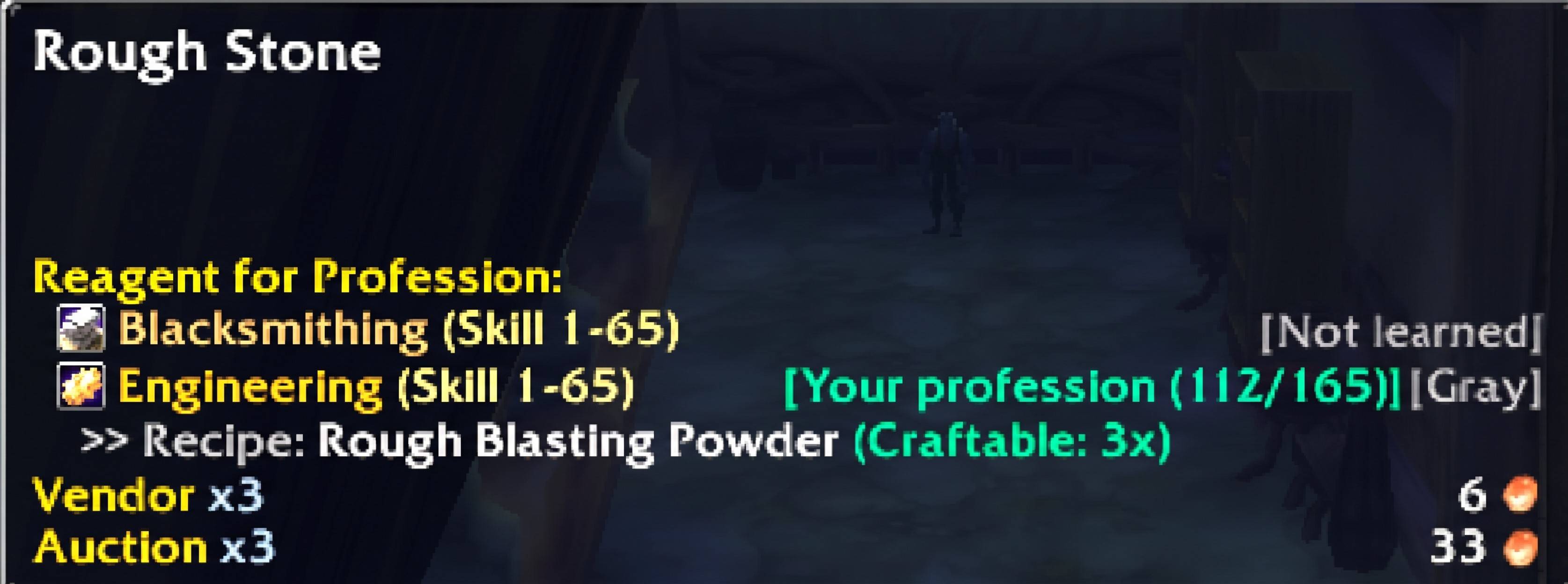
Reagents for profession in tooltip that inspects items in bags, banks, merchants, loot windows, and chat links to assist players with tradeskill and profession progression.
ProfReagentsImg1.jpg
Description
🌟 Key Features
- Official Blizzard Profession Micro-Icons: Authentic trade skill textures inline beside profession names for instant recognition.
- Skill Range Brackets: Clear leveling skill range for each reagent (e.g.,
Alchemy (Skill 50-140)). - Dynamic Live Recipe Scanner:
- Scans your known recipe book in real time when you open your tradeskill window (supports both modern
C_TradeSkillUIand legacyTradeSkillFrame/CraftFrame). - Automatically calculates the highest difficulty progression status among all known recipes:
- 🟧 Orange: Guaranteed 100% skill-up chance.
- 🟨 Yellow: High skill-up chance.
- 🟩 Green: Low skill-up chance.
- ⬜ Gray: No skill-ups available (trivial).
- 🔒 Requires X: Current skill rank is too low.
- Recipe Source Transparency (
>> Recipe:): Displays the exact recipe responsible for the status (e.g.,>> Recipe: Copper Tube). - Shift Key Recipe Expansion: Hold
Shiftwhile hovering over an item to view the full list of all known recipes utilizing that reagent. - Strict Multi-Reagent Craftable Counter: Accurately calculates craftable counts based on all required materials in your bags (e.g.,
(Craftable: 4x)). - Compact Mode (Single-Line Layout): Optional streamlined layout consolidating profession badges and recipe sources on a single line.
- "Hide if Gray" Filter: Optionally suppresses tooltip entries for items that yield no skill points.
- Comprehensive Offline Database: Over 250+ essential reagents mapped across all professions, even before opening tradeskill windows.
- High-Performance Event Throttling: Debounced event engine eliminates micro-stuttering during fast crafting.
🎮 Slash Commands
Type /pr or /profreagents in chat:
/pr statusor/pr scan— Scans professions and prints status to chat./pr on— Enables tooltip display./pr off— Disables tooltip display./pr onlymine— Toggles showing only professions learned by your character./pr compact— Toggles compact single-line layout mode./pr hidegray— Toggles hiding trivial/gray profession entries./pr options— Opens the in-game Settings configuration window./pr reset— Resets configuration to default recommended settings.
⚙️ In-Game Configuration
Access settings anytime via: Game Menu (Esc) ➔ Options ➔ AddOns ➔ ProfReagents
ProfReagents Team
