
ProfessionBuddy
- By
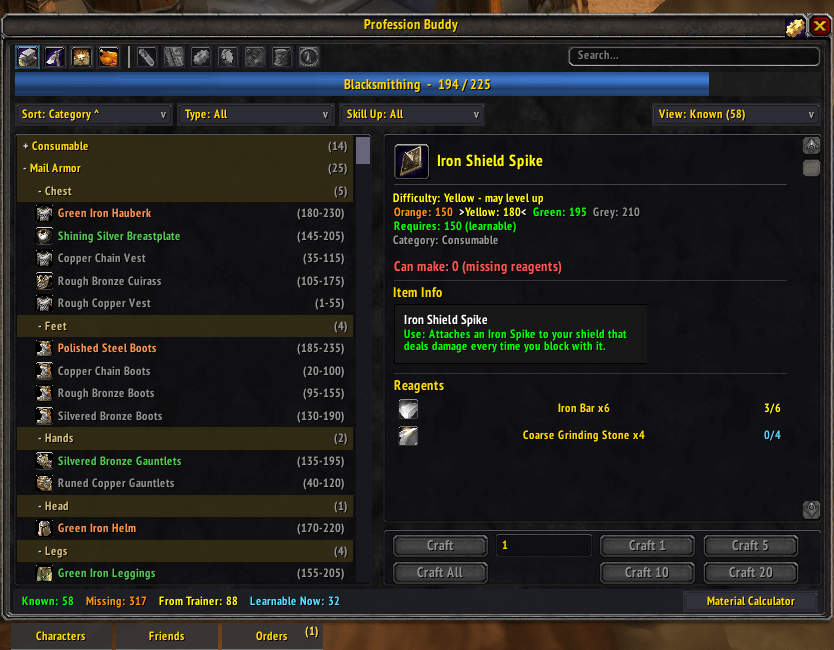
Profession Window
Description
ProfessionBuddy replaces the default profession window with a faster, smarter one and ties all your characters together. Open any profession and instantly see what you can make, what each recipe needs, which character has the materials, and how close you are to your next skill point.
What's new in 1.1.5
Rogues get full Poisons support: a Poisons tab with all 25 poisons grouped by family, Missing and From Trainer counts for the ones you have not learned yet, and the character level a rogue trainer needs for each. Poisons stays with the rogue who has it and is never shown to or shared with your other characters, friends, or guild.
Earlier releases: 1.1.4 gave hunters their Beast Training window back; 1.1.3 fixed switching between Enchanting and your other profession; 1.1.2 added skinning loot on mob tooltips, the mail recipient picker, and the opposite-faction recipe filter; 1.1.1 added favorites and a Friend / Guild badge on orders; 1.1.0 brought the guild order board and Find a Crafter. Full notes for every release are in the changelog below.
Highlights
- All your characters, one view. See every alt's professions, known recipes, and bag/bank inventory without logging in and out.
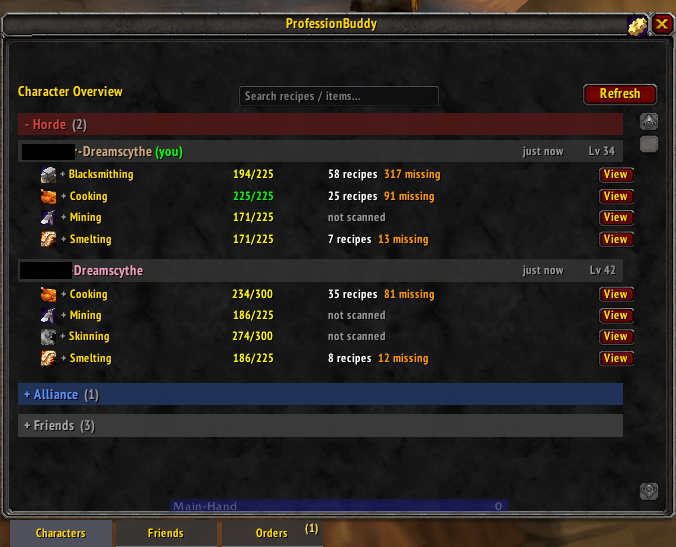
- Material Calculator. Pick a recipe and quantity; it resolves the full reagent tree (including intermediate crafts), counts what you already have across your characters, and builds a clean shopping list.
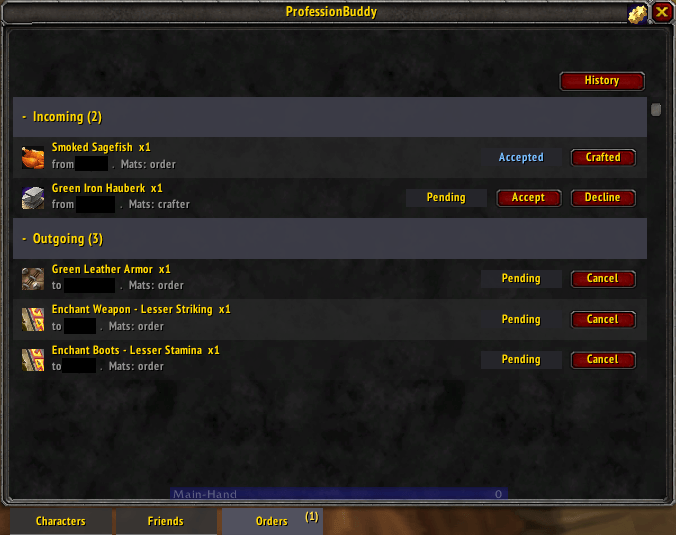
- Crafting Orders. Request a craft from a friend who also runs ProfessionBuddy, with a full lifecycle (request, accept, crafted, received), chat notifications, an order queue, and history. Offline friends are handled too: the order queues and auto-delivers the next time you are both online.
- Guild order board. Post a crafting request to your whole guild, browse and claim what others post, and finish a claimed request through a request-and-grant handoff. Filter the board by item or profession.
- Find a Crafter. Search by recipe or item and send a directed order straight to a guildmate who can make it.
- Friend and group data sharing. Party up or add contacts and see each other's professions, recipes, and materials.
- Favorites. Pin your go-to friends and guildmates to the top of the Friends and Guild lists, and pin the items you order most for one-click re-posting on the Guild Board.
- Order source badge. Each order on the Orders tab shows whether its counterparty is a Friend or a Guild member, and whether it came off the guild board or straight from that person.
- Mail recipient picker. A "PB" button by the mail To field fills the recipient from your saved contacts, favorites first.
- Accurate skill-up colors. Recipe difficulty (orange/yellow/green/grey) and skill ranges come from Blizzard's own client data for the current build, so the numbers match your trainer and the game.
- Gathering skill on tooltips. Hovering an ore vein, herb, or a skinnable / mineable / herbable creature shows the required skill, colored on the same skill-up scale against your current skill -- so you know before you swing whether it will give a point.
- Skinning loot on tooltips. Hovering a skinnable mob lists every item it skins into, with the drop chance and stack range for each.
- Smart tooltips. "Craftable by" shows which of your characters can make an item; "Used in" shows which recipes consume a reagent. Both are alt-aware.
- Powerful search. Find an item or recipe across every character's bags, bank, and recipe book at once.
- Batch crafting. Craft 1 / 5 / 10 / 20 / All with a live countdown.
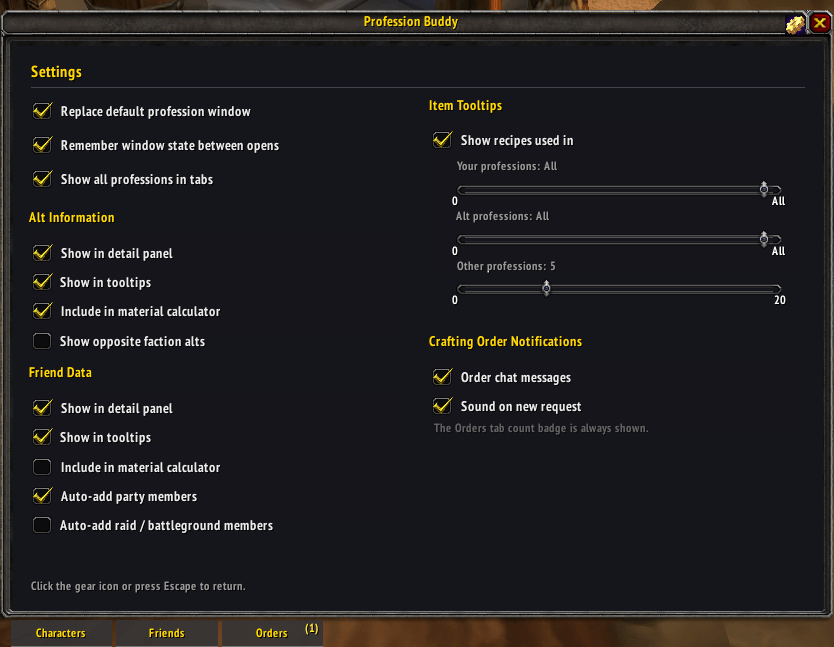
- Remembers everything. Window position, filters, sort, search, and selection persist between sessions.
Supported professions
Blacksmithing, Leatherworking, Tailoring, Engineering, Alchemy, Jewelcrafting, Enchanting, Cooking, First Aid, Mining/Smelting, and Poisons for rogues.
Languages
ProfessionBuddy ships in English (enUS). Recipe matching is keyed to locale-stable spell IDs rather than names, so the core features work on non-English clients even though the interface text is English. Full localization contributions are welcome via GitHub.
Getting started
Install and open any profession, or type /pb (or /profbuddy). The gear icon in the window opens settings.
On the roadmap
Planned, not promised -- no ETA, and priorities may change:
- Claiming a guild order from a poster who is currently offline (the first version only lets you claim a poster who is online)
- Localization: the interface is English only today
Suggestions and requests are welcome on GitHub.
Reporting bugs
Please install !BugGrabber and BugSack, reproduce the issue, and paste the Lua error into a report at: https://github.com/m4ru92/ProfessionBuddy/issues Bug reports and suggestions are very welcome.
Notes
- Crafting Orders work between same-realm characters, friends, and guildmates.
- ProfessionBuddy only reads and displays other players' shared data; it never modifies anyone else's game.
ProfessionBuddy Team
