
ProcEcho
- By
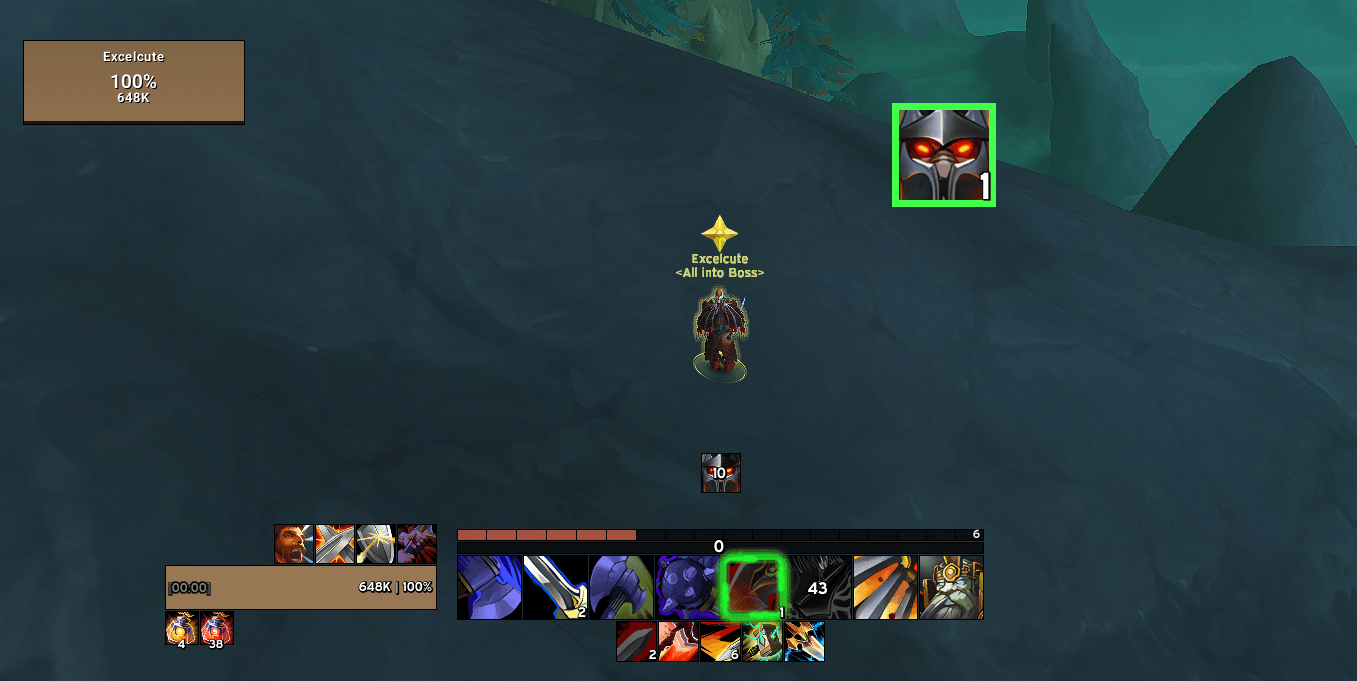
Sudden Death displayed prominently near the character while the existing Cooldown Manager remains unchanged.
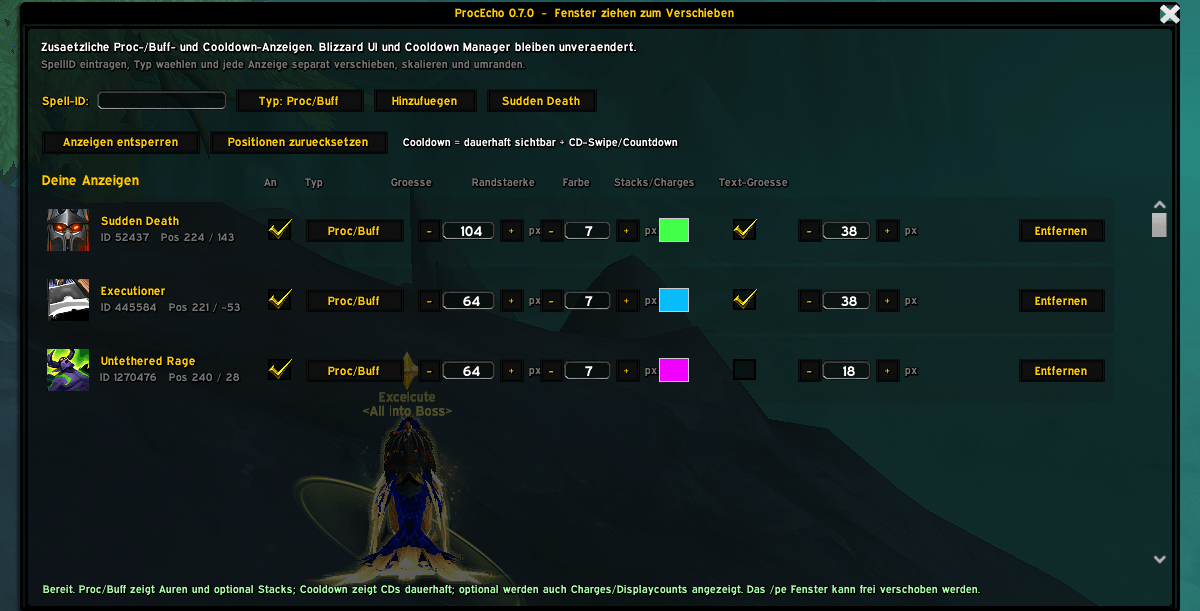
Add spells by Spell ID and independently configure tracker type, size, border, stacks and positioning.
Description
ProcEcho lets you create additional, fully customizable displays for important procs, buffs and cooldowns.
Keep your existing Blizzard UI, Cooldown Manager or other UI setup exactly the way it is — ProcEcho simply adds the spells you want to see again wherever you want them.
Perfect for abilities that you want to keep directly in your field of view without rebuilding your entire interface.
For example:
- Sudden Death procs
- Colossus Smash
- Bladestorm
- Overpower charges
- or any other supported spell you want to track
Features
Track Procs & Buffs
Add a spell by its Spell ID and select Proc/Buff.
The icon only appears while the corresponding aura is active.
Great for effects such as Sudden Death that you want to notice immediately.
Track Cooldowns
Spells can also be configured as Cooldown trackers.
Cooldown icons remain visible and display the current cooldown using the familiar cooldown swipe and timer.
This is useful for important abilities such as Colossus Smash or Bladestorm that you may already have in your Cooldown Manager but want to display again somewhere more prominent.
Stack & Charge Display
Stacks and charges can optionally be displayed directly on the icon.
Examples include:
- Aura stacks
- Proc counts
- Spell charges such as Overpower
The stack/charge text size can be configured independently for every spell.
Fully Customizable
Every tracked spell has its own settings:
- Position
- Icon size
- Border color
- Border thickness
- Stack/charge display
- Stack/charge text size
- Tracker type
Each icon can be positioned independently anywhere on your screen.
Works Alongside Your Existing UI
ProcEcho is designed as an additional display layer.
It does not replace or rearrange your:
- Blizzard Cooldown Manager
- Action bars
- Unit frames
- Buff frames
- Edit Mode layout
- other UI addons
Your existing interface remains unchanged.
ProcEcho creates its own independent displays and lets you place them wherever you need them.
Getting Started
Open the configuration window with:
/pe
Enter the Spell ID you want to track and choose the appropriate tracker type:
Proc/Buff
For effects that should only appear while active.
Cooldown
For abilities whose cooldown you want to track.
After adding the spell, unlock the displays and drag each icon to your preferred position.
Finding a Spell ID
ProcEcho uses Spell IDs so that each tracker can be configured precisely.
Spell IDs can be found on websites such as Wowhead or through various in-game tools.
Example:
52437 — Sudden Death
Slash Commands
/pe
Open the ProcEcho configuration window.
/pe unlock
Unlock displays for positioning.
/pe lock
Lock display positions.
/pe add <SpellID>
Add a Proc/Buff tracker.
/pe add <SpellID> cooldown
Add a Cooldown tracker.
/pe size <SpellID> <size>
Change the icon size.
/pe border <SpellID> <size>
Change border thickness.
/pe stacks <SpellID> on
Enable stack/charge display.
/pe stacks <SpellID> off
Disable stack/charge display.
/pe stacksize <SpellID> <size>
Change stack/charge text size.
/pe reset
Reset ProcEcho positions and settings.
ProcEcho Team
