PriceLoot
- By
Screenshot 2026-11-24 131623.png
Screenshot 2026-11-24 105455.png
Description
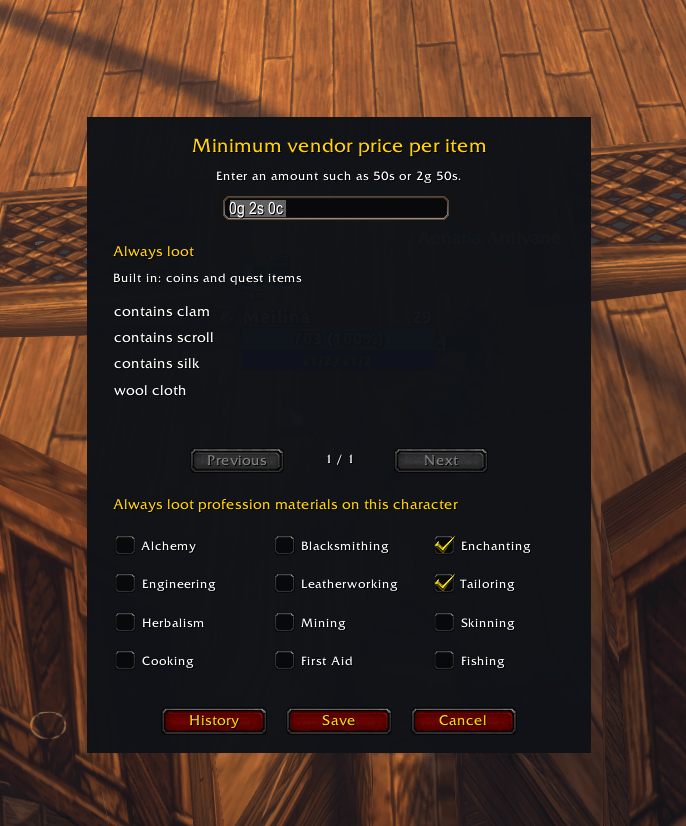
PriceLoot picks up items that meet your minimum vendor sell price when you open a loot window in World of Warcraft: Forever. It checks the price per item, even for stacks. Coins and quest items are always collected. Other drops stay available for manual pickup.
Turn off WoW’s built-in Auto Loot and open loot normally. Type /priceloot to open the settings, or enter /priceloot 50s to loot items worth at least 50 silver each.
Always-loot rules
/priceloot wool cloth — always collect Wool Cloth.
/priceloot contains scroll — collect any item with “scroll” in its name.
/priceloot list — show your saved rules.
/priceloot remove wool cloth — remove an exact-name rule.
/priceloot remove contains scroll — remove a text-matching rule.
Names are case-insensitive. Your minimum and rules are saved between sessions.
Minimap and settings
Click the coin on your minimap to open settings and browse your saved always-loot rules. Drag the coin around the minimap to reposition it.
Loot history
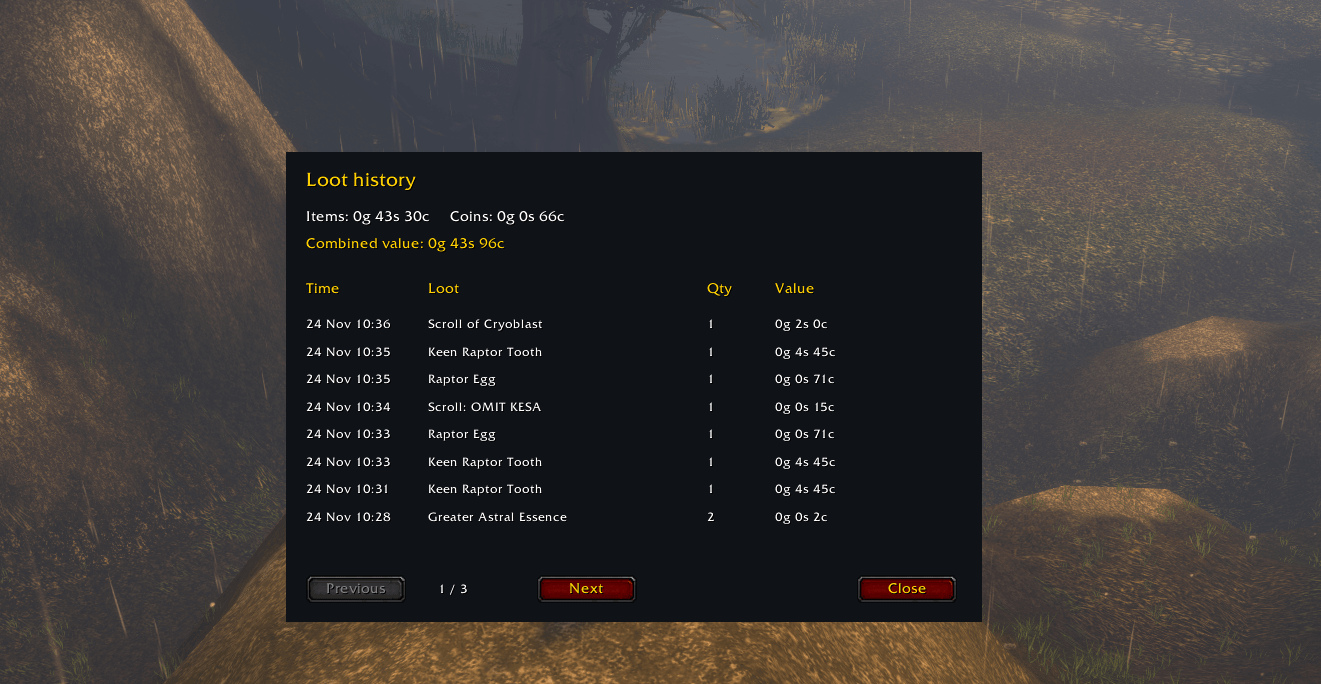
Click History in settings or type /priceloot history. Each character has a saved list of pickups, newest first, with the time, quantity, and vendor value of each stack. The totals show item vendor value, loose coins collected, and their combined value. Tracking begins when you install a version with history.
Profession Base Loot
Choose any combination of WoW Forever’s 12 professions to always loot matching materials below your minimum vendor price. Open /priceloot or click the minimap coin, select your professions, and click Save. Selections are saved per character.
Usable gear upgrades (1.9)
PriceLoot can collect gear below your minimum price when your character can equip it now and it fills an empty slot or has a higher item level than comparable equipped gear. A character who cannot wield staves will never collect a staff through this rule. Other loot rules still apply. The upgrade check is on by default and can be toggled per character in /priceloot. Loot history marks pickups triggered by this rule.
New in PriceLoot 2.0
Open /priceloot history and select Runs to start a farming session. End Run saves its coins, item vendor value and combined total so you can compare runs later. History shows which rules matched new pickups. Skipped shows the last 40 skipped drops, their prices when known, and why they were skipped. Click Always loot beside a drop to collect it by name in future. Clear History asks before erasing this character’s history, skipped drops and runs.
Use /priceloot keep 40 Wool Cloth to collect whole stacks while you carry fewer than 40. Once you reach the target, other loot rules apply. Use 0 to remove the target. To collect drops by rarity, click Always loot quality in settings until you reach the desired minimum, then click Save. This option starts off for each character.
PriceLoot Team