
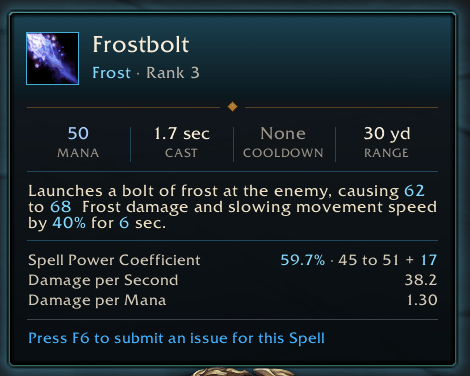
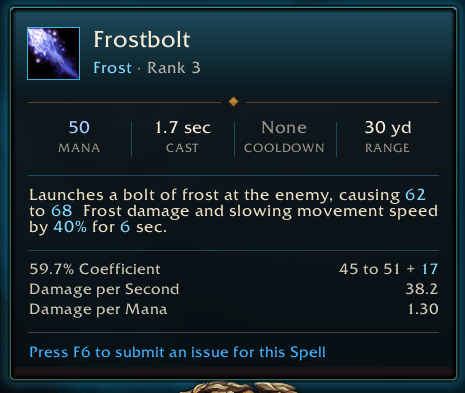
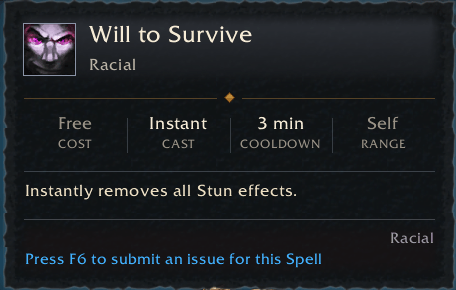
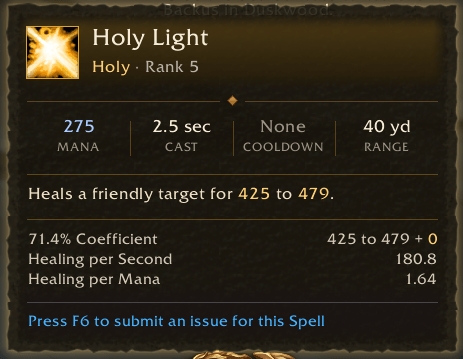
Spell tooltip example with Blizzard borders
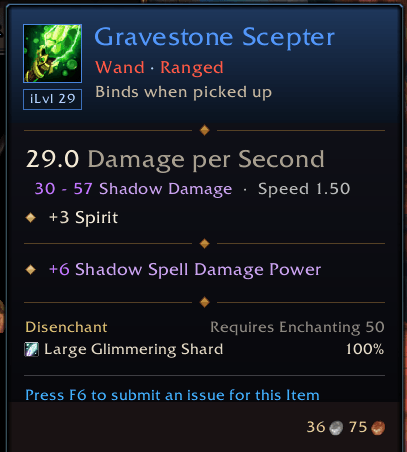
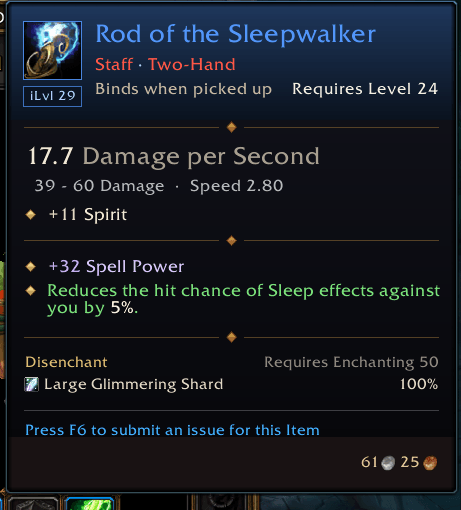
Item example with blizzard borders, with shadow spell school clearly colored.
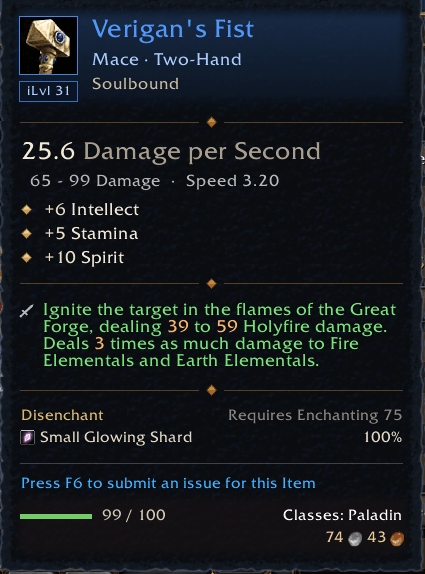
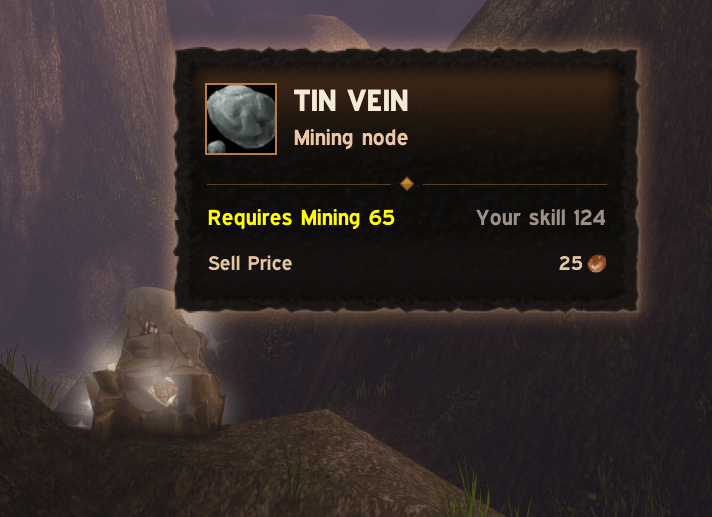
An example of a mining node,
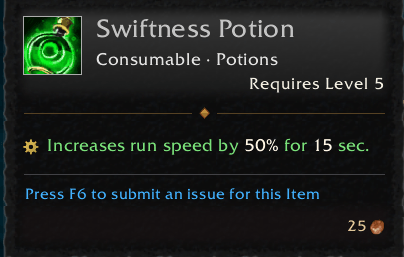
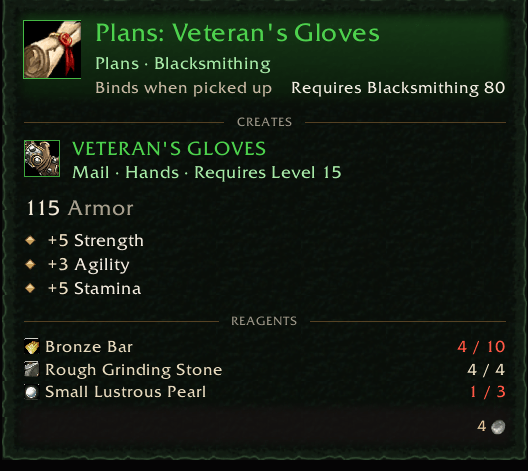
Crafting recipes feature a nested section for the item.
Description
PrettyTooltip
PrettyTooltip introduces a new stylish panel with improved scannability, readability and additional contextual information depending on the tooltip category.
Check out the gallery to see every tooltip in action! It's a lot easier to see what the addon does there than to read about it here.
Hold ALT (or the key of your choice) at any time to see the game's default tooltip. This can be useful in case of any visual bugs in the addon!
The addon organizes most tooltips into 3 sections:
- A header with an icon, name and subtitle of the inspected entity (item, spell, unit, …)
- The main body with contextual subsections (e.g. stats, spell descriptions)
- The footer with extra details such as requirements and sell prices. Information the addon does not parse, including rows from other addons, is kept below the main content. This ensures we preserve as much information as possible.
Each category of tooltips that the addon supports can be enabled individually. If you wish to use only one or two tooltips from this addon, you certainly can. Here's a quick feature list by tooltip category:
Items
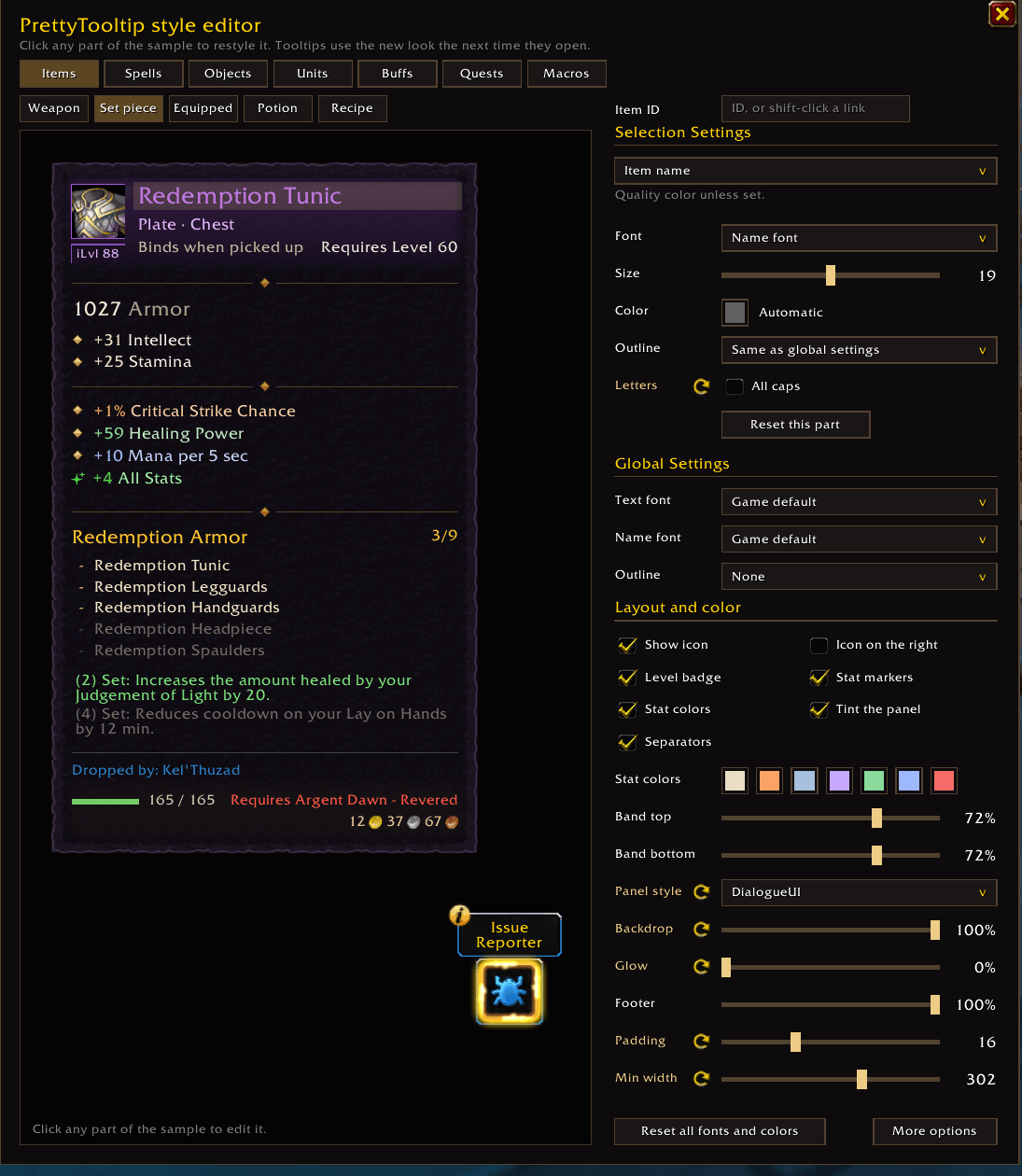
- Header: icon with an item level badge, the name colored by rarity, type and slot (
Mail · Head,Consumable · Potion), binding and the required level. - Stats: weapon DPS first, then armor, primary attributes and secondary stats, followed by equip/proc/use effects. Stats are colored by category (e.g. melee/spell/defensive), and effects are shortened where applicable. See examples in the table below.
- Extras: enchants, item sets, an optional disenchanting drop table, and a footer with durability, the crafter's name, requirements and sell price. Stacks show both the total sell price and the price of one item. Comparisons keep the game's stat-change summary at the bottom.
- Recipes: the crafted item follows the recipe's own details, with its stats and effects, then the reagents and how many you carry.
| Default | PrettyTooltip |
|---|---|
| Equip: Increases healing done by up to 48 and damage done by up to 16 for all magical spells and effects. | +48 Healing Power, +16 Spell Damage Power |
| Equip: Improves your chance to get a critical strike by 1%. | +1% Critical Strike Chance |
| Equip: Restores 3 mana per 5 sec. | +3 Mana per 5 sec |
In case you prefer the game's default tooltip and would only like to abbreviate the longer equip effects like in the table above, you can enable the Lite tooltips option under Item Details in the style editor. This does minimal coloring of magical stats and chance-on-hit effects while keeping the original layout.
A note on spell power — the shortened stat lines leave out the game's “up to” wording. How much a particular spell gains depends on its coefficient. I figured this is a well-understood mechanic, though I could add an option to include a prefix like this.
Spells and talents
School and rank badges, a strip with cost, cast time, cooldown, and range, and the description one sentence per line with its numbers highlighted. Spells that deal magic damage or heal can show their spell power coefficient, how much your spell power adds, and the damage or healing per second and per mana.
The breakdown distinguishes Spell Power Coefficient from Healing Power Coefficient, with separate entries for direct and periodic effects where applicable. Coefficients use WoW Forever's client data where available; estimates are marked with ~.
Other tooltip categories
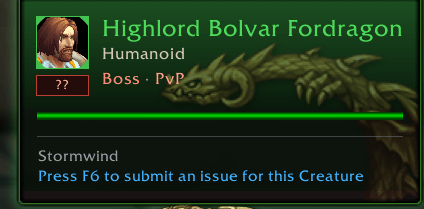
- Players and NPCs: portrait, class or reaction color, level, guild, target, quest lines and the game's own health bar. Elites, rares, rare elites and bosses show the dragon from the target frame, and players show their faction crest. Skinnable mobs can also show the Skinning skill needed and the materials they may give.
- Buffs and debuffs: dispel type, stacks, the description, remaining time, caster, and a bar that drains as the aura runs out.
- Quests: level, tags, status, the quest text, and objectives as a checklist. Works for quest links, the world map's quest log and Questie's quest links too.
- Herbs and ore: what they drop and how often, the skill needed in its skill-up color, and the sell price. Auction prices are shown with Auctionator installed.
- Chests and quest objects: lock requirements, quest lines and other details supplied by the tooltip.
- Macros, pet abilities, the minimap and flight paths are restyled as well.
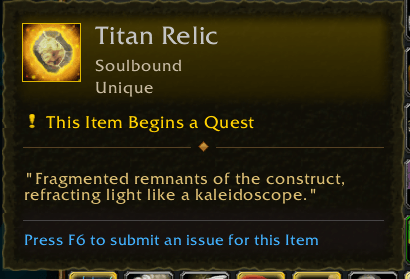
With DialogueUI installed, you can also enable Quest parchment under Item Details or Quest Details. This uses its brown parchment and darker ink for quest tooltips, Quest Items and items that begin a quest. It is experimental and off by default.
Style editor and options
Type /ptip to open the style editor: click any part of a sample tooltip to change its font, size, color, and outline. You can also pick a panel style, padding, minimum width, opacities, stat colors and a global text size.
School colors under All Tooltips lets you customize the six spell schools, plus Holyfire and Frostfire. Class colors under Unit Details lets you customize the nine class colors used for player names and panel accents.
The optional sections, like disenchant results, sell prices, the spell power breakdown, gathering drops and the health bar, are now under the relevant Details section in the style editor.
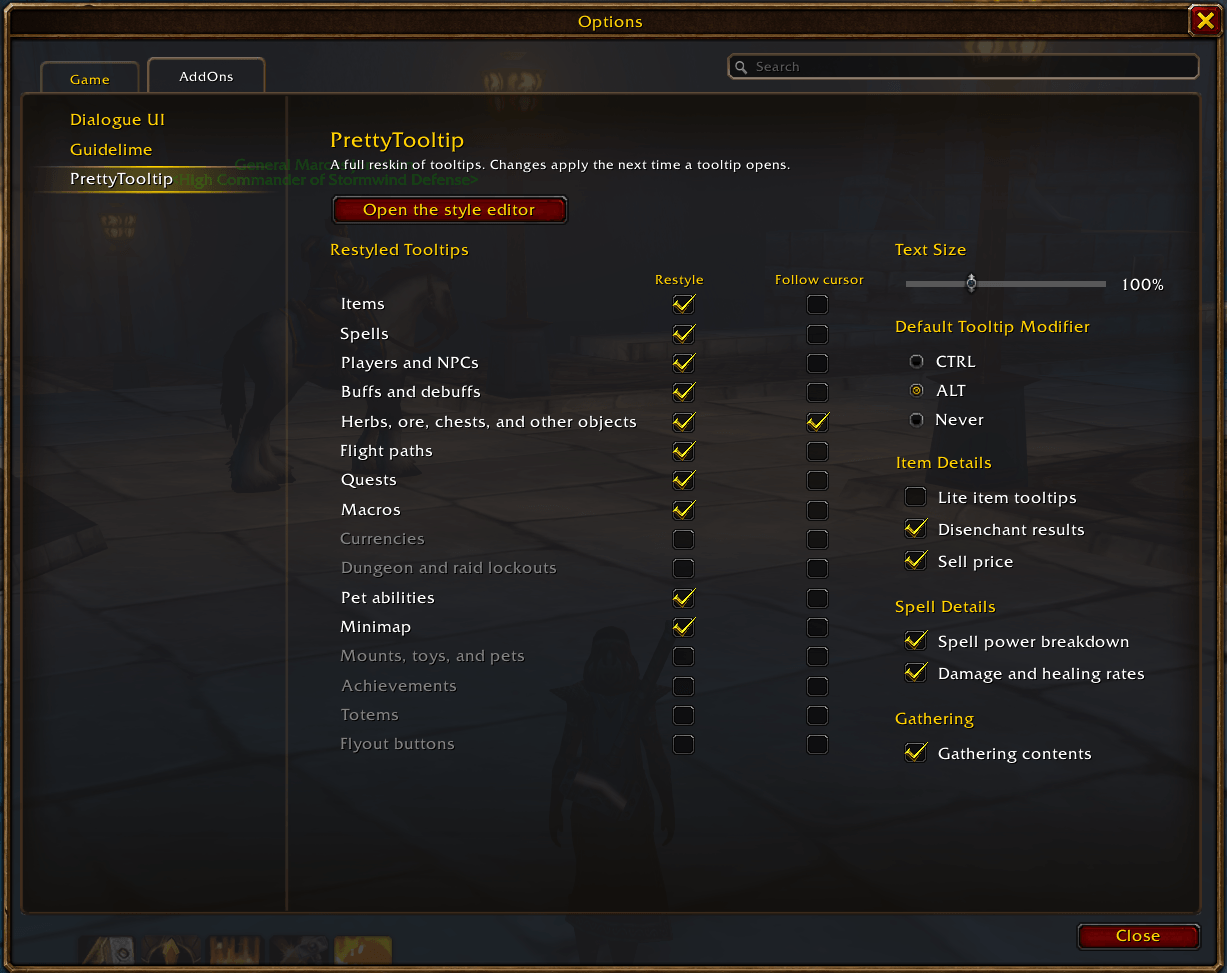
Open Options > AddOns > PrettyTooltip (or type /ptip options) to turn each type of tooltip on or off, make supported tooltips follow the cursor, and choose the default-tooltip modifier. You can also switch the style editor's appearance between Blizzard and Flat; this is separate from the tooltip's panel style.
Compatibility
- WoW Forever 1.60.1, English clients only.
- Tooltip rows from other addons are kept below a thin separator. It would be nice to increase interoperability for common addons in the future.
- Optionally uses DialogueUI's backdrop and EllesmereUI's font when installed, for art consistency. Neither is required.
- Fonts registered with LibSharedMedia are available in the style editor when it is installed.
Known limitations
- Profession recipe spells don't show the crafted item as an item panel yet. Nested tooltips might get a redesign in the future.
- Spell coefficients use client data where available, but some remain estimates and will require further testing. Talents and other effects can affect the accuracy of the displayed base amounts.
- Gathering and disenchant results come from stored tables rather than live loot data. Herb and ore coverage focuses on Classic nodes.
- If a tooltip can't be read safely (for example, some details during combat), the default tooltip is shown.
Feedback
Bug reports, feature requests and ideas are very welcome! The best place for them is GitHub, where I can keep track of everything:
- Go to the issues page and check if someone already reported the same thing. If so, a comment or a 👍 on that issue helps too.
- Otherwise, click New issue (or use this link directly). You'll need a free GitHub account for this.
- Give it a short title (e.g. "Item level badge overlaps the icon on rings") and describe what happened and what you expected instead.
A few things that make a bug much easier to fix:
- A screenshot of the tooltip, and one with ALT held so I can compare it with the game's default tooltip.
- What you were hovering (the item, spell, NPC or quest name) and where (bags, action bar, chat link, quest log, …).
- The addon version and other addons you have installed, especially other tooltip or UI addons.
- Any Lua errors, if you get them. BugSack makes these easy to copy.
- For comparison or positioning bugs,
/ptip anchorsoutput while the problem is visible.
Feature requests don't need any of that, just tell me what you'd like to see and why it would help you. If you don't have a GitHub account, a comment here on CurseForge works too, I just might take a bit longer to get to it.
The source is MIT licensed. If you'd like to use it for something, you're free to do so.
PrettyTooltip Team
