
PRD Player Frame
- By
detail1.png
detail2.png
edit mode.jpg
Screenshot_20261115_101630.jpg
Screenshot_20261115_110408.png
Description
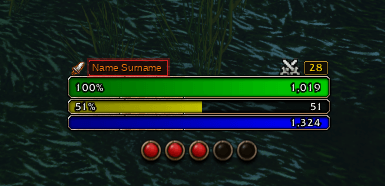
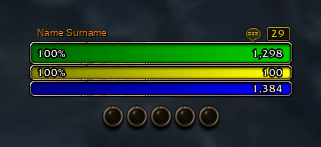
PRD Player Frame turns Blizzard’s native Personal Resource Display (PRD) into a complete, interactive Player Frame replacement. Instead of duplicating health, power, and class resource bars across multiple frames, it hides the default Player Frame and integrates essential unit frame functionality directly into the PRD while preserving the native Blizzard aesthetic.
Features
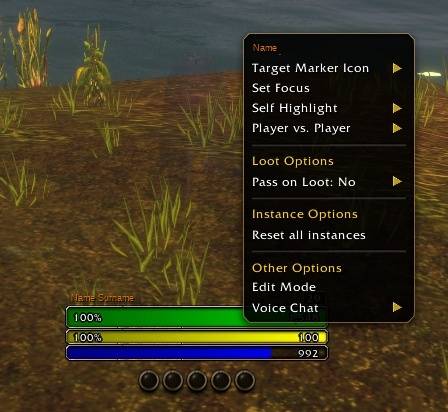
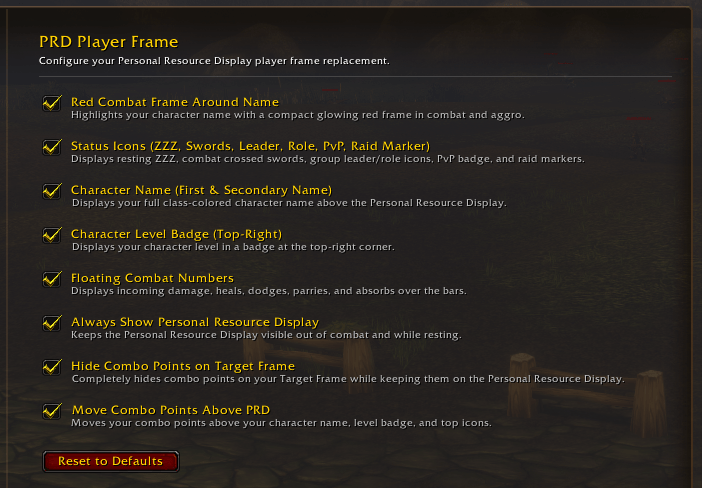
Full Clickable Unit Frame: Hides the default Blizzard Player Frame and overlays secure click support onto the PRD—left-click to target yourself, right-click to open the standard unit menu, and hover to view your unit tooltip.
Class-Colored Name & Combat Border: Displays your character name above the bars, framed by a compact pulsing red border in combat that flares when taking damage.
Level Badge & Status Icons: Adds a top-right level badge alongside resting (ZZZ), combat crossed swords, group leader/assistant icons, role icons (Tank/Healer/DPS), PvP/War Mode badges, raid target markers, and ready check indicators.
Floating Combat Feedback: Shows incoming damage, heals, dodges, parries, and absorbs directly over the bars.
Movable PRD Combo Points: Includes a toggle to move combo points from below the PRD to above the health bar, automatically shifting the character name, level badge, and top status icons upward to avoid overlap.
Hide Combo Points on Targets: Option to completely hide duplicate combo points on the Target Frame while keeping them visible on the PRD.
Always-Visible PRD: Option to keep the Personal Resource Display visible out of combat and while resting.
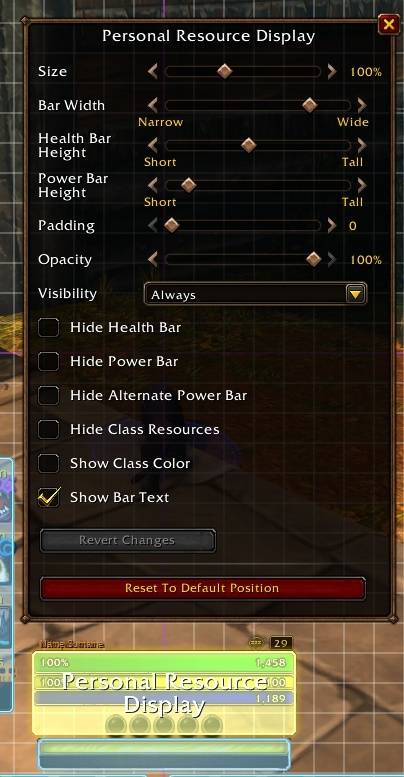
Edit Mode Friendly & Configurable: Automatically steps out of the way whenever Edit Mode is open so UI elements can be repositioned cleanly. Every feature can be toggled individually under Esc > Options > AddOns > PRD Player Frame
PRD Player Frame Team
