
At the moment, the addon is designed for use within the guild. It may be translated into other languages and expanded for general use in the future.
изобÑажение_2026-03-03_185444344.png
Description
Pray for Ukraine Raid Tactics
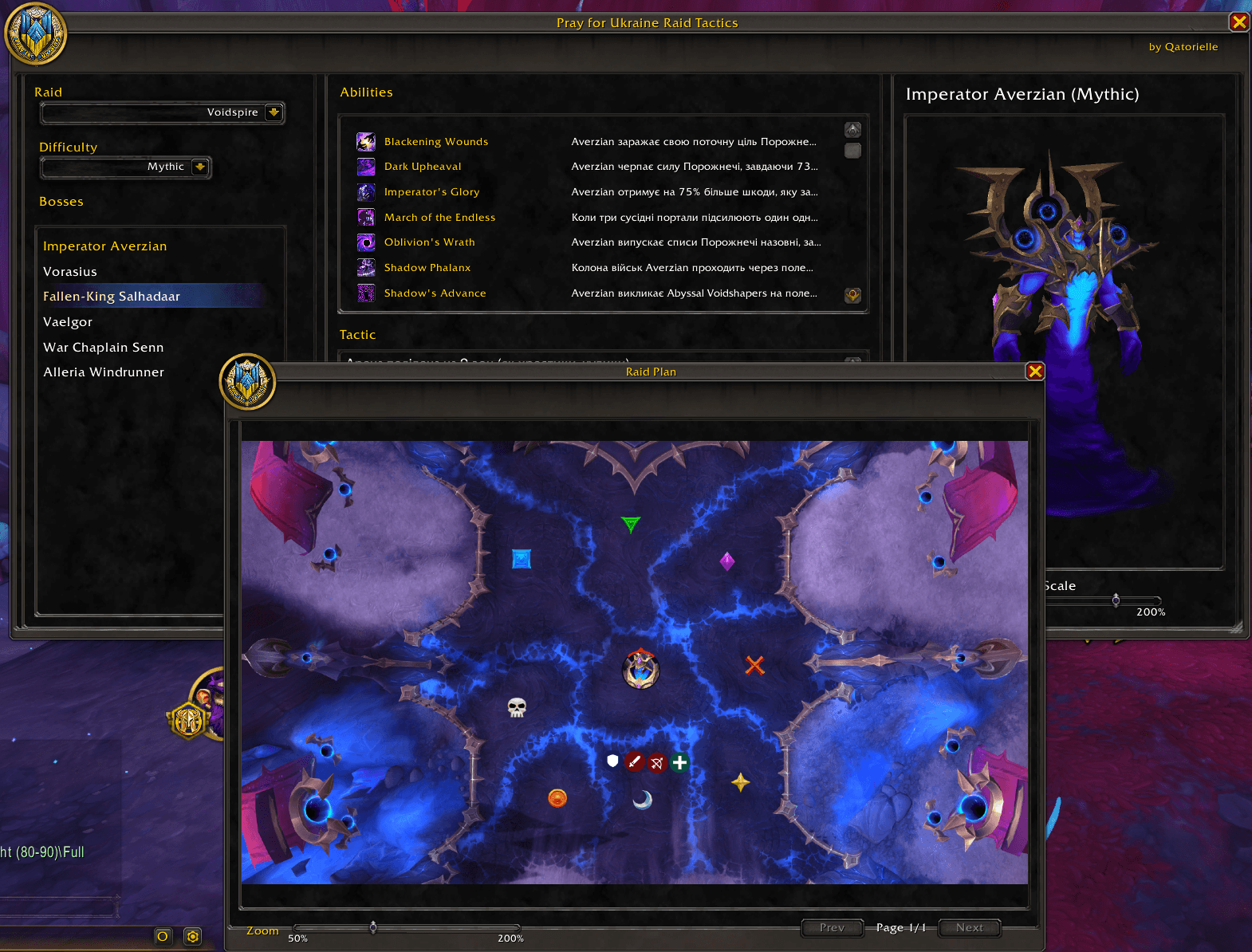
In-game raid tactics viewer with boss model and raid plans.
View boss strategies, abilities, and raid diagrams directly in World of Warcraft—no need to alt-tab to guides or external sites. Built for raiders who want quick access to tactics during progression and farm.
---
Features
- Raid & boss browser — Switch between raids (e.g. Dreamrift, Voidspire) and select any boss from a list.
- Difficulty filter — Tactics and spell data for Normal, Heroic, and Mythic.
- 3D boss model — See the encounter’s boss model in the addon window; zoom and scale are saved per boss.
- Spell & ability list — All relevant boss abilities with icons and short descriptions in one place.
- Written tactics — Text summaries and step-by-step tactics for each boss.
- Raid plans — In-game viewing of raid plan images (positions, phases, diagrams); multiple pages per boss when available.
- Minimap button — Quick open/close; drag to move around the minimap.
- Slash command — Type `/pfu` to toggle the main window.
- Saved settings — Window size/position, model zoom, and minimap button position are remembered.
---
How to use
1. Open the addon — Click the addon icon on the minimap or type `/pfu`.
2. Choose raid and boss — Use the raid dropdown and boss list on the left.
3. Select difficulty — Pick Normal, Heroic, or Mythic to see the right tactics and spells.
4. Read tactics & spells — Use the tactic text and spell list in the center.
5. View raid plans — Check the raid plan images; switch pages if there are several.
6. Adjust boss model — Use the model viewer and zoom as needed; your zoom is saved.
---
*Pray for Ukraine Raid Tactics is maintained by Pray for Ukraine. If you find bugs or have suggestions, please report them on the project page.*
Pray for Ukraine Raid Tactics Team
