
PranGearView
- By

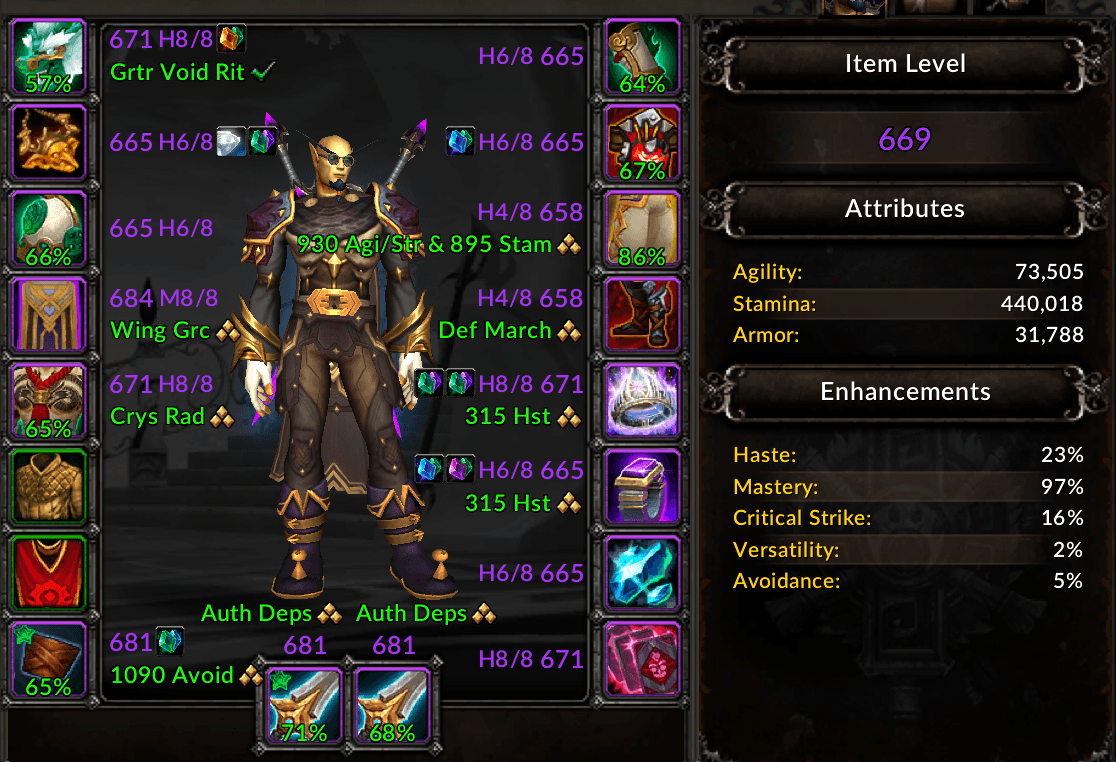
All information that can be shown when the AddOn is first used. Items with 100% durability or no durability property do not show any durability-related information
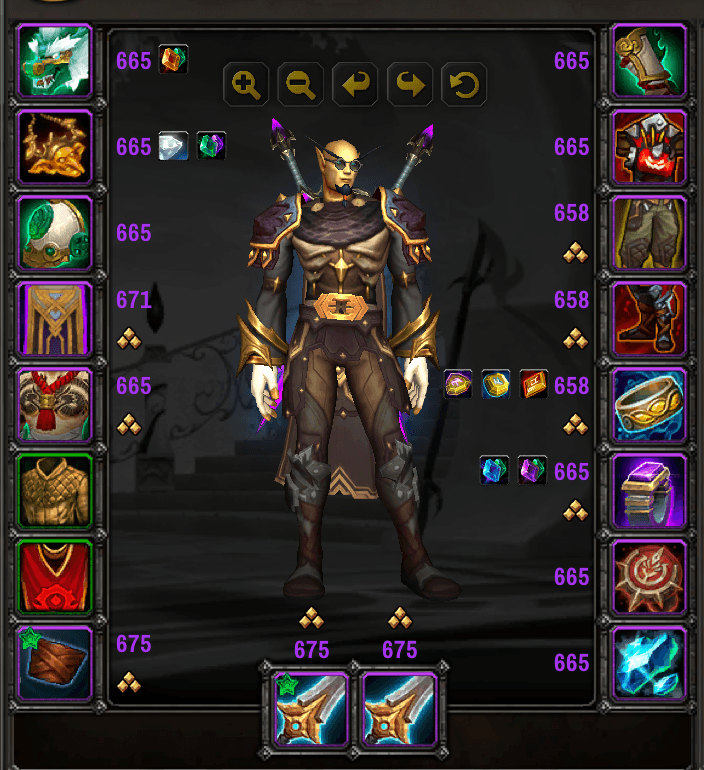
Item levels, gems, enchants, and embellishments shown in a compact format within the Character Info window
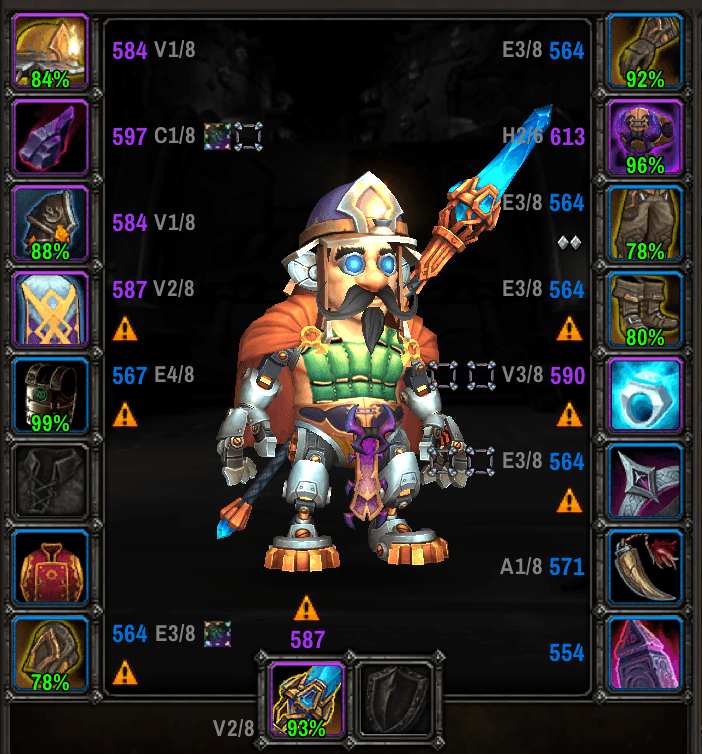
Compact Character Info window view for a character wearing outdated season gear (indicated with upgrade track in grey text)
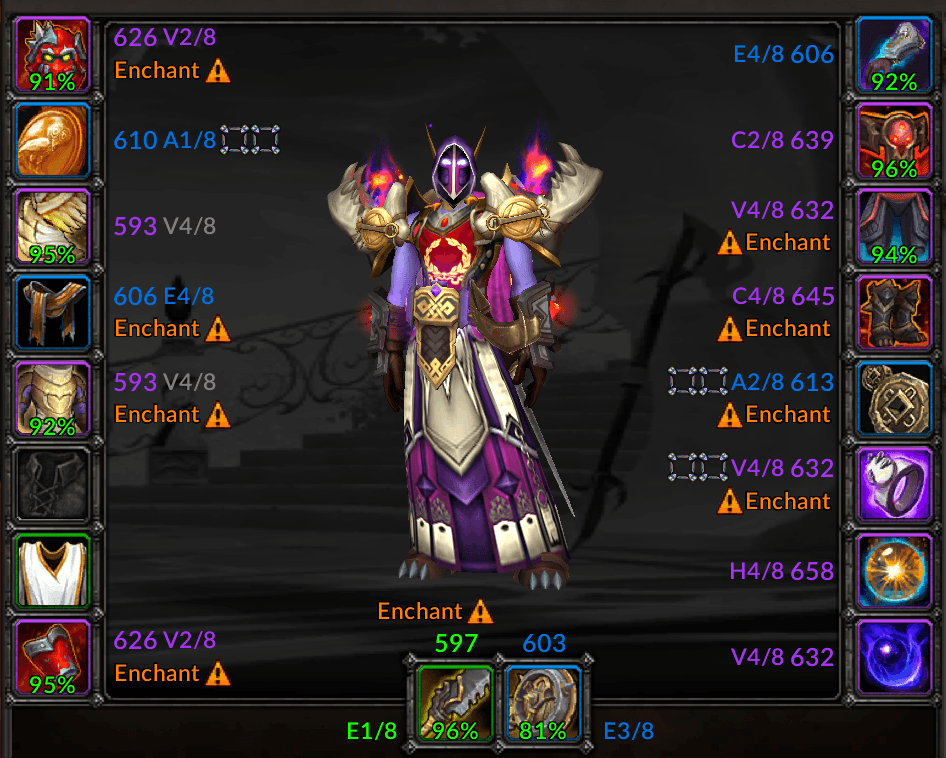
Increase the size of your Character Info window to make enchant text easier to read or give everything a bit of breathing room
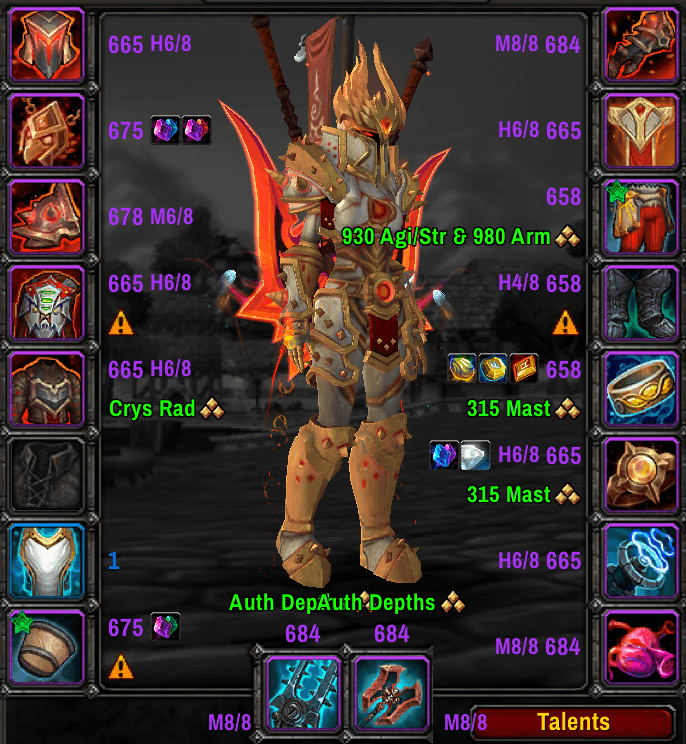
Gear information shown for an inspected character
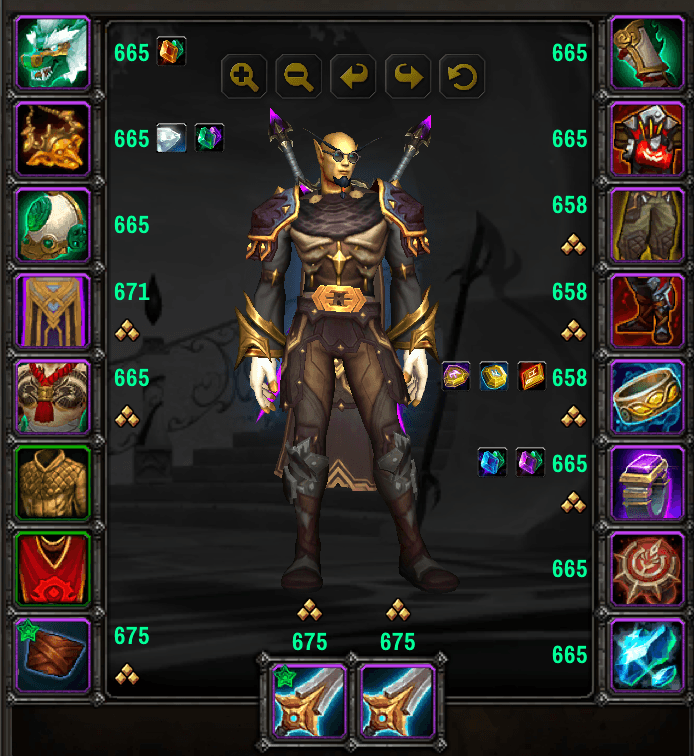
Item levels can be colored using the class color for whichever character you are currently playing
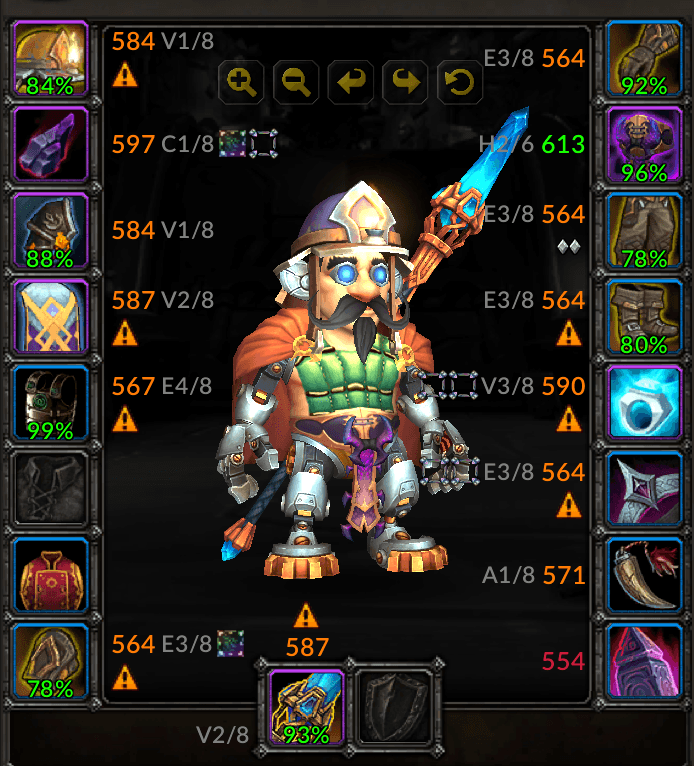
Version 1.4.0 introduced the ability to choose a S&L-style item level coloring, so you always know which piece of gear is your lowest and which is/are your highest (Shadow and Light is a plugin available for ElvUI)
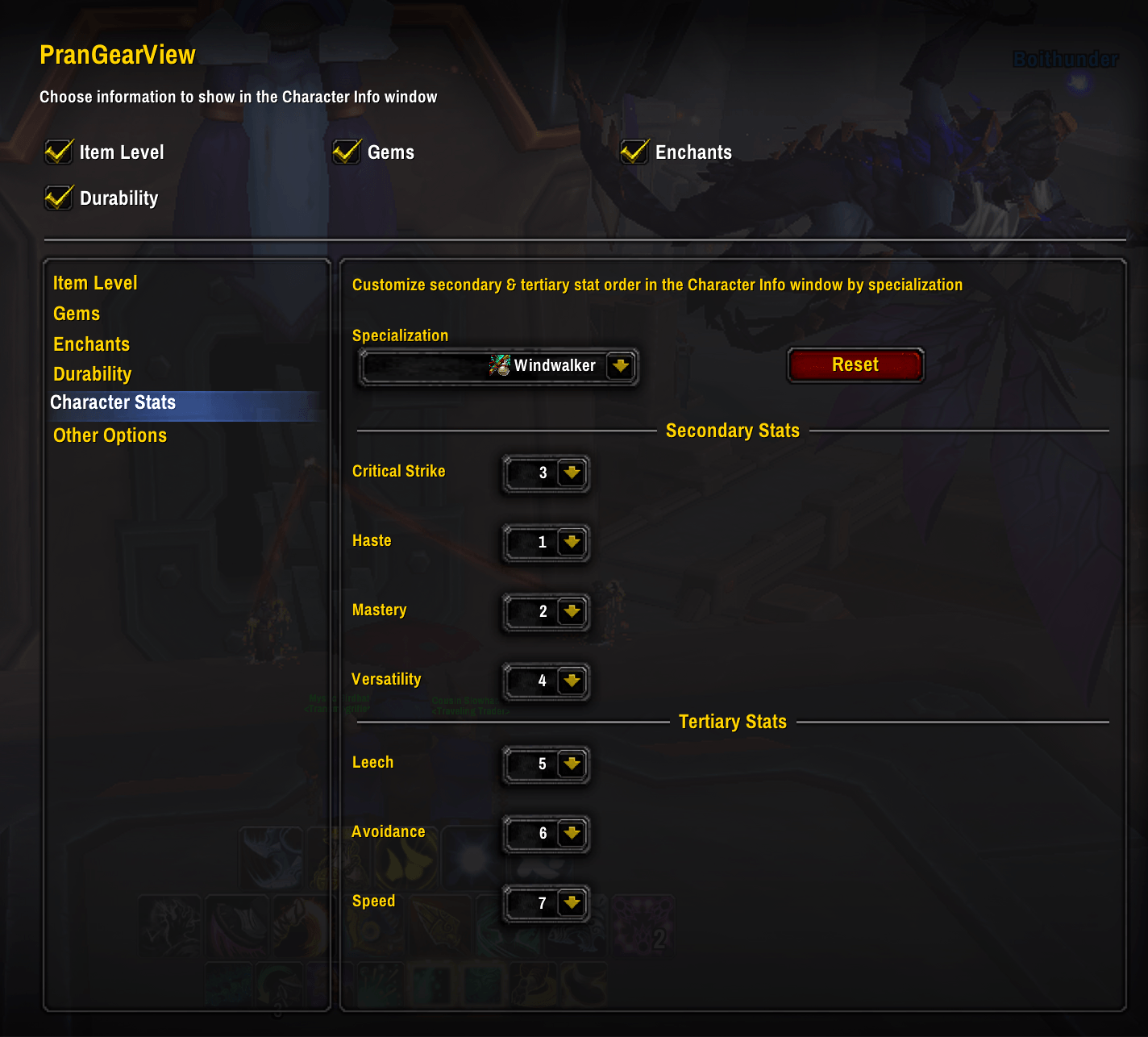
The Options window for this AddOn with the Character Stats group currently selected
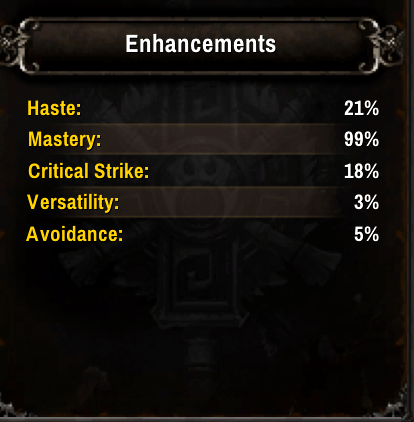
Rather than always showing the stats in the default order (Critical Strike, Haste, Mastery, Versatility, etc.), you can elect to change this order based on your class and specialization's stat priority or however else you see fit
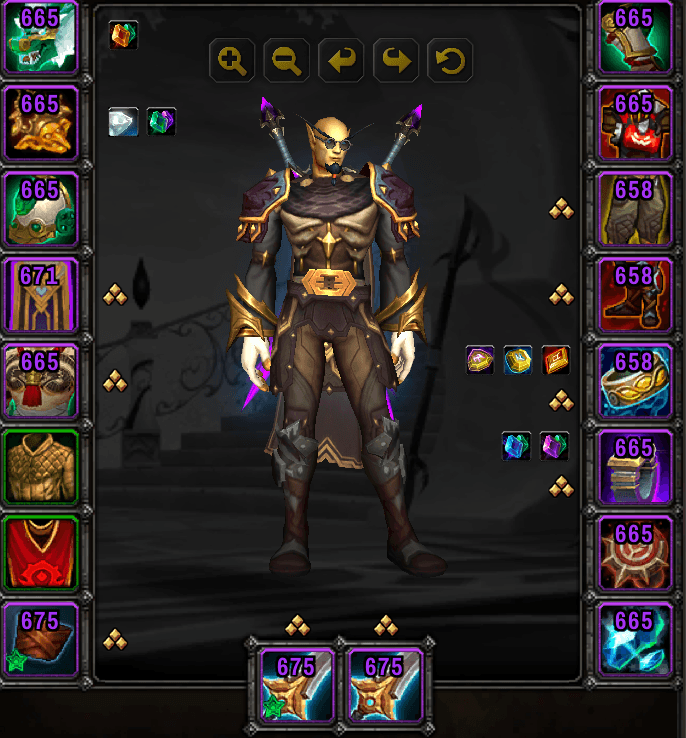
Show an item's level on top of the icon itself rather than next to or above it. This also adjusts the embellishment indicator (green star) to the bottom-left of an icon from it's usual place in the top-left corner

Minimap Icon