


PostureBeerCheck
- By
PostureCheck.gif
posturecheck2.png
Description
Posture Check
A tiny timer that reminds you to sit up straight, or keeps your party drinking at the same pace.
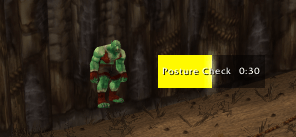
A bar fills over a time you choose while a little character slowly gives up on life next to it. When the time is up, a sound plays and a raid-warning style message pops up on screen.
Pick your character
Lazy Peon (3D): the real Lazy Peon from Durotar. He works, then stands around, sits down, falls asleep, and finally turns into a sack.
Pixel orc: a hand-made pixel-art orc seen from the front. He breathes and blinks while his head sinks, his shoulders round and his belly pushes out. Then he gets drowsy, dozes off, and turns into a sack of potatoes.
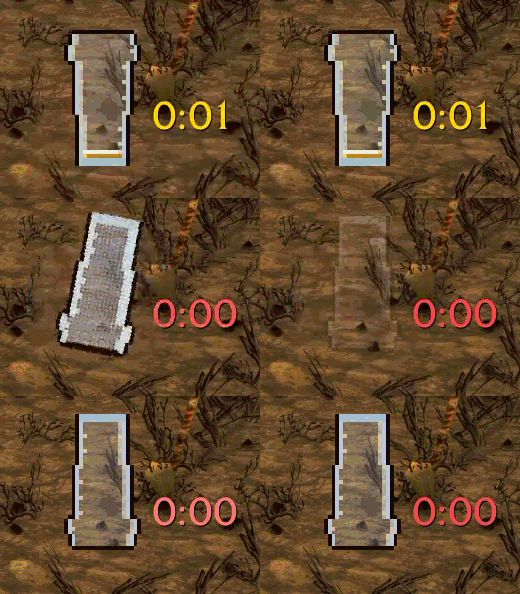
Pint of beer: a pixel-art pint with a foamy head and rising bubbles. The beer drains as time runs out, leaving foam rings on the glass. When it's empty, the glass spins upside down and blinks, then waits for you to click it before the next pint starts.
Not just for posture
The bar label and the warning message are yours to change, so the timer works for any reminder: stretch, drink water, check the oven.
Beer mode: one click on the Beer preset switches to the pint and a drinking message. Everyone in the party sets the same timer length, and nobody falls behind. You can also have the warning posted in party or raid chat (off by default).
Features
Timer from 1 to 120 minutes, restarting automatically or waiting for you
Alert sounds: bell tolls, raid warning, ready check, alarm clocks and more, or any custom SoundKit or sound file ID
Custom bar label and warning message, with Posture and Beer presets
Optional on-screen warning and party/raid chat announcement
Show the bar and the time together or on their own, or hide both and keep only the character
Bar width, height, texture, color (green to red, class color or fixed colors), border, spark and label
Optional border and background around the whole timer
Scale, lock position and character offset
Minimap button
Usage
Minimap button: left-click opens the settings, right-click resets the timer, middle-mouse drag moves the button.
Timer: drag to move it, right-click to reset it. In beer mode, click the empty glass for the next pint.
Slash commands: /posture or /pcheck
/posture config: open the settings
/posture reset: restart the timer
/posture show / hide: show or hide the timer
/posture lock: lock or unlock the timer's position
/posture preview 80: hold the display at 80% to see that stage (/posture preview turns it off)
Supported versions
WoW: Forever
Classic Era
Please drink responsibly. Your spine will thank you either way.
PostureBeerCheck Team
