


Portal Inviter (TBC Anniversary) | Portal Selling
- By
Mage portal selling auto-invite addon that catches more portal requests in chat

portal_inviter_featured_media.png

portal_invite_usage.png
portal_inviter_income_summary.png
portal_invite_party_announce.jpg
portal_inviter_minimap.png
portal_inviter_income_logs.png
portal_inviter_tutorial.png
portal_inviter_preferences.png
Description
Mage portal addon
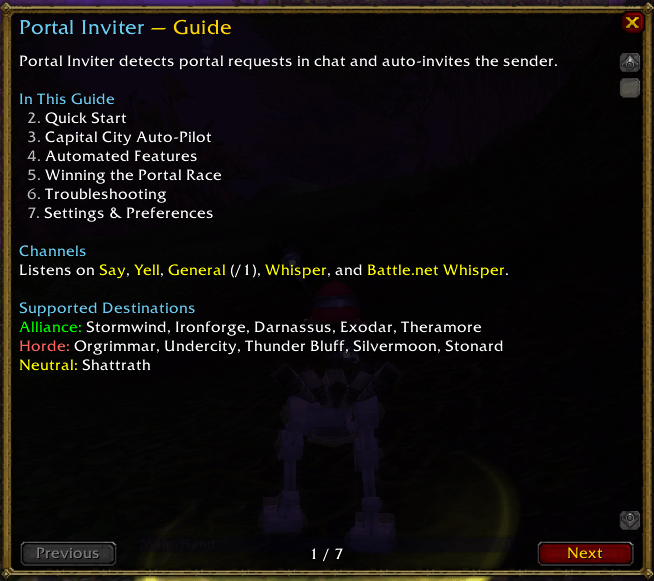
Portal Inviter is a Mage utility addon for WoW TBC Anniversary that automatically invites players asking for portals in chat.
After trying multiple portal invite addons, I found that although they worked fairly well, they did not always catch the wide range of ways players actually ask for portals. Portal Inviter was built to stand out by covering more of those cases, with fine-tuned matching for shorthand, typo tolerance, and fuzzy destination detection.
The addon watches Say, Yell, General, Whispers, and Battle.net Whispers, ignores seller chatter like WTS/LFW, and helps you respond faster with less manual scanning.
Note: Trade chat scanning is disabled to only include buyers in your location.
Features
- Auto-invites players requesting portals
- Monitors Say, Yell, General, Whispers, and Battle.net Whispers
- Trade chat scanning is disabled to prioritize buyers in your area
- Matches portal requests with shorthand, typo tolerance, and fuzzy destination detection
- Supports faction-specific portal destinations for both Horde and Alliance
- Ignores seller chatter such as WTS and LFW
- Ignores requests while you're queued for BG/Arena/LFG
- Prevents repeat invites with a built-in cooldown
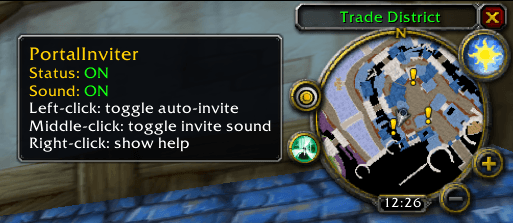
- Includes a draggable minimap button with quick toggles for auto-invite and sound
- Plays invite alerts through the Master sound channel
- Marks you with a star after inviting for easier visibility
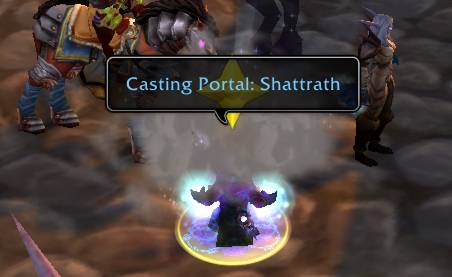
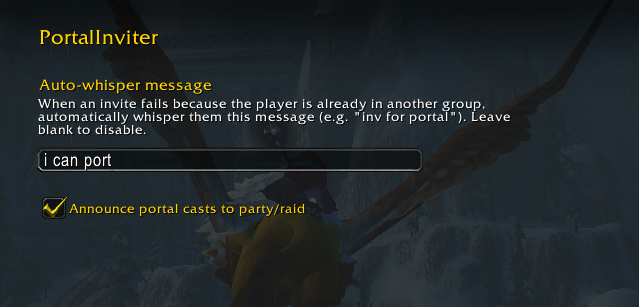
- Announces your portal cast to party or raid
- Provides debug tools plus test and message-check commands
- Auto-mode support where invites are only enabled while you're in a capital city
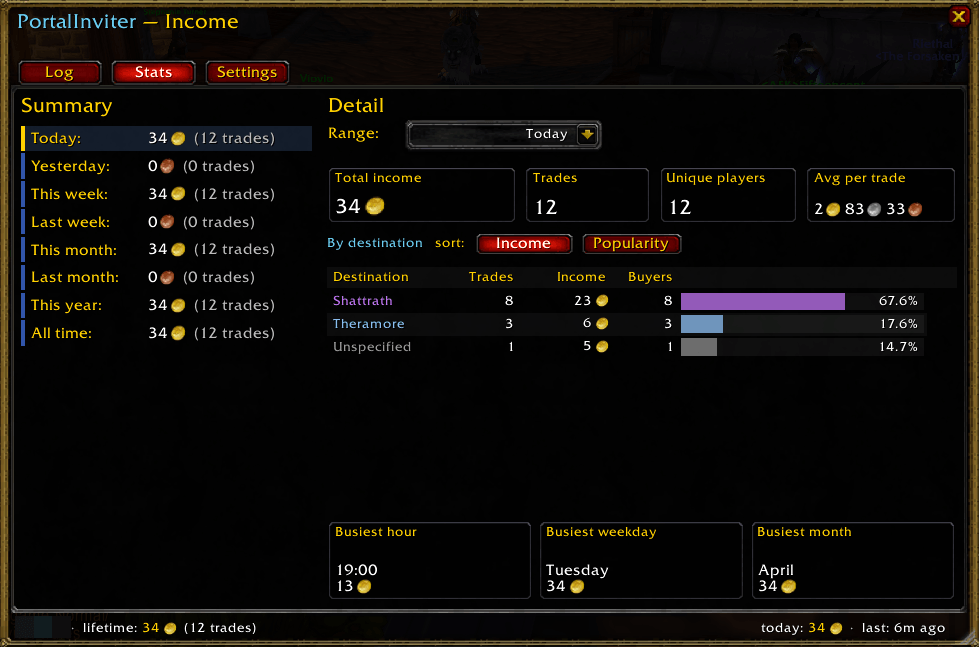
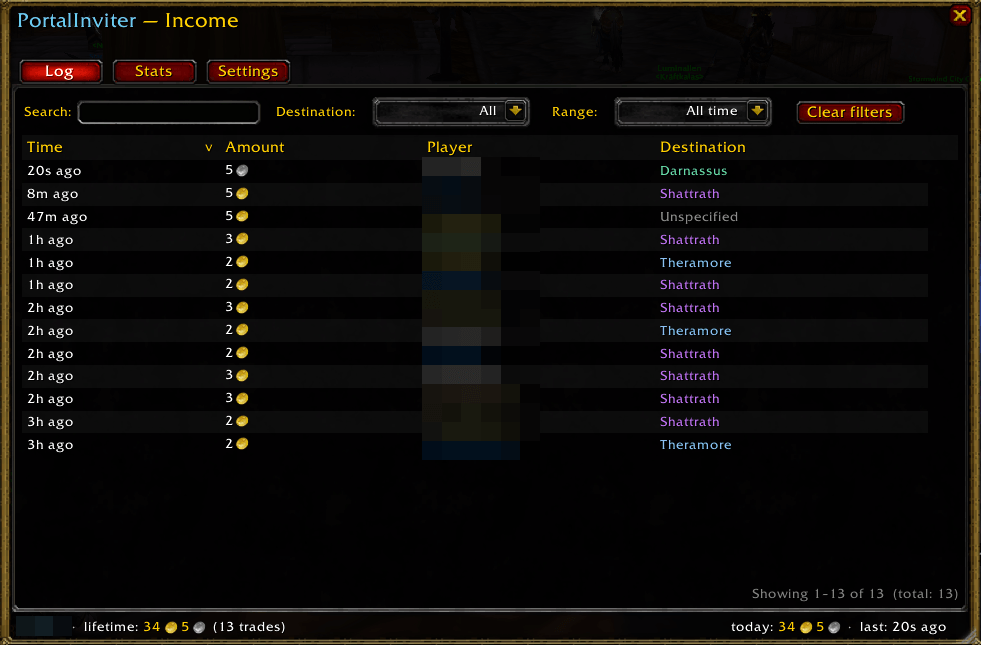
- Tracks every portal trade and displays them in income window
How to Use
The addon is designed to work automatically once enabled.
Use the minimap button to quickly access the main controls. From there, you can toggle auto-invite on or off, enable or disable sound alerts, and manage the addon more easily during gameplay. The minimap button can also be dragged to reposition it around the minimap.
Alternatiely, you can also control the addon through slash commands:
/port on/off
Enables or disables automatic invites.
/port sound on/off
Enables or disables sound alerts.
/port status
Displays the current addon status, including whether auto-invite is enabled.
/port auto on/off
Enables auto-mode, where invites are only being sent while you're visiting a capital city.
/port income
Tracks gold income from portal sales. Ctrl+Left-click the minimap icon to access quickly.
Tips for success
Portal sales are competitive, especially on broad and generic messages like “wtb port,” where multiple mages may react at nearly the same time. Portal Inviter is built to improve your chances by detecting a wider range of portal requests while staying lightweight and performance-focused.
You will usually get the best results in busy areas where all three supported local channels are active: Say, Yell, and General. These channels are also layer-specific, so results can vary depending on the layer you are on. If your current layer feels heavily contested, switching layers may improve your chances of catching more buyers.
Competition is normal. Sometimes you will notice it when the game reports that the target is already in a group, which often means another mage invited them first. In many cases, that is simply bad luck rather than a problem with the addon.
That said, some targets really are already grouped, and not every “already in a group” message means you were beaten. In those cases, you can enable the optional auto-whisper for grouped targets. This can lead to more trades overall, since players are often questing with a friend and the party leader is simply trying to find a portal for both of them.
The addon is especially strong at catching non-standard requests, including shorthand, misspellings, and fuzzy destination wording. That means it can often detect portal requests that simpler invite addons miss. While no addon can guarantee every invite in highly contested situations, Portal Inviter is designed to help you catch the majority of relevant local requests with minimal manual scanning.
For the best experience, stay in high-traffic areas, keep auto-invite enabled, and use auto-mode if you only want invites while in a capital city. Sound alerts can also help you react more quickly when an invite is sent.
Troubleshooting
Invites are not being sent
First, make sure auto-invite is enabled. You can check this with the minimap button or by using:
/port status
If auto-invite is disabled, enable it with:
/port on
If the addon still does not send invites, confirm that the player request is coming from one of the supported chat channels: Say, Yell, General, Whispers, or Battle.net Whispers. Trade chat scanning is intentionally disabled.
You can also test whether a specific message is being detected correctly by using:
/port check <message>
This can help verify whether the request matches the addon’s portal detection rules.
If needed, use:
/port test
to confirm the addon is active and responding.
Also keep in mind that repeat invites are prevented by an internal cooldown, so the same player may not be invited again immediately.
The concepts and features of this add-on are created by the author. AI is used to assist with implementation, and all resulting code and content are reviewed by the author prior to release. Some artwork and audio cues used in this project was also generated with AI. Feedback is welcome, and bug reports in the comments are appreciated
Portal Inviter (TBC Anniversary) | Portal Selling Team

![Simple Threat Meter [WoW Forever] project image](https://media.forgecdn.net/avatars/thumbnails/2088/506/256/256/639266242265275401.jpg)