


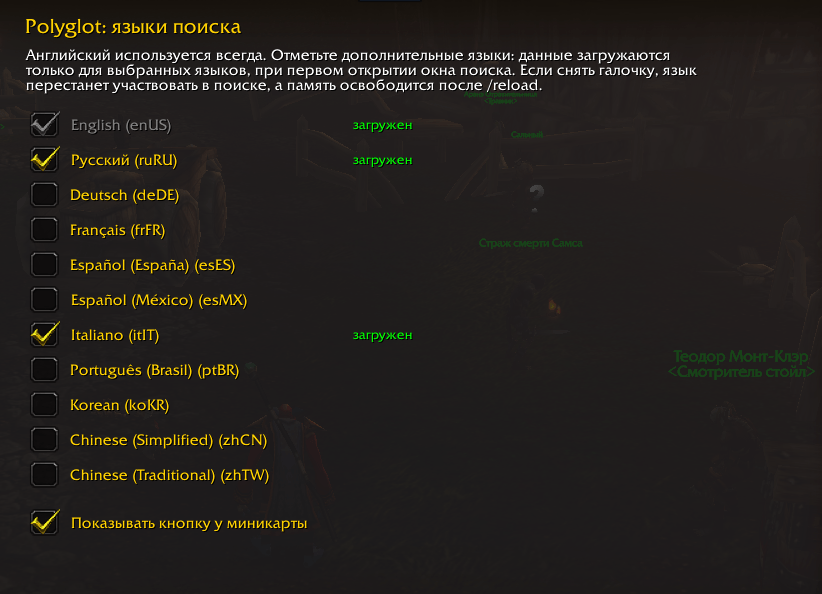
Skrin5.png
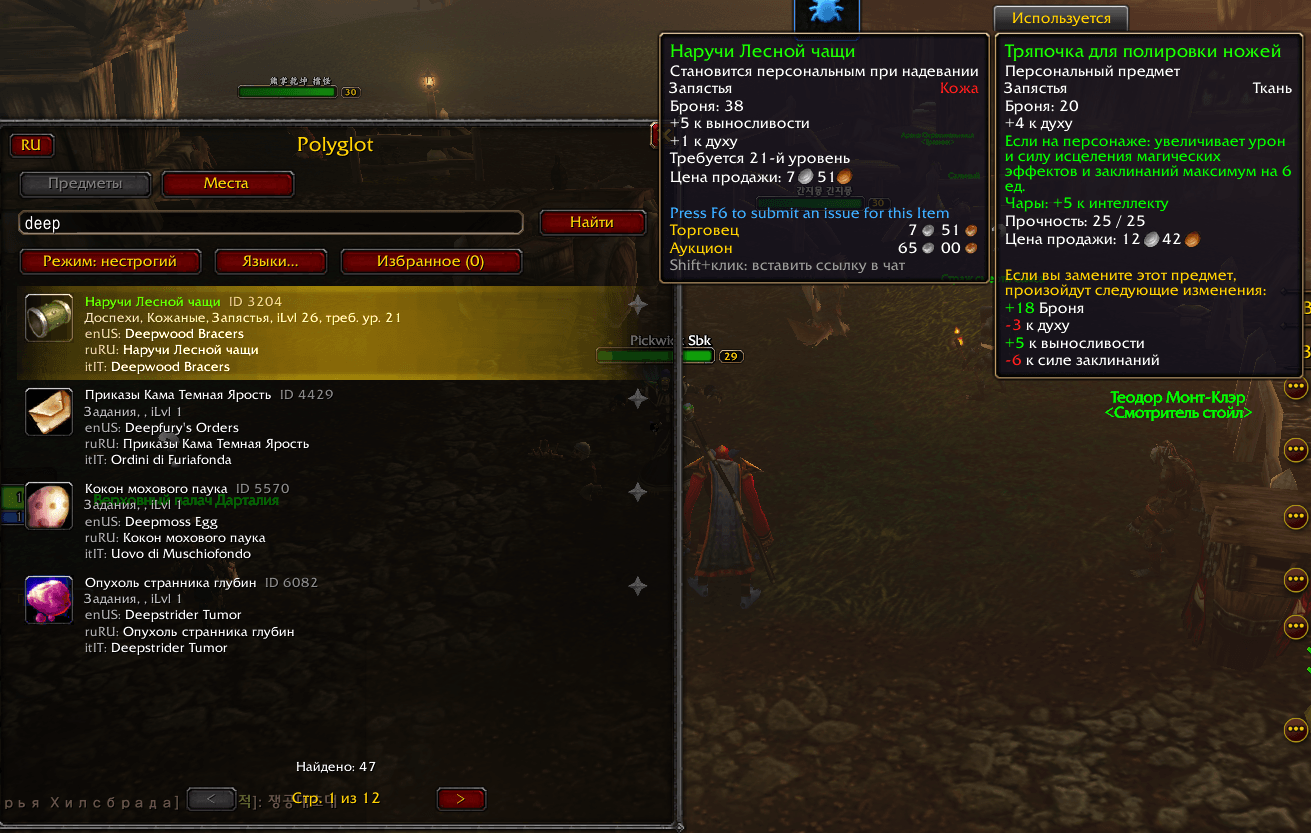
Skrin1.png
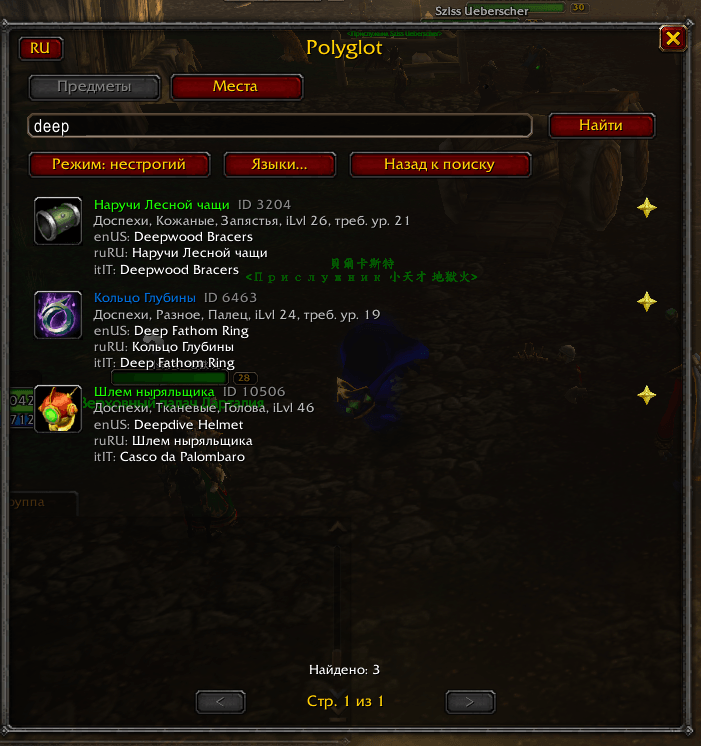
Skrin2.png
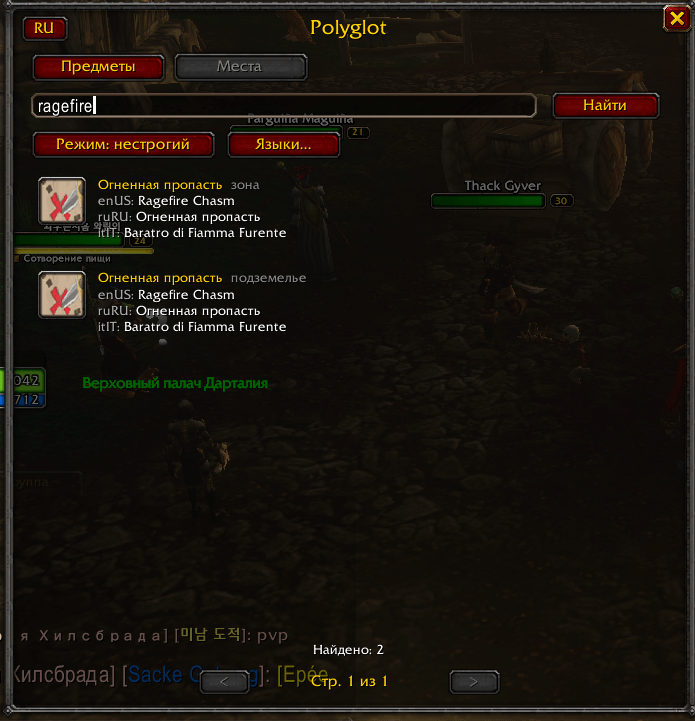
Skrin3.png
Skrin4.png
Description
Polyglot <small>(formerly ItemLoc)</small>
Find any item by name, in any language. You play in one language, but found the item name on a website in another? Paste it into the Polyglot window and get the item with its names in every language you chose, its icon and the regular in-game tooltip.
Example: you play in Russian and read "Thunderfury" on an English guide. Paste it, and see "Громовая Ярость" and "Donnerfury" next to it.
Features
- Nine languages: English, Russian, German, French, Spanish, Italian, Portuguese, Korean and Chinese. English is always on; enable only the others you need.
- Strict and loose search. Strict needs the full name, loose finds part of a name or several words in any order. Case does not matter, including Cyrillic and accented letters.
- Favorites: mark an item with a star and open your list with one click.
- Real game data: icon, quality colour, type, level and the full tooltip come from your own client, so they always match your game version. Shift+click inserts the item link into chat.
- Easy to open: minimap button, the
/pgcommand, the addon menu and a bindable key. - Interface in English and Russian with a one-click RU/EN switch.
- Light on memory: every language is a separate module that loads only when you enable it.
Quick start
- Install the addon (see below) and log in.
- Click the book button by the minimap or type
/pg. - Paste an item name and press Enter.
- Need another language? Click Languages… (or type
/pg lang) and tick it.
All commands: /pg help.
FAQ
I used ItemLoc before. This is the same addon under a new name. Delete the old ItemLoc and ItemLoc\_\* folders from Interface\\AddOns before installing. If the old addon is still enabled at your first login, your settings and favorites are copied automatically. The old /il command still works; the key binding has to be set again.
"Module Polyglot\_enUS not found". Only the Polyglot folder was copied. Copy all Polyglot\_\* folders too and restart the game.
An item is not found. Check that the language you search in is enabled (/pg lang) and try loose mode. Names come from client data tables, so some very new Forever items may be missing for now. Please report them on GitHub with the output of /pg info.
The game was updated. Polyglot tells you at login if its name database was built for another client build. A new version is published automatically; just update the addon.
Support
Bugs and missing items: GitHub Issues. Please include the output of /pg info.
Polyglot (по-русски)
Поиск предметов по названию на любом языке. Играете на одном языке, а название предмета нашли на сайте на другом? Вставьте его в окно Polyglot и получите предмет с названиями на выбранных языках, иконкой и обычным тултипом из игры.
Пример: вы играете на русском и прочитали «Thunderfury» в английском гайде. Вставляете название и видите рядом «Громовая Ярость» и «Donnerfury».
Возможности
- Девять языков: английский, русский, немецкий, французский, испанский, итальянский, португальский, корейский и китайский. Английский включён всегда, остальные включайте по необходимости.
- Строгий и нестрогий поиск. Строгий требует полное название, нестрогий находит часть названия или несколько слов в любом порядке. Регистр не важен, в том числе для кириллицы и букв с диакритикой.
- Избранное: отметьте предмет звёздочкой и открывайте список одной кнопкой.
- Данные из самой игры: иконка, цвет качества, тип, уровень и полный тултип берутся из вашего клиента, поэтому всегда соответствуют версии игры. Shift+клик вставляет ссылку на предмет в чат.
- Удобно открывать: кнопка у миникарты, команда
/pg, меню аддонов и назначаемая клавиша. - Интерфейс на русском и английском, переключается одной кнопкой RU/EN.
- Не нагружает память: каждый язык лежит в отдельном модуле и загружается, только когда включён.
Быстрый старт
- Установите аддон (см. ниже) и войдите в игру.
- Нажмите кнопку с книгой у миникарты или введите
/pg. - Вставьте название предмета и нажмите Enter.
- Нужен другой язык? Нажмите «Языки…» (или
/pg lang) и отметьте его.
Все команды: /pg help.
Вопросы и ответы
«Не найден модуль Polyglot\_enUS». Скопирована только папка Polyglot. Скопируйте и все папки Polyglot\_\*, затем перезапустите игру.
Предмет не находится. Проверьте, что язык, на котором вы ищете, включён (/pg lang), и попробуйте нестрогий режим. Названия берутся из клиентских таблиц данных, поэтому самые новые предметы Forever могут пока отсутствовать. Сообщите о них на GitHub и приложите вывод /pg info.
Игра обновилась. При входе Polyglot сообщит, если база названий собрана для другой сборки клиента. Новая версия выходит автоматически, достаточно обновить аддон.
Поддержка
Ошибки и ненайденные предметы: GitHub Issues. Приложите вывод команды /pg info.
<small>Item names, icons and data are © Blizzard Entertainment. This project is unofficial and is not affiliated with Blizzard Entertainment. / Названия, иконки и данные предметов © Blizzard Entertainment. Проект неофициальный и не связан с Blizzard Entertainment.</small>
Polyglot Team
