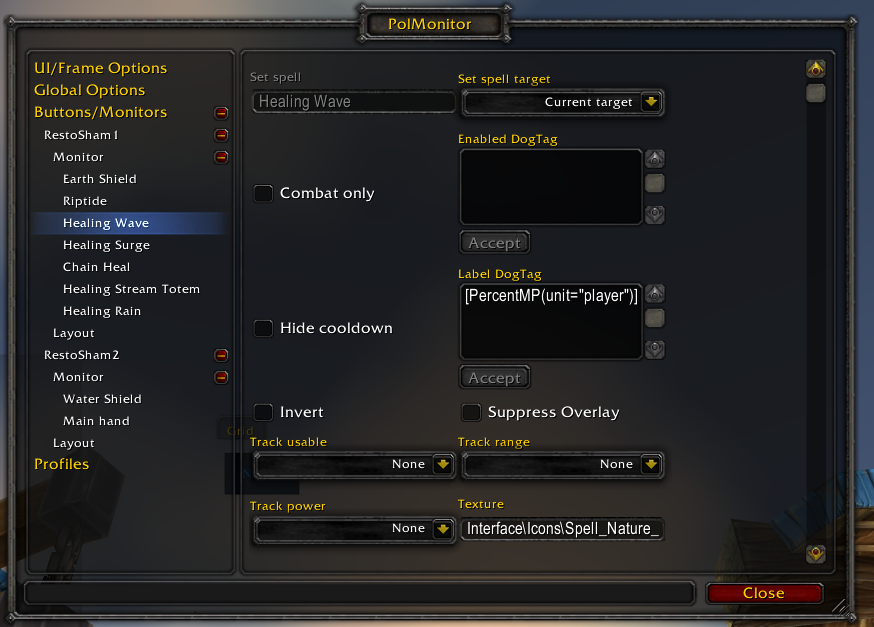
Here are some button options for PolMonitor. These change depending on the type of monitor.
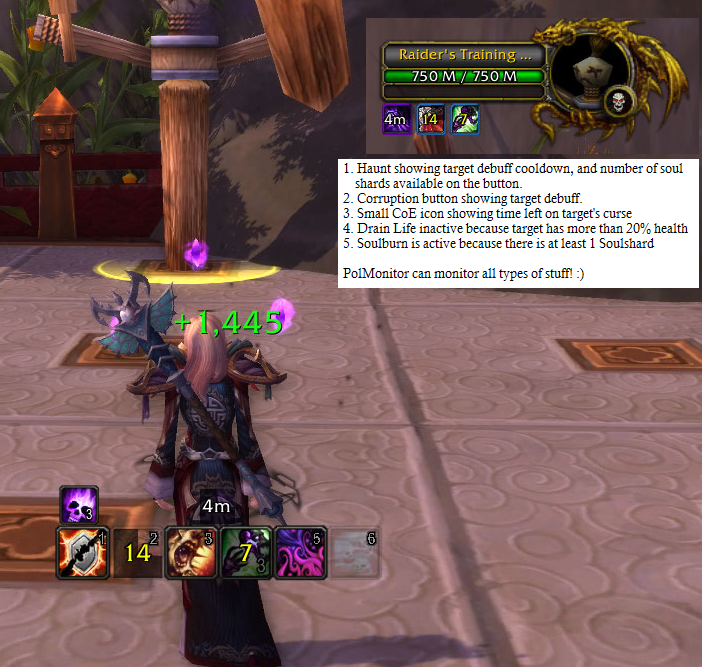
This shows one Affliction Warlock using PolMonitor with it's DogTag feature to better customize her icon display.
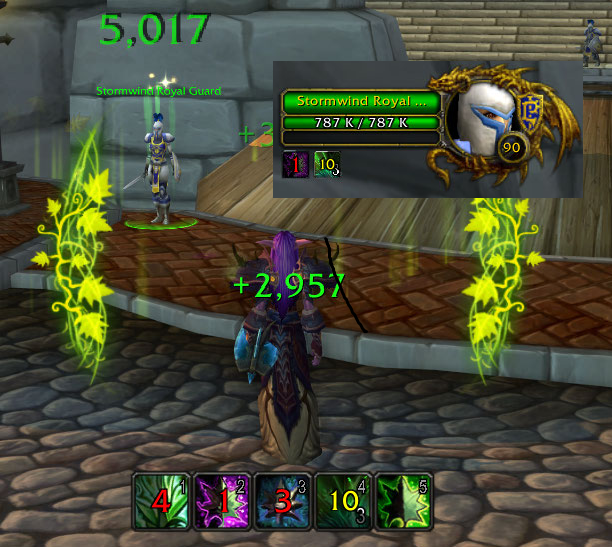
This image shows a 5 button monitor bar used by a Resto Druid.
Botton 1 (Wild Growth) is showing spell cooldown as a normal button would.
Button 2 (Rejuvenate) is showing the time remaining on the HoT effect of the current target
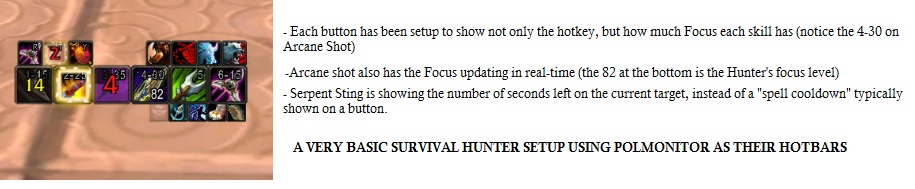
This is a UI from a Survival Hunter who uses PolMonitor only for both hotbars and monitor.
Description
Before addons like WeakAuras, there was PolMonitor, the birthmother of button monitoring!
PolMonitor can create groups of buttons which allow monitoring of buffs, target debuffs, item cooldowns, totems, and much more. These buttons have the ability to use DogTags to build logic into when the buttons are active, what information is displayed on them, etc. Masque can be used to skin them and there are also options to move them, lock them, set their transparency level, etc. You can also do things like scale them to up to 1000% of the size, invert them so they are inactive when they are "active", fade them out with a configurable transparency when no mana, out of range, and more!
Button groups can also be shown or hidden when you in are or out of combat, always hidden, only when you have hostile targets, etc. Everything is built around monitoring not only buffs and debuffs, but the state of combat and what you are targeting.
Use /pm or /polmonitor to access the configuration.
SOME EXAMPLES:
- Renew button to show the time left of your renew HoT on your current target.
- Healthstone button that lights up only when you are less than a certain percentage of health.
- Agony, Corruption, and all other Warlock dot buttons to show when your DoTs will expire on the target
- Monitors/bars that only appear on your screen when you are in combat or you target a hostile target.
PolMonitor Team


Owner

![Global Ignore List and Spam Filter [Classic] project image](https://media.forgecdn.net/avatars/thumbnails/222/382/256/256/637024369426322857.jpeg)