
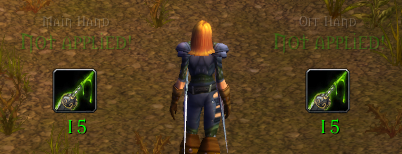
Poisons aren't applied yet. You can see how many poisons of selected type are remaining in your bags.
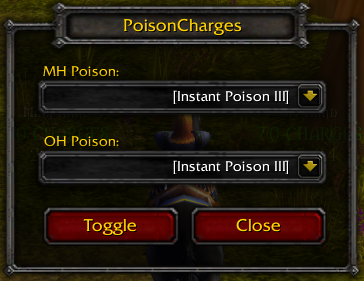
You can choose which poison from your bags should be applied to which weapon.
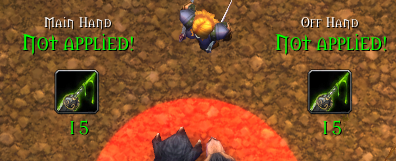
Same as previous, but in combat. Full opacity.
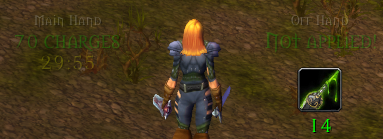
One poison was applied.
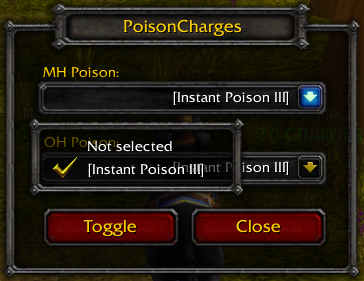
An example of how a list of available poisons might look like.
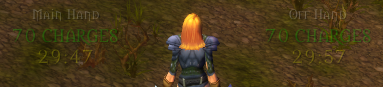
Poisons were applied to both weapons.
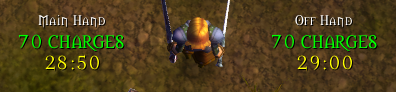
Save as previous, but in combat. Full opacity. Your can see remaining amount of charges and remaining time of both poisons.

Button on minimap. Press left mouse button to open configuration menu; hold left mouse button to move this button.
Description
UPDATED FOR WOW CLASSIC 1.14.4
PoisonCharges is a simple Add-On for rogues playing WoW Vanilla. It allows you to track remaining time and amount of charges of poisons applied to your weapons, and also gives you easy way to apply them.
Features
- Track remaining time and amount of charges of your poisons;
- Apply poisons with one click;
- Manage which poison should be applied to which weapon.
FAQ
Q: How do I open configuration menu?
A: There is a button on minimap. You can also move it by holding right mouse button.
Q: How can I disable visibility of frames?
A: You can either press Toggle button in configuration menu or use slash command /poisoncharges (/pc).
Q: Can I move frames to other position?
A: Sorry, but you can't. However, they're already placed in a comfortable position.
Slash commands
/poisoncharges, /pc - toggles frames visibility on and off.
/poisonchargesinfo, /pci - print addon' info to chat.
Feature Requests / Bug Tracker
You can freely send all your requests here in comments. As for bugs, be sure to open issue at GitHub if you found any.
PoisonCharges Team
