• Browse
    Browse all (125)
    • iconMinecraft
    • iconThe Sims 4
    • iconWorld of Warcraft
    • iconMinecraft Bedrock
    • iconArk Survival Ascended
    • iconHytale
    • iconinZOI
    • iconStarCraft II
    • iconKerbal Space Program
    • iconStardew Valley
    • iconAmerican Truck Simulator
    • iconHogwarts Legacy
    • iconTerraria
    • iconWildStar
    • iconPalworld
    • iconWorld of Tanks
    • iconRunes of Magic
    • iconRift
  • Create
    MOD AUTHORS
    • Become an Author
    • Start a Project
    • Project Submission Guide
    MODDING TOOL DEVELOPERS
    • Apply for an API Key
    • Documentation
    • Terms & Conditions
    SOCIAL
    • Join Our Discord!
    • Authors Discord
  • Studios
    GAME DEVELOPERS
    • Unlock Modding for Your Game
    • Documentation
  • Help Center
  • Our Blog
  • Follow Us
    • Discord
    • Instagram
    • Reddit
    • TikTok
    • Twitter / X
    • YouTube
  • Surprise Me
  • Legacy
  • Go Premium
  • Get CurseForge App
Universe unfolding
DiscoverBrowse All
  • World of Warcraft
  • Addons
plimplomFacts logo

plimplomFacts

  • By
    plimplomplimplom
Posts random facts to raid chat after every boss encounter — organize by category, bulk import, and fill the silence during long raid nights.
Total Downloads
13
Last Update
Jul 4, 2026

plimplomFacts

Details

Downloads
13
Created
7 hours ago
Updated
4 hours ago
Project ID
1597718
License
MIT License

Flavors

  • Retail

Class & Categories

  • Addons
  • Chat & Communication
  • Miscellaneous

informative placeholder

Game Versions

    12.0.7

Links


Main File

12.0.7

plimplomfacts_1.0.1.zip
Latest release
  • R
  • Retail
  • Jul 4, 2026

Recent FilesView all

WoW Retail

plimplomfacts_1.0.1.zip
Latest release
  • R
  • Retail
  • Jul 4, 2026

  • Description
  • Comments
  • Files
  • Gallery (4)
  • Relations
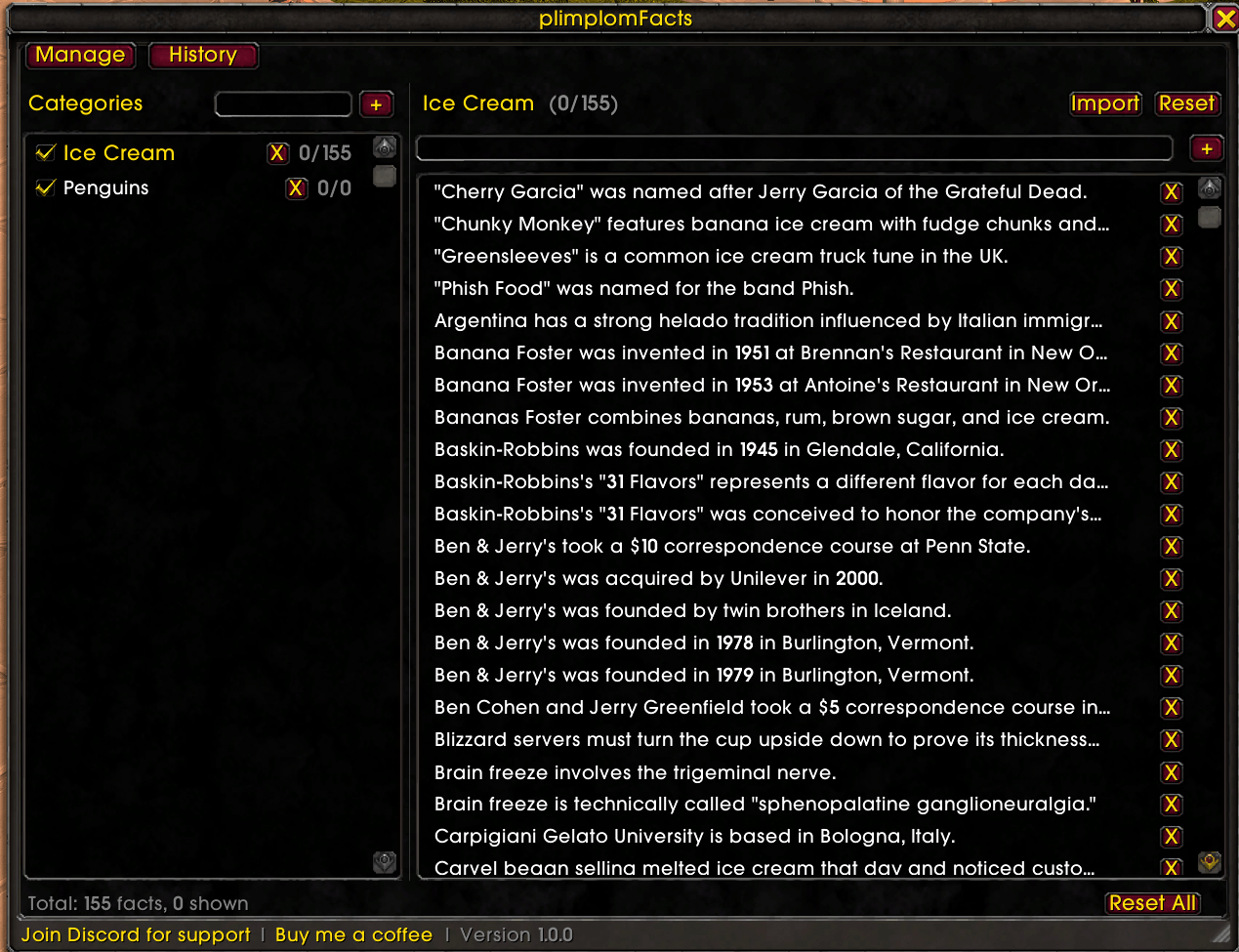
  • Thumbnail Bulk-import facts by pasting them with a blank line between each one — the window shows a live count of how many facts will be imported.

    Bulk-import facts by pasting them with a blank line between each one — the window shows a live count of how many facts will be imported.

  • Thumbnail The Manage tab — create and delete categories, select which are active, and add facts. Shows total fact count and how many have been shown. Two categories, nothing shown yet.
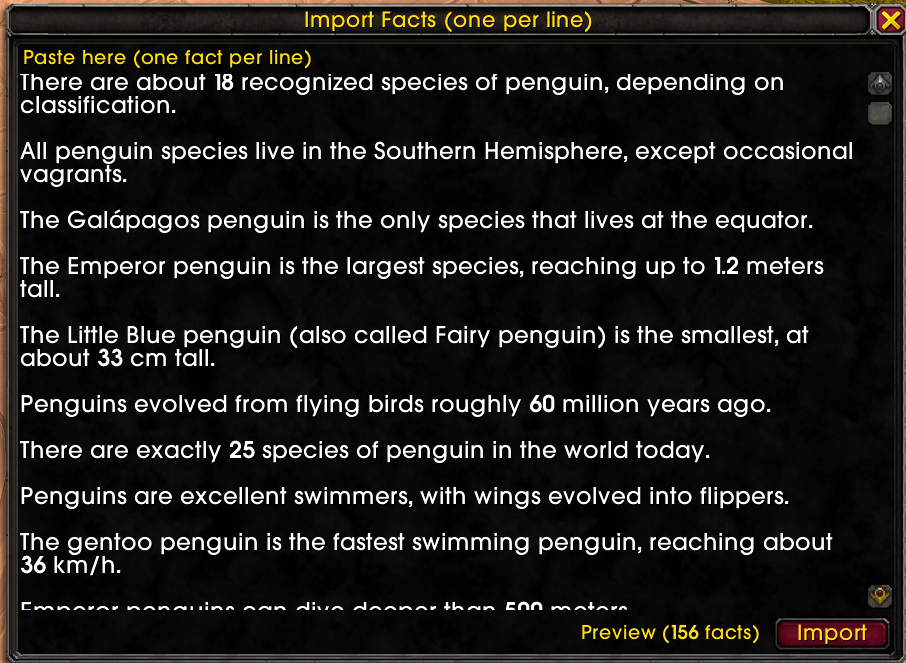
    The Manage tab — create and delete categories, select which are active, and add facts. Shows total fact count and how many have been shown. Two categories, nothing shown yet.

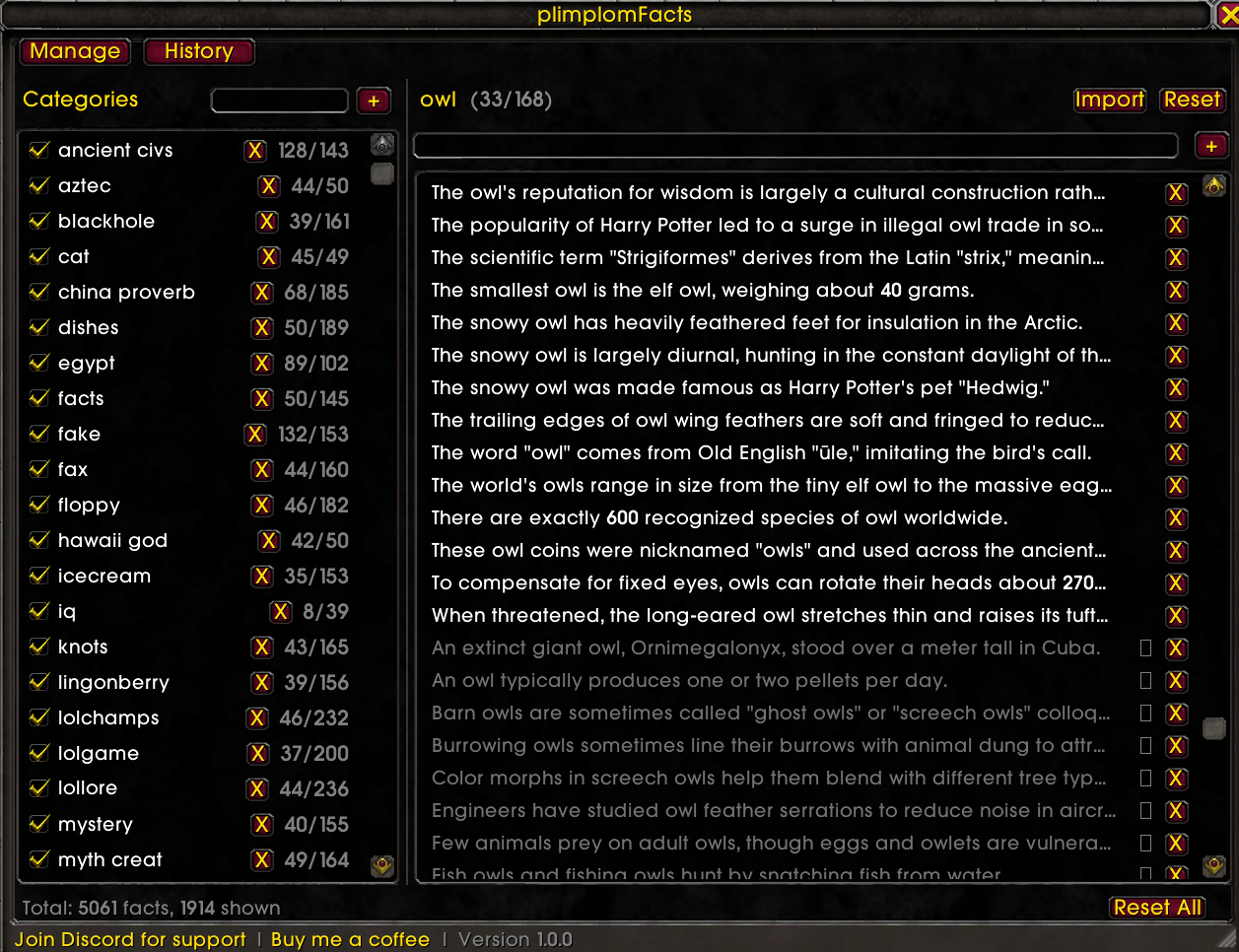
  • Thumbnail The Manage tab with a larger fact library — already-shown facts are greyed out so you can see at a glance what's fresh and what's already made the rounds.
    The Manage tab with a larger fact library — already-shown facts are greyed out so you can see at a glance what's fresh and what's already made the rounds.

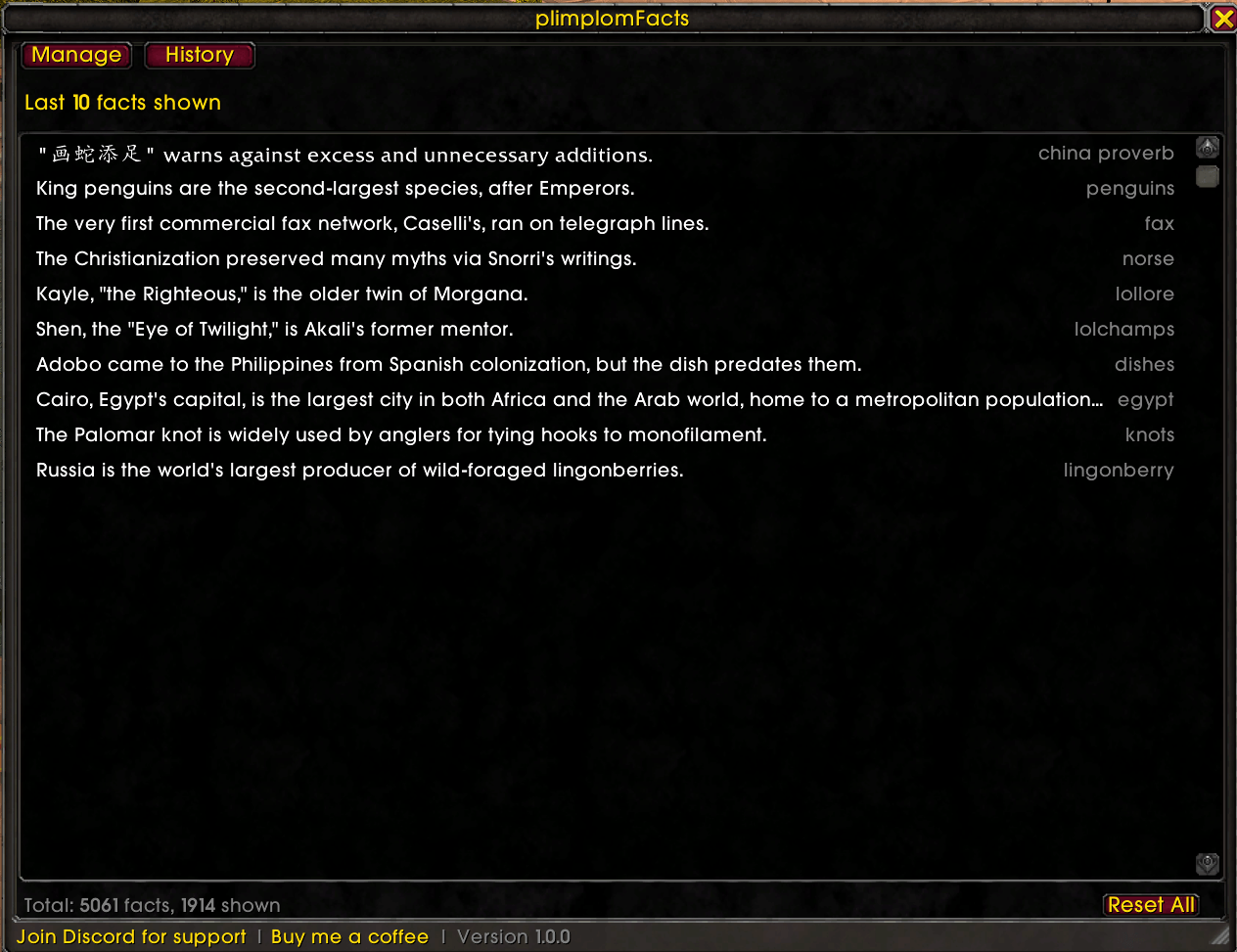
  • Thumbnail The History tab, listing the last 10 facts shown along with which category each one came from.

    The History tab, listing the last 10 facts shown along with which category each one came from.

World of WarcraftDiscoverBrowse
CurseForge - a world of endless gaming possibilities for modders and gamers alike.
Download the best mods and addons!
  • Games
    • All games
    • Minecraft
    • World of Warcraft
    • The Sims 4
    • Starcraft II
    • Kerbal Space Program
    • Minecraft Dungeons
    • World of Tanks
  • Create
    • Start a project
    • Project submission guide
    • Author Rewards Program
    • Apply for an API Key
    • 3rd Party API T&C
  • Community
    • Join Our Discord!
    • Ideas Portal
    • CF blog
    • Newsletter
    • Roadmap
    • Bukkit forums
    • CurseForge Servers
  • Support
    • Knowledge base
    • Troubleshooting
    • Contact us
  • Companions
    • Overwolf
    • CurseForge for Studios
    • Tebex
    • Nitro
  • Terms of Service
  • Privacy Policy
  • Licenses
  • Mod Author Terms
© 2026 Overwolf. All rights reserved.