


Playfulls
- By
playfulls_main.png
playfulls_1.png
playfulls_2.png
Description
Playfulls helps you make gold and level your professions fast and cheap. Build a shopping list right from the Professions window, find the best deals on your region's auction house, and see the cheapest way to level a profession. When you go out farming, it lights up the node in front of you and shows a route through each zone's nodes, arrow included.
If you use Auctionator, Playfulls runs next to it.
Shopping list, right in your professions
Beside the Professions window, a panel lists each recipe's reagents, what's in your bags and bank, and how many you still need. Add one reagent at the amount you choose, or everything that's missing at once. It also works in a window opened from a crafter's link in chat.
The list waits for you at the auctioneer. Click a row to search for it, then buy with Blizzard's own button, so every purchase stays your own click.
Deals at the auction house
A Deals tab goes through your last scan in four ways: items well under market price, items listed below what a vendor pays, items worth more as mats, and crafts you know pay right now. Click a row to search for it. The Under Market list needs 3 days of scans before it shows anything.
The cheapest way to level a profession
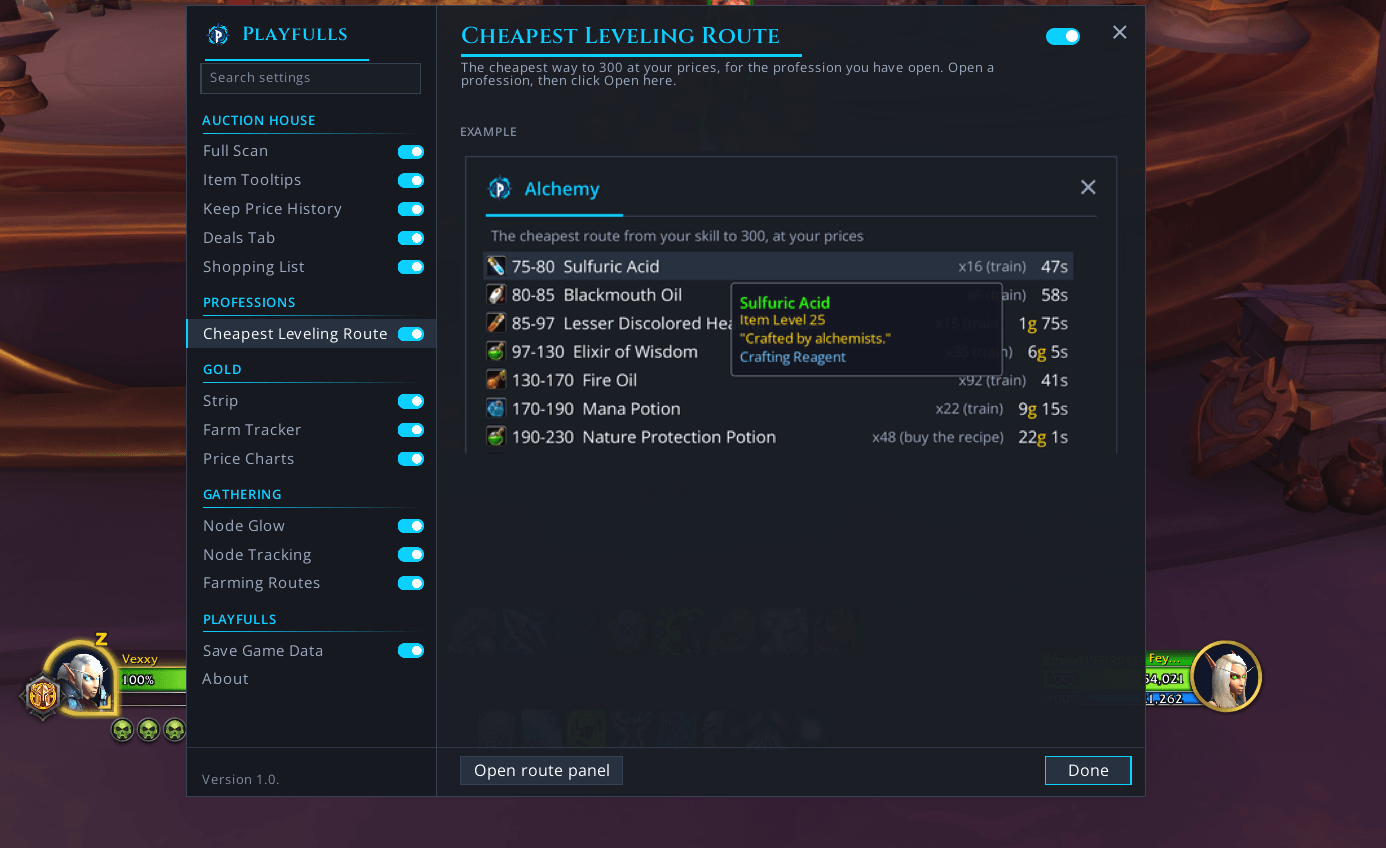
Open a profession, start the route from the options, and it lays out the cheapest way from your skill to 300 at your auction house prices: which recipe, how many, and what it costs after a vendor buys the results. It knows which recipes you've learned, so it won't send you to pay for one twice. Skill-up chances are estimates. Until your first scan, it uses estimated prices and says how many.
Node glow
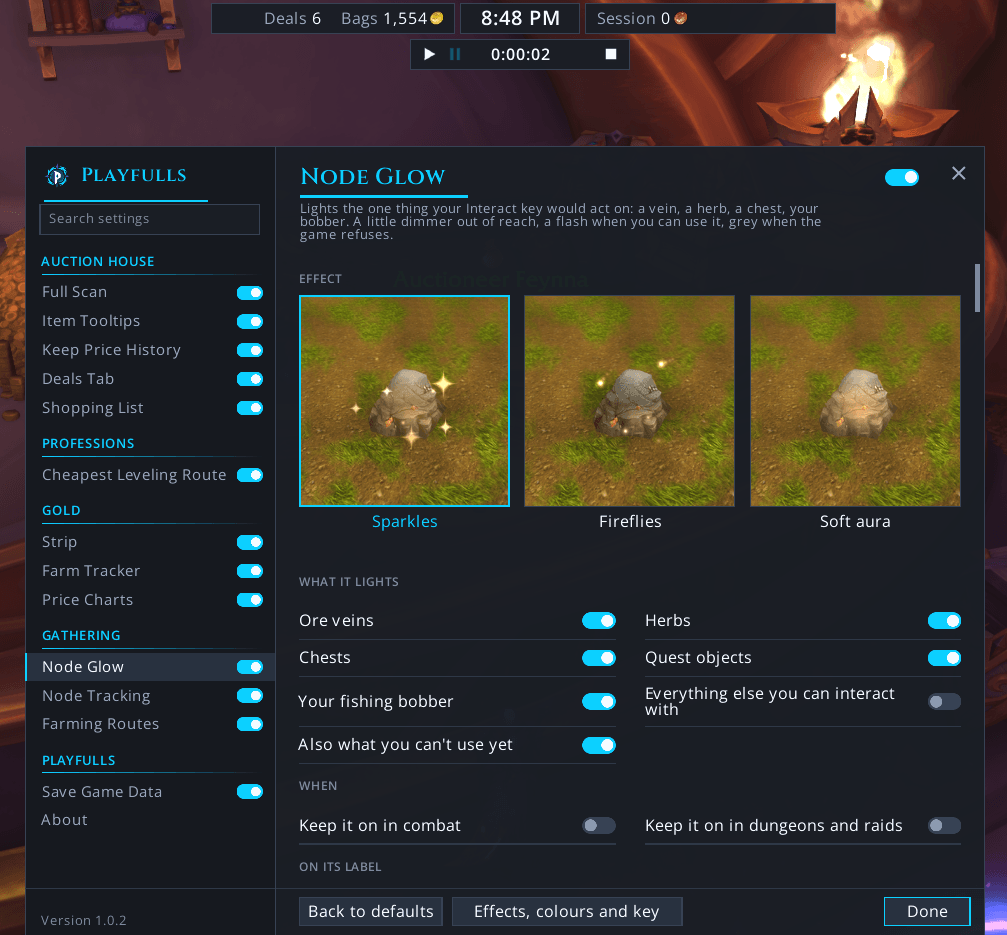
It lights the one thing your Interact key would act on: a vein, a herb, a chest, your bobber. Out of reach, it's a little dimmer; it flashes when you can use it, and it goes grey when the game refuses. Pick Sparkles, Fireflies, or Soft Aura. You still press the key yourself. When you turn it on, it enables the game's soft-target settings for objects; when you turn it off or log out, it restores your values.
Farming routes and node pins
Pick what you farm, and each zone gets a loop through your nodes and the known locations, on both maps, with the next stop marked. The window compares the zones and marks the best one. An arrow on your screen points to the next stop and shows the yards, waits while you pick the node, then moves on. Want it your way? Turn on editing and click pins on the map to add or take off stops. The lines run straight, so they don't know about walls or cliffs.
Every herb, vein, chest, and fish pool you gather gets a pin on your world map and minimap. Faded pins are known locations from community data, kept in a separate folder that loads only while its switch is on. None of them is confirmed in WoW Forever until you gather there.
Farm tracker and the strip
Press Start, and it logs what you loot, with a timer and the session's value per hour at AH prices. It keeps your last 50 sessions. Until you press Start, it isn't listening to anything.
The strip is a small bar you can drag anywhere. It shows the time, your bags at AH prices, how many deals your last scan found and the money you've earned since you logged in, or during your farming session. It counts looted coins, vendor sales and sold-auction mail as they happen, so quest money and trades aren't in it.
Prices and disenchant values on your tooltips
Click the Scan tab once, at the end of the row under the auction house window, and it reads every listing. With Auctionator loaded, the tab runs Auctionator's own full scan, so one click fills both, and your tooltips show whichever price is newer. It never scans by itself. Close the window whenever you like and you keep what it has so far.
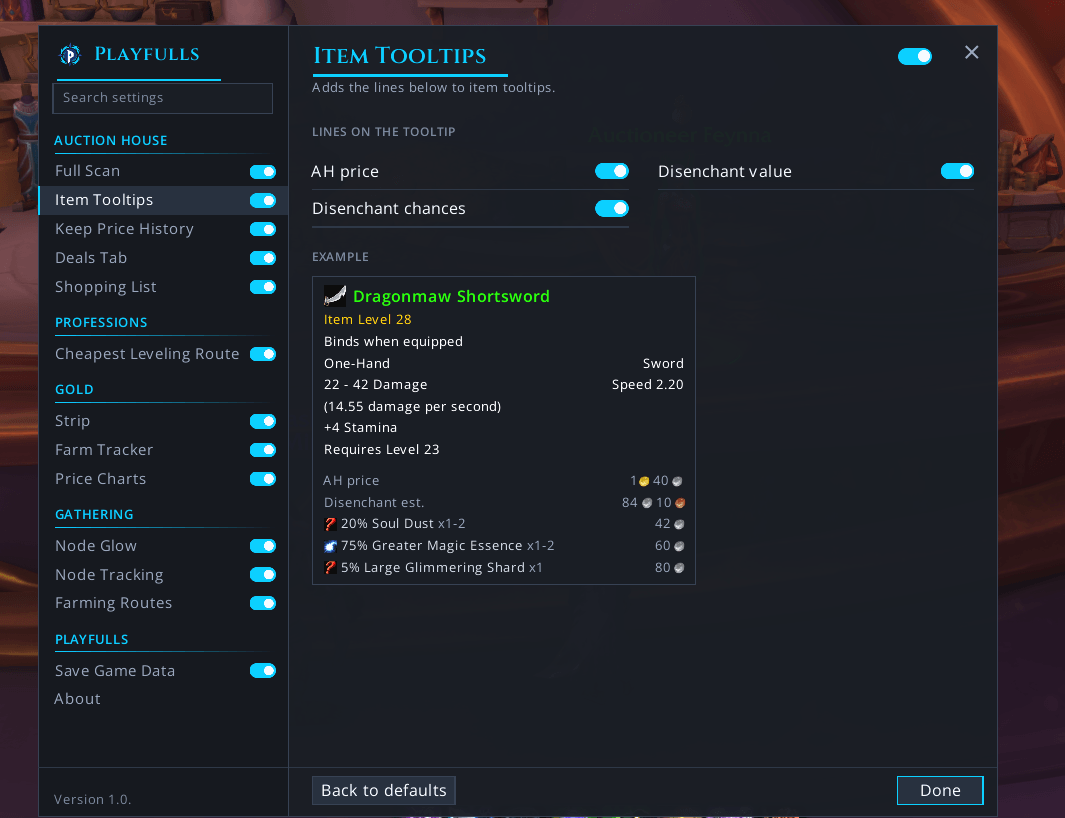
Greens, blues and purples also show what they'd likely turn into and what that comes to at your prices. The chances come from the original game's tables and nobody has measured them in Forever yet, so read them as estimates.
Each scan is saved as a daily figure per auction house. Alt+click an item for its price chart, and five optional tooltip lines add its averages, 7-day change and 30-day range. A fresh install has one point, so give it a few days.
Your settings
Type /playfulls or /pfl, or simply go to Options > AddOns > Playfulls
What it saves
Your scans, your farm sessions, your own node pins, and with Save Game Data on (it is by default) some game facts: what vendors sell and for how much, what trainers teach, what drops from what, what your disenchants give, and where you gathered a node. Each record has the day, the game build and your auction house (region, ruleset, faction). There's no character name, gold total or guild in any of it, and the switch turns it off. It all stays in the addon's saved file on your PC.
If you install our companion app, you will get a personalized tab for all your characters on Playfulls.com along with some very interesting stats and perks.
Commands
/pfl works as a short form of /playfulls in all of these.
- /playfulls: opens the settings window
- /playfulls list: opens the Shopping List
- /playfulls farm: opens the Farm Tracker
- /playfulls farm start, /playfulls farm pause, /playfulls farm stop: controls your farming session
- /playfulls chart followed by an item link or item ID: opens that item's price chart
- /playfulls glow: opens the Node Glow settings
- /playfulls nodes: opens the Node Tracking panel
- /playfulls circuit: opens Farming Routes
- /playfulls status: prints your market, price source, last scan and version in chat
Where it stands
We've tested Playfulls on WoW Forever: Beta and WoW: Midnight. If something misbehaves at launch, tell us in the comments and we'll fix it asap.
Links
Site: https://playfulls.com
Playfulls Team
