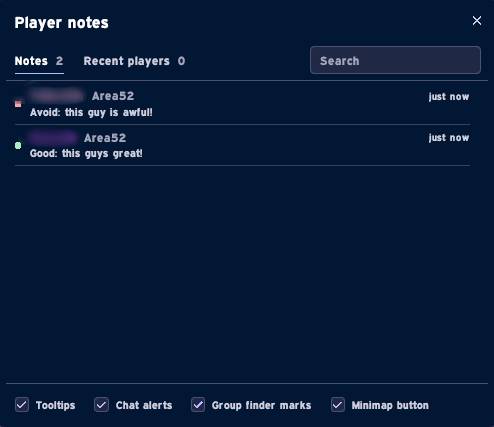
Screenshot_25.jpg

Screenshot_26.jpg
Description
Player Notes
Write a note on any player and see it wherever you meet them again: on their tooltip, in your group, and in the group finder.
What it does
Notes on anyone. Right-click a player and pick Add note. Give them a short note (up to 200 characters) and, if you like, a mark: Good or Avoid.
On their tooltip. Hover over a noted player and their note shows on the tooltip, in the mark's colour.
In the group finder
Applicants to your group and the leaders of listed groups get a coloured dot after their name. Their note shows on the group finder tooltip.
PlayerK Notes Team