


PlayedTheGame Toolbox
- By
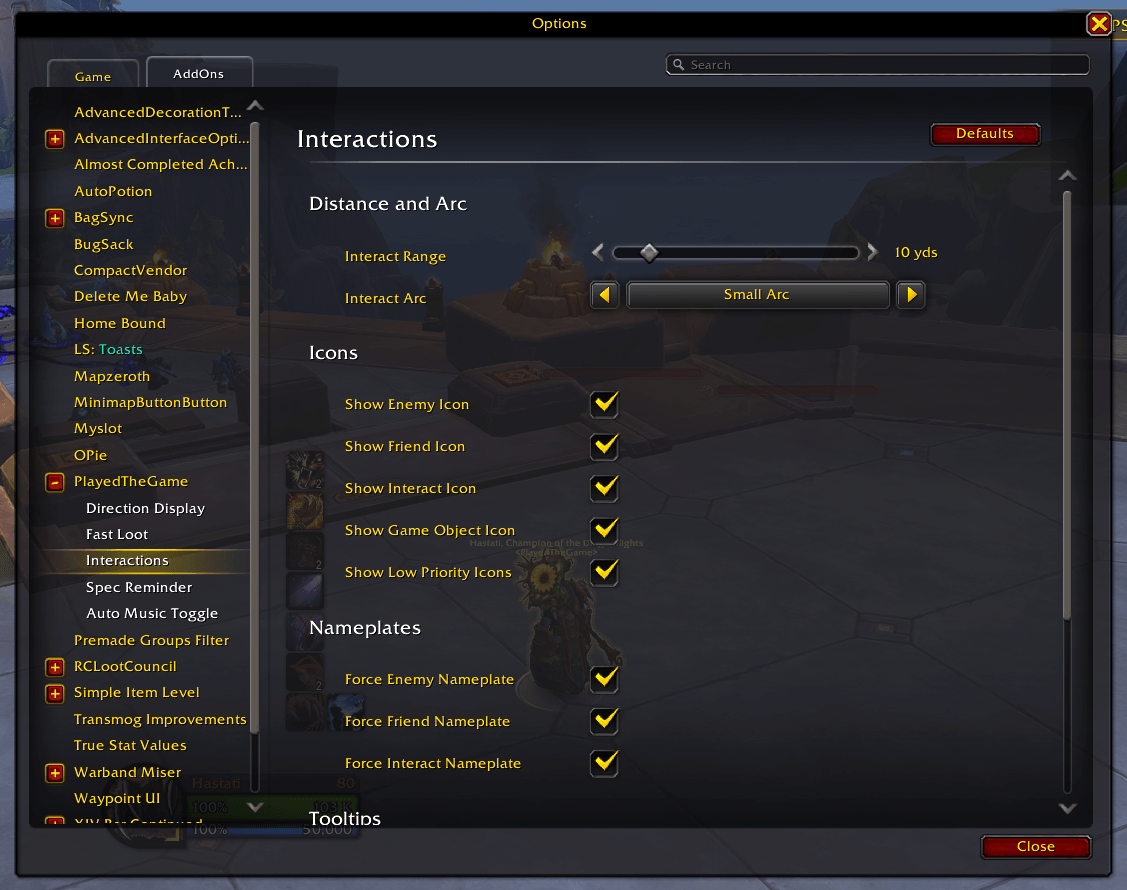
Interactions Settings.png
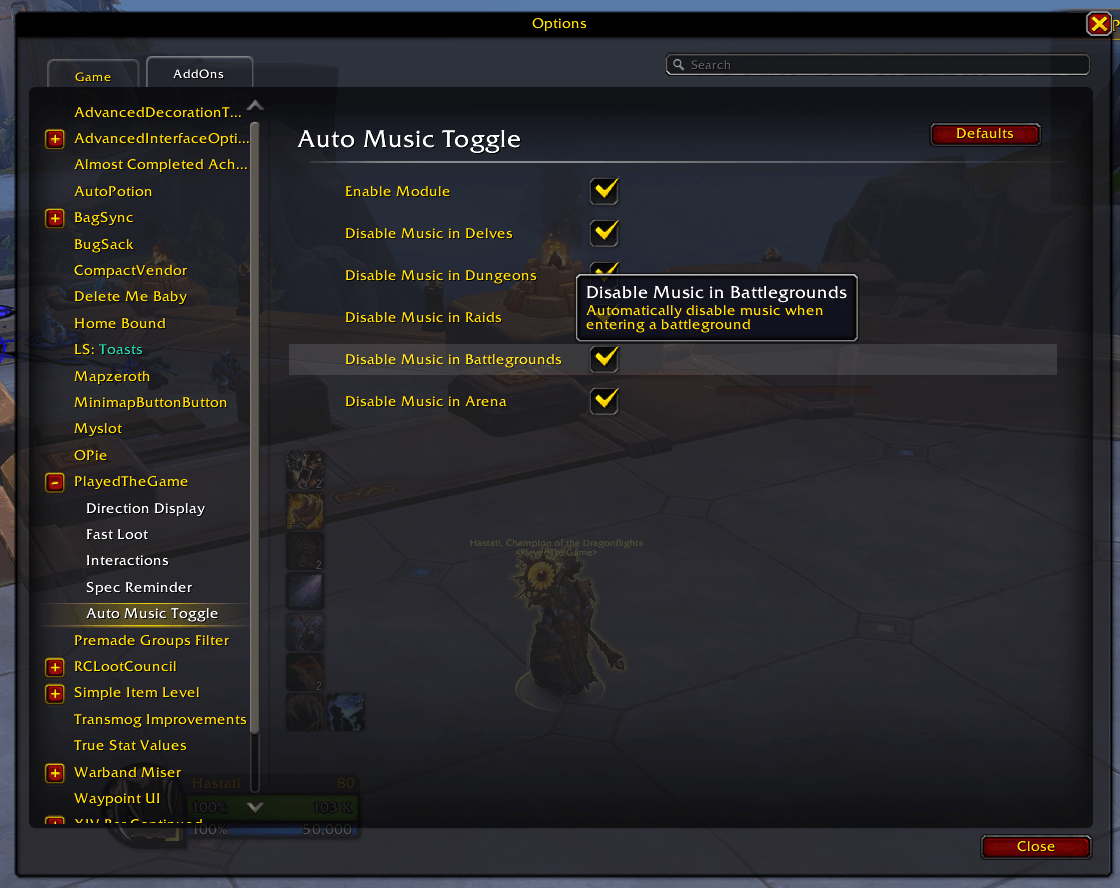
Music Mute Settings.png
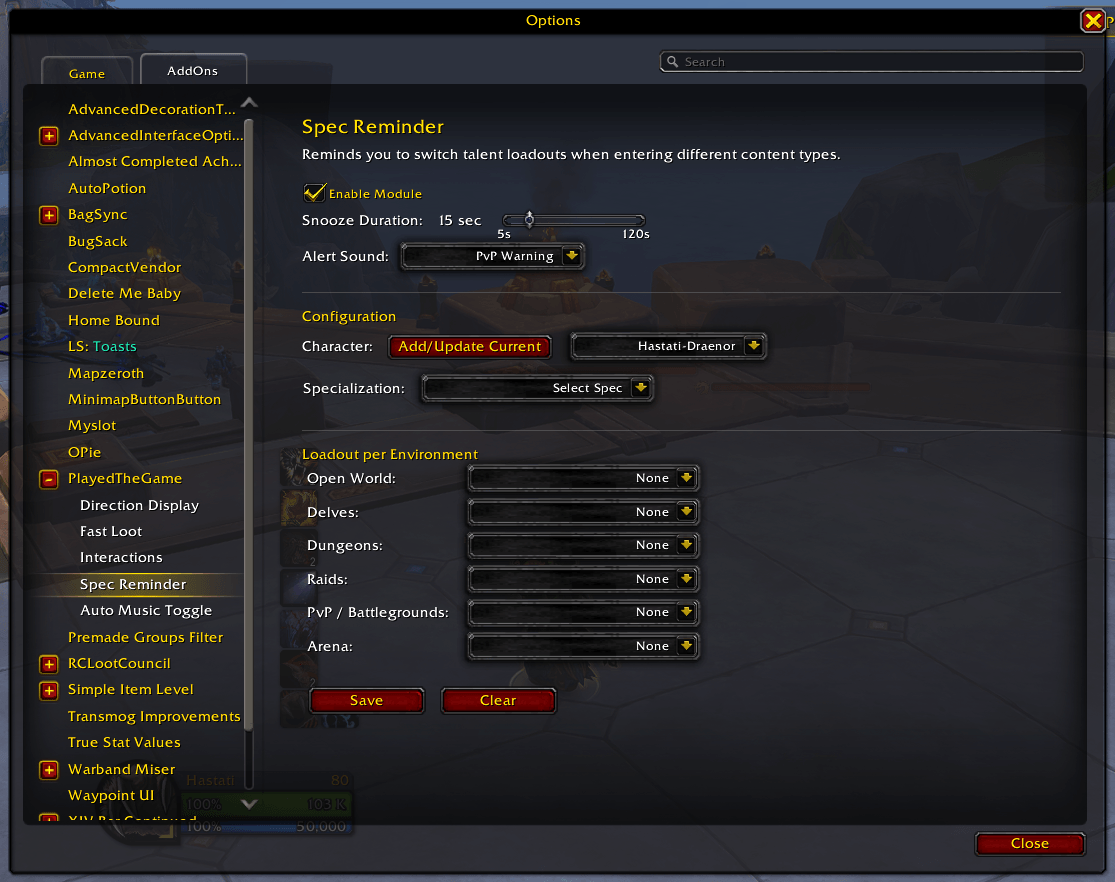
Spec Reminder Settings.png
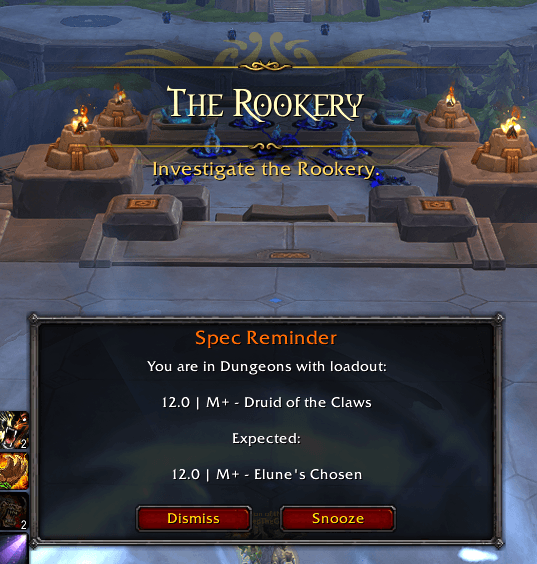
Spec Reminder Popup.png
Description
PlayedTheGame Toolbox
A lightweight, modular quality-of-life addon for World of Warcraft: Midnight (12.0+)
PlayedTheGame Toolbox is a collection of carefully crafted modules designed to enhance your gameplay experience without bloat. Built around proficiency, every module is written to be as lightweight as possible, avoiding unnecessary frame updates, event listeners, and memory allocations so the addon never gets in the way of your game performance. Each module is independent and can be enabled or disabled based on your preferences. The addon uses WoW's native Settings API and Edit Mode integration for a seamless, modern feel.
Modules
Auto Music Toggle
Automatically mutes in-game music when you enter instanced content so you can focus on voice chat, Discord calls, or your own playlist. Music is seamlessly restored when you return to the open world.
Supported content types: Delves · Dungeons · Raids · Battlegrounds · Arenas
Fast Loot
Tired of waiting for loot windows? Fast Loot automatically grabs all items the moment a loot window opens, making farming, dungeon runs, and world content feel snappier.
Interactions
A clean interface for WoW's soft-targeting system. Customize interact range, targeting arc, and visual indicators for enemies, friendlies, interactable objects, and game objects — all from one settings panel.
Direction Display
Shows Left and Right text indicators on screen for raid callouts, plus displays your current raid group number with odd/even parity. Perfect for encounters with directional mechanics or group-based assignments.
Features:
- Large, clear Left/Right indicators
- Raid group number with Odd/Even label
- Party size display when not in a raid
- Alerts when your group assignment changes
- Full Edit Mode integration
Spec Reminder
Never forget to switch specs again. Spec Reminder prompts you to change your loadout when entering different content types, ensuring you're always prepared.
Configure loadouts for: Open World · Delves · Dungeons · Raids · Battlegrounds · Arena
GCD Bar
A visual Global Cooldown indicator that helps you track the GCD for smoother ability queuing. Particularly useful for classes with variable GCD lengths or when optimizing rotation timing.
Features:
- Attach to your cast bar or position independently
- Customizable width, height, and colors
- Fill direction and fill mode options
- Adjustable opacity for bar, background, and border
- Optional remaining time text
Currency Tracker
Keep track of your seasonal currencies without constantly opening the currency tab. Displays your current amounts on screen with intelligent organization and warning colors when approaching caps.
Features:
- Season Profiles: Core currencies (Valorstones, Crests) update each season
- Expansion Profiles: Optional currencies (Kej, Resonance Crystals, Undercoin) persist across seasons
- Warning colors when approaching currency caps
- Location-based visibility controls
- Multiple display modes (append, column before/after core)
- Full Edit Mode integration and per-character settings
AH Expansion Filter
Automatically applies the "Current Expansion Only" filter every time you open the Auction House. Small but saves a click every single time.
Cursor CDM
Attaches your Cooldown Manager and Tracked Buffs frames to your cursor so your key information follows your mouse. Optionally attach your Personal Resource Display too.
Features:
- Per-spec profiles, different offsets and settings for each specialization
- Independent enable, position offset, and frame layer for each frame
- Copy settings to all specs with one click
- Automatically migrates settings from the standalone CursorCDM addon
Where Are We Going?
When you accept a group invite through the Group Finder, a notification pops up reminding you what the group was actually listed for, because sometimes you queue and immediately forget.
Features:
- Shows group title, activity name, and activity description
- Configurable font size and text color
- Optional background with adjustable opacity
- Configurable auto-hide timer or keep it up permanently
- Optional sound alert on join
- Right-click to dismiss · Drag to reposition
Commands
| Command | Description |
|---|---|
/ptg |
Open settings |
/ptg status |
Show addon status and memory usage |
/ptg music |
Toggle music override |
/ptg specreminder |
Open Spec Reminder settings |
/ptg gcd |
Open GCD Bar settings |
/ptg testgcd |
Test the GCD bar animation |
/ptg currency |
Open Currency Tracker settings |
/ptg ah |
Open AH Expansion Filter settings |
/ptg cdm |
Open Cursor CDM settings |
/ptg wawg |
Open Where Are We Going? settings |
/ptg help |
Show all commands |
Why PlayedTheGame?
- Lightweight: No heavy library dependencies, just clean, efficient code. Under 1MB of memory.
- Modular: Enable only what you need
- Modern: Built on WoW's native Settings API with Edit Mode integration
- Maintained: Built for Midnight (12.0+) and kept up to date
PlayedTheGame Toolbox Team
