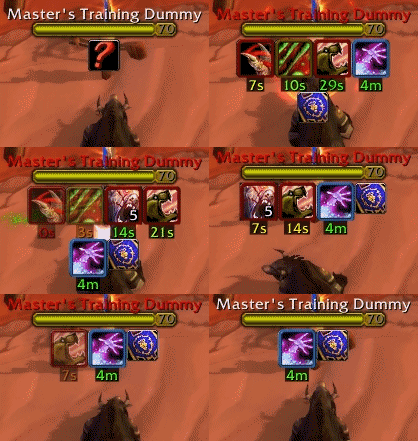
PlateBuffs in action.
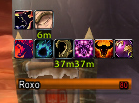
PlateBuffs should work with Aloft nameplates.
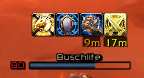
PB should work with caelNamePlates. Let me know if there's problems.
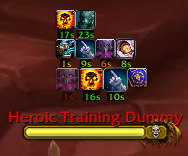
Two priests casting on target dummy. My spells are first and bigger.
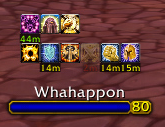
Spells on top of nameplate.

Anchor point settings. By default bar's shown ontop of nameplate.
X/Y offset.
Icons per row.
Number of rows to show
Icons size
Make your spells appear 20% bigger then other's spells.
Show cooldown text.
Cooldown text size...
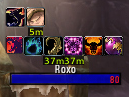
PlateBuffs should work with Threat Plates nameplates.

See a enemy that's been rooted/CCed? Above his head the CC spell will appear with a countdown.
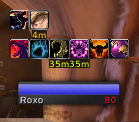
PlateBuffs should work with Tidy Plates nameplates.
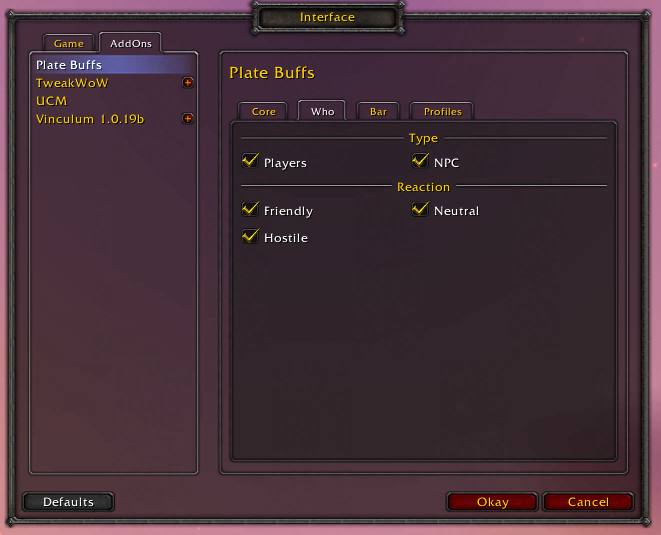
Who to put buffs on top.
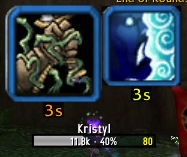
By default, CC spells have huge icons.
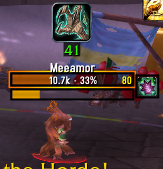
Careful melee classes, if you hit him you'll get rooted!
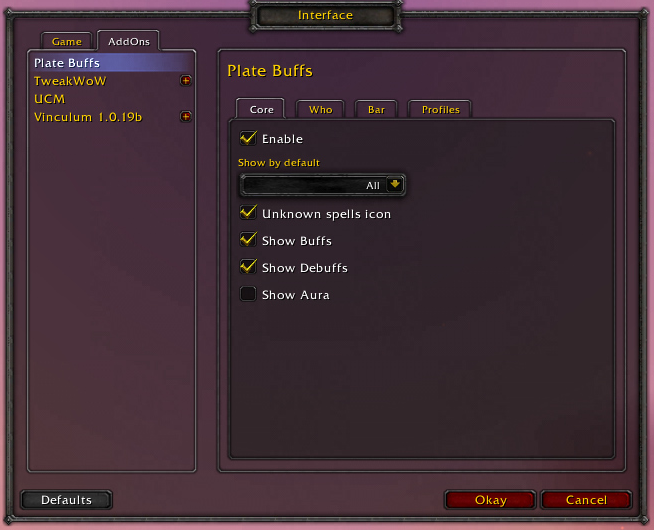
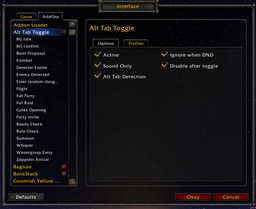
Enable / Disable the addon.
Show by default All / Mine / No buffs.
Show question mark above unknown nameplates.
Show buffs
Show Debuffs
Show Auras
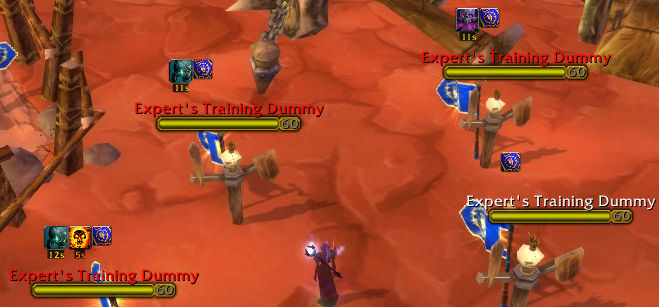
PlateBuffs can distinguish which nameplate belongs to what mob even if the share the same name.
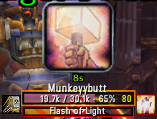
Here I've set a paladin's bubble to have a huge icon. I then know exactly where to mass dispel.
Description
PlateBuffs (PB) displays people's buffs above their nameplates.
Discussion page: here
Future plans
- ...
Known issues
FAQ:
Q) Will PlateBuffs work on mobs?
A) Yes. but since mobs can share the same name you'll need to target or mouseover the nameplate so PlateBuffs can determine which nameplate belongs to what mob. Once that nameplate disappears from the screen and reappears you'll need to mouseover/target again.
Q) What's the question mark for?
A) It can mean 2 things. 1) We don't know what mob that nameplate belongs to, 2) We don't know what spells are on that mob/player. In both cases you need to target/mouseover the nameplate.
Q) Will PB work with non default nameplates?
A) PB should work with Tidy Plates, Aloft and caelNameplates. PB may or may not work with other nameplate addons.
Q) Can I have specific buff options?
A) Yes. Open PlateBuff's options (/pb) and go to the Specific Spells menu. In there you can add spells and choose always/mine/never show, icon size and cooldown text size. Some spells are added by default to have large icons.
Q) Why do spells blink?
A) Spells will blink if there's less then 20% of the time remaining.
Q) Can you add a clockwise cooldown overlay to the spell icons?
A) Unfortunately the clock cooldown doesn't work well on frames that are constantly moving around the screen. It tends to disappear while the frame's moving and only appear when the icon's perfectly still. So as soon as you move, they move or your camera moves (including breathing up and down motion) the overlay disappears. Sorry.
Q) Why does PB use up so much memory?
A) A large part of it is a spell ID table used to add spell descriptions and icons to the specific spells list. Disable Add Spell Descriptions in the core options (and relog) to see the true memory usage. FYI: Memory usage has little impact on game play. CPU usage is what lowers FPS.
Q) How do I turn off all buffs except those on my Specific Spells list?
A) In PlateBuffs' options, set both "Show Buffs" and "Show Debuffs" to none.
Credits:
- Adirelle - Flashing transparency code, helped remove garbage table creation, French (frFR) translator.
- Eprom83 - French (frFR) translator
- Farook - German (deDE) translator
- archiv - German (deDE) translator
- Sayclub - Korean (koKR) translator
- wowuicn - Simplified Chinese (zhCN) translator
- sojrjj - Traditional Chinese (zhTW) translator
- RedAir - Korean (koKR) translator
- Athariel - Russian (ruRU) translator
- otonashimeru - Simplified Chinese (zhCN) translator
- contrebasse - French (frFR) translator
- Erinnia - German (frFR) translator
- Acapela - Fixing bugs since Cataclysm released.
Translators needed - apply localizations here.
Donations welcome. There's a donate button here.
The PlateBuffs Team


Owner