


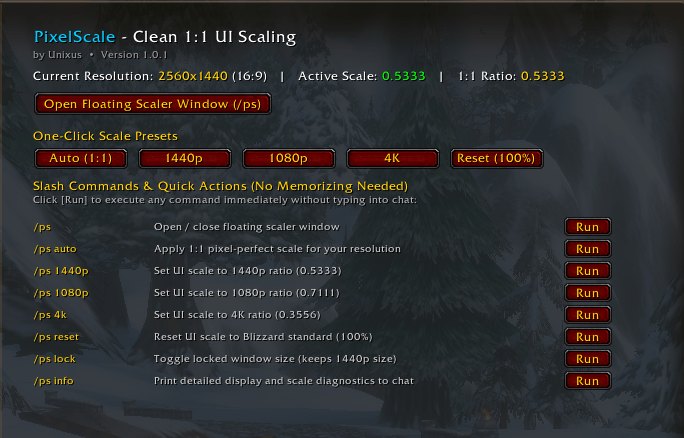
Screenshot_15.png
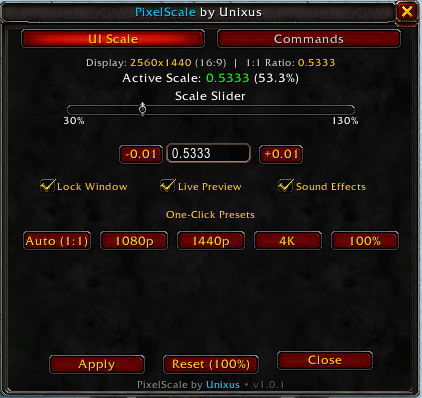
Screenshot_14.png
Description
PixelScale – Pixel-Perfect UI Scaling for World of Warcraft
PixelScale is a lightweight, zero-bloat utility that unlocks precise UI scaling beyond the rigid constraints of World of Warcraft's default settings. Whether you are running on 1080p, 1440p, 4K monitor, PixelScale ensures your interface renders crisp, sharp, and perfectly aligned down to the individual pixel.
Why PixelScale?
By default, World of Warcraft’s built-in UI scale slider uses coarse increments and often fails to hit the exact 1:1 pixel mapping ratio required for modern high-resolution displays. This mismatch causes:
Key Features
One-Click Pixel Perfect Mode: Automatically detects your current screen resolution and calculates the optimal true 1:1 pixel scale factor instantly.
Ultra-Lightweight & Clean: No background CPU usage, zero combat taint, and no performance footprint. Once applied, PixelScale stays completely idle until you adjust a setting.
Slash Commands
Open the settings panel or adjust your scale quickly via chat:
<span class="selected">/pixelscale</span> or <span class="selected">/ps</span> — Open the PixelScale configuration panel.
<span class="selected">/ps auto</span> — Immediately apply the calculated pixel-perfect scale for your current display.
<span class="selected">/ps set <value></span> — Manually set a precise scale factor (e.g., <span class="selected">/ps set 0.5333</span>).
<span class="selected">/ps reset</span> — Restore Blizzard default UI scale values.
Pixel Scale Team
