Pigeon Post (forever)
- By
Mail your materials to your own characters or split them between your crafters: safe, with a preview, one click per letter.
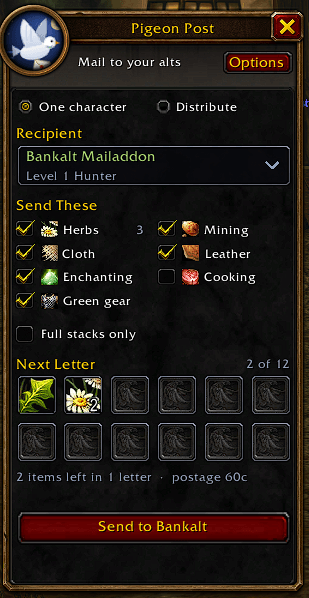
The Pigeon Post panel next to the mail window: pick a character, tick what to send and see the next letter before it goes out.
Description

Mail your gathered materials to your own characters, or split them between your crafters. Safe, with a preview, one click per letter.
You farm herbs and ore on one character, but your alchemist, blacksmith or bank character needs them? Open a mailbox, pick a character, click, and the letter is on its way. No typing names, no dragging twelve stacks by hand, no risk of mailing a stranger.
Beta for WoW Forever (client 1.60.1). Found something odd? Tell me in the comments.
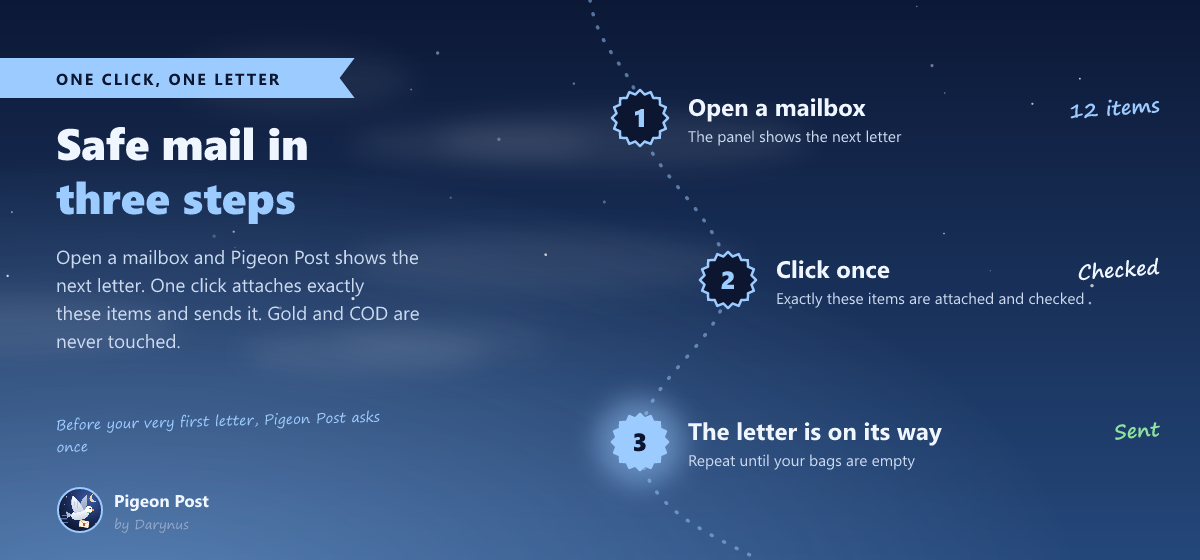
New in 0.6
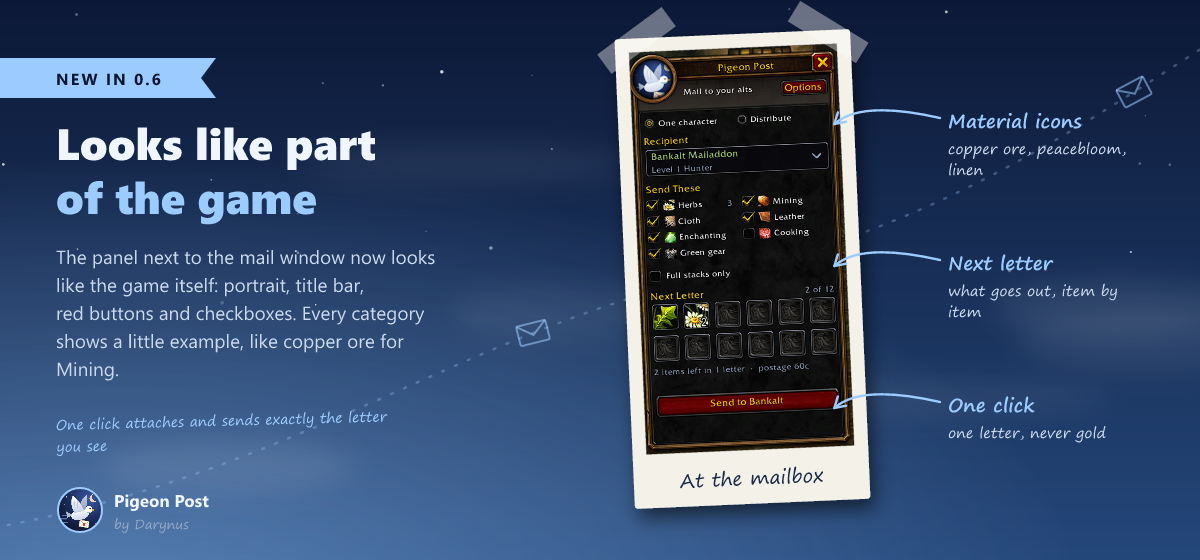
- Looks like part of the game: the Pigeon Post window and the mailbox panel now use the game's own window frame with a portrait, red buttons, checkboxes and radio buttons. The window has its tabs along the bottom.
- Material icons for every category, like copper ore for Mining or peacebloom for Herbs.
New in 0.5
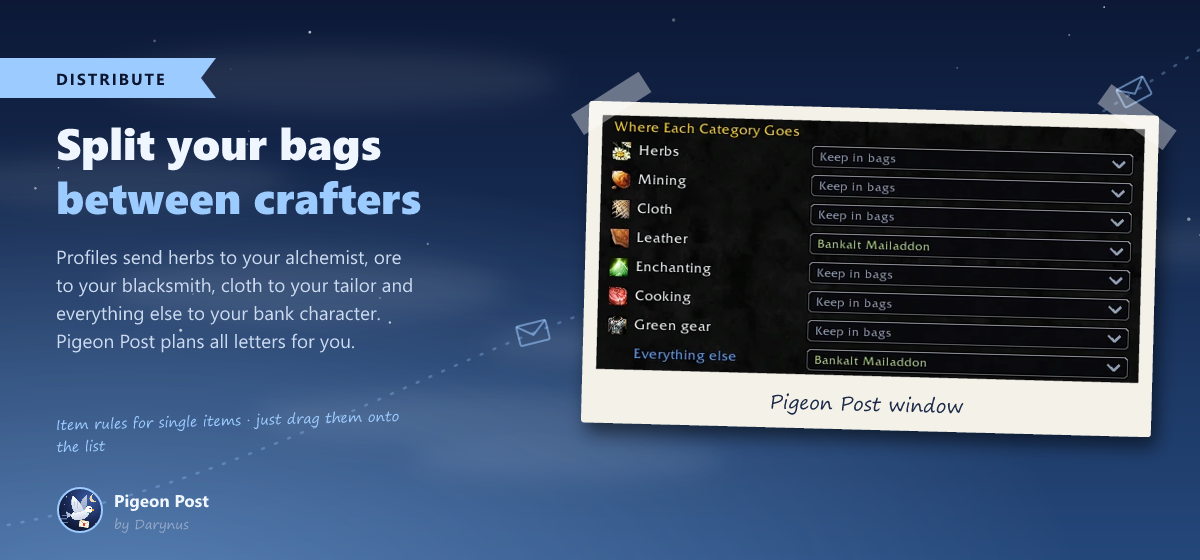
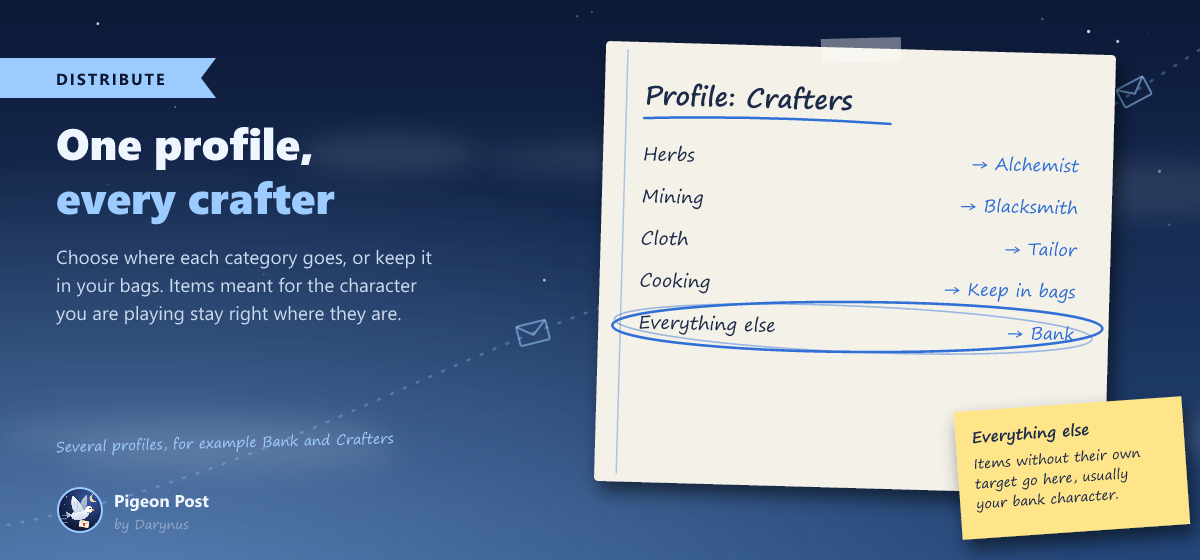
- Distribute between your crafters: herbs to your alchemist, ore to your blacksmith, cloth to your tailor, everything else to your bank character. Pigeon Post plans all letters, you send them one click at a time.
- Item rules: drag a single item onto the list and choose who gets it, for example potions for your main.
- Simpler panel: no more modes. The panel shows the next letter, one click sends exactly that.
- New category Cooking: meat, fish, eggs and spices.
- Never send by drag and drop, a shorter panel and many small fixes.
Everything at the mailbox
- Panel next to the mail window: choose a recipient, choose what to send and see the next letter before it goes out.
- Categories: Herbs, Mining (ore, stone, bars, gems), Cloth, Leather, Enchanting, Cooking and Green gear (uncommon weapons and armor that are not soulbound).
- Rules per recipient: your alchemist gets herbs, your bank character gets everything. Pigeon Post remembers it.
- Full stacks only or everything: keep partial stacks in your bags while you are still gathering.
- Leave items out: right-click an item in the preview to skip it this time. Shift + right-click puts it on the Never send list for good.
- History of every letter, an item check for your bags and a tooltip line with the Pigeon Post category.
Only your own characters
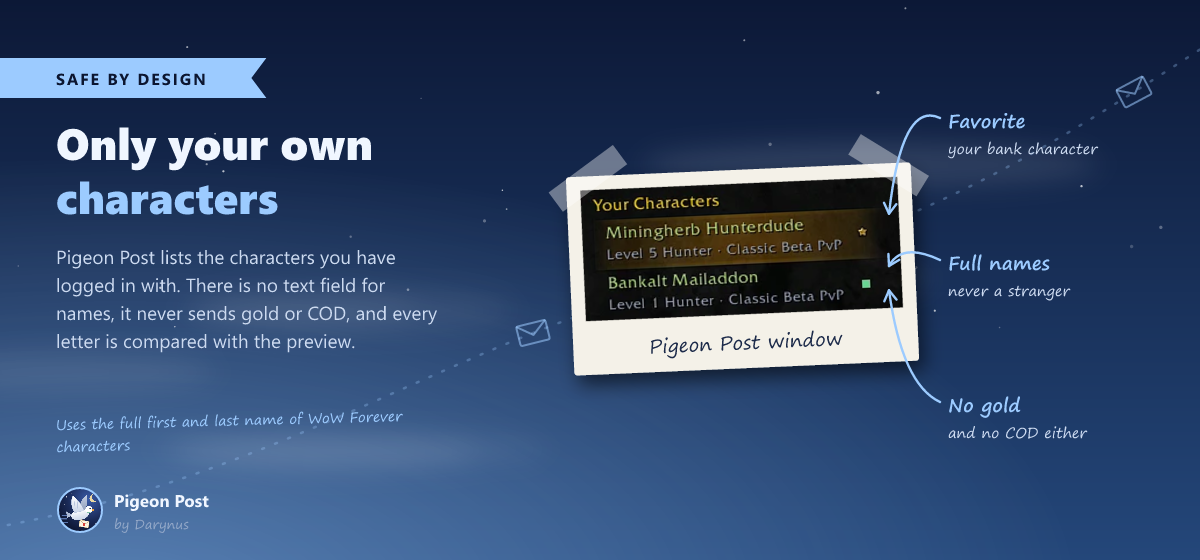
- Pigeon Post lists the characters you have logged in with. There is no text field for names, so you can't mail the wrong person by accident.
- Favorite: mark your bank character with a star and it is preselected on every character.
- Always the full first and last name that WoW Forever gives each character. First names alone could reach a stranger.
How to use
- Log in once with every character that should receive mail. Pigeon Post remembers it.
- Open a mailbox. The Pigeon Post panel appears next to the mail window.
- Pick a recipient and tick what to send. Tip: make your bank character your favorite.
- Check the preview: exactly these items go into the letter.
- Click the big button. One click, one letter. Repeat until nothing is left.
Several crafters? Open /pigeon, go to Distribute and choose where each category goes. At the mailbox, switch the panel from One character to Distribute. Item rules come first, then the categories, then everything else. Items meant for the character you are playing stay in your bags.
Commands
| Command | What it does |
|---|---|
/pigeon |
open or close the Pigeon Post window |
/pigeon panel |
show or hide the panel at the mailbox |
/pigeon split |
switch between one character and Distribute |
/pigeon profile [name] |
choose a distribution profile |
/pigeon favorite [name] |
set or remove a favorite recipient |
/pigeon remove [name] |
remove a character from your list |
/pigeon log |
show the last letters in chat |
/pigeon check |
open the item check |
/pigeon help |
list all commands |
Safe by design
Pigeon Post was built to be boring in the best way:
- It never sends gold or COD. If there is money in the mail window, it stops.
- It only mails characters from your own list, on your realm and faction.
- One click sends at most one letter. Nothing happens on its own when you open a mailbox.
- You only send what you saw. If your bags changed since the preview was drawn, Pigeon Post attaches nothing, refreshes the preview and waits for your next click.
- Every attachment is compared with the preview before the letter goes out. If anything differs, the letter is cancelled and the items go back into your bags.
- Soulbound items, quest items, bags and items on your Never send list are never touched.
- Before your very first letter, Pigeon Post asks once.
- Every game language: items are recognized by the game's own item data, never by names. Free, no ads, and the code is open on GitHub.
FAQ
I don't see my other characters. Log in once with each of them while Pigeon Post is enabled. The game does not tell an addon which characters exist on your account, so Pigeon Post learns them when you play them.
A character says "doesn't know the full name yet". WoW Forever characters have a first and a last name. Log in with that character once more and Pigeon Post learns the full name.
Can I mail characters on another realm or faction? No, the game does not allow it. Pigeon Post shows these characters in the window but not as recipients.
Can Pigeon Post send everything automatically when I open a mailbox? No, on purpose. Every letter needs your click. That keeps you in control and on the safe side of the addon rules.
An item is not recognized.
Open /pigeon check, scan your bags and post the item name and the class numbers shown there in the comments. Until it is added, send that item by hand.
Does it work with other mail addons? Pigeon Post only touches the mail window while you click its button. If another addon changes the recipient during that moment, Pigeon Post cancels the letter.
Feedback
Made by a gamer, for gamers. Pigeon Post is free and always will be. Bug reports and ideas are welcome in the comments or on GitHub.
Pigeon Post (forever) Team