


Picky - Lockpick Assistant
- By

Lockpicking for other players, made easier. Right-click a box, let Duty mode find customers in chat, and keep track of every request. Open all your boxes in your bags with one Button. Includes a leveling guide with map pins. For WoW Forever.
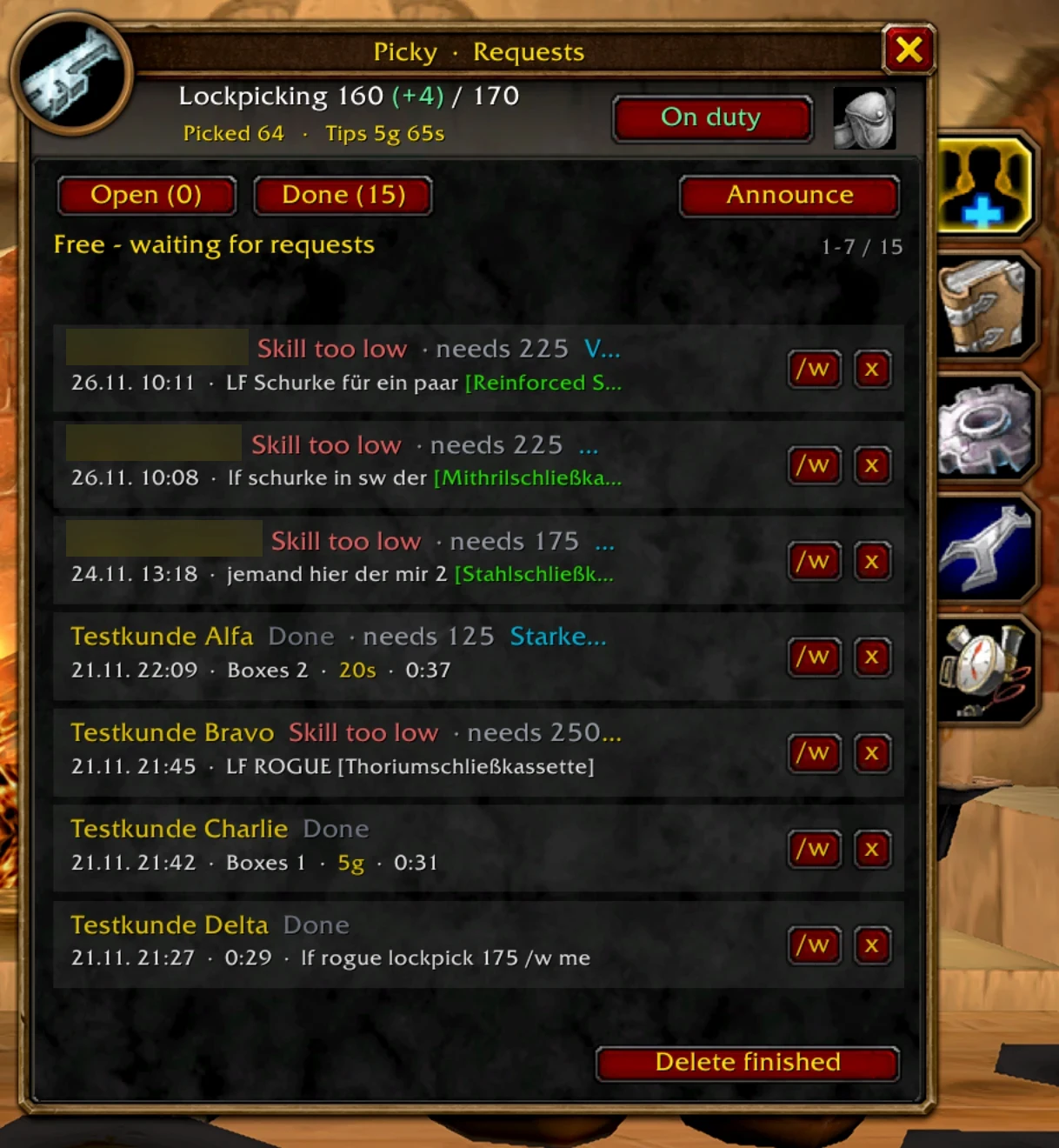
Requests: every order with the skill needed, time and tip
Features
- Right-click to pick: click a locked box in your bags or in the trade window. No macros, no dragging.
- Duty mode: finds players asking for a rogue in chat (English and German), invites them, greets them, thanks once for tips and leaves the group afterwards. Customers who invite you directly are accepted too. If someone you invited never joins but trades with you anyway, the order still counts.
- Smart pop-ups: a new request, a completed trade (click to thank and leave the group) and a box that is too high for you. Each one stays only while it is relevant, and you can choose the request sound in the settings.
- Skill too high: whispers that need a higher skill than yours get an automatic reply. The text is editable and uses the placeholders
{need}and{skill}. Public chat is never answered. - Announcements in trade chat with channel selection and the placeholders
{skill},{pick}and{city}. - Order history: boxes picked, tips and time spent, saved until you delete them.
- Leveling guide for lockpicking in WoW Forever.
- Test mode: a full simulation with a copyable log, so you can try everything without sending a single real whisper or invite.
- Lightweight: one small addon, no libraries, no other addons required.
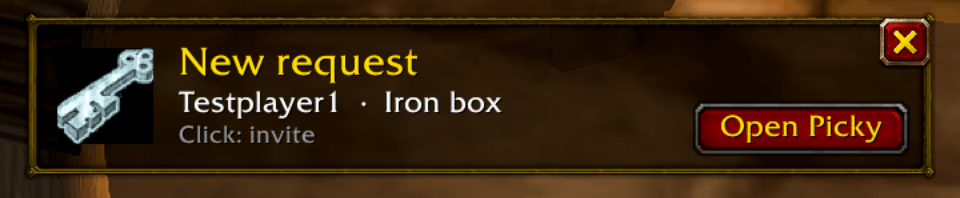
Pop-up for a new request: click to invite
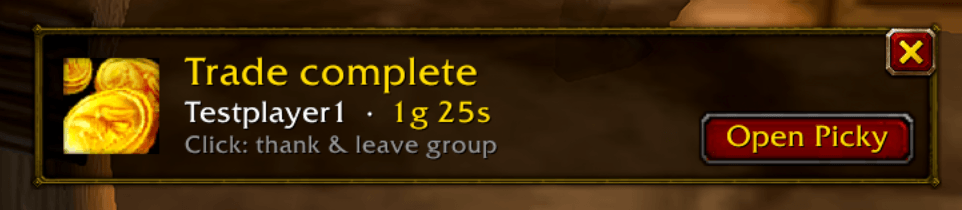
Pop-up after a trade: click to thank and leave the group
Getting started
- Type
/pickyto open the window. - Turn on Duty. That's it.
- To announce yourself, Shift-click the minimap button or press Announce in the window. The game only allows channel posts from a click, so there is no automatic timed announcement.
Chat commands
| Command | What it does |
|---|---|
/picky |
Opens or closes the window |
/picky duty |
Turns Duty mode on or off |
/picky stats |
Prints your totals (orders, boxes, tips) |
Leveling guide
Picky shows you where to level lockpicking for your current skill: the best spots, map buttons and the boxes you can open there.
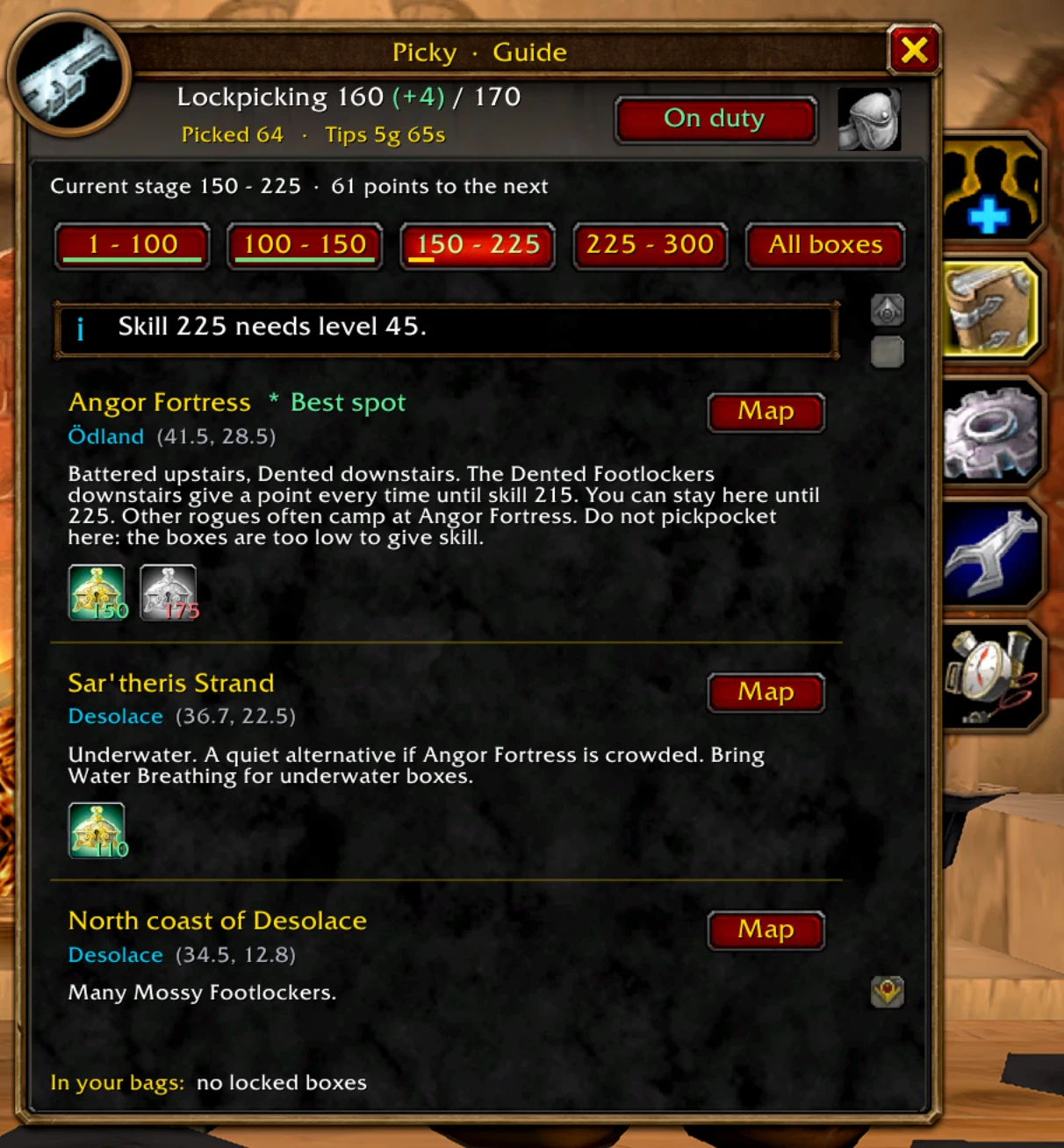
Leveling guide: spots, map buttons and the boxes for each skill range
Settings
Everything can be changed: what Duty does, which channels to listen and advertise in, sounds, pop-ups, window size and all message texts.
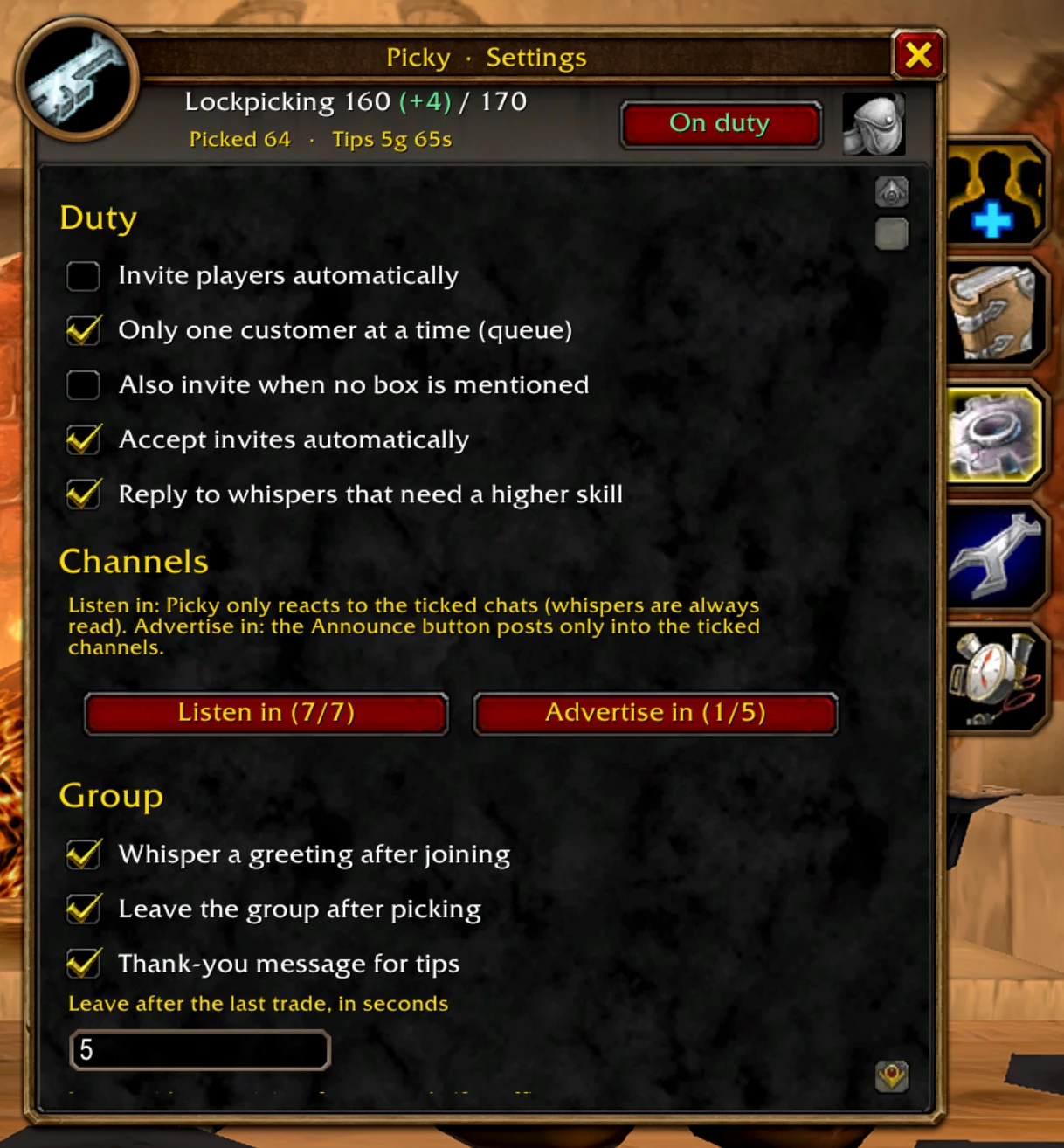
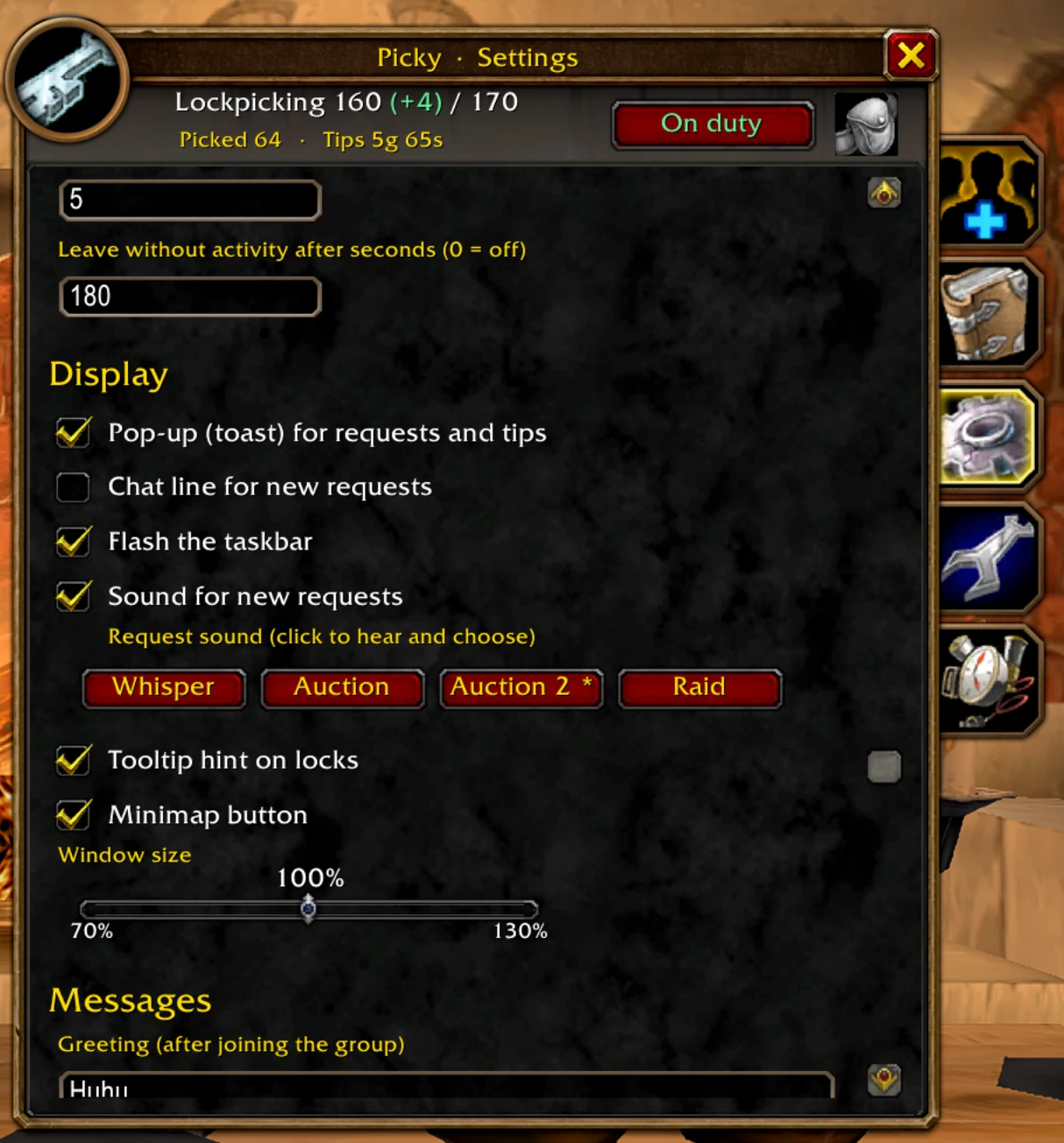
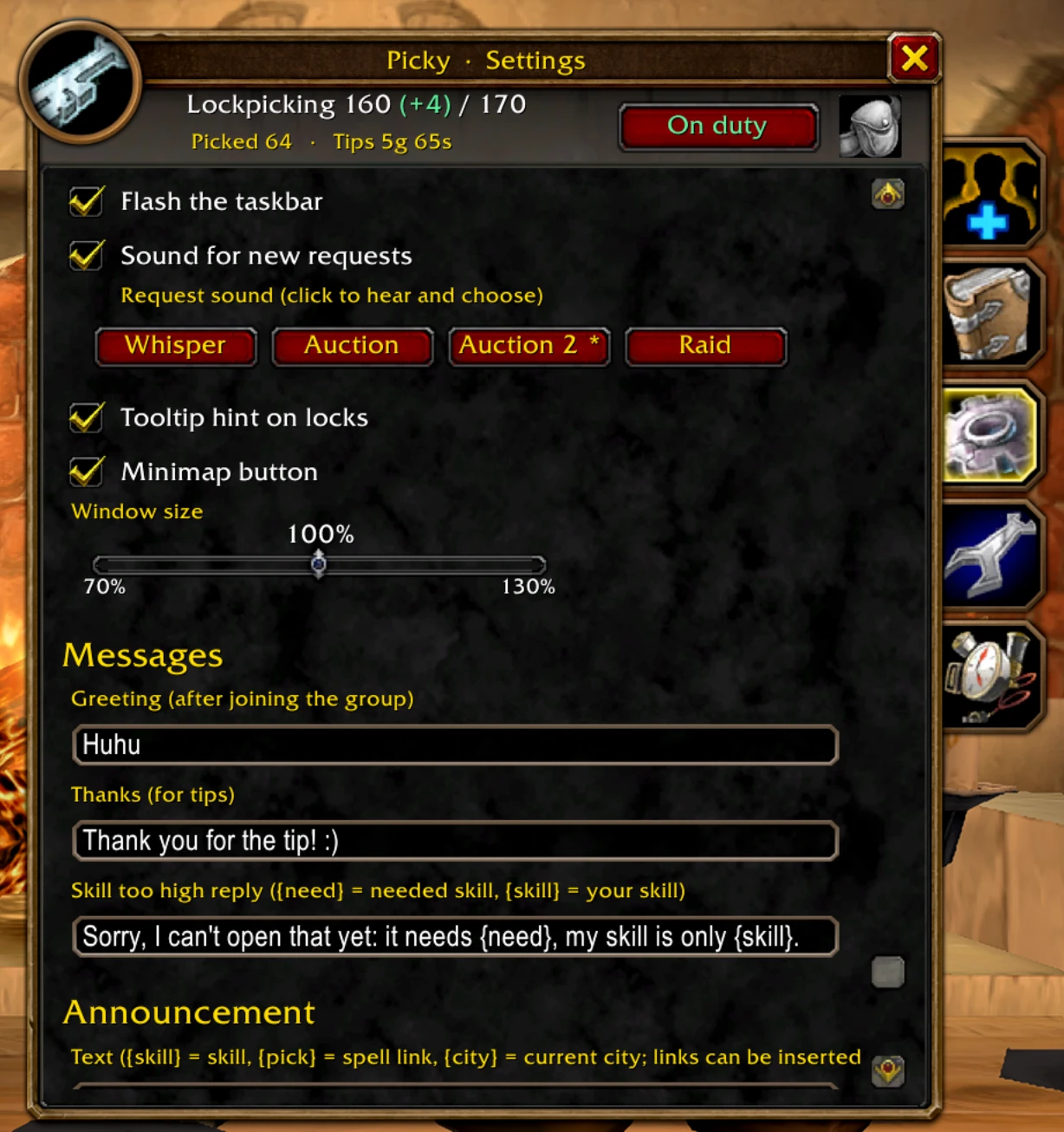
Settings: duty, channels and group (left), pop-ups, sounds and window size (middle), editable message texts (right)
Test mode
Try everything without sending a single real whisper or invite: simulate requests, joins, tips and picks, and copy the log if something looks wrong.
Good to know
- Picky needs Pick Lock in your spellbook. A rogue who has not learned it yet counts as skill 0, Picky never guesses from your level.
- Orders, statistics and your skill are saved once per account, not per character.
- Picky never sends channel posts on its own. Announcements always need your click.
- Picky does not move or replace any of Blizzard's frames.
- Not sure it does what you want? Switch on Test mode first. Nothing real is sent while it is on.
Questions and feedback
Found a bug or have an idea? Leave a comment here or open an issue on GitHub. Please include the addon version and what happened. In the Test tab you can copy the log with one click, which helps a lot.
Source code and bug reports: https://github.com/ari92p/Picky
If you like Picky, you can buy me a coffee:


AI disclosure: Claude helped write the code. I designed, test and maintain the addon.
Picky - Lockpick Assistant Team
